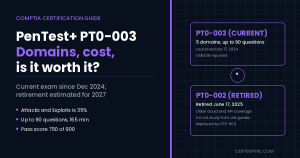
TL;DR: PenTest+ PT0-003 is the current version of CompTIA’s penetration testing exam. It went live on December 17, 2024, replaced PT0-002 in mid-2025, and is built around five domains: Engagement Management (13%), Reconnaissance and Enumeration (21%), Vulnerability Discovery and Analysis (17%), Attacks and Exploits (35%), and Post-exploitation and Lateral Movement (14%). You get up to 90 questions in 165 minutes, a mix of multiple choice and performance-based tasks, and you need 750 out of 900 to pass. The voucher runs about US$439 in the US at current prices, so check CompTIA’s store before you budget. CompTIA expects to retire the exam around 2027, which means there is still a solid year to sit it. It is a good first offensive credential if you already have Security+ level fundamentals, and a weaker pick if you want to prove raw hands-on skill under pressure. Below you will find every objective explained, a lab plan, a 10-week schedule, and a straight answer on whether it is worth your money.
Quick Facts
| Item | Detail |
| Exam code | PT0-003 (V3) |
| Launched | December 17, 2024 |
| Replaced | PT0-002, retired June 17, 2025 |
| Questions | Up to 90, multiple choice and performance-based |
| Time | 165 minutes |
| Passing score | 750 on a 100 to 900 scale |
| Languages | English, French, Japanese, Portuguese |
| Recommended experience | 3 to 4 years as a penetration tester, with Network+ and Security+ or equivalent knowledge |
| Domains | 5 |
| Price (US) | About US$439 after the June 1, 2026 increase; confirm in CompTIA’s store |
| Validity | 3 years, renewed through continuing education |
| Expected retirement | Around 2027, three years after launch |
| DoD 8140.03M | V3 stays approved for the same work roles as V2 |
Where PT0-003 Stands Right Now
PT0-003 has been live for 674 days. CompTIA refreshes PenTest+ on a three-year cycle, and the exam page itself says retirement is usually three years after launch, which it estimates at 2027. That puts a replacement roughly 14 months away if the pattern holds. CompTIA has not announced a PT0-004, so there is no reason to wait. If you start studying today, you can finish and sit the exam well inside the window, as long as you do not stretch the plan over a year.
One thing to watch: plenty of study material online still describes the old exam. CompTIA’s own “What Is on the PenTest+ Exam” page is one of them. It lists up to 85 questions and five domains with the old names, and that is the PT0-002 format. The V3 maximum is 90 questions, and the domain names are the ones in this guide. When two sources disagree, trust the exam page and the official objectives.
How the Exam Works
Question types
You will see standard multiple-choice items and performance-based questions (PBQs). A PBQ drops you into a simulated scenario and asks you to do something: order steps, interpret output, fill in a configuration. They take far longer than multiple-choice questions, and many people report that they carry more weight in scoring, although CompTIA does not publish a weighting.
Timing
With 165 minutes and up to 90 questions you have about 1.8 minutes per question on paper. In practice that average is useless, because a PBQ can eat 8 to 10 minutes while a multiple-choice question you know takes under a minute. A plan that works:
- Move quickly through multiple-choice items you recognize, at about a minute each.
- Flag anything that makes you stop and think for more than 90 seconds.
- Do not sink time into a PBQ you are stuck on. Give your best answer, move on, and come back if you have time.
- Keep your own rough clock. The older CompTIA page mentions that the timer may not be visible during performance-based items, and you should assume the same could be true here.
- Leave the last 10 minutes for flagged questions.
Scoring
You need 750 on a 100 to 900 scale. CompTIA does not publish a pass rate. From what test takers say, people with three or four years of security testing experience who study for two to three months usually pass on the first attempt. That is anecdotal, not an official statistic.
The Five Domains
| Domain | Weight | In one line |
| 1.0 Engagement Management | 13% | Scoping, agreements, communication, frameworks, reports and remediation |
| 2.0 Reconnaissance and Enumeration | 21% | Learning about a target, from public sources and by interacting with it |
| 3.0 Vulnerability Discovery and Analysis | 17% | Scanning, then deciding which results are real |
| 4.0 Attacks and Exploits | 35% | Network, authentication, host, web, cloud, wireless, social and specialized attacks |
| 5.0 Post-exploitation and Lateral Movement | 14% | Persistence, moving between systems, staging data, cleaning up |
The weights add to 100%. One quirk: CompTIA’s V3 announcement blog lists post-exploitation at 11%, which would total 97%. The exam page and the official objectives both say 14%, so use 14%. The blog figure looks like a typo.
How to read the weights: Attacks and Exploits alone is more than a third of the exam, so it gets the most lab hours. Recon plus vulnerability analysis together is 38%, and those two feed each other, so practice them as one workflow. Engagement Management and post-exploitation are small but easy points if you read carefully.
Domain 1: Engagement Management (13%)
This is the part of pentesting that happens before and after the technical work, and it is where a lot of candidates lose points because they study only tools.
1.1 Pre-engagement activities
CompTIA expects you to understand how an engagement is set up:
- Scope: which regulations, privacy rules and security standards apply, and what is in and out of bounds.
- Rules of engagement: exclusions, test cases, escalation procedures and the testing window.
- Agreement types: NDA, MSA, SoW and ToS. Learn one sentence on each. An NDA protects confidential information, an MSA sets general terms between parties, a SoW defines the specific work, and terms of service govern use of a platform.
- Target selection: CIDR ranges, domains, IP addresses and URLs.
- Assessment types: web, network, mobile, cloud, API, application and wireless.
- Shared responsibility: in cloud and hosted environments, who owns what among the provider, the customer, the tester and third parties. This decides who can authorize testing.
- Legal and ethical issues: authorization letters, mandatory reporting and risk to the tester.
1.2 Collaboration and communication
Peer review, aligning with stakeholders, root cause analysis, escalation paths, secure distribution of findings, explaining risk, severity and impact, reprioritizing goals, business impact analysis and client acceptance. Expect scenario questions: you found something serious mid-test, who do you tell, and how?
1.3 Frameworks and methodologies
OSSTMM, CREST, PTES, MITRE ATT&CK, OWASP Top 10, OWASP MASVS, the Purdue model, and threat modeling frameworks (DREAD, STRIDE and OCTAVE). Know what each is for. The Purdue model is about industrial control system architecture, MASVS is for mobile applications, and STRIDE, DREAD and OCTAVE are threat modeling approaches.
1.4 Report components
Report format, documentation requirements, risk scoring, definitions, and the sections that make up a good report: executive summary, methodology, detailed findings, attack narrative and recommendations with remediation guidance. Also test limitations and assumptions, plus reporting considerations covering legal, ethical, quality control and AI.
1.5 Remediation recommendations
The objectives group fixes into four buckets, and the exam likes asking you to pick the right bucket:
| Type | Examples named |
| Technical | System hardening, input sanitization and parameterized queries, MFA, encryption, patching, key rotation, certificate and secrets management, segmentation |
| Administrative | RBAC, secure SDLC, password requirements, policies |
| Operational | Job rotation, time-of-day restrictions, mandatory vacations, user training |
| Physical | Access control vestibules, biometrics, video surveillance |
Practice scenario: During an authorized web application test you notice a host that is not in the scope document and appears to belong to the client’s partner. What do you do? Stop, document it, and go through the agreed escalation path to get clarification and written authorization before touching it.
Domain 2: Reconnaissance and Enumeration (21%)
2.1 Information gathering
Active versus passive reconnaissance is the first distinction to lock in: passive does not touch the target, active does. OSINT sources the objectives name include social media, job boards, code repositories, DNS and reverse DNS, cached pages, cryptographic flaws and password dumps. Also expect certificate transparency logs, information disclosure, search engine enumeration, network sniffing (including IoT and OT protocols), banner grabbing, HTML scraping and TCP and UDP protocol scanning.
Think about what a job posting or a public code repository gives away. Those are the kinds of leaks the exam wants you to recognize.
2.2 Enumeration
Enumeration goes deeper than gathering. It pulls specific details out of systems you have found: OS fingerprinting, services, protocols, DNS records, directories, hosts, shares, local users, email accounts, wireless networks and permissions. The objective also lists secrets enumeration (cloud keys, passwords, API keys, session tokens), attack path mapping, WAF enumeration including finding the origin address, web crawling, and manual checks such as robots.txt, sitemaps and platform plugins.
2.3 Scripting for reconnaissance
You need to read and reason about short scripts in Bash, Python and PowerShell, including loops, conditionals, boolean, string and arithmetic operators, libraries, functions and classes. You are not being asked to write a framework. You are being asked to look at ten lines and say what they do.
2.4 Tools
The objectives list a long set of recon tools. Learn them by job instead of memorizing a flat list:
| Job | Tools named |
| DNS and domain | WHOIS, nslookup, dig, Amass, DNSdumpster |
| People and email | theHarvester, Hunter.io, Maltego |
| Internet-wide search | Shodan, Censys |
| General OSINT | Recon-ng, SpiderFoot, Wayback Machine, OSINT Framework |
| Scanning | Nmap, including NSE scripts |
| Wireless | WiGLE.net, InSSIDer, Aircrack-ng |
| Packet capture | Wireshark, tcpdump |
Nmap shows up across the objectives more than anything else, so spend extra time on what common scan options actually do and what the output tells you. Questions often show a snippet of tool output and ask what it means.
Domain 3: Vulnerability Discovery and Analysis (17%)
3.1 Scan types
The list is broader than most people expect:
- Application scans: DAST, IAST, SCA and SAST (including infrastructure-as-code and source code analysis), plus mobile.
- Container scans, including sidecar containers.
- Network scans: TCP and UDP, including stealth scans.
- Host-based scans, authenticated versus unauthenticated.
- Secrets scanning.
- Wireless scans: SSID, channel and signal strength.
- ICS vulnerability assessment: manual assessment and port mirroring.
Tools named include Nikto, OpenVAS (Greenbone), TruffleHog, BloodHound, Tenable Nessus, PowerSploit, Grype, Trivy and Kube-hunter.
The ICS point deserves a note. Industrial systems can be fragile, so aggressive scanning can disrupt them. That is why the objective points to manual assessment and passive techniques like port mirroring.
3.2 Analyzing scan output
This is the judgment part. You need to validate results (true positive, false positive, false negative), check whether a scan was complete, troubleshoot scan configurations, pick public exploits sensibly and use scripts to confirm findings. Practice reading a scanner report and deciding which findings need a second look before they go in front of a client.
3.3 Physical security
Short and easy to learn: tailgating, site surveys, USB drops, badge cloning and lock picking.
| Pair to keep straight | Why |
| SAST, DAST, IAST, SCA | Where each fits in the lifecycle and what it can see |
| Authenticated vs unauthenticated | Depth of what the scanner inspects |
| False positive vs false negative | Reported but not real, versus real but missed |
Domain 4: Attacks and Exploits (35%)
This is the biggest domain, with ten objectives. The exam is checking that you understand each technique, when it applies and how to choose between them, not that you remember every command-line flag. Do all hands-on practice only on systems you own or have written permission to test.
4.1 Target prioritization and attack preparation
Pick what to go after and prepare properly. The objectives cover high-value assets, CVSS, CVE, CWE and EPSS (severity, a specific vulnerability ID, a weakness class, and likelihood of exploitation), end-of-life systems, default configurations, running services, weak encryption, defensive capabilities, tool and exploit selection and customization, documentation such as attack paths and storyboards, dependencies, scope limits and labeling sensitive systems.
4.2 Network attacks
Default credentials, on-path attacks, certificate services, misconfigured services, VLAN hopping, multihomed hosts, relay attacks, share enumeration and packet crafting. Tools named: Metasploit, Netcat, Nmap with NSE, Impacket, CrackMapExec, Wireshark and tcpdump, msfvenom, Responder and Hydra.
4.3 Authentication attacks
The list is long, so group it:
| Group | Techniques named |
| Guessing | Dictionary, brute force, mask, password spraying, credential stuffing |
| Replaying captured material | Pass-the-hash, pass-the-ticket, pass-the-token |
| Protocol abuse | Kerberos attacks, LDAP injection, OIDC and SAML attacks |
| Human factor | MFA fatigue |
Tools named include CrackMapExec, Responder, hashcat, John the Ripper, Hydra, BloodHound, Medusa and Burp Suite.
4.4 Host-based attacks
Privilege escalation, credential dumping, bypassing security tools, misconfigured endpoints, payload obfuscation, user-controlled access bypass, shell and kiosk escapes, library injection, process hollowing and injection, log tampering and unquoted service paths. Tools named: Mimikatz, Rubeus, Certify, Seatbelt, PowerShell, PsExec, Evil-WinRM and living-off-the-land binaries.
4.5 Web application attacks
Brute force, collisions, directory traversal, SSRF, CSRF, deserialization, injection (SQL, command, XSS and server-side template), IDOR, session hijacking, arbitrary code execution, file inclusion (RFI, LFI and web shells), API abuse and JWT manipulation. Tools named include Burp Suite, ZAP, Postman, sqlmap, Gobuster, DirBuster, Wfuzz, WPScan and TruffleHog.
4.6 Cloud attacks
This is a major V3 theme: metadata service attacks, IAM misconfigurations, third-party integrations, resource misconfigurations (segmentation, network controls, IAM credentials, exposed storage buckets, public services), logging exposure, image and artifact tampering, supply chain attacks, workload runtime attacks, container escape and trust relationship abuse. Tools named: Pacu, Docker Bench, Kube-hunter, Prowler and ScoutSuite.
Many of these connect. A server-side request flaw in a web application can be the way into a cloud metadata service, and a loose IAM role can turn a small foothold into a big problem.
4.7 Wireless attacks
Wardriving, evil twin, signal jamming, protocol fuzzing, packet crafting, deauthentication, captive portals and WPS PIN attacks. Tools named include Aircrack-ng, Kismet, WiFi-Pumpkin, WiGLE.net and InSSIDer.
4.8 Social engineering
Phishing, vishing, whaling, spearphishing, smishing, dumpster diving, surveillance, shoulder surfing, tailgating, eavesdropping, watering holes, impersonation and credential harvesting. Tools named include SET, Gophish, Evilginx, theHarvester, Maltego, Recon-ng and BeEF.
4.9 Specialized systems
Mobile (information disclosure, jailbreaking and rooting, permission abuse), AI attacks (prompt injection and model manipulation), OT attacks (register manipulation, CAN bus, Modbus, plaintext and replay), plus NFC, Bluejacking, RFID and Bluetooth spamming. Tools named: Scapy, tcprelay, Wireshark, MobSF, Frida, Drozer and ADB. The AI items are new enough that older study guides skip them.
4.10 Scripting for automation
PowerShell (including PowerSploit, PowerView and PowerUpSQL and Active Directory searches), Bash (input and output handling, data manipulation), Python (Impacket and Scapy), and breach and attack simulation tools such as Caldera, Infection Monkey and Atomic Red Team.
How to study this domain
- Learn by category, not by tool. For each technique know what weakness it abuses, what a tester would see and what stops it.
- Know the scoring vocabulary: CVSS rates severity, CVE names a specific flaw, CWE names a weakness class, EPSS estimates how likely exploitation is.
- Treat web, cloud and API as one theme.
- Do not skip specialized systems, because mobile, AI, OT and RFID are packed into a single objective and are easy to ignore.
- Practice reading scripts, not just running tools.
Practice scenario: A scan shows an end-of-life host with a public exploit available, and the client’s scope allows exploitation. What do you weigh before trying it? The asset’s criticality, the chance of disrupting service, the testing window in the rules of engagement, how stable the exploit is, and whether the client should be warned first.
Domain 5: Post-exploitation and Lateral Movement (14%)
5.1 Persistence
Scheduled tasks and cron jobs, service creation, reverse and bind shells, new accounts, valid credentials, registry keys, command-and-control frameworks, backdoors (web shells and trojans), rootkits, browser extensions and tampering with security controls.
5.2 Lateral movement
Pivoting, relays, and discovery of services and traffic, further credential capture, credential dumping and string searches. The service list is long: SMB, RDP and VNC, SSH, cleartext protocols, LDAP, RPC, FTP, Telnet, HTTP and HTTPS, printing protocols, DCOM, process IDs, WMI and WinRM. Tools named include living-off-the-land binaries, Covenant, CrackMapExec, Impacket, Netcat, sshuttle, Proxychains, Metasploit, PsExec and Mimikatz.
5.3 Staging and exfiltration
Encryption and compression of files, covert channels (steganography, DNS, ICMP, HTTPS), email, cross-account resources, cloud storage, alternate data streams, text storage sites and virtual drive mounting.
5.4 Cleanup and restoration
Removing persistence, reverting configuration changes, deleting tester-created accounts and tools, spinning down infrastructure, preserving artifacts and secure data destruction. This is easy to overlook and it is a full objective. A professional engagement ends with you removing what you added and documenting it.
Scripting Across the Exam
Scripting is not its own domain, but it appears in 2.3 and 4.10, and tools like Impacket, Scapy and PowerSploit tie into it.
| Language | Where | What you need |
| Bash | 2.3, 4.10 | Loops, conditionals, redirection, basic data handling |
| Python | 2.3, 4.10 | Short scripts using libraries, functions and classes |
| PowerShell | 2.3, 4.10 | Short scripts, including Active Directory searches |
The consistent message from people who have taken it is that you need to understand and tweak scripts, not write large ones from scratch.
PT0-002 vs PT0-003
Here are the two domain lists as CompTIA gives them. The rows are not one-to-one matches, so do not read across.
| PT0-002 (old) | PT0-003 (current) |
| Planning and Scoping, 14% | Engagement Management, 13% |
| Information Gathering and Vulnerability Scanning, 22% | Reconnaissance and Enumeration, 21% |
| Attacks and Exploits, 30% | Vulnerability Discovery and Analysis, 17% |
| Reporting and Communication, 18% | Attacks and Exploits, 35% |
| Tools and Code Analysis, 16% | Post-exploitation and Lateral Movement, 14% |
What actually changed:
- The question maximum went from 85 to 90.
- Attacks and Exploits grew from 30% to 35%.
- Vulnerability analysis and post-exploitation became standalone domains.
- Reporting moved inside Engagement Management, and tools and scripting are now spread across the objectives instead of sitting in their own domain.
- Cloud, API, AI and scripting got much more attention. Third-party breakdowns also point to deeper REST and GraphQL testing, newer ATT&CK mappings and expanded physical and social engineering.
- DoD 8140.03M approval carries over from V2.
Because PT0-002 retired in June 2025, the main risk is using old study material. Anything written for it underweights cloud, API, AI and scripting.
Cost, Retakes and Renewal
| Item | Detail |
| Single voucher (US) | About US$439 after the June 1, 2026 increase |
| Voucher with retake | About US$579 |
| Validity | 3 years |
| Renewal | Continuing education, commonly described as 60 CEUs plus an annual fee |
| Retakes | Commonly described as no wait before a second attempt and 14 days between later ones |
CompTIA does not print the voucher price on the exam page, and prices and policies change, so check the store and CompTIA’s retake and renewal policies before you pay. The voucher with retake costs about US$140 more than the single voucher, which is worth it only if you are not confident on a first attempt.
CompTIA also sells training that pairs with the exam: CertMaster Learn (structured eLearning), CertMaster Labs (browser-based labs), CertMaster Practice (adaptive question practice) and CertMaster Perform, plus bundles. Whether you need them depends on your experience. With three or four years in the field you can probably get by with the objectives, a lab and practice questions.
Who Should Take PenTest+
CompTIA recommends 3 to 4 years as a penetration tester, plus Network+ and Security+ level knowledge, and there is no formal prerequisite. CompTIA maps the exam to three roles: penetration tester, vulnerability analyst and cybersecurity analyst.
| You are | Fit |
| A security analyst or SOC member moving toward offensive work | Good fit |
| A vulnerability analyst | Strong fit, especially for Domains 3 and 4 |
| A network or systems admin with Security+ | Workable, with extra lab time |
| A career changer with no security background | Do Security+ first |
| A working pentester wanting a vendor-neutral credential | Good as a baseline |
| Someone chasing one specific job ad | Check which certification the ad names |
For the stepping stones, see our Security+ SY0-701 exam page, our SY0-701 vs SY0-801 guide and the SY0-801 cost, format and domains guide. The CompTIA certification roadmap shows where PenTest+ sits.
PenTest+ vs Other Options
| Credential | Format | Rough price | When it makes sense |
| PenTest+ PT0-003 | Multiple choice plus PBQs, up to 90 questions, 165 minutes | About US$439 | Vendor-neutral, covers the whole engagement |
| CEH | Multiple choice only | Higher than PenTest+ | Broad awareness credential |
| OSCP | 24-hour practical exam | US$1,749 and up | Proving hands-on skill under pressure |
| PNPT | 5+2 day practical exam with a report | About US$499 | Practical, report-based |
| CySA+ | Defensive analyst exam | See CompTIA | Detection and analysis careers. See our CySA+ CS0-004 exam page |
| SecurityX | Advanced practitioner exam | See CompTIA | Later-career security. See our CAS-005 exam page |
PenTest+ sits in the middle. It is tougher than Security+ but far less demanding than a 24-hour practical like OSCP. Pick PenTest+ if you want a reasonably priced exam that tests knowledge across the whole engagement, including scoping and reporting. Pick a practical exam if your goal is to prove you can break things under time pressure and you can afford the price and the effort. Pick CySA+ if your career is defensive.
Building a Lab
CompTIA’s objectives include a list of suggested hardware and software, and it is a useful hint of what the exam assumes you have touched: computers, wireless access points, servers, switches, firewalls, routers, packet-injection wireless adapters, mobile and IoT devices, Bluetooth adapters, RFID and NFC equipment, PLCs, SDR kits, virtualization software, scanners, password cracking tools, web proxies, protocol analyzers and command-and-control tools.
You do not need all of it. A solid starter lab:
- A virtualization host with an attacker machine and two or three deliberately vulnerable targets.
- A free-tier cloud account with a few intentionally misconfigured resources that you own.
- A web proxy and a test web application with an API that you control.
- A wireless adapter and your own access point, if you want to practice wireless topics.
- A notes template you can reuse as a practice report.
Only test systems you own or have written permission to test.
A 10-Week Study Plan
This assumes you already know networking and security basics and can spend 8 to 10 hours a week.
| Week | Focus | Objectives |
| 1 | Scoping, rules of engagement, agreements, legal and ethical issues | 1.1 |
| 2 | Communication, frameworks, reports, remediation | 1.2 to 1.5 |
| 3 | Passive and active recon, OSINT, tools by purpose | 2.1, 2.4 |
| 4 | Enumeration and reading short recon scripts | 2.2, 2.3 |
| 5 | Scan types, validating output, physical security | 3.1 to 3.3 |
| 6 | Prioritization, network and authentication attacks | 4.1 to 4.3 |
| 7 | Host and web application attacks | 4.4, 4.5 |
| 8 | Cloud, wireless, social engineering, specialized systems, automation | 4.6 to 4.10 |
| 9 | Persistence, lateral movement, exfiltration, cleanup | 5.1 to 5.4 |
| 10 | Timed practice, PBQ practice, weak-area review | All |
Hands-on exercises worth doing:
- Write a scope and rules-of-engagement document for your own lab.
- Do passive reconnaissance on a domain you own and list what is publicly visible.
- Scan your lab and classify each finding as true positive, false positive or needs validation.
- Test a web application and API you control for authentication and authorization problems.
- Review your test cloud account for misconfigurations and write a fix for each.
- Write a practice report with an executive summary, methodology, findings, attack narrative and recommendations.
- Read and modify short Bash, Python and PowerShell scripts.
- Practice cleanup: list everything you added to your lab and write the steps to remove it.
Key Terms to Know Cold
| Term | Meaning |
| Rules of engagement | What you may do, when, and with what limits |
| NDA, MSA, SoW, ToS | Confidentiality, general terms, specific work, platform terms |
| PTES, OSSTMM, CREST | Testing methodologies |
| MITRE ATT&CK | Catalog of attacker tactics and techniques |
| STRIDE, DREAD, OCTAVE | Threat modeling approaches |
| Passive vs active recon | Whether you touch the target |
| Enumeration | Pulling detail out of discovered systems |
| SAST, DAST, IAST, SCA | Application scan types |
| CVSS, CVE, CWE, EPSS | Severity, flaw ID, weakness class, exploit likelihood |
| False positive, false negative | Reported but not real, real but missed |
| Pass-the-hash, pass-the-ticket | Replaying captured authentication material |
| SSRF, IDOR, CSRF | Common web and API flaw classes |
| Pivoting | Using one compromised host to reach others |
| Persistence | Keeping access after the first foothold |
| LOLBins | Legitimate system tools used for attacks |
| Exfiltration | Moving data out of the target |
| PBQ | Performance-based question |
Exam Day Checklist
- Review the five domain names and weights the night before.
- Settle your pacing: about a minute for a multiple-choice item you know.
- Decide how you will handle PBQs before you start.
- Keep your own clock.
- Read the last sentence of each scenario first, since it tells you what is being asked.
- Watch for scope and authorization in the wording. A lot of questions test whether an action is allowed.
- Hold the last 10 minutes for flagged questions.
- Check your ID and testing setup in advance.
Mistakes People Make
- Studying only tools. A fifth of the exam is scoping, reporting and recon logic, and it rewards judgment.
- Using PT0-002 material. Different domains, and it skips cloud, API, AI and scripting.
- Trusting a page that says 85 questions. That was V2.
- Skipping the lab. The performance-based questions test practical steps, and reading alone will not get you there.
- Burning time on one PBQ.
- Ignoring cleanup. Objective 5.4 is a whole objective.
- Skimming physical security. Tailgating, badge cloning and lock picking are named in 3.3.
- Skipping AI and OT. Prompt injection and Modbus-style attacks sit in 4.9.
- Not learning the acronyms. CompTIA includes an acronym list, and you are expected to know the terms.
Is PenTest+ Worth It in 2026?
I will not quote salary numbers, because I have not found a reliable figure that isolates PenTest+ holders from the wider security workforce.
Where it pays off. It is vendor-neutral, it covers the whole engagement from scoping to cleanup, it has performance-based questions, it is far cheaper than OSCP, and V3 keeps the DoD 8140.03M work-role approvals that V2 had. It also fits neatly after Security+ and alongside CySA+.
Where it falls short. CompTIA recommends three to four years of experience, which many candidates do not have yet. The three-year renewal comes with continuing education costs. Practical exams like OSCP and PNPT may carry more weight with some hiring managers. And with a likely 2027 retirement, another version change is not far off.
Bottom line. If you already have security fundamentals and want to show structured knowledge of a full engagement, PenTest+ is a sensible first offensive credential. If you need to prove you can exploit under pressure, spend the effort on a practical exam instead.
FAQS
What is CompTIA PenTest+ PT0-003?
It is the current version (V3) of CompTIA’s penetration testing exam, launched on December 17, 2024.
How many questions are on the exam?
Up to 90, a mix of multiple choice and performance-based. You may get fewer. The older 85 figure belonged to V2.
How long is it and what is the passing score?
165 minutes, and you need 750 on a 100 to 900 scale.
How much does PenTest+ cost?
CompTIA’s exam page does not print a price. At the time of writing the US voucher is about US439,andavoucherwitharetakeisaboutUS579. Check the store for your region.
What are the domains and weights?
Engagement Management 13%, Reconnaissance and Enumeration 21%, Vulnerability Discovery and Analysis 17%, Attacks and Exploits 35%, Post-exploitation and Lateral Movement 14%.
Why does one CompTIA page say 11% for post-exploitation?
The V3 announcement blog lists 11%, which makes the total 97%. The exam page and the official objectives say 14%, which makes 100%. Use 14%.
Does the exam include scripting?
Yes. Bash, Python and PowerShell appear in the reconnaissance and automation objectives. You mostly need to read and understand short scripts.
What happened to PT0-002?
It retired on June 17, 2025, and PT0-003 replaced it.
When will PT0-003 retire?
CompTIA says PenTest+ usually retires three years after launch, and it estimates 2027. That is an estimate, not an announced date.
Are there prerequisites?
No formal ones. CompTIA recommends 3 to 4 years as a penetration tester, with Network+ and Security+ or equivalent knowledge.
Does PenTest+ meet DoD 8140 requirements?
CompTIA says V3 remains approved for the same DoD Directive 8140.03M work roles as V2. Check the official list for your own role.
How long is the certification valid?
Three years, renewable through CompTIA’s continuing education program. Confirm the current CEU and fee details with CompTIA.
How long should I study?
Most people with 3 to 4 years of relevant experience need two to three months. If you are newer to the field, plan for more. The 10-week plan above assumes 8 to 10 hours a week.
For the official exam details, see CompTIA’s PenTest+ page. Practice material is on our PenTest+ PT0-003 exam page, and more guides are in our CompTIA articles.