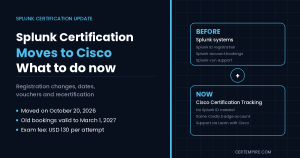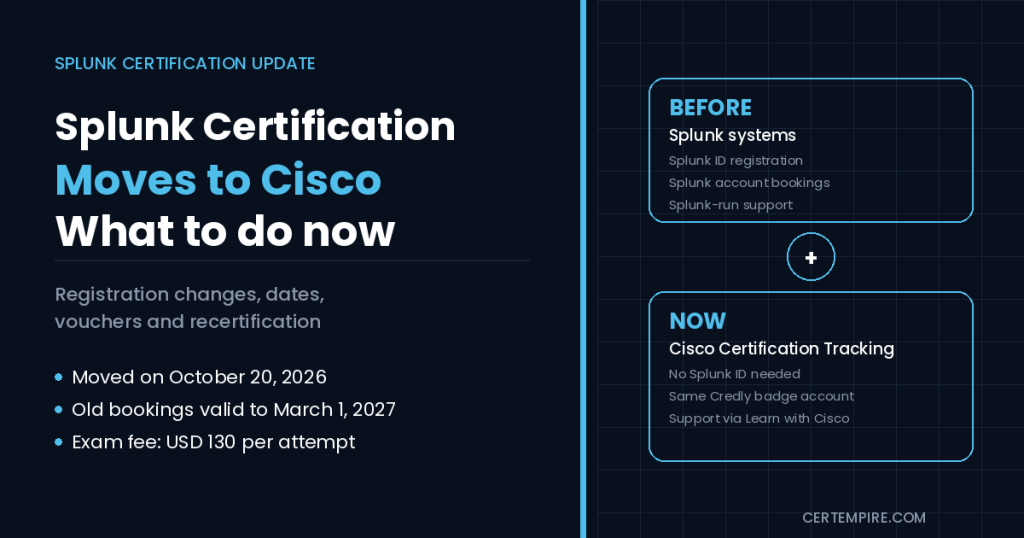
TL;DR: Splunk certification has moved into Cisco’s certification systems. Splunk’s own registration notice says that as of October 20, 2026 Splunk certifications run through Cisco’s Certification Tracking System, so you now register, view your exam history and get support through Cisco, and you no longer need a Splunk ID for the exam. Exams already booked under the old system can still be taken through March 1, 2027. The exam itself has not been described as changing: the pages reviewed still list an exam fee of USD 130 per attempt, 60-minute sessions and the same three-year certification cycle. Your Credly badge account stays the same. Two things to watch: your exam codes (no public Splunk or Cisco page reviewed publishes a table of new SPK codes, so always copy the code shown at Cisco’s registration step) and your expiry date on Credly, because the recertification rules also changed this year.
Quick Facts
| Item | What the current Splunk pages say |
| What changed | Splunk and Cisco combined their certification systems |
| Move date | “As of October 20, 2026” Splunk certifications run on Cisco’s Certification Tracking System |
| Where you register | Cisco’s registration page, linked from Splunk’s pages |
| Splunk ID | No longer required |
| Existing appointments | Can still be taken through March 1, 2027 |
| Managing a booking | Cisco Certification Tracking System user guide, or the Learn with Cisco Help Center |
| Badges | One Credly account, no new account needed |
| Exam fee | USD 130 per attempt |
| Voucher bundle | 5 exams for USD 500 |
| Training unit conversion | 50 units for 5 vouchers, or 13 units for 1 voucher (candidate handbook) |
| Voucher validity | Typically one year from issue |
| Test delivery | Pearson VUE test center or online proctoring |
| Cancel or reschedule | At least 48 hours before the appointment |
| Retake waits | 7 days after a first failure, 14 after a second, 28 for a fourth, 56 for a fifth and sixth |
| Certification validity | 3 years, with a 90-day grace period |
| Recertification (since March 1, 2026) | Retake the same exam in the final year, or earn a higher-level certification |
| Legacy certifications (since January 1, 2026) | Enterprise Security Certified Admin, SOAR Certified Automation Developer, ITSI Certified Admin |
| Support | Learn with Cisco Help Center ticket (the old [email protected] address is no longer monitored) |
| Where certifications show | Certmetrics and Credly, no longer STEP |
| Active vouchers | Still usable for Splunk exams delivered through Cisco |
Timeline at a Glance
| Date | What happened |
| January 1, 2026 | Enterprise Security Certified Admin, SOAR Certified Automation Developer and ITSI Certified Admin became Legacy certifications |
| March 1, 2026 | New recertification policy took effect (retake in the final year or earn a higher-level certification, coursework renewal removed) |
| October 20, 2026 | Splunk certifications moved to Cisco’s Certification Tracking System |
| March 1, 2027 | Last day to take exams booked under the old Splunk system |
Before and After: What Is Different for You
| Task | Before the move | Now |
| Account | Splunk ID | Cisco account, using the email tied to your certifications |
| Register and schedule | Splunk and Pearson VUE pages | Cisco’s Certification Tracking System, with Pearson VUE delivery |
| View certifications | STEP | Certmetrics or Credly |
| Support | Splunk certification email | Splunk Certification Support ticket in the Learn with Cisco Help Center |
| Vouchers | Splunk exam vouchers | Active vouchers still work for Splunk exams |
| Badges | Credly | Credly, same account |
| Exam fee and content | USD 130, current blueprints | No change reported on the pages reviewed |
What Actually Changed
Splunk’s certification pages describe the change in plain terms. Splunk and Cisco are combining their certification systems to create what Splunk calls a “more seamless, streamlined experience.” In practice:
- Registration moved. Candidates now use Cisco’s registration, exam history access and support. Splunk’s registration notice states the date: as of October 20, 2026, Splunk certifications have moved to Cisco’s Certification Tracking system.
- Splunk IDs are no longer required for the exam.
- Support moved. Profile or registration problems go to a Splunk Certification Support ticket in the Learn with Cisco Help Center. The old [email protected] address is no longer monitored.
- Booked exams are protected. The Pearson VUE page says previously booked exams can still be taken through March 1, 2027, and you can view or change existing appointments by logging in to your Splunk account.
- Where you view certifications changed. They show in Certmetrics or Credly and are no longer visible in STEP.
- Active vouchers carry over. Splunk says active Splunk exam vouchers remain usable on Splunk exams delivered through Cisco.
- Your badges do not move. Splunk says you do not need a new Credly account. One Credly account manages and shares all your badges.
What the pages reviewed do not say is also useful. They give no new exam fee, no new duration and no change to the exam content because of the move. Treat the move as a change to the administrative side of Splunk certification, not to what you are tested on.
About the New SPK Exam Codes
This is the part to handle carefully. Many candidates search for a table that maps old SPLK codes to new SPK codes, so here is where things stand as of early November 2026.
- The Splunk track pages reviewed (Core Certified User, Core Certified Power User, Enterprise Certified Admin, Cybersecurity Defense Analyst and Defense Engineer) do not list an exam code at all, and none of them mentions a new code.
- Splunk’s certification overview page, its FAQ and its candidate handbook do not list codes either.
- The Splunk certification changes documents cover legacy certifications, the recertification policy and the October 20, 2026 migration, and none of them contains exam codes or an old-to-new mapping.
- Cisco’s public exam list and its Certification Tracking System user guide contain no codes beginning with SPK and no Splunk exams.
- Splunk’s community answer on where to find exam codes says they appear on the Pearson VUE portal and on the exam registration screen, not on a public list.
A code-by-code mapping cannot be confirmed from the public pages, so none is printed here. Treat any table of SPK codes you find elsewhere as unverified until it matches Cisco’s registration screen. What to do instead:
- Use the code shown on the Cisco registration page. When you pick an exam in Cisco’s system, copy the exam name and code exactly as it appears there.
- Match by exam name, not by code, when comparing old and new material. The names are stable: Splunk Core Certified User, Core Certified Power User, Core Certified Advanced Power User, Cloud Certified Admin, Enterprise Certified Admin, Enterprise Certified Architect and the others on Splunk’s certification overview.
- Do not buy a voucher or book a session based on a code from a third-party site. Confirm it in the Cisco registration step first.
- Keep your old codes for reference. Study guides, blueprints and many practice resources still use the older SPLK codes, for example SPLK-1001 for Core Certified User and SPLK-1002 for Core Certified Power User. Exam names will link them to the new listings.
- If you need an official mapping, open a Splunk Certification Support ticket in the Learn with Cisco Help Center. Splunk’s notice says the old [email protected] address is no longer monitored.
This section is updated when an official code list appears on Splunk’s or Cisco’s pages.
Older codes and exam names, for matching old material to current exams:
| Exam name | Older code |
| Splunk Core Certified User | SPLK-1001 |
| Splunk Core Certified Power User | SPLK-1002 |
| Splunk Enterprise Certified Admin | SPLK-1003 |
| Splunk Core Certified Advanced Power User | SPLK-1004 |
| Splunk Cloud Certified Admin | SPLK-1005 |
| Splunk Enterprise Certified Architect | SPLK-2002 |
Use this table to match exam names when you read study material. Do not treat it as the code you will see at checkout.
How to Register Now
Splunk’s pages describe the registration process in outline and point to a Cisco registration tutorial and a user guide for the details. Splunk accounts were migrated to Cisco’s tracking system, so sign in with the email tied to your certifications. Here is what the sources state:
- Go to Cisco’s registration page from Splunk’s certification page.
- Sign in with a Cisco account. The candidate handbook says you need an account on the Cisco certification portal, and that the name you register with must match your photo ID. Splunk’s newer pages say Splunk IDs are no longer required.
- Choose your exam and check the name and code on the screen.
- Pay at Pearson VUE. You can buy a voucher from Pearson VUE during registration, or use one you already hold.
- Choose test center or online proctoring. Online candidates must pass a system test on the same computer and in the same location they will use for the exam, and need administrative rights to install the software.
- Check your confirmation and keep it with your ID details.
A note on conflicting guidance. Splunk’s candidate handbook says you need a Splunk.com account tied to a current email address plus an account on the Cisco certification portal, while the newer FAQ and registration notice say Splunk IDs are no longer required. The handbook appears to describe the older process, so follow the instructions on the Cisco registration page, and open a help center ticket if the two disagree. If your exam history looks empty after you sign in, a help center ticket is the route Splunk recommends.
If your email address changes. The handbook says you need a new Cisco.com account with the new email, plus a Learn with Cisco Help Center ticket to link it to your existing certification profile. Your Credly account belongs to you, so add the new email to it rather than creating a new Credly account.
Booked Before the Move? Here Is What to Do
If you booked an exam before October 20, 2026:
- Keep your appointment. Splunk says previously booked exams can still be taken through March 1, 2027.
- Manage it through your Splunk account. The Pearson VUE page says you can view or change existing appointments by logging in to your Splunk account, with OnVUE information for online sessions.
- Do not wait until the last week. The cut-off is March 1, 2027, and rescheduling needs notice (see the 48-hour rule below).
- If you are unsure whether your booking is covered, open a ticket in the Learn with Cisco Help Center and attach your confirmation.
- For anything booked after October 20, 2026, use Cisco’s system for rescheduling or cancelling. Splunk’s FAQ points to the Cisco Certification Tracking System user guide for this.
Vouchers, Training Units and Cost
The cost of one attempt is unchanged in the sources reviewed: USD 130 per exam attempt, or USD 500 for five registrations.
- Pearson VUE vouchers. Buy a single voucher during registration, or the 5-exam bundle for USD 500 from the voucher store.
- Splunk Education training units. The handbook says units can be converted: 50 units for 5 vouchers or 13 units for 1 voucher. The FAQ says company-held Education Training Units can be converted into exam registrations through a request to Cisco’s help center.
- Expiry. Vouchers and training units typically expire one year from issue. Certification vouchers can be bought with Education credits only during the first year. Once converted, a voucher covers one exam attempt.
- Refunds. Vouchers are non-refundable and cannot be turned back into Education credits.
- Special units. Special training units cannot be converted to certification vouchers.
Check your voucher’s expiry date before you plan a sitting. Splunk says active vouchers remain usable on exams delivered through Cisco. If a voucher is rejected at booking, open a help center ticket with the voucher details.
Exam Rules That Still Apply
The handbook and FAQ describe these exam-day rules.
- Format: Exams are closed-book. Suspected use of reference material results in automatic failure and forfeited fees.
- Agreement: You have 3 minutes to read and accept the Splunk Certification Agreement. If you do not accept it, your session ends. On the Power User blueprint, the 60 minutes include those 3 minutes.
- Review: You can flag questions and review answers before submitting. Scores are final once submitted.
- Results: Passing results appear immediately, but passing candidates get no performance feedback. Candidates who fail can see section-level feedback.
- Identification: Bring a valid photo ID and a second form of identification showing your legal name, such as a credit card or student ID.
- Age: Candidates must be at least 13. Those aged 13 to 17 need a signed parental acknowledgment form.
- Cancel or reschedule: At least 48 hours before the appointment, or you forfeit the registration fee.
What some exams look like. The track pages list the following, all at USD 130 per attempt:
| Exam | Questions | Time | Prerequisite |
| Splunk Core Certified User | 60 multiple choice | 60 minutes | None |
| Splunk Core Certified Power User | 65 multiple choice | 60 minutes | None |
| Splunk Enterprise Certified Admin | 56 multiple choice | 60 minutes | Core Certified Power User |
| Splunk Certified Cybersecurity Defense Analyst | 66 multiple choice | 75 minutes | None |
| Splunk Certified Cybersecurity Defense Engineer | 60 multiple choice | 75 minutes | None |
The Power User blueprint lists ten domains. Correlating Events carries 15%, Transforming Commands for Visualizations carries 5%, and the other eight domains (filtering and formatting results, creating and managing fields, field aliases and calculated fields, tags and event types, macros, workflow actions, data models, and the Common Information Model add-on) carry 10% each.
Retake Waiting Periods
Splunk’s retake policy has not been described as changing with the move. The handbook lists:
| Attempt | Wait after a failure |
| First failed attempt | 7 days (counted from the day after the exam) |
| Second failed attempt | 14 days |
| Fourth attempt | 28 days |
| Fifth and sixth attempts | 56 days each |
| After six attempts | Reviewed case by case, and Splunk may deny the retake |
The summary reviewed did not list the wait before the third attempt, so check the handbook. You cannot retake an exam you have already passed unless it is required for recertification. Each retake costs the same exam fee.
Validity and Recertification: Check Your Expiry
The recertification rules changed in 2026, and the move to Cisco makes it easier to miss an expiry date, so check it now.
- Validity: Certifications run on a three-year cycle that starts from the date you earned your highest-level certification. Expiration dates are shown on your Credly badges.
- Grace period: A 90-day grace period follows the end of the cycle. After that, the certification becomes inactive.
- Reminders: Splunk emails reminders at 180, 90 and 30 days before expiration in the final year, and Credly sends one at 60 days.
- No extensions: Splunk does not offer extensions, and tracking your expiry is your responsibility.
- New recertification rule (effective March 1, 2026): Renewal through coursework completion has been removed. You can recertify by retaking the same exam during the final year of your recertification window, or by earning a higher-level certification in the same track, such as moving from Power User to Admin. A higher-level pass also renews downstream certifications.
- If a certification lapses: The FAQ says you must restart at the Splunk Core Certified Power User level. The changes document says to regain an expired certification you must retake the corresponding exam and any prerequisite exams.
- Retake timing: The exam must be passed within the final year of your recertification window. A pass outside that window does not count.
Legacy Certifications
Since January 1, 2026, Splunk has reclassified three certifications as Legacy:
- Splunk Enterprise Security Certified Admin
- Splunk SOAR Certified Automation Developer
- Splunk IT Service Intelligence (ITSI) Certified Admin
Legacy means their exam content and objectives will not be updated, but the credentials stay valid, you can still take the exams, and you can still display the credentials. Active legacy certifications can be recertified under the current policy. The page does not say the exams are retired.
For candidates interested in Enterprise Security or SOAR, Splunk’s guidance is to look at the Splunk Certified Cybersecurity Defense Analyst and Splunk Certified Cybersecurity Defense Engineer certifications. For ITSI, it points to the current course catalog.
Which Certification Tracks Exist Now
Splunk’s certification overview groups its 14 tracks like this:
| Area | Certifications |
| Core | Core Certified User, Core Certified Power User, Core Certified Advanced Power User |
| Administration and architecture | Cloud Certified Admin, Enterprise Certified Admin, Enterprise Certified Architect, Core Certified Consultant |
| Security | Certified Cybersecurity Defense Analyst, Defense Engineer, Defense Architect, Enterprise Security Certified Admin (Legacy) |
| IT Service Intelligence | ITSI Certified Admin (Legacy) |
| SOAR | SOAR Certified Automation Developer (Legacy) |
| Observability | O11y Cloud Certified Metrics User |
Which Splunk Certification Should You Take First?
Passing an exam earns a digital badge through Credly. If you work with Cisco security certifications as well, see our guides on Cisco certification changes and CyberOps vs CCNA Cybersecurity for how the rest of Cisco’s catalogue has moved.
- New to Splunk and want a starting point: Core Certified User (60 questions, 60 minutes, no prerequisite).
- Already searching and building reports daily: Core Certified Power User (65 questions, 60 minutes), which is also the prerequisite for Enterprise Certified Admin.
- Running a Splunk deployment: Enterprise Certified Admin (56 questions, 60 minutes) after Power User.
- Working in a SOC: Cybersecurity Defense Analyst (66 questions, 75 minutes, no prerequisite) is the entry point on the security track, and Defense Engineer (60 questions, 75 minutes) is the next step. Splunk points Enterprise Security and SOAR candidates to these two.
- Holding a Legacy certification: keep it valid through the current recertification rules, and decide whether to move to the security track.
Candidate Guidance: What to Do Now
If you are already certified:
- Look up your expiry dates on Credly today.
- If you are in the final year, choose between retaking your exam and moving to a higher-level exam, and book through Cisco’s system.
- Make sure your Cisco account email matches the one on your Credly badge, or open a help center ticket to link them.
If you are preparing for an exam:
- Study from the current blueprint for your exam, not from a code.
- Register through Cisco’s system and copy the exam name and code from the registration screen.
- Check voucher expiry before you buy.
- Use practice questions that match the exam name. Our free SPLK-1001 practice questions, SPLK-1002 exam page, SPLK-1004 exam page, SPLK-1005 exam page and free SPLK-2002 practice questions cover the exams that carry the older codes.
If you booked before October 20, 2026:
- Keep your appointment and take the exam before March 1, 2027.
- Manage it through your Splunk account.
- Open a ticket if anything looks wrong.
If you hold an old voucher or training units:
- Check the expiry date.
- Splunk says active vouchers still work for Splunk exams through Cisco. If one is rejected, open a help center ticket.
- Convert units to vouchers before they expire.
Common Mistakes to Avoid
- Booking from a code on a third-party site. Confirm the name and code in Cisco’s registration step first.
- Waiting until March 1, 2027 for an old booking. Reschedules need at least 48 hours’ notice, and fees are forfeited if you miss it.
- Creating a second Credly account. You do not need one, and one account manages all your badges.
- Using an email that does not match your certification profile. Link a new email through the help center instead of starting a new profile.
- Assuming coursework still renews your certification. Since March 1, 2026 it does not. Retake the exam or earn a higher-level certification.
- Missing the final-year window. The exam must be passed in the last year of your cycle to count.
- Assuming the exam changed. The move is administrative on the sources reviewed, so do not drop your blueprint-based preparation.
- Ignoring legacy status. Legacy credentials stay valid, but the content will not be updated, so decide whether the track still serves your goals.
FAQS
1. Has Splunk certification moved to Cisco?
Yes. Splunk’s registration notice states that as of October 20, 2026, Splunk certifications have moved to Cisco’s Certification Tracking system. Candidates now use Cisco’s registration, exam history access and support.
2. Do I still need a Splunk ID to take a Splunk exam?
No, according to Splunk’s FAQ and registration notice, which say Splunk IDs are no longer required. The candidate handbook still mentions a Splunk.com account, which appears to describe the older process, so follow Cisco’s registration page.
3. Where do I register for Splunk exams now?
Through Cisco’s registration page, which Splunk’s certification pages link to. You pay at Pearson VUE during registration and choose a test center or online proctoring.
4. What are the new SPK exam codes for Splunk?
No public Splunk or Cisco page reviewed publishes a table of SPK codes. Copy the exam name and code shown on Cisco’s registration page, and open a Splunk Certification Support ticket in the Learn with Cisco Help Center if you need an official mapping from the older SPLK codes.
5. Do the old SPLK exam codes still matter?
Study resources and practice material still use them, for example SPLK-1001 for Core Certified User and SPLK-1002 for Core Certified Power User. Match them to the exam name when you register, and confirm the code in Cisco’s system.
6. Can I still take an exam I booked before October 20, 2026?
Yes. Splunk’s Pearson VUE page says previously booked exams can still be taken through March 1, 2027, and you can view or change existing appointments by logging in to your Splunk account.
7. Do I need a new Credly account for my Splunk badges?
No. Splunk says one Credly account manages and shares all your badges. If your email changes, add the new email to your existing Credly account.
8. How much does a Splunk certification exam cost?
USD 130 per attempt on the Splunk track pages and handbook, or USD 500 for five registrations. The pages reviewed show no change to the fee with the move to Cisco.
9. How long do Splunk certifications last?
Three years, starting from the date you earned your highest-level certification. There is a 90-day grace period after the cycle ends, and Splunk does not offer extensions. Check your expiry on Credly.
10. How do I recertify my Splunk certification in 2026?
Retake the same exam in the final year of your recertification window, or earn a higher-level certification in the same track. Since March 1, 2026, renewal through coursework completion has been removed.
11. What happens if my Splunk certification expires?
It becomes inactive after the 90-day grace period. Splunk’s FAQ says you must restart at the Splunk Core Certified Power User level, and the changes document says you must retake the corresponding exam and any prerequisite exams.
12. How long must I wait to retake a failed Splunk exam?
7 days after a first failed attempt and 14 days after a second, with 28 days for a fourth attempt and 56 days for a fifth and sixth. Attempts after the sixth are reviewed case by case, and Splunk may deny them.
13. Are Splunk Enterprise Security, SOAR and ITSI certifications retired?
No. Since January 1, 2026 they are classified as Legacy. The credentials stay valid and the exams can still be taken, but the content will not be updated. Splunk suggests the Cybersecurity Defense Analyst and Defense Engineer certifications for people interested in Enterprise Security or SOAR.
Final Thoughts
For most candidates the move to Cisco changes how you book and manage your certification, not what you study. Register through Cisco, copy your exam name and code from the registration screen, check your voucher and expiry dates, and keep one Credly account. Anyone with an exam booked under the old system has until March 1, 2027 to sit it. Read the current notice and tutorials on Splunk’s certification page before you book, since dates, codes and policies can change as the two programs finish merging.