1. Elasticsearch B.V.
"Filebeat overview". Elastic Guide. The official documentation for Filebeat (a distributed log collector) states
"Filebeat is a lightweight shipper for forwarding and centralizing log data... Because of its lightweight implementation
Filebeat has a low memory footprint and uses a small amount of CPU." It also handles backpressure
stating
"If the Logstash node is busy
Filebeat slows down its read rate. Once the congestion is cleared
Filebeat will resume its original pace and continue shipping data." This supports the benefits of performance/low resource use (B) and buffering/resilience (E).
Reference Location: https://www.elastic.co/guide/en/beats/filebeat/current/filebeat-overview.html
"How Filebeat works" section.
2. Fluentd Authors
"Architecture". Fluentd Documentation. The official Fluentd documentation describes its architecture
which can be used in a distributed model. It highlights
"Fluentd has a small memory footprint... but it can be extended with plugins." More importantly
it details its reliability mechanisms: "Fluentd supports memory-based and file-based buffering to prevent inter-node data loss. Fluentd also supports robust failover." This local buffering is a core component of distributed collectors and directly supports option E. The lightweight nature supports option B.
Reference Location: https://docs.fluentd.org/architecture
"Architecture" and "Reliability" sections.
3. Sharma
P.
& Gorkhali
A. (2019). "A Microservice Based Scalable
Extensible
and Portable Architecture for Log Analytics". 2019 IEEE International Conference on Big Data (Big Data). This peer-reviewed paper discusses logging architectures for microservices
stating
"The log shipper is a lightweight agent installed on every source... It is responsible for reading log data... and shipping it to the log indexer. It also handles network issues." This academic source confirms that a key role of the distributed agent (shipper) is to handle network issues (E) and be lightweight to reduce resource consumption (B).
DOI: 10.1109/BigData47090.2019.9006038
Section III-A
"Log Shipper".

 A)
A)  B)
B)  C)
C)  D)
D) 
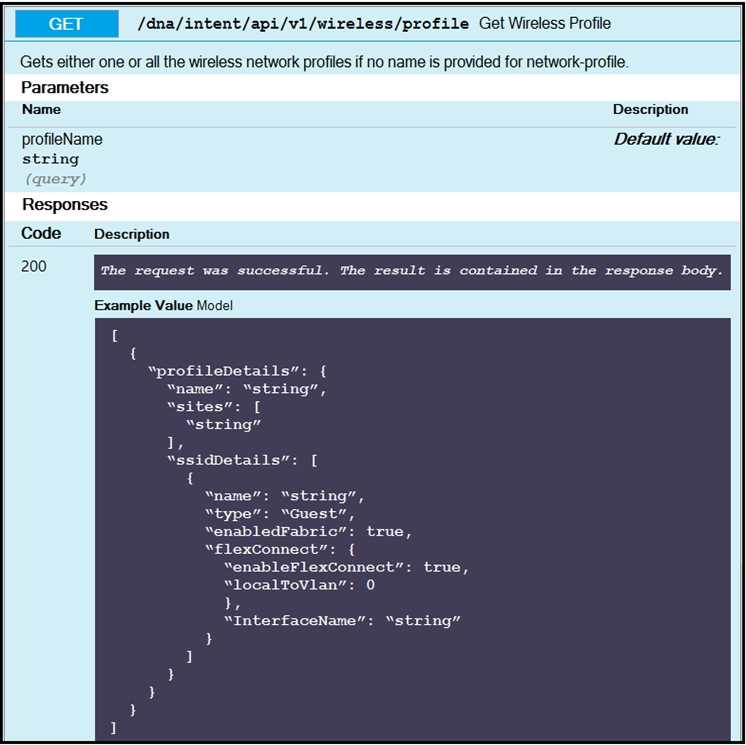
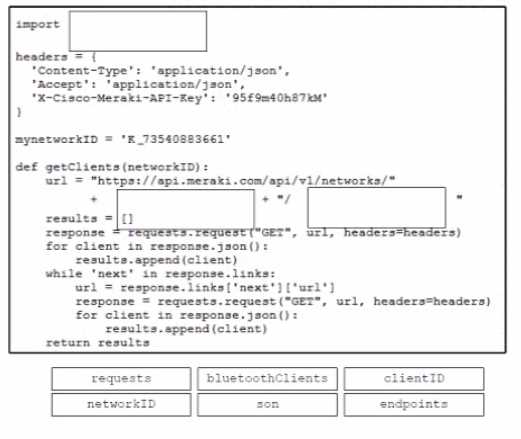
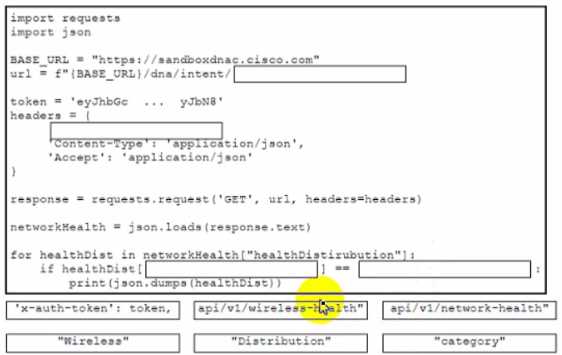
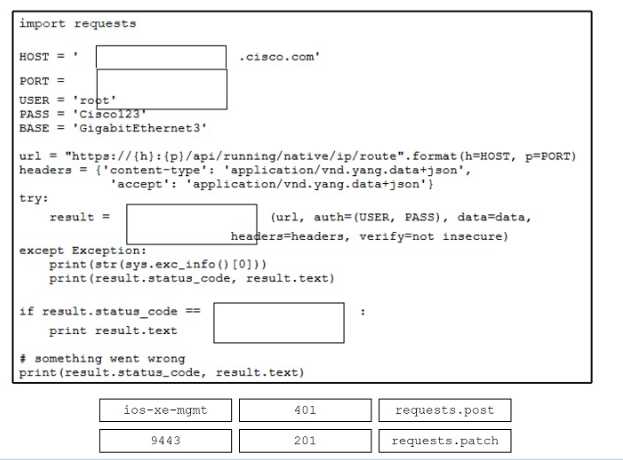
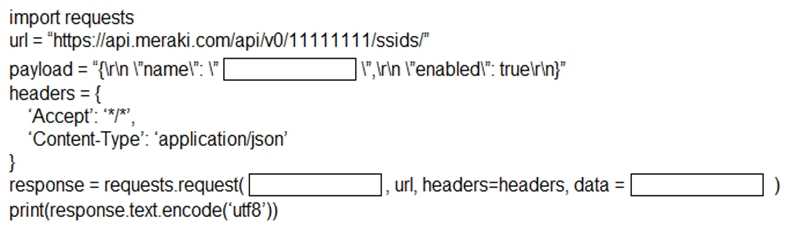
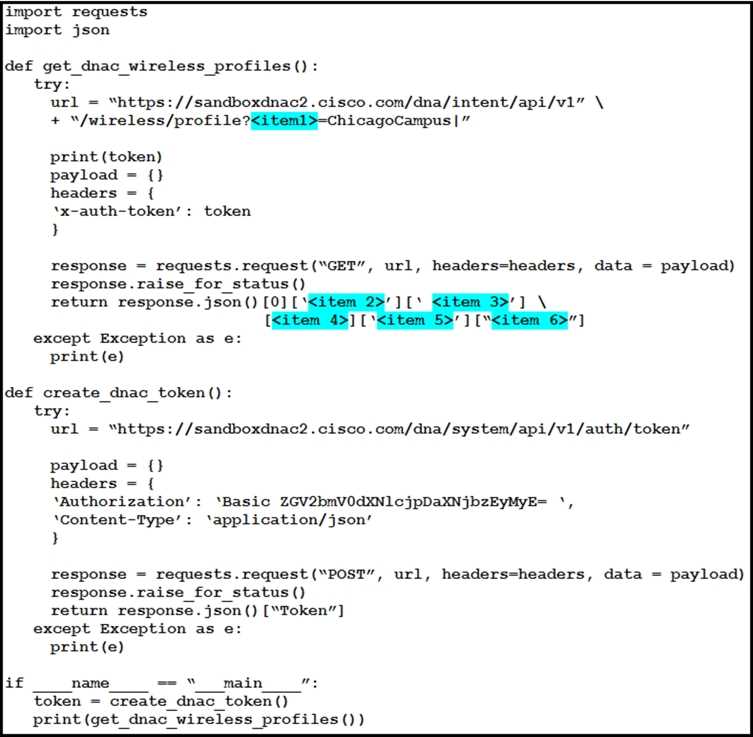 The Python script is supposed to make an API call to Cisco DNA Center querying a wireless profile for the “ChicagoCampus” and then parsing out its enable FlexConnect value. Drag and drop the parts of the Python code from the left onto the item numbers on the right that match the missing sections in the exhibit.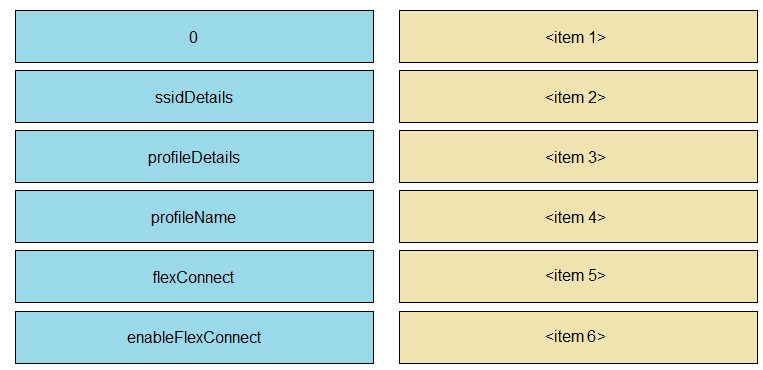
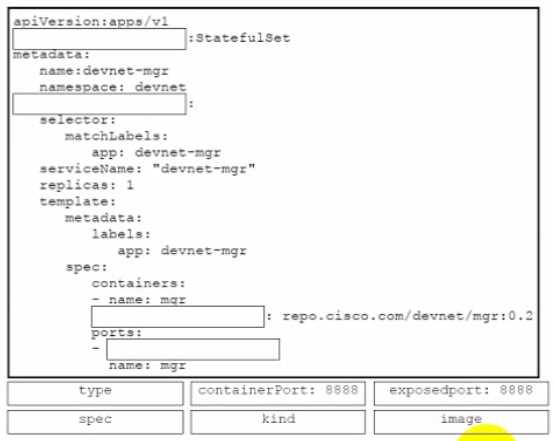
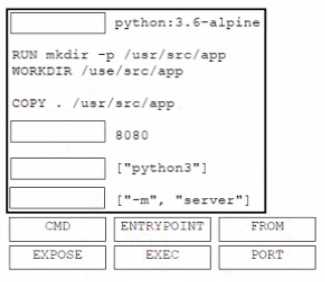
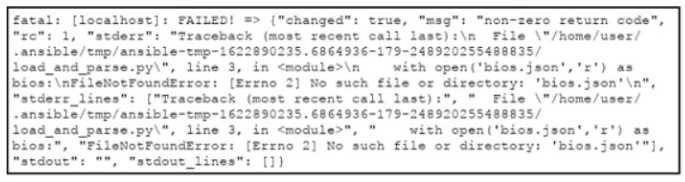 An engineer creates an application that leverages the Ansible framework to provision CPE endpoints that have configuration changes. The application contains an Ansible playbook named provision_cpes.yml that uses the ansible.builtin.script Ansible module to execute these two Python scripts: • gather and_create.py. which creates a JSON file named bios.json that contains the CPE models and their respective IOS file information • load and parse.py. which loads the file data and parses it for later consumption After several successful runs, the application fails. During a review of the Ansible execution logs, the engineer discovers an error output that indicates that one of the stages failed. What is the cause of this issue?