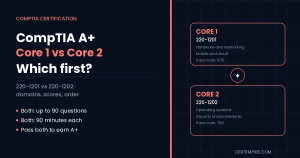

TL;DR: You must pass both exams to earn CompTIA A+, and you can take them in either order. Core 1 (220-1201) is the hardware and network exam: mobile devices, networking, hardware, virtualization and cloud, and hardware and network troubleshooting. Core 2 (220-1202) is the software and security exam: operating systems, security, software troubleshooting and operational procedures. Each allows up to 90 questions in 90 minutes, mixing multiple-choice, drag-and-drop and performance-based questions. Core 1 passes at 675 and Core 2 at 700, both on a 900-point scale. If you are new to IT, take Core 1 first, because hardware and networking are the foundation that Core 2 builds on. If you already support Windows users and know your way around settings, tools and security basics, take Core 2 first and use the momentum to finish Core 1. Whichever you choose, book both exams in a short window, because CompTIA says both must come from the same version (V15) and mixing versions is not allowed.
Quick Facts
| Item | Core 1 (220-1201) | Core 2 (220-1202) |
| Version | V15, launched March 25, 2025 | V15, launched March 25, 2025 |
| Theme | Hardware and network side of IT support | Software and security side of IT support |
| Domains | Mobile Devices 13%, Networking 23%, Hardware 25%, Virtualization and Cloud Computing 11%, Hardware and Network Troubleshooting 28% | Operating Systems 28%, Security 28%, Software Troubleshooting 23%, Operational Procedures 21% |
| Questions | Up to 90 | Up to 90 |
| Question types | Multiple choice (single and multiple response), drag-and-drop, performance-based | Same |
| Time | 90 minutes | 90 minutes |
| Passing score | 675 on a 900-point scale | 700 on a 900-point scale |
| Recommended experience | About 12 months of hands-on experience as an IT support specialist | Same |
| Languages | English (V15 overview page) | English, German and Japanese (Core 2 page) |
| Version rule | Both exams must be from the same version | Same |
| Expected retirement | CompTIA says usually about three years after launch, estimated 2028 | Same |
Figures come from CompTIA’s A+ V15 pages. CompTIA does not list prices or validity on those pages, so confirm fees, languages and renewal rules on CompTIA’s site and store before you book. Our A+ cost guide covers budgeting.
Key Takeaways
- A+ is a pair of exams. Passing only one does not give you the certification.
- There is no required order. CompTIA does not make you take Core 1 before Core 2.
- Core 1 is 76% hardware, networking and troubleshooting. Hardware (25%), Networking (23%) and Hardware and Network Troubleshooting (28%) dominate.
- Core 2 is 56% operating systems and security. Those two domains are 28% each, and troubleshooting plus procedures cover the rest.
- Troubleshooting is the largest domain on Core 1 (28%) and a major theme on Core 2 (23%). Learning the method once pays off on both exams.
- Core 2 has the higher passing score (700 vs 675). That is a scaled score, not a percentage, so do not read it as “70% or 75% correct.”
- Same version only. If you hold an older V14 pass such as 220-1101, you cannot pair it with 220-1202.
- Most beginners should start with Core 1, but your background matters more than any rule of thumb.
- About one minute per question. With up to 90 questions in 90 minutes, pacing and performance-based question strategy matter.
What Is the Difference Between 220-1201 and 220-1202?
Core 1 tests the physical and network side of IT support. Core 2 tests the software and security side. Together they cover what a help desk, desktop support or field technician does in a typical day.
| Area | Core 1 (220-1201) | Core 2 (220-1202) |
| Main question | “How does this device or network work, and what is broken?” | “How do I configure, secure and support the software and users on it?” |
| Biggest domain | Hardware and Network Troubleshooting (28%) | Operating Systems and Security (28% each) |
| Typical tasks tested | Choosing components, connecting devices, setting up a small office network, diagnosing connectivity and hardware faults | Installing and managing operating systems, using admin tools, applying security controls, removing malware, following procedures |
| Skills that carry forward | Network+ and hardware or field support roles | Security+ and systems or desktop administration paths |
| Passing score | 675 | 700 |
| Feels like | A lot of terms, specs and “what would you check first” scenarios | A lot of tools, settings, commands and “what should the technician do” scenarios |
A useful rule: if a question is about a thing (a port, a component, a cable, a device), it is probably Core 1. If it is about a setting, policy or process (an account, an update, a malware cleanup, a change request), it is probably Core 2. Troubleshooting appears in both.
What Is CompTIA A+ and Who Is It For?
CompTIA A+ is an entry-level IT support certification. It validates that you can set up, maintain and troubleshoot devices, support operating systems, handle common networking and security tasks and follow professional procedures. Job titles that commonly line up with A+ skills include help desk technician, desktop support technician, field service technician and IT support specialist, though employer postings vary.
CompTIA recommends about 12 months of hands-on experience in an IT support role. That is a recommendation, not a gate. Many people take A+ as their first IT credential, but they usually need more preparation time than someone already working in support. If you are still deciding whether A+ is the right start, see our IT certifications for beginners guide.
The V15 exams (220-1201 and 220-1202) launched on March 25, 2025. They replaced the V14 pair (220-1101 and 220-1102). Study material for the older codes will not match the current objectives, so check the code on every book, course and practice test you buy.
What Does Core 1 (220-1201) Cover?
Core 1 covers mobile devices, networking, hardware, virtualization and cloud computing, and hardware and network troubleshooting. Here is what each domain asks you to do, based on CompTIA’s V15 overview, plus the kinds of topics candidates typically need to practice. The official exam objectives document is the final word on scope, so download it and use it as your checklist.
Domain 1: Mobile Devices (13%)
What CompTIA says: installing mobile hardware such as batteries, cameras and Wi-Fi antennas; configuring accessories such as USB, Bluetooth, NFC and docking stations; setting up Wi-Fi, Bluetooth, cellular data and sync; and diagnosing mobile hardware and connectivity faults.
What to practice:
- Laptop component replacement ideas: battery, keyboard, memory, storage, display and wireless card, and the order a technician follows.
- Connecting accessories and peripherals, and knowing which connection type suits which job.
- Pairing, connectivity and sync problems: what to check first and what each symptom suggests.
- The difference between a hardware fault and a configuration fault on a phone, tablet or laptop.
What the questions feel like: short scenarios such as “a user’s device will not pair” or “a laptop battery is swelling,” where you pick the safest and most logical next step.
Domain 2: Networking (23%)
What CompTIA says: networking protocols, ports and wireless technologies; small office or home office (SOHO) networks, including IP addressing and VPNs; and networking tools such as crimpers, cable testers and Wi-Fi analyzers.
What to practice:
- Ports and protocols. Know the common ones cold: FTP (20, 21), SSH (22), Telnet (23), SMTP (25), DNS (53), HTTP (80), POP3 (110), IMAP (143), HTTPS (443), SMB (445) and RDP (3389). These are standard values, and the objectives list the specific set you need.
- IP addressing. Private vs public addresses, IPv4 vs IPv6, static vs dynamic, DHCP, DNS and gateways.
- Wireless. Frequency bands, channels, security options and common interference problems.
- SOHO setup. Router and access point configuration, basic firewall settings, port forwarding and VPN concepts.
- Tools. What a crimper, cable tester, tone generator and Wi-Fi analyzer each do, and when a technician reaches for them.
What the questions feel like: match the port to the service, choose the right tool for a cabling job or pick the most likely cause of a network symptom.
Domain 3: Hardware (25%)
What CompTIA says: installing RAM, CPUs and storage devices; cables and connectors such as HDMI, Ethernet and USB; installing and maintaining printers, scanners and other peripherals; and motherboards, power supplies and cooling solutions.
What to practice:
- Memory and CPUs. Compatibility, installation and common failure symptoms.
- Storage. Drive types, connection types and when each is appropriate.
- Motherboards and expansion. Form factors, slots and connectors.
- Power and cooling. Power supply considerations, thermal paste, fans and heat-related symptoms.
- Connectors and cables. Which cable carries what, and which connector fits which device.
- Printers and peripherals. Printer types, common maintenance tasks and typical print problems.
What the questions feel like: component compatibility questions, “which part is failing” scenarios and drag-and-drop labeling of parts or ports.
Domain 4: Virtualization and Cloud Computing (11%)
What CompTIA says: virtual machines, hypervisors and desktop virtualization, plus cloud service models such as IaaS, SaaS and PaaS.
What to practice:
- What a hypervisor does and what a virtual machine needs from the host.
- The difference between IaaS, PaaS and SaaS, with one example of each in plain language.
- Client-side virtualization at a basic level, such as running a test operating system in a VM.
- Cloud concepts a support technician meets daily: shared resources, scalability and access over the internet.
What the questions feel like: short definition and scenario questions. This is the smallest Core 1 domain, but its concepts reappear in Core 2 and later certifications.
Domain 5: Hardware and Network Troubleshooting (28%)
What CompTIA says: diagnosing hardware, network and connectivity problems, and using tools such as multimeters, cable testers and loopback plugs.
What to practice:
- The troubleshooting method. CompTIA’s troubleshooting model typically runs: identify the problem, establish a theory, test the theory, plan and implement, verify and document. Confirm the exact steps in the current objectives and learn the order, because exam questions test whether you do the right step at the right time.
- Symptom to cause mapping. No power, no display, intermittent shutdowns, slow performance, no network connection, limited connectivity and printer faults.
- Tool selection. When a multimeter, cable tester or loopback plug is the right choice.
- Safe practice. Disconnect power, protect against static and avoid risky shortcuts.
What the questions feel like: the largest block of scenario questions on Core 1. You will often see a symptom plus several plausible actions, and you need the best next step, not just a possible one.
What Does Core 2 (220-1202) Cover?
Core 2 covers operating systems, security, software troubleshooting and operational procedures. Again, the official objectives document sets the exact scope.
Domain 1: Operating Systems (28%)
What CompTIA says: installing and managing operating systems across Windows, macOS, Linux and mobile operating systems; Windows tools such as Task Manager, Command Prompt and Disk Management; and file systems, operating system updates and upgrades.
What to practice:
- Installation and upgrade paths. Clean install vs upgrade, boot methods and what to check before you begin.
- Windows tools. Task Manager, Command Prompt, Disk Management, Device Manager, Event Viewer, System Configuration and the Settings app. Know what each is for.
- Command line basics. Common commands for network and file tasks. Run them yourself, since typing them builds recall faster than reading.
- File systems and permissions. Differences between common file systems and how sharing and permissions behave.
- Other platforms. Basic macOS and Linux features and commands at a support-technician level.
- Updates. Why updates matter, how they are deployed and what to do when one fails.
What the questions feel like: “which tool would you use,” “what command does this,” and short scenarios about installs, updates and user settings.
Domain 2: Security (28%)
What CompTIA says: encryption, access controls and wireless security protocols, plus malware detection, removal and prevention.
What to practice:
- Physical and logical security. Locks, badges, screen locks, account controls and least privilege.
- Authentication. Passwords, multifactor authentication and why each factor type matters.
- Wireless and device security. Encryption standards, secure router settings and device protection.
- Threats. Common malware types, social engineering and phishing signs.
- Malware response. The sequence a technician follows: identify, quarantine, remediate, update protection and educate the user.
- Data protection. Encryption basics and secure disposal of data and devices.
What the questions feel like: “the user clicked a suspicious link, what do you do first” scenarios, plus matching security controls to threats. Security is as large as operating systems on this exam, so treat it as a major study block, not an afterthought.
Domain 3: Software Troubleshooting (23%)
What CompTIA says: diagnosing and resolving operating system and application problems; mobile troubleshooting for connectivity, app and performance issues; and fixing unauthorized access and malware issues.
What to practice:
- Operating system symptoms. Slow boot, crashes, missing applications, update problems and profile problems.
- Application problems. Crashes, compatibility issues and permissions.
- Mobile software issues. Connectivity, app behavior and performance.
- Security symptoms. Browser redirects, unexpected pop-ups, unusual account activity and signs of compromise.
- Order of operations. Start with the least disruptive fix, and document what you did.
What the questions feel like: symptom-first scenarios similar to Core 1 troubleshooting, but about software. The troubleshooting method from Core 1 applies here too.
Domain 4: Operational Procedures (21%)
What CompTIA says: documentation best practices for system changes, safety protocols and communication, and workstation backup and recovery setup, including backup methods for data integrity.
What to practice:
- Documentation. Tickets, knowledge base entries, network diagrams and change records.
- Change management. Why changes need approval, a plan, a rollback option and documentation.
- Safety. Electrical and physical safety, handling of equipment and environmental concerns.
- Professional communication. Staying calm, using plain language, managing expectations and respecting privacy.
- Backup and recovery. Backup types, testing restores and keeping copies safe.
- Basic scripting awareness. Check the current objectives to see how much scripting knowledge is expected, and practice recognizing what simple scripts do.
What the questions feel like: “what is the most professional response” and “what should be documented” questions. Candidates who skip this domain lose easy points, because the answers reward careful reading, not memorization of obscure details.
How Are the A+ Exams Structured?
Each exam has up to 90 questions and a 90-minute limit, so you have roughly one minute per question on average. The questions come in several forms:
| Question type | What it is | How to handle it |
| Multiple choice, single response | One best answer | Eliminate wrong choices first, then pick the best next step |
| Multiple choice, multiple response | Select all that apply | Read the instruction carefully for how many to pick |
| Drag-and-drop | Match items, such as ports to services or parts to labels | Know the item sets cold, since there is little room for guessing |
| Performance-based | A simulated task or scenario | Take more time here, and do not skip the instructions |
Some practical points:
- Performance-based questions take longer. Many candidates flag them and return after clearing the multiple-choice items. That is a common approach, not a CompTIA rule, so decide your own plan during practice tests and stick to it.
- Scores are scaled. Core 1 passes at 675 and Core 2 at 700 on a 900-point scale. A scaled score is not a straight percentage of questions answered correctly, so aim well above the threshold in practice tests.
- You can book them separately. Many candidates take Core 1, then Core 2 a few weeks later.
- Check your delivery options. Testing center and online options exist for CompTIA exams, so confirm what is available in your region at booking.
Which Exam Should You Take First?
Take Core 1 first if you are new to IT. Take Core 2 first if you already support Windows users and feel weaker on hardware. The longer answers below help you decide.
Take Core 1 first if:
- You have no IT experience. Hardware and network basics give you a mental model that makes operating systems and security easier to understand.
- You plan to take Network+ later. Core 1 networking gives you a head start. See our A+ vs Network+ guide for how the two compare.
- You learn best with concrete things. Components, ports and cables are visual and easy to practice.
- You want an early win. Many beginners find Core 1 facts easier to organize than Core 2 tools and security concepts.
Take Core 2 first if:
- You already support users. If you use Windows tools, reset passwords and remove malware at work, Core 2 may feel familiar.
- Your target job is help desk or desktop support. Operating systems, security and procedures show up daily in those roles.
- You feel weak on hardware but strong on software. Starting with your strength builds confidence, and you can then give Core 1 your full attention.
- You want to start building security knowledge early. Core 2 security is a bridge toward Security+ and wider cybersecurity paths. See our cybersecurity career path guide.
Take them close together if:
- You can study consistently for several weeks.
- You want to avoid any gap that might run into version changes or changes in your plans.
- You are applying for jobs and want the full credential soon.
Which Exam Should You Take First, Based on Your Situation?
Pick the row that sounds most like you.
| Your situation | Better first exam | Why |
| Complete beginner, no IT experience | Core 1 | Foundation first, with concrete topics |
| Built or repaired PCs as a hobby | Core 2 | Hardware may already feel familiar, so use study time where you are weaker |
| Help desk worker who uses Windows tools daily | Core 2 | Much of the content matches your work |
| Student planning Network+ next | Core 1 | Networking content overlaps with Network+ foundations |
| Career changer aiming for cybersecurity | Core 1, then Core 2, then Security+ | Builds the base, then the security layer |
| Studying only in the evenings | Core 1 | Topics are easier to study in short sessions |
| Need A+ for a job offer quickly | Whichever you are readier for, then book the second within weeks | Speed matters, and both are required |
| Strong in networking from another course | Core 2 | Spend the time where you have gaps |
A quick self-test: rate yourself from 1 to 5 on hardware, networking, Windows tools and security. Add your hardware and networking scores, then your Windows and security scores. If the first total is lower, start with Core 1. If the second is lower, start with Core 2, because the weaker side needs more time and a fresh start.
How Do the Two Exams Overlap?
The overlap is modest, mainly in troubleshooting methods, basic networking and professional behavior.
| Topic | In Core 1 | In Core 2 |
| Troubleshooting method | Hardware and network scenarios | Software and security scenarios |
| Networking | Ports, protocols, cabling, wireless and SOHO setup | Network settings in operating systems, plus wireless and device security |
| Mobile devices | Hardware, connectivity and accessories | Operating system support, security and troubleshooting |
| Cloud and virtualization | Concepts, models and basic VM ideas | Support context and operating system use |
| Professional behavior | Customer-facing troubleshooting | Documentation, communication and change processes |
Because of this overlap, studying either exam first still helps with the second. The troubleshooting mindset in particular carries across.
How Hard Are Core 1 and Core 2?
Neither is clearly harder. Core 1 is broader on hardware and networking terms, and Core 2 has a higher passing score and heavy operating system and security content. CompTIA does not publish pass rates on the pages we reviewed, so treat any rate you see online as unofficial.
| Factor | Core 1 | Core 2 |
| Breadth | Many terms, parts, ports and standards | Many tools, settings, commands and security controls |
| Memorization load | Higher (ports, connectors, specifications) | Moderate (tools, commands, procedures) |
| Scenario load | Hardware and network troubleshooting | Software, security and procedure scenarios |
| Passing score | 675 | 700 |
| Common pain point | Hardware details and networking if you have never touched a router | Security terminology and operating system tools if you rarely use them |
| Who finds it easier | People who build, repair or network devices | People who support users and use admin tools |
Two pieces of advice apply to both exams. First, do not rely on reading alone, since the questions reward hands-on familiarity. Second, give performance-based questions real practice time before test day.
Should You Take Both Exams in the Same Month?
In most cases, yes, if you can study consistently. The A+ credential requires both exams from the same version, so a long gap adds risk and slows your job search.
| Gap between exams | Benefit | Risk |
| Same week or two | Study momentum and fastest path to the credential | Less recovery time if the first exam does not go well |
| 4 to 8 weeks | Time to study each exam properly | Knowledge fades if you do not review |
| 6 months or more | Flexibility around work and life | Version risk if exam retirement approaches, and loss of momentum |
If you fail one exam, you will need to retake that exam, so build a buffer into your plan and check CompTIA’s current retake policy before you book.
How Long Should You Study for Each Exam?
CompTIA does not give study-hour figures on the pages we reviewed. The numbers below are our planning estimates, not CompTIA guidance.
| Your background | Per exam (rough) |
| Complete beginner | 6 to 8 weeks |
| Some IT exposure | 4 to 6 weeks |
| Working in IT support now | 2 to 4 weeks |
A 6-week Core 1 plan
| Week | Focus | Hands-on task |
| 1 | Hardware: motherboards, CPUs, memory, storage and power | Open an old PC or watch a teardown, then label every part from memory |
| 2 | Peripherals, printers, mobile devices and connectors | Identify every port on your own laptop, phone and router |
| 3 | Networking: addressing, DHCP, DNS, ports and protocols | Build a flashcard set of ports and what each does |
| 4 | Wireless, SOHO setup, VPN concepts, virtualization and cloud | Configure a home router’s wireless settings and install a free virtual machine tool |
| 5 | Troubleshooting method and symptom-to-cause drills | Write out the six-step method and apply it to ten sample scenarios |
| 6 | Timed practice sets and performance-based questions | Two full 90-question timed sets, then review every miss |
A 6-week Core 2 plan
| Week | Focus | Hands-on task |
| 1 | Operating system installation, upgrades and features | Install a test operating system in a virtual machine |
| 2 | Windows tools and command-line basics | Use Task Manager, Disk Management, Event Viewer and the command line daily |
| 3 | Security concepts, authentication and access controls | Set up multifactor authentication on your own accounts |
| 4 | Malware, social engineering and secure configuration | Walk through the malware removal sequence on paper |
| 5 | Software troubleshooting and operational procedures | Write a sample ticket and a sample change request |
| 6 | Timed practice sets and performance-based questions | Two full 90-question timed sets, then review every miss |
For practice, see our A+ practice test guide, our 220-1201 exam questions and our 220-1202 exam questions.
How Should You Handle Exam Day?
Use the same plan you practiced. A simple approach looks like this:
- Read each question fully. Many wrong answers come from missing a word such as “first,” “best” or “most likely.”
- Eliminate clearly wrong choices. Even a partial elimination improves your odds on questions you are unsure about.
- Flag and move on. Do not spend several minutes on one item when you have about a minute per question on average.
- Plan your performance-based questions. Decide ahead of time whether you will do them first or later, and practice that approach.
- Leave time to review flagged items. A few minutes at the end can catch careless errors.
- Stay calm on unfamiliar items. The troubleshooting method often points you to the right next step even when you do not remember the exact detail.
Is CompTIA A+ Worth It?
It can be, if you are aiming for entry-level IT support roles and employers in your market list A+ in their postings. Review current job listings and note how often the credential appears. Neither CompTIA’s pages nor our sources give a reliable salary figure for A+, so we do not quote one, and pay varies by role, region and employer. For help comparing it with other starting points, see our CompTIA certification roadmap.
What Should You Take After A+?
Network+ and Security+ are the usual next steps. Network+ deepens networking, and Security+ builds on the security content in Core 2. Our A+ vs Network+ guide, linked earlier, explains when each makes sense, and our CompTIA stackable certifications guide shows how the pieces fit together over time.
What Mistakes Should You Avoid When Taking A+?
The most common mistakes are mixing exam versions, leaving a long gap between exams and skipping performance-based practice.
- Mixing versions. Both exams must come from V15. Check the exam code on every voucher and study resource.
- Waiting too long between exams. A long gap increases the chance of version changes or lost momentum.
- Studying both exams as one blob. Plan separate study blocks, since the content and passing scores differ.
- Ignoring performance-based questions. They are on both exams and take more time than multiple-choice items.
- Underestimating Core 2 security. At 28%, security is as large as operating systems.
- Skipping hands-on practice. Take apart old hardware if you can, and use a virtual machine for operating system practice.
- Memorizing without understanding. Troubleshooting questions reward knowing why a step comes first.
- Skipping the objectives document. It is the official scope. Use it as a checklist and tick off each item.
- Not watching the clock. Up to 90 questions in 90 minutes leaves little time for lingering.
FAQS
Should I take A+ Core 1 or Core 2 first?
Take Core 1 first if you are new to IT, because hardware and networking are the foundation. Take Core 2 first if you already support Windows users and feel stronger on software and security. CompTIA allows either order.
Do I have to take Core 1 before Core 2?
No. CompTIA does not require a specific order. You need to pass both V15 exams, 220-1201 and 220-1202, to earn A+.
What is the difference between 220-1201 and 220-1202?
220-1201 (Core 1) covers mobile devices, networking, hardware, virtualization and cloud, and hardware and network troubleshooting. 220-1202 (Core 2) covers operating systems, security, software troubleshooting and operational procedures.
Which A+ exam is harder, Core 1 or Core 2?
Neither is clearly harder. Core 1 has more hardware and networking detail to memorize. Core 2 has a higher passing score (700 vs 675) and heavy operating system and security content. CompTIA does not publish pass rates on the pages we reviewed.
How many questions are on the A+ exams?
Up to 90 questions on each exam, in 90 minutes. They include multiple-choice, drag-and-drop and performance-based questions.
What is the passing score for A+ 220-1201 and 220-1202?
675 for Core 1 and 700 for Core 2, both on a 900-point scale. These are scaled scores, not percentages.
Can I take both A+ exams on the same day?
CompTIA’s V15 page does not state a rule against it, and many testing providers allow back-to-back scheduling. Check CompTIA’s current policies and your test provider’s options before you book.
Can I combine an old 220-1101 pass with 220-1202?
No. CompTIA says both exams must be from the same version and mixing versions is not allowed.
How much experience do I need for A+?
CompTIA recommends about 12 months of hands-on experience as an IT support specialist. It is a recommendation, and many beginners take A+ without it, with more preparation time.
How long should I study for each A+ exam?
Our planning estimate is 6 to 8 weeks per exam for a complete beginner, 4 to 6 weeks with some IT exposure and 2 to 4 weeks if you already work in IT support. CompTIA does not publish study-hour guidance on the pages we reviewed.
Is CompTIA A+ worth it for beginners?
It can be, especially for help desk and technical support roles that list A+ in job postings. Weigh the exam cost and study time against the roles in your market, and see our IT certifications for beginners guide for alternatives.
How long is A+ valid, and when do the V15 exams retire?
CompTIA’s V15 page does not state a validity period, so confirm the current renewal rules on CompTIA’s site. The page says retirement usually comes about three years after launch, with an estimate of 2028.
Should I take A+ or Network+ first?
If you are new to IT and aiming for support roles, A+ is the usual first step. If you already work with networks, Network+ may fit better. Our A+ vs Network+ guide compares them in detail.
Final Thoughts
For most beginners, the sensible plan is Core 1 first, then Core 2, with both booked inside a short window. If you already know Windows and user support well, Core 2 first is a perfectly good choice, as long as you give Core 1’s hardware and networking details the time it needs. Whichever you start with, match every voucher and study resource to V15, practice performance-based questions early, use the official objectives as your checklist and confirm current fees and policies on CompTIA’s official A+ Core 1 and 2 V15 page before you register.