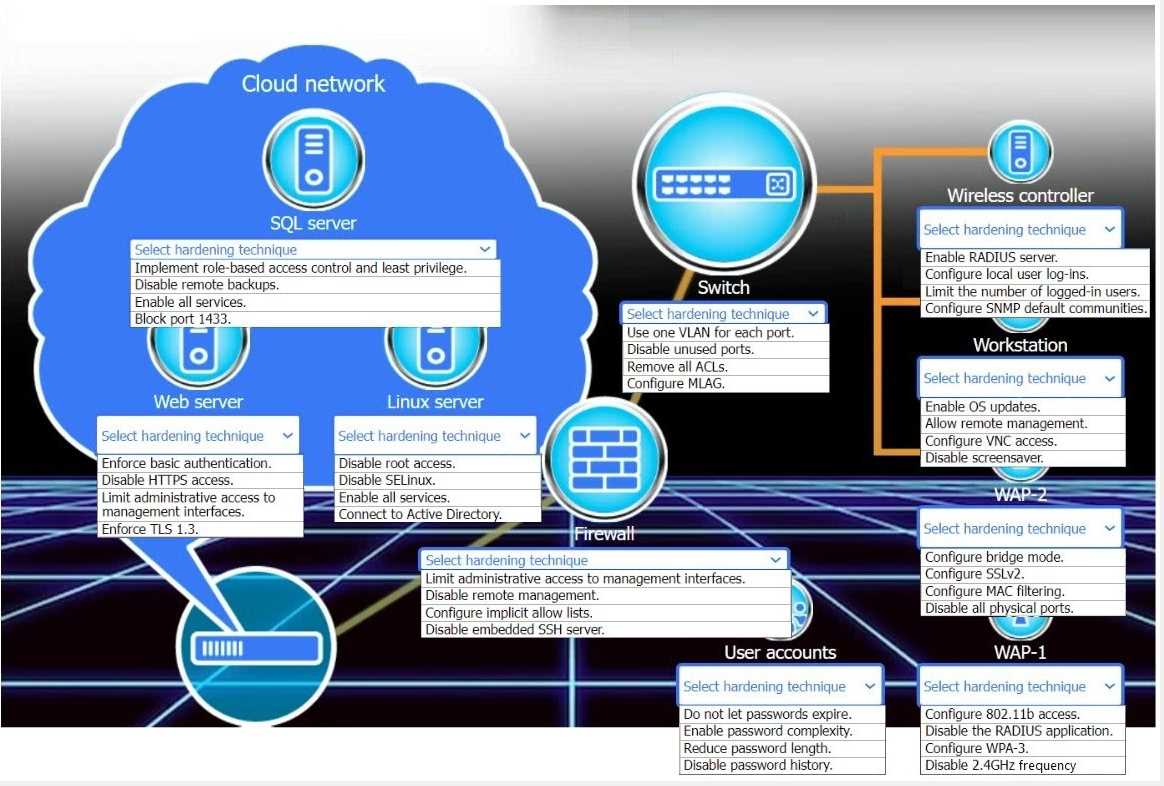
User accounts (Password Complexity) & SQL server (Least Privilege):
NIST Special Publication 800-53 Rev. 5, Security and Privacy Controls for Information Systems and Organizations.
Reference: Control IA-5 ("Authenticator Management") discusses password complexity. Control AC-6 ("Least Privilege") and AC-3 ("Access Enforcement") support role-based access control for the server.
Web server (TLS 1.3):
NIST Special Publication 800-52 Rev. 2, Guidelines for the Selection, Configuration, and Use of Transport Layer Security (TLS) Implementations.
Reference: Section 3.1, "Protocol Versions," mandates the use of TLS 1.3 or TLS 1.2 and explicitly forbids the use of all versions of SSL.
Switch (Disable unused ports) & Workstation (OS Updates):
NIST Special Publication 800-123, Guide to General Server Security.
Reference: Section 3.2.1, "Disable Unnecessary Services," aligns with disabling unused ports (a form of 'least functionality'). Section 4.1, "Patching," emphasizes timely OS updates as a primary defense.
Firewall (Limit admin access):
NIST Special Publication 800-41 Rev. 1, Guidelines on Firewalls and Firewall Policy.
Reference: Section 4.5.3, "Securing the Firewall," states that access to the firewall's management interface should be restricted to trusted administrators and specific trusted IP addresses.
Wireless controller (RADIUS) & WAP-1 (WPA-3):
NIST Special Publication 800-153, Guidelines for Securing Wireless Local Area Networks (WLANs).
Reference: Section 4.2.2 discusses implementing IEEE 802.1X (which uses a RADIUS server) for robust, port-based network access control. The publication also discusses WPA3 as the most current and secure standard for Wi-Fi security.

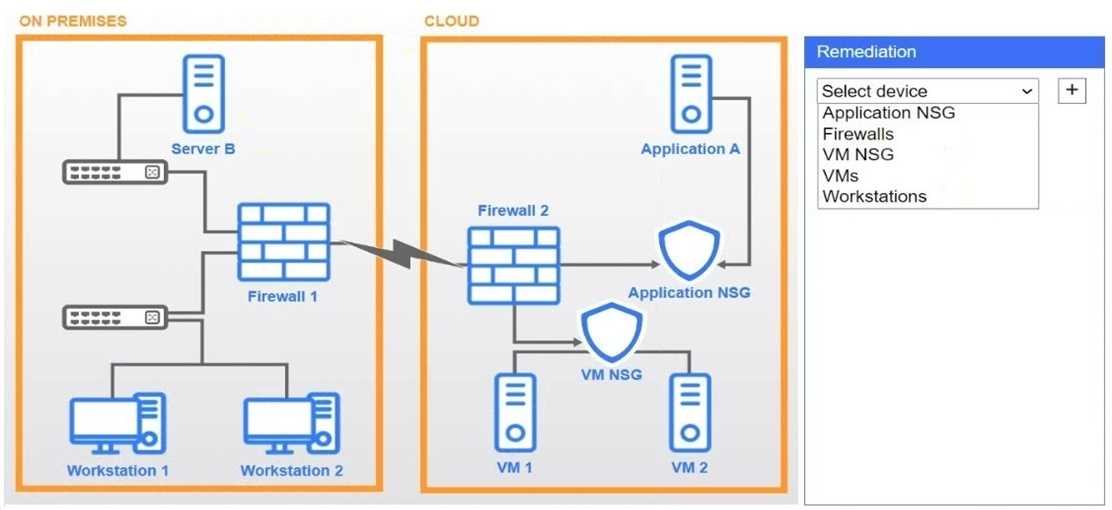
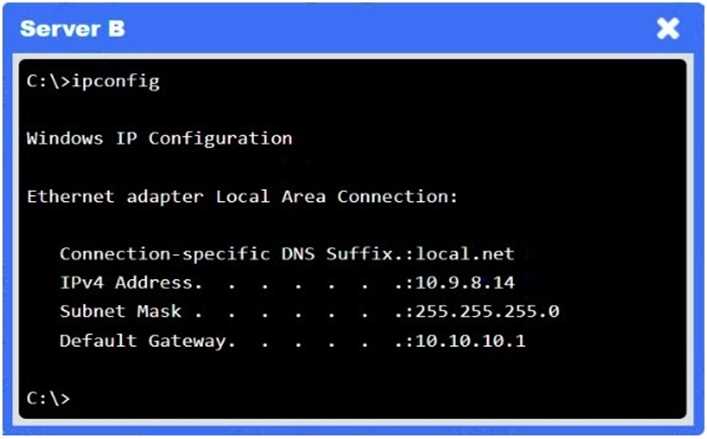
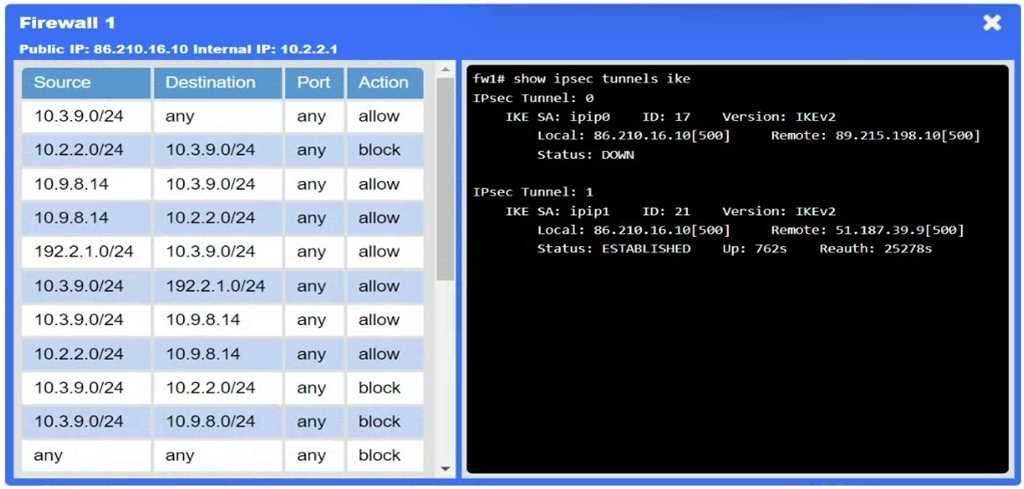


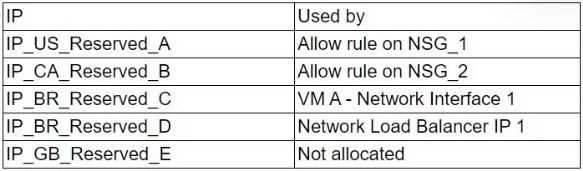 Which of the following issues may begin to affect cloud assets after the replacement is made?