CKA (Certified Kubernetes Administrator) is the right first Kubernetes certification for the majority of professionals – it validates cluster administration skills, covers the broadest content, is required as a prerequisite for CKS, and appears most frequently in DevOps, SRE, and platform engineering job postings. CKAD (Certified Kubernetes Application Developer) is the right choice only if your daily work is exclusively application development on already-running clusters, not cluster management. CKS (Certified Kubernetes Security Specialist) is an advanced specialization that requires an active CKA and targets platform security engineers earning the highest Kubernetes salaries – $160,000 to $200,000 at large organizations.
All three are performance-based, hands-on lab exams administered through the Linux Foundation and CNCF. There are no multiple-choice questions. You complete real tasks in a live Kubernetes cluster under a two-hour time limit. Passing requires genuine kubectl fluency, not theoretical knowledge.
Quick Comparison Table
| Factor | CKA | CKAD | CKS |
| Full name | Certified Kubernetes Administrator | Certified Kubernetes Application Developer | Certified Kubernetes Security Specialist |
| Issued by | CNCF / Linux Foundation | CNCF / Linux Foundation | CNCF / Linux Foundation |
| Cost | $445 USD | $445 USD | $445 USD |
| Duration | 2 hours | 2 hours | 2 hours |
| Tasks | 15-20 performance-based | 15-20 performance-based | 15-20 performance-based |
| Passing score | 66% | 66% | 67% |
| Format | Live Kubernetes cluster, kubectl | Live Kubernetes cluster, kubectl | Live Kubernetes cluster, kubectl |
| Exam booklet | Official Kubernetes docs (allowed) | Official Kubernetes docs (allowed) | Official Kubernetes docs + approved tools (allowed) |
| Validity | 3 years | 3 years | 3 years |
| Prerequisite | None | None | Active CKA required |
| Recommended experience | 6-12 months Kubernetes administration | 6-12 months Kubernetes application development | Active CKA + security experience |
| First-attempt pass rate (community) | 60-67% | 60-67% | 50-60% |
| Avg US salary impact | $120,000-$150,000 | $110,000-$140,000 | $160,000-$200,000 |
| Salary uplift over non-certified | 18-25% | 15-22% | 25-35% |
| Leads to | CKS, senior platform engineering | Senior cloud-native app development | Principal platform security, staff engineer |
| Kubestronaut bundle discount | Yes (all 5 CNCF certs) | Yes | Yes |
Why This Comparison Matters in 2026
Kubernetes is no longer niche. According to CNCF’s 2025 Annual Survey, 95% of Fortune 500 companies now run Kubernetes in production. The CKA alone passed 250,000 lifetime enrollments. Unlike vendor certifications from AWS, Azure, or Cisco, these credentials are cloud-neutral – a CKA holder can administer clusters on any cloud provider or on-premises, which is exactly what enterprise employers want.
What makes CKA, CKAD, and CKS unique is the exam format. Every other certification discussed on this site – CCNA, AZ-104, CompTIA Security+, CISSP – uses multiple-choice questions. These three use none. You are given a terminal window connected to one or more live Kubernetes clusters and must complete tasks like “scale this Deployment to 3 replicas,” “create a NetworkPolicy that restricts ingress to only pods with label app=web,” or “identify why this Pod is in CrashLoopBackOff and fix it.” If you can do it in a real cluster, you can pass. If you can only describe it, you cannot.
What CKA Tests: Full Domain Breakdown
The CKA exam is organized around five official domains. Troubleshooting at 30% is the single heaviest domain and the one that most determines whether you pass or fail – it requires diagnosing broken clusters, not just deploying to working ones.
| Domain | Weight | What it covers |
| 1. Cluster Architecture, Installation & Configuration | 25% | kubeadm cluster setup, etcd backup and restore, RBAC, cluster upgrades |
| 2. Workloads & Scheduling | 15% | Deployments, DaemonSets, StatefulSets, resource requests/limits, node affinity, taints/tolerations |
| 3. Services & Networking | 20% | ClusterIP, NodePort, LoadBalancer services, Ingress, NetworkPolicy, CoreDNS |
| 4. Storage | 10% | PersistentVolumes, PersistentVolumeClaims, StorageClasses, volume mounting |
| 5. Troubleshooting | 30% | Diagnosing node failures, Pod CrashLoopBackOff, CNI issues, broken API server, control plane failures |
Domain 1: Cluster Architecture, Installation and Configuration (25%)
This domain tests whether you can build and maintain a Kubernetes cluster from scratch using kubeadm, the standard cluster provisioning tool. Key exam tasks include:
- Using kubeadm to initialize a cluster, join worker nodes, and bootstrap a control plane
- Backing up etcd data using etcdctl with the correct endpoint, TLS certificates, and data directory
- Restoring etcd from a backup and verifying cluster state afterward
- Upgrading a cluster from one minor version to another using kubeadm upgrade plan and apply
- Configuring RBAC: creating Roles, ClusterRoles, RoleBindings, and ClusterRoleBindings for specific users and service accounts
- Managing kubeconfig files and contexts for multi-cluster access
The etcd backup and restore task appears in nearly every CKA exam sitting. Practice it until you can execute it from memory, because finding etcd flags in documentation under time pressure is a common failure mode.
Domain 2: Workloads and Scheduling (15%)
This domain tests your ability to deploy and configure application workloads on Kubernetes and control how the scheduler places them.
- Creating and managing Deployments, StatefulSets, DaemonSets, Jobs, and CronJobs
- Configuring resource requests and limits at the container level and understanding how they affect scheduling
- Using node selectors, node affinity, and anti-affinity to control pod placement
- Applying taints and tolerations to reserve nodes for specific workloads
- Configuring horizontal pod autoscaling and understanding the metrics requirements
- Managing ConfigMaps and Secrets and mounting them as environment variables or volumes
Domain 3: Services and Networking (20%)
Kubernetes networking is the area candidates with pure development backgrounds find hardest. The exam tests real-world understanding of how traffic flows through a cluster.
- Creating ClusterIP, NodePort, and LoadBalancer services and understanding when each is appropriate
- Configuring Ingress resources and understanding Ingress controller requirements
- Writing NetworkPolicy manifests to restrict pod-to-pod and pod-to-external traffic
- Understanding CoreDNS – how pods resolve services by name and what happens when DNS is broken
- Troubleshooting connectivity issues: pod-to-pod, pod-to-service, and external traffic
Domain 4: Storage (10%)
Lightest domain but frequently appearing in exam tasks.
- Creating PersistentVolumes with specific access modes (ReadWriteOnce, ReadWriteMany)
- Creating PersistentVolumeClaims and binding them to volumes
- Using StorageClasses for dynamic provisioning
- Mounting volumes into pods using volumeMounts and ensuring correct paths and permissions
- Understanding the difference between emptyDir, hostPath, and persistent volume types
Domain 5: Troubleshooting (30%)
The most important domain and the one that separates candidates who have operated real clusters from those who have only deployed to them. Exam tasks present broken environments and ask you to identify and fix the problem.
Common troubleshooting scenarios:
- A node shows NotReady status – diagnose: kubelet not running, misconfigured kubeconfig, network plugin not started
- A Pod is in CrashLoopBackOff – examine logs, describe the Pod, identify image pull failure vs. application crash vs. misconfigured environment variable
- A service is not reachable from another pod – verify selector labels match pod labels, check endpoints object, verify NetworkPolicy isn’t blocking
- The control plane is unresponsive – inspect kube-apiserver static pod manifest, check certificate expiry, verify etcd health
- Cluster upgrade has partially failed – understand which nodes are upgraded and which are not, recover from a failed upgrade
What CKAD Tests: Full Domain Breakdown
The CKAD exam is organized around five official domains. Application Design and Build at 20% and Application Deployment at 20% together form the core of what application developers do with Kubernetes.
| Domain | Weight | What it covers |
| 1. Application Design and Build | 20% | Multi-container Pods, init containers, volumes for shared storage, Jobs, CronJobs |
| 2. Application Deployment | 20% | Deployment strategies, rolling updates, rollbacks, Helm basics |
| 3. Application Observability and Maintenance | 15% | Liveness and readiness probes, container logging, debugging with ephemeral containers |
| 4. Application Environment, Configuration and Security | 25% | ConfigMaps, Secrets, SecurityContext, ServiceAccount, resource quotas |
| 5. Services and Networking | 20% | Services, Ingress, NetworkPolicy from the application consumer perspective |
The Critical Difference From CKA
CKAD and CKA share significant content overlap – both test Services, NetworkPolicy, ConfigMaps, Secrets, and Pods. The difference is the perspective.
CKA perspective: infrastructure operator. How does the cluster work? How do I fix it when it breaks? How do I manage the systems that applications run on?
CKAD perspective: application deployer. How do I deploy my application reliably? How do I configure it securely? How do I ensure it is observable when it has a problem?
The practical implication: if you study for CKA first, roughly 40-50% of CKAD content is already covered. Studying for CKAD first leaves significant gaps when you attempt CKA. Most community consensus recommends CKA first for this reason.
Domain 4: Application Environment, Configuration and Security (25%)
This is CKAD’s heaviest domain and the one that application developers interact with most in real work.
- Creating ConfigMaps and Secrets and consuming them as environment variables or mounted files
- Configuring SecurityContext: runAsUser, runAsNonRoot, allowPrivilegeEscalation, readOnlyRootFilesystem
- Using ServiceAccounts: creating dedicated service accounts, attaching them to pods, controlling RBAC permissions
- Setting resource requests and limits at the application level for predictable scheduling
- Applying pod disruption budgets and resource quotas
What CKS Tests: Full Domain Breakdown
CKS is the most advanced and most specialized of the three. It requires an active CKA because it assumes operational Kubernetes knowledge as a baseline and tests security concepts that only make sense in the context of a running, administered cluster.
| Domain | Weight | What it covers |
| 1. Cluster Setup | 10% | CIS Benchmark compliance, network policies baseline, ingress TLS, GUI protection |
| 2. Cluster Hardening | 15% | RBAC least-privilege, ServiceAccount restrictions, API server settings, upgrade timing |
| 3. System Hardening | 15% | AppArmor and seccomp profiles, reducing OS attack surface, host filesystem restrictions |
| 4. Minimize Microservice Vulnerabilities | 20% | PodSecurityAdmission, OPA Gatekeeper/Kyverno, runtime security (Falco), image signing |
| 5. Supply Chain Security | 20% | Container image scanning, Software Bill of Materials (SBOM), admission controllers, image policy webhook |
| 6. Monitoring, Logging and Runtime Security | 20% | Falco rules, audit logging, behavioral analysis, threat detection in a running cluster |
The CKS introduces tools that CKA and CKAD do not test at all: Falco for runtime security monitoring, OPA Gatekeeper and Kyverno for policy enforcement, Trivy for container image scanning, and AppArmor and seccomp for OS-level container restriction. Candidates who approach CKS only from a Kubernetes-administration background without security tooling experience find it significantly harder than CKA.
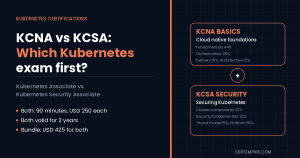
The KCNA: Before You Start CKA/CKAD
Many candidates searching “CKA vs CKAD vs CKS” are not yet ready for any of the three. If you are new to Kubernetes entirely, consider KCNA (Kubernetes and Cloud Native Associate) first.
| Factor | KCNA | CKA / CKAD |
| Format | Multiple choice (60 questions, 90 minutes) | Performance-based live cluster |
| Cost | $250 USD | $445 USD |
| Difficulty | Beginner | Intermediate-Advanced |
| Hands-on kubectl required? | No | Yes, extensively |
| Best for | Students, IT managers, career starters | Engineers with hands-on Kubernetes experience |
| Validity | 3 years | 3 years |
KCNA is the right starting point if you cannot yet write a Pod manifest from memory, do not know what a Service selector does, or have never used kubectl in a real cluster. Skip KCNA if you already work with Kubernetes regularly.
Salary and Career Impact
Kubernetes certifications produce documented, measurable salary premiums because the performance-based exam format makes passing genuinely difficult to fake. Employers know that a CKA holder has actually administered a Kubernetes cluster under pressure.
| Certification | Typical US roles | Salary range | Premium vs non-certified |
| KCNA | Entry cloud-native, associate | $70,000-$95,000 | Minimal |
| CKA | DevOps Engineer, SRE, Platform Engineer | $120,000-$150,000 | 18-25% |
| CKAD | Cloud-Native App Developer, Backend Engineer | $110,000-$140,000 | 15-22% |
| CKS | Platform Security Engineer, Security SRE | $160,000-$200,000 | 25-35% |
| CKA + CKS | Staff/Principal Platform Engineer | $170,000-$220,000+ | Compound premium |
Which to Take First: The Decision Framework
| Your situation | Right choice |
| You administer Kubernetes clusters (SRE, DevOps, Platform Eng) | CKA |
| You develop applications deployed on Kubernetes (backend, fullstack dev) | CKAD |
| You focus on Kubernetes security (holds active CKA) | CKS |
| You are new to Kubernetes with no hands-on experience | KCNA first, then CKA |
| You want CKS eventually | CKA first – it is a hard prerequisite |
| You cannot decide between CKA and CKAD | CKA – covers more, required for CKS, appears in more job postings |
| You want all Kubernetes certs (Kubestronaut path) | KCNA, CKA, CKAD, KCSA, CKS in that order |
Preparation Strategy That Actually Works
The single most consistent predictor of passing CKA, CKAD, or CKS is hours spent in a real Kubernetes cluster – not hours watching videos or reading docs.
Terminal speed matters more than content knowledge. The exams are 2 hours for 15-20 tasks. That is 6-8 minutes per task. Candidates who are not fluent with kubectl aliases, tab completion, and documentation navigation consistently run out of time regardless of how well they know the material.
Set up these aliases before exam day (you can paste them into the terminal at the start of the exam):
alias k=kubectl
alias kgp=”kubectl get pods”
alias kd=”kubectl describe”
export do=”–dry-run=client -o yaml”
Know your way around the official Kubernetes documentation. All three exams allow access to kubernetes.io/docs. The candidates who fail are not the ones who do not know the answer – they are the ones who spend 5 minutes searching for the right page and run out of time. Practice navigating to common pages in under 30 seconds.
Recommended preparation timeline:
| Background | CKA | CKAD | CKS |
| Daily Kubernetes work (6+ months) | 4-6 weeks | 3-5 weeks | 6-8 weeks (after CKA) |
| Some Kubernetes exposure (1-3 months) | 8-12 weeks | 6-8 weeks | N/A – get CKA first |
| New to Kubernetes | Learn fundamentals first, then 12-16 weeks | Same path via CKA first | N/A |
Practice with CertEmpire Before You Book
CertEmpire’s Kubernetes exam question banks for CKA and CKAD give you scenario-based questions aligned to the current CNCF exam domains. Practicing structured exam questions helps you identify domain-specific knowledge gaps before you invest in booking the live proctored exam. The exam costs $445 – practice questions identify your weak spots before that $445 is at risk.
- CKA Exam Questions and Practice Tests
- CKAD Exam Questions and Practice Tests
- Free CKA Practice Questions
FAQs
What is the difference between CKA and CKAD?
CKA (Certified Kubernetes Administrator) validates cluster administration skills: setting up clusters, managing nodes, configuring RBAC, maintaining etcd, and troubleshooting infrastructure. CKAD (Certified Kubernetes Application Developer) validates application deployment skills: deploying workloads, configuring applications with ConfigMaps and Secrets, setting up probes, and using services from a developer’s perspective. Both cost $445 and use the same performance-based live cluster exam format.
Is CKA or CKAD harder?
Both have similar first-attempt pass rates (60-67%). CKA is considered harder for most candidates because the troubleshooting domain (30% of the exam) requires diagnosing and fixing broken cluster components, which demands real operational experience. CKAD is harder for candidates who do not regularly work with application configuration, probes, and multi-container patterns.
Does CKA count as a prerequisite for CKS?
Yes. CKS requires an active CKA certification as a hard prerequisite. You cannot sit the CKS exam without a current, valid CKA. Since CKA is valid for 3 years, you must schedule CKS within your CKA validity window or renew CKA before attempting CKS.
What score do you need to pass each exam?
CKA and CKAD both require 66%. CKS requires 67%. There are no per-domain minimums – it is an overall score across all tasks.
Can you use documentation during the exam?
Yes. CKA, CKAD, and CKS all permit access to the official Kubernetes documentation at kubernetes.io/docs. For CKS, additional approved resources including Falco documentation and Trivy documentation are permitted. No other external resources, AI tools, or notes are permitted.
What is the Kubestronaut program?
Kubestronaut is CNCF’s recognition program for professionals who hold all five CNCF certifications simultaneously: KCNA, CKA, CKAD, KCSA, and CKS. A bundle discount is available when purchasing all five together.
How long are CKA, CKAD, and CKS valid?
All three are valid for 3 years from the date you pass. Renewal requires passing the current version of the exam again – there is no shorter renewal assessment.
What retake policy applies if you fail?
One free retake is included with each exam purchase. If you fail both attempts, you must purchase the exam again at the full $445 price.
Is Kubernetes certification worth it for someone who already uses Kubernetes at work?
Yes, with a caveat. The certification is most valuable if you need to signal your skills to a new employer or move into a more senior role. If you already work at an organization that knows your Kubernetes skills from direct observation, the certification’s signaling value is lower. For career transitions, the $445 investment routinely generates $12,000-$18,000 salary uplift, making the ROI strong.
What is the difference between CKS and CompTIA SecurityX for Kubernetes security?
CKS is Kubernetes-specific and performance-based – it tests your ability to actually harden a live cluster. CompTIA SecurityX (CASP+) is vendor-neutral and multiple-choice, covering broad enterprise security architecture. They are not equivalent or competing credentials – CKS is for hands-on platform security engineers; SecurityX is for security architects. See our CySA+ vs CompTIA SecurityX guide for context on the CompTIA advanced security track.