
Q: 11
HOTSPOT
You have the files shown in the following table.
 You configure a retention policy as shown >n the exhibit. (Click the Exhibit lab.)
The start of the retention period is based on when items are created. The current date is January 01.
207S.
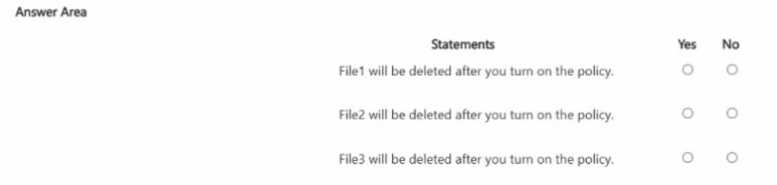
For each of the following statements, select Yes if the statement is true. Otherwise, select No.
You configure a retention policy as shown >n the exhibit. (Click the Exhibit lab.)
The start of the retention period is based on when items are created. The current date is January 01.
207S.
For each of the following statements, select Yes if the statement is true. Otherwise, select No.
Your Answer
Discussion
Tricky one because the retention date is right at the cutoff. FILE1.DOCX hits its 7 years on Jan 15, so it'll get deleted automatically, but for FILE2 and FILE3 they're still inside the retention window as of Jan 1. No user delete for FILE3.
Nah, I don’t think user delete on FILE3.DOCX is right. Retention keeps it locked even if the user tries to delete, so NO for that. Trap is thinking users can remove files before retention end.
FILE1.DOCX will be auto deleted (YES), FILE2.DOCX stays retained, FILE3.DOCX can't be deleted by user (NO).
Wait, for FILE3.DOCX I had "YES" for user delete since it's not at 7 years yet, but maybe that's off. I figured if the period isn’t up, users could still delete it and it goes to recycle? Correct me if I’m misunderstanding retention settings here.
Be respectful. No spam.