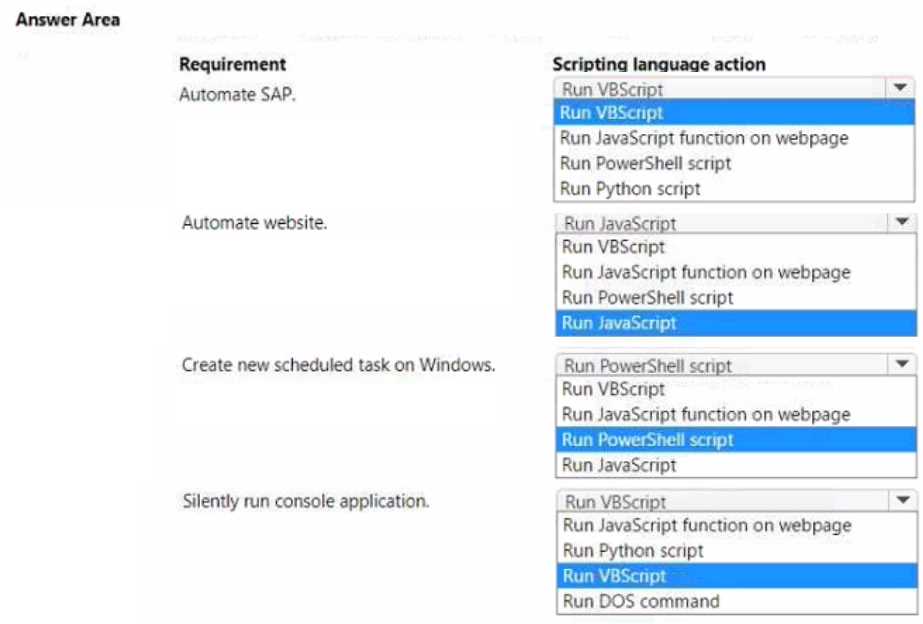
HOTSPOT You are developing automation for an application. You plan to use the application on legacy desktop applications and browser applications. You need to select the appropriate scripting language based on the requirements. Which scripting language action should you use? To answer, select the appropriate options in the answer area. NOTE Each correct selection is worth one point.
For 'Automate SAP' would using VBScript make sense here since PAD leverages SAP GUI scripting? When it comes to automating a website, I'd expect JavaScript to be the scripting choice for browser actions. Scheduled tasks on Windows probably need PowerShell, and running a console app silently could be handled with VBScript by suppressing the window. Does this line up with what others have picked?
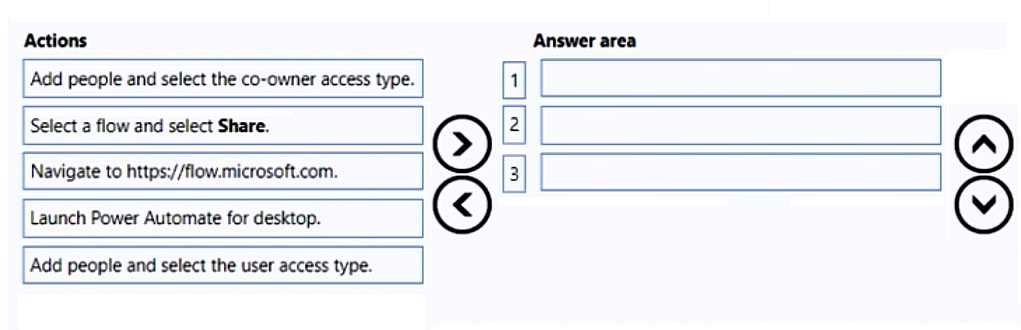
DRAG DROP You develop a desktop flow for a company. You need to ensure that another user can modify the flow. Which three actions should you perform in sequence? To answer, move the appropriate actions from the order.
Nice and clear drag-and-drop. I'd go with: Launch Power Automate for desktop, Select a flow and select Share, then Add people and select the user access type. Pretty sure that's the right sequence for sharing flows so they can be edited.
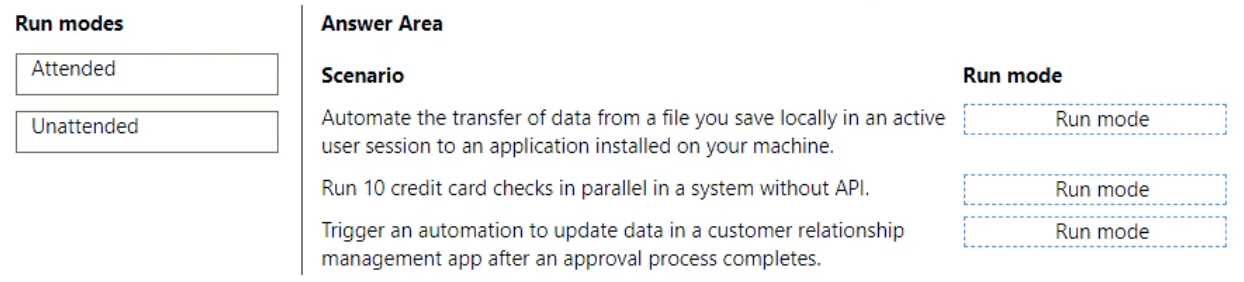
DRAG DROP You are designing automation processes. You need to configure the run mode for each automation scenario. Which run modes should you use? To answer, drag the appropriate run modes to the correct scenarios. Each run mode may be used once, more than once, or not at all. You may need to drag the split bar between panes or scroll to view content. NOTE: Each correct selection is worth one point.
I'm pretty sure it's Attended for the local file transfer (since it says "active user session"), and Unattended for both the parallel card checks and CRM update. Parallel/background jobs and automated triggers don't need user presence, so Unattended fits. The trick is not getting thrown off by thinking the card checks need user involvement. Anyone see it another way?
- Automate data transfer (active session) → Attended
- Credit card checks parallel → Unattended
- CRM update after approval → Unattended
I paired "Attended" with the parallel credit card checks since it feels like something an end user might launch. I might be off here, but the wording about "active user session" wasn't clear to me for each. Push back if you see it differently!
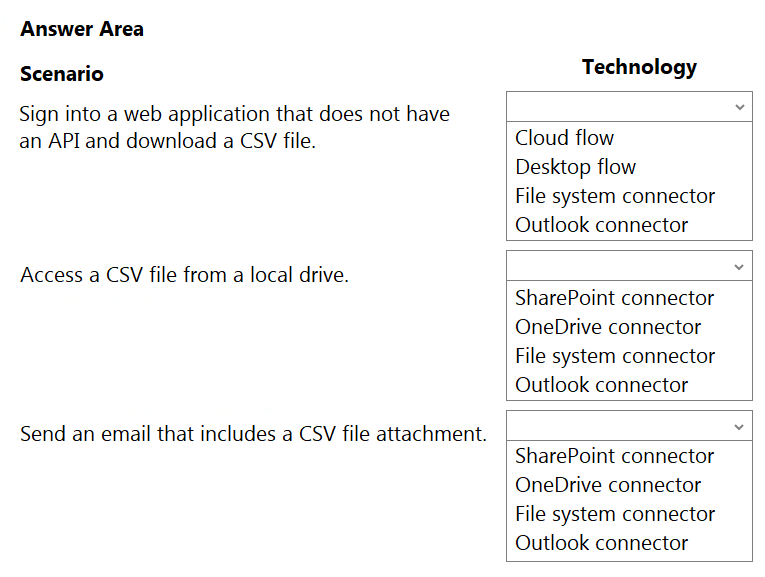
HOTSPOT You need to design automation solutions for a company. What should you implement? To answer, select the appropriate configuration in the answer area. NOTE: Each correct selection is worth one point.
Desktop flow for signing into web apps without APIs, file system connector for local CSV, Outlook connector to send it. If I'm off on one of those let me know, but that's how I've seen it split in practice.
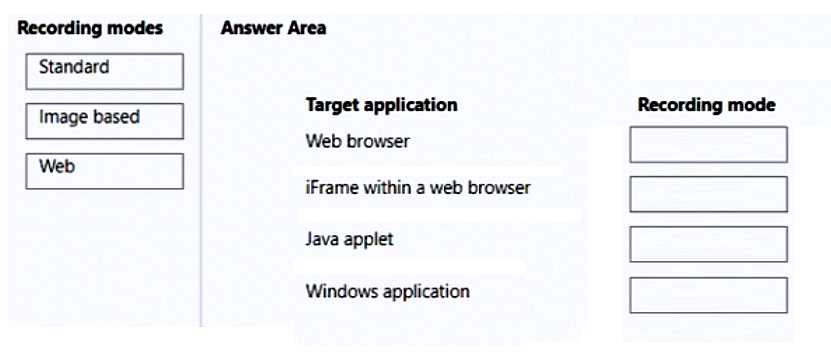
DRAG DROP You are developing desktop flows for a company. You need to use Recorder to record steps that you are performing in target applications. Which recording modes will Recorder use? To answer, drag the appropriate recording modes to the correct target applications. Each recording mode may be used once, more than once, or not at all. You may need to drag the split bar between panes or scroll to view content. NOTE: Each correct selection is worth one point.
Pretty sure it's Web for browser and iFrame, Java applet needs Image based, Windows app gets Standard. Trap here is thinking Java works with Web mode but it's not HTML, so Recorder uses images instead. Agree?
Web browser → Standard
iFrame within a web browser → Standard
Java applet → Web
Windows application → Image based
I think this is how it works since browsers and iFrames are pretty similar, right? Guessing Java applets use web mode. Not 100% sure though, anyone else see it this way?
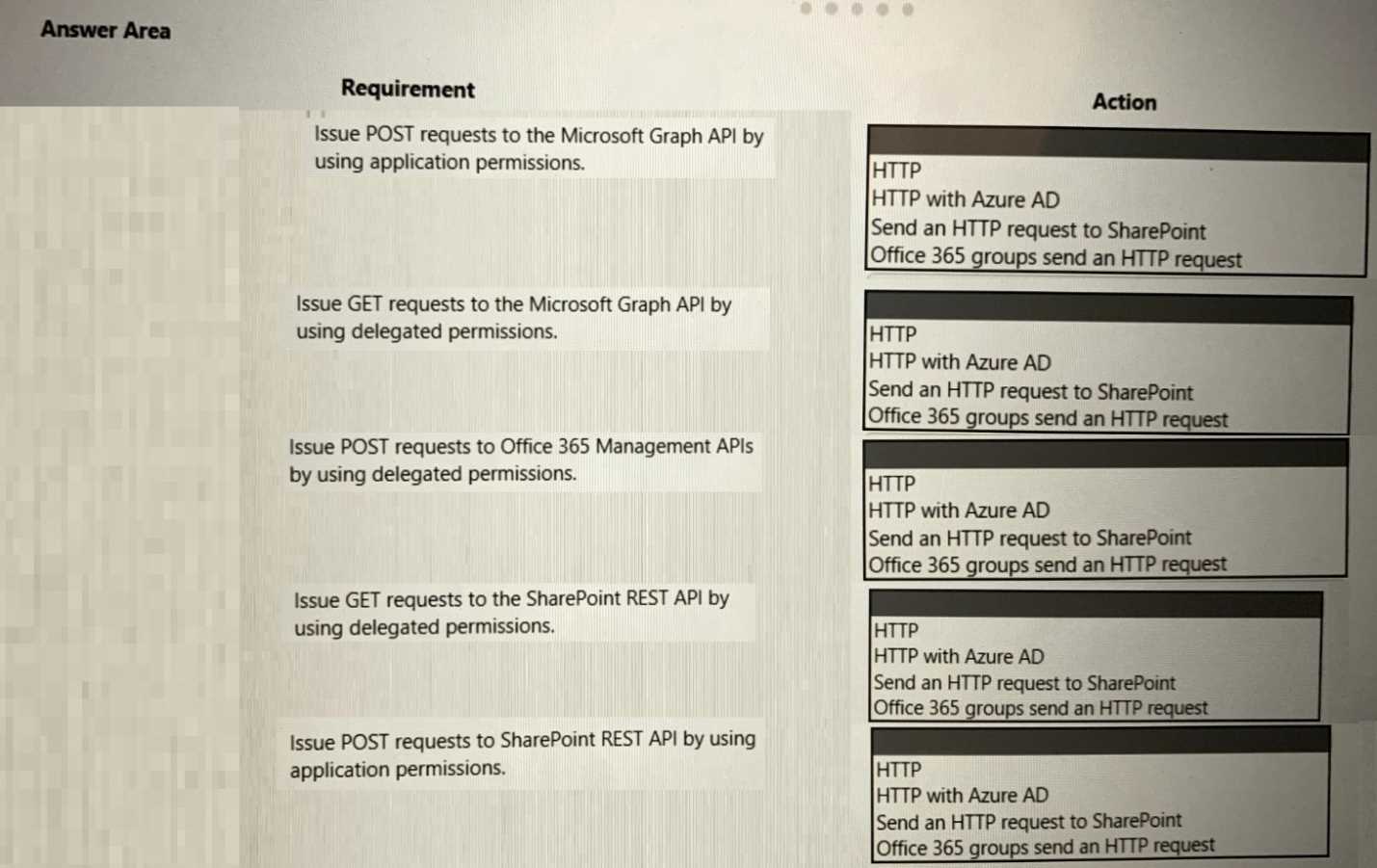
HOTSPOT You are developing a cloud flow. The flow must be able to query several Azure endpoints and must use standard actions where possible. You need to configure the flow. Which actions should you use? To answer, select the appropriate options in the answer area. NOTE: Each correct selection is worth one point.
HTTP with Azure AD for app permissions, Office 365 Groups send an HTTP request for delegated permissions, and Send an HTTP request to SharePoint for delegated SharePoint calls is the right way. The standard actions here streamline authentication so you don't have to custom-build the token part. Nice clear scenario, makes sense based on how Power Automate connectors handle permissions. I think these matches are spot on.