
DRAG DROP Note: This question is a part of a series of questions that present the same scenario. For your convenience, the scenario is repeated in each question. Each question presents a different goal and answer choices, but the text of the scenario is exactly the same in each question in this series. Start of repeated scenario You have a Microsoft SQL Server database that has the tables shown in the Database Diagram exhibit. (Click the Exhibit.) 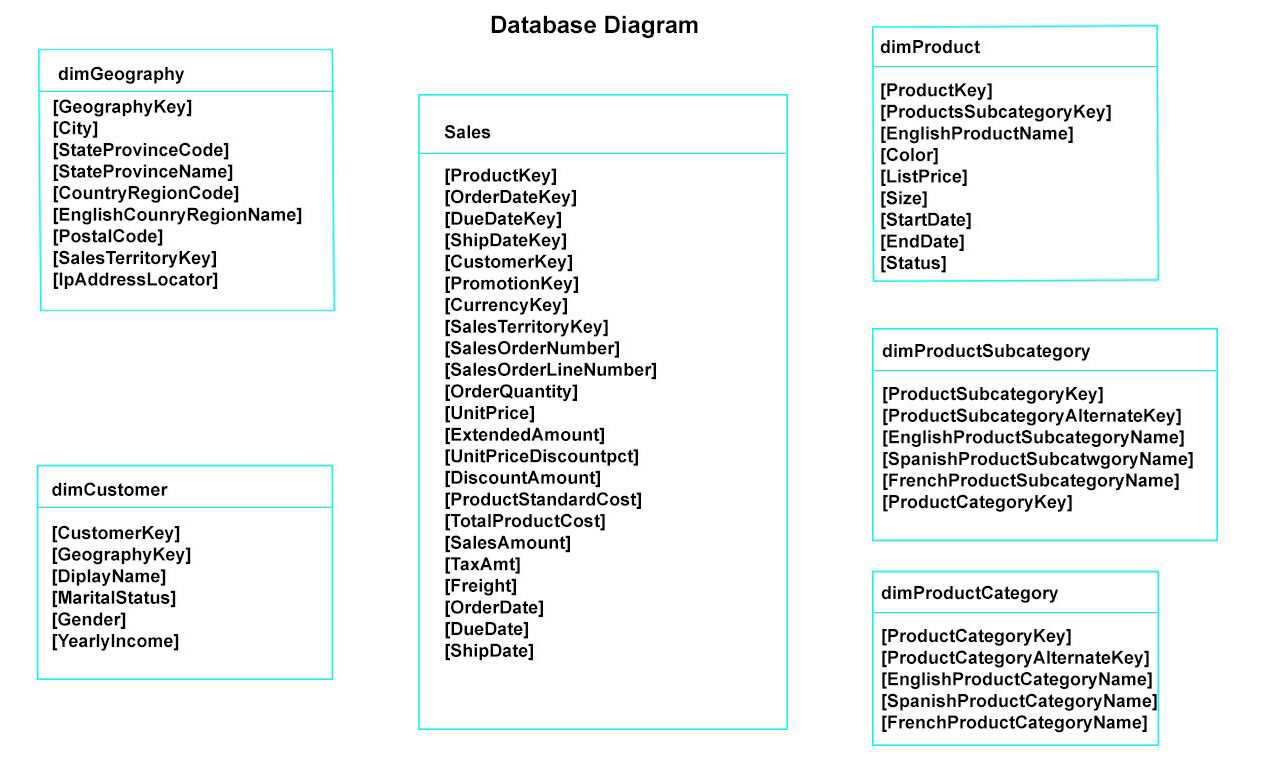 You plan to develop a Power BI model as shown in the Power BI Model exhibit. (Click the Exhibit).
 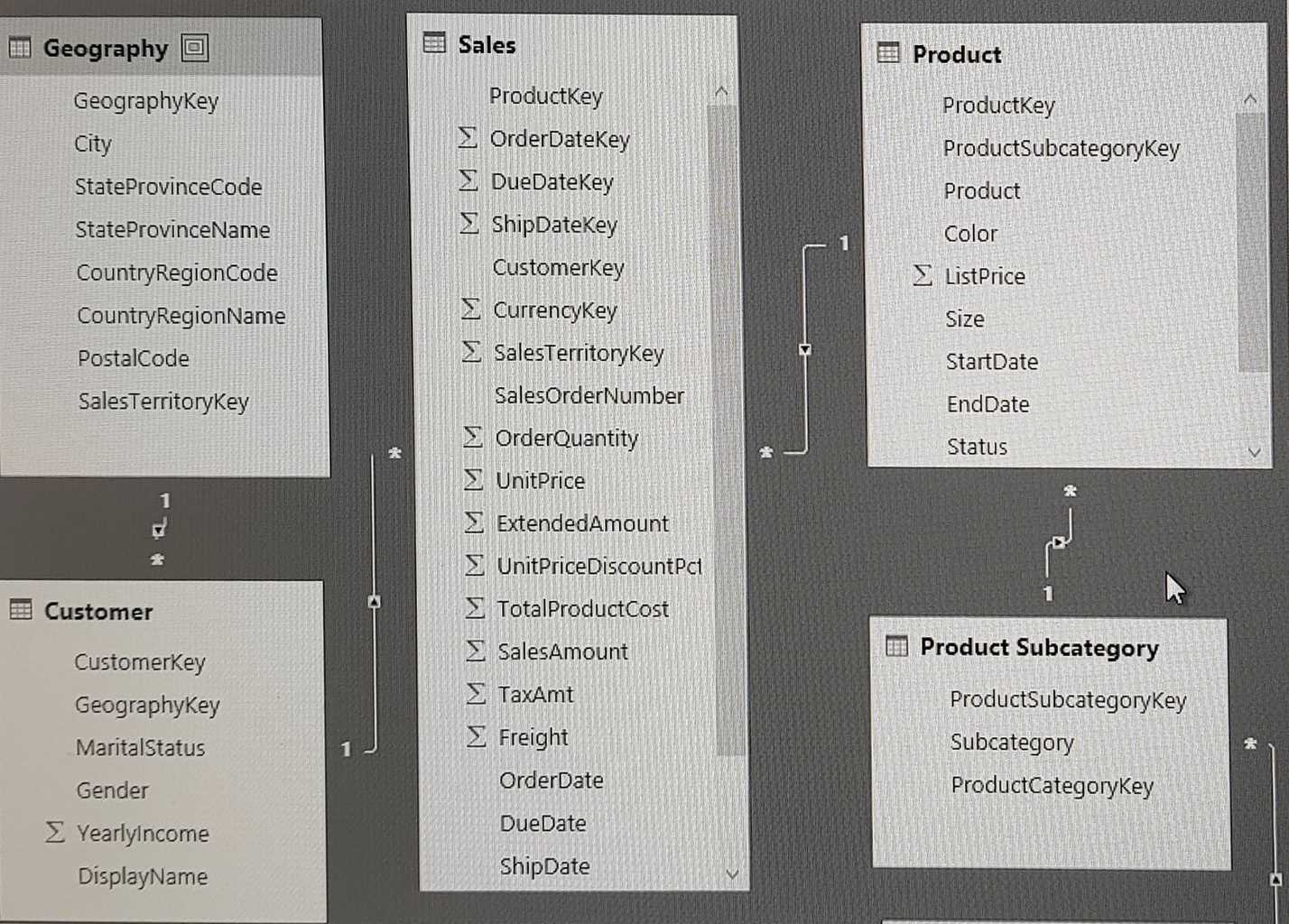 You plan to use Power BI to import data from 2013 to 2015. Product Subcategory [Subcategory] contains NULL values. End of repeated scenario. You implement the Power BI model. You need to edit the Product Category table query to match the desired Power BI model. How should you complete the advanced query? To answer, drag the appropriate values to the correct targets. Each value may be used once, more than once, or not at all. You may need to frag the split bar between panes or scroll to view content. NOTE: Each correct selection is worth one point.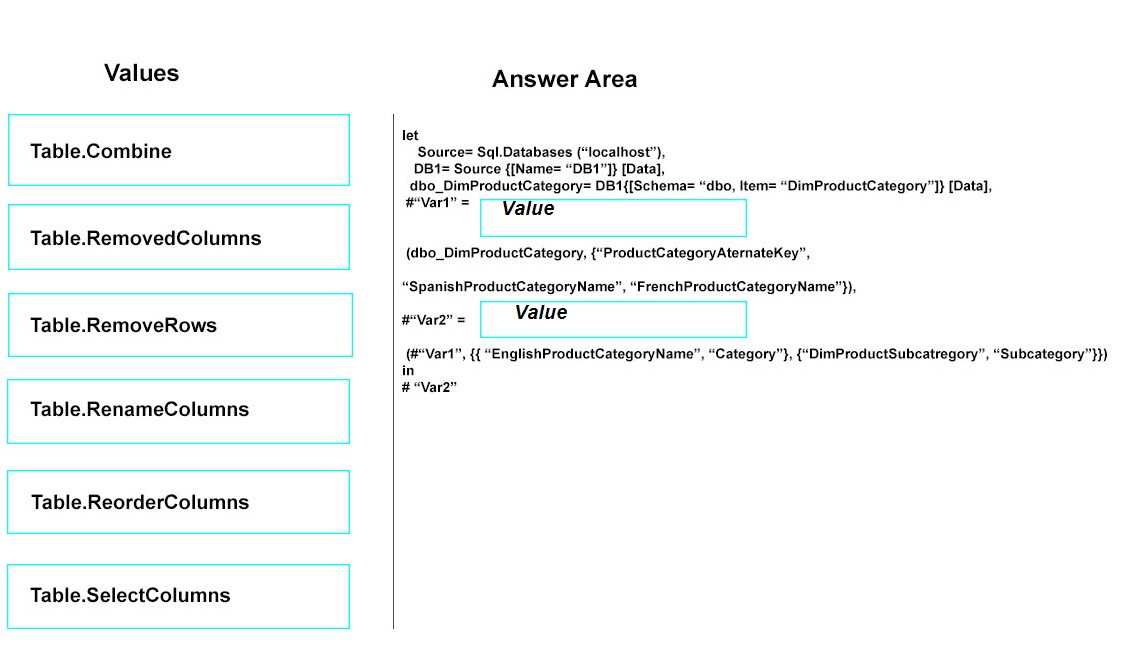
Seen this in the official guide and labs: first step is Table.RemoveColumns (to get rid of non-English name columns), then Table.RenameColumns after (to match the model's field names). Pretty sure that's how MS wants it. Disagree?
First you want to get rid of the unneeded columns like Spanish and French names. After that, it's way easier to just rename what's left to match what the model wants ("Category", etc). Makes sense with how Power Query steps work and I've seen this order on official practice too. Not 100% if there's some edge case but feels right here. Agree?