
DRAG DROP You have a Microsoft Teams Phone deployment. You need to create two call queues named CQ1 and CQ2. The solution must meet the following requirements: CQ1 must balance incoming calls so that each call agent receives the same number of calls  Calls received by CQ2 must ring all call agents simultaneously
  What should you configure for each requirement? To answer, drag the appropriate routing methods to the correct requirements. Each routing method may be used once, more than once, or not at all. You may need to drag the split bar between panes or scroll to view content. NOTE: Each correct selection is worth one point.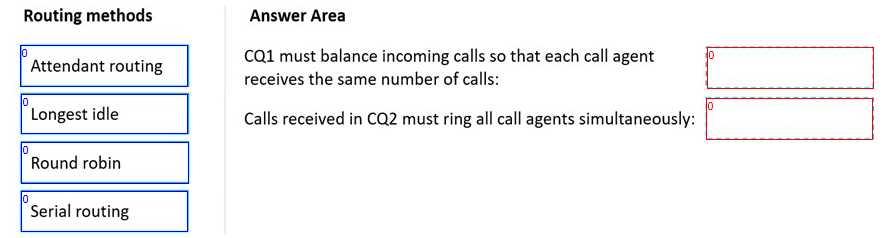
I went with Round robin for CQ1, since it makes sure every agent gets the same count of calls over time, which matches the balance requirement. Attendant routing for CQ2 works because it rings all agents simultaneously until someone picks up. Pretty sure that's how Teams sets it up, but if anyone's tested another config and got different results, let me know.
- CQ1 must balance incoming calls: Round robin
- CQ2 must ring all agents simultaneously: Attendant routing
Round robin for CQ1 and Attendant routing for CQ2. Round robin shares calls so each agent gets about the same number, which matches the balancing requirement for CQ1. Attendant routing makes all agents ring at once, which is what CQ2 needs. I think that's right based on how Teams handles call queues, but correct me if I'm missing something.
Round robin is designed to keep the call count even between agents, which matches the 'balance' part for CQ1. Attendant routing is the one that rings everyone at once for CQ2. Some folks might choose longest idle for balancing but that doesn't guarantee exact equal calls. Agree?
Had something like this in a mock. Round robin should handle even distribution for CQ1, but I think Attendant routing rings everyone at the same time for CQ2. Not 100%-always get a bit mixed up on longest idle vs round robin. Anyone disagree with this setup?