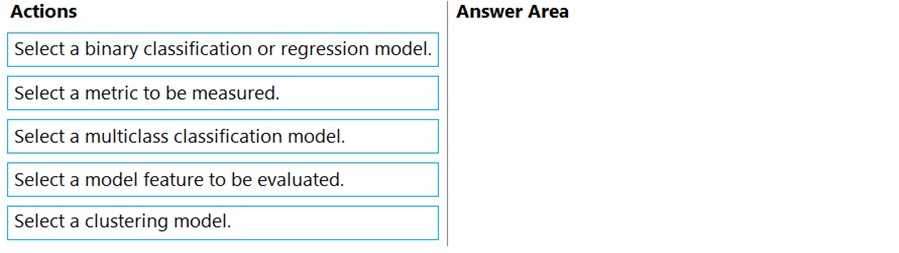
Source 1: Microsoft Learn. "Assess model fairness in Azure Machine Learning." This documentation outlines the supported scenarios (classification and regression) and the workflow of configuring the dashboard by defining sensitive features and performance metrics.
Relevant Quote: "Fairlearn allows you to assess the fairness of your model... It supports classification and regression models." "To assess fairness, you need to... select the sensitive feature... select the performance metric."
URL: https://learn.microsoft.com/en-us/azure/machine-learning/how-to-machine-learning-fairness-aml
Source 2: Fairlearn Official Documentation (User Guide - Dashboard).
Relevant Context: The dashboard setup wizard explicitly asks users to select the sensitive feature first ("Select a sensitive feature") before asking for the performance metric ("Select a performance metric").
URL: https://fairlearn.org/v0.7.0/user_guide/dashboard.html (Note: Fairlearn is the underlying open-source tool integrated into Azure ML).
Source 3: Microsoft Learn - "Use the Fairlearn dashboard".
Step-by-step confirmation: The UI workflow guides the user to "Select the attribute" (Feature) -> "Select the metric" (Metric).
URL: https://learn.microsoft.com/en-us/azure/machine-learning/concept-fairness-ml