
Q: 1
HOTSPOT - You have an Azure subscription named Subscription1 that contains the users shown in the following table. 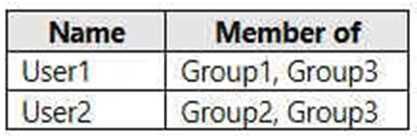 Subscription1 contains the Azure Virtual Desktop host pools shown in the following table.
  Subscription1 contains the Azure Virtual Desktop application groups shown in the following table.
  You perform the role assignments shown in the following table.
 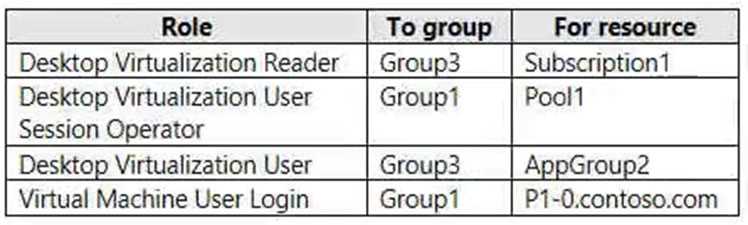 For each of the following statements, select Yes if the statement is true. Otherwise, select No. NOTE: Each correct selection is worth one point. Hot Area: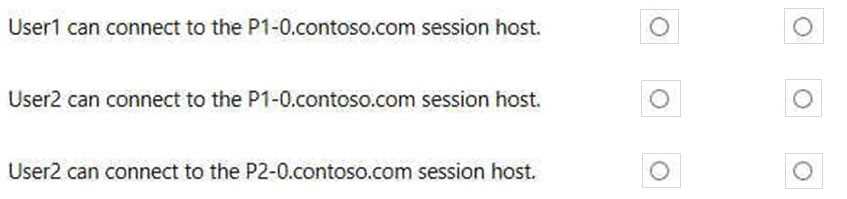
Your Answer
Discussion
NO NO NO. Statement 3 looks like it could be Yes, but missing the VM login permission is the catch here, seen similar tricks in other practice sets.
NO NO NO. You always need both the App Group assignment and VM login permission, and that's missing for each statement here.
NO NO NO
NO NO NO. Both the App Group AND VM login roles have to be assigned for a successful connection, and there’s at least one missing every time here. I've seen similar setups in Microsoft practice labs. Let me know if anyone sees it differently.
Nah, the last one looks like a trap. NO NO NO. User2 might seem like they can access AppGroup2, but without VM login on P2-0 they're blocked.
NO
NO
NO
NO
NO
Change Bastion1 to Standard SKU, then Native Client Support, finally az network bastion rdp. Standard SKU is key for native client here, wouldn't work otherwise.
Change Bastion1 to Standard SKU > On Bastion1 select Native Client Support > On Device1 run az network bastion rdp command. Saw a similar sequence in the official docs and labs, pretty sure this is the way.
Change Bastion1 to Standard SKU → On Bastion1 select Native Client Support → On Device1 run az network bastion rdp command (be careful, you need Standard for native RDP).
Change Bastion1 to Standard SKU > On Bastion1 select Native Client Support > On Device1 run az network bastion rdp. Had something like this in a mock, and the order matches what I've seen before. Confident but open to other reasoning.
Be respectful. No spam.
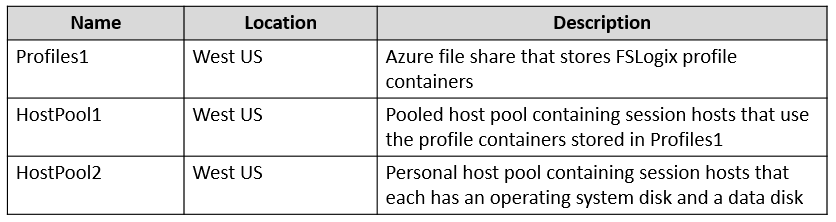 You create the resources shown in the following table.
 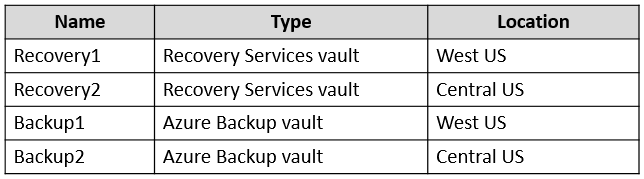 You need to meet following requirements: • Back up the FSLogix profile containers used by HostPool1. • Backup the data disks in HostPool2. To which resources can you back up the profile containers and the data disks? To answer, select the appropriate options in the answer area. NOTE: Each correct selection is worth one point.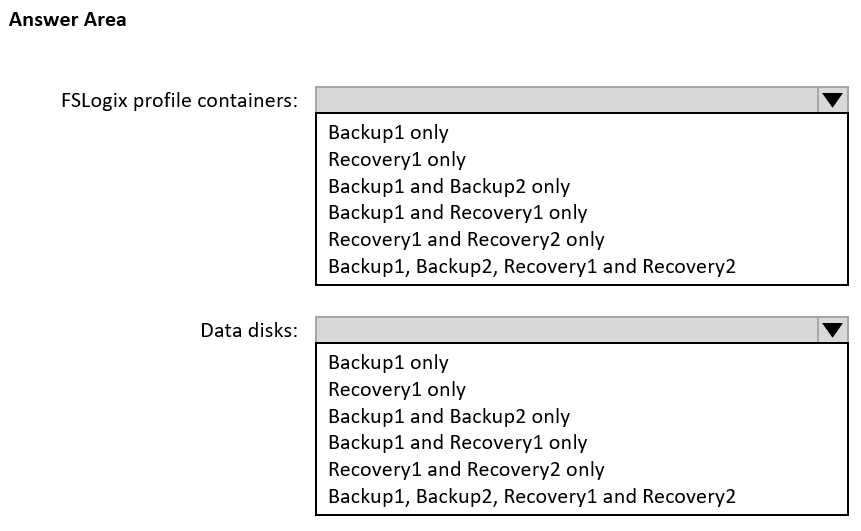
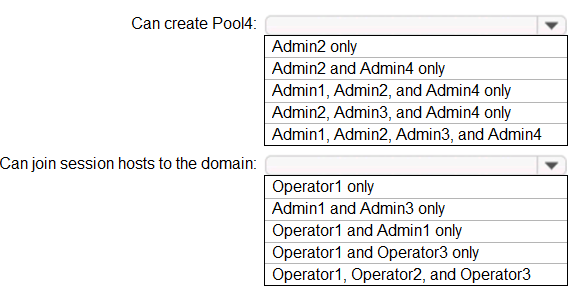
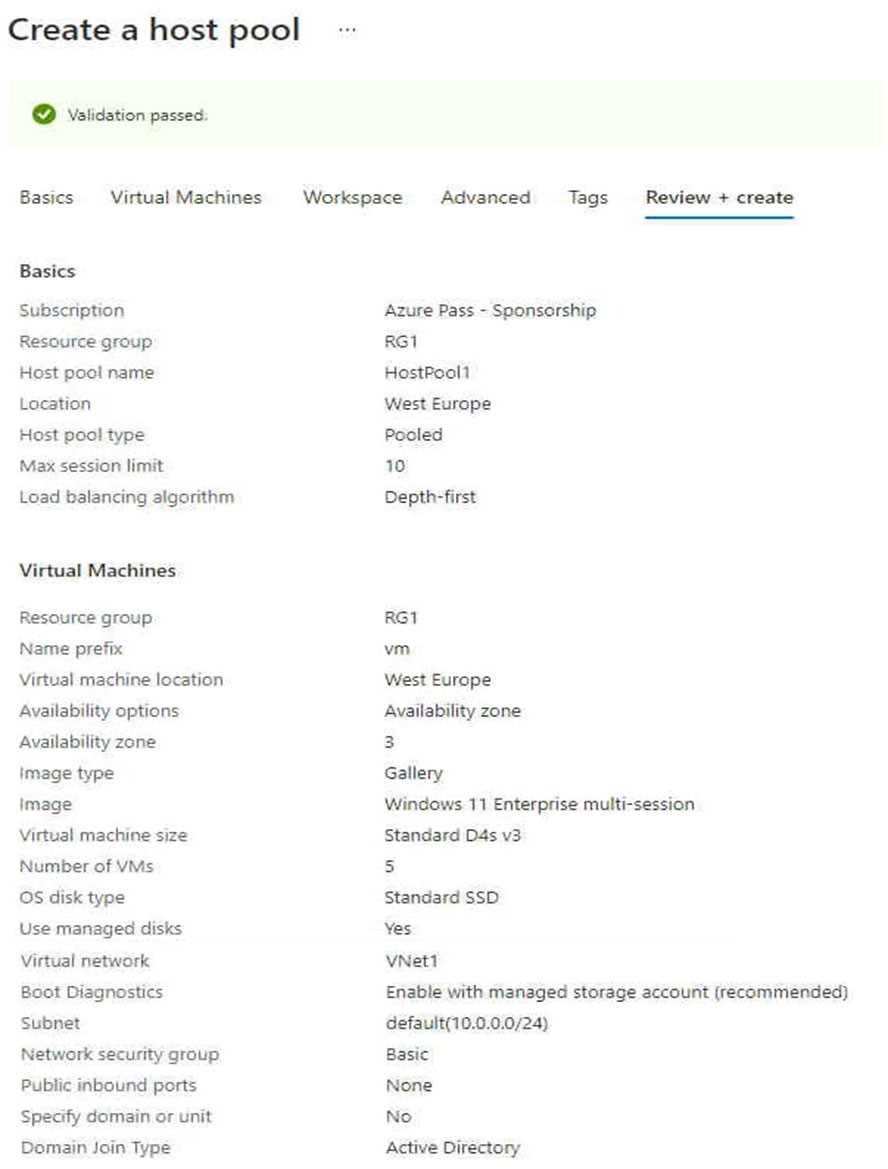 Use the drop-down menus to select the answer choice that answers each question based on the information presented in the graphic. NOTE: Each correct selection is worth one point. Hot Area: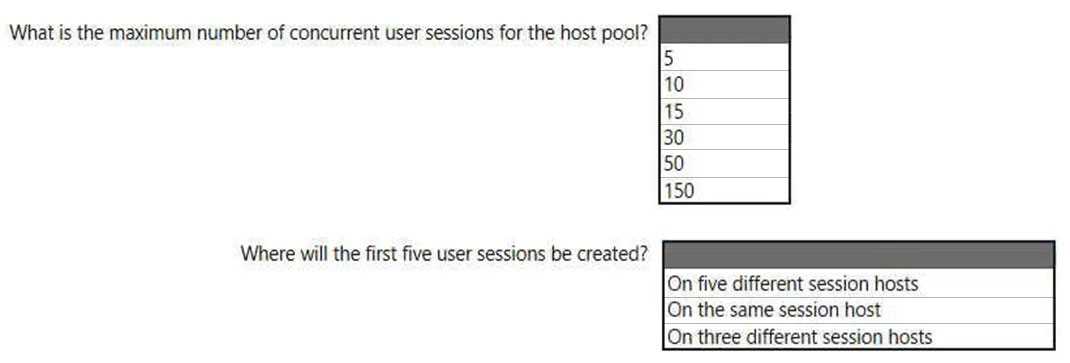
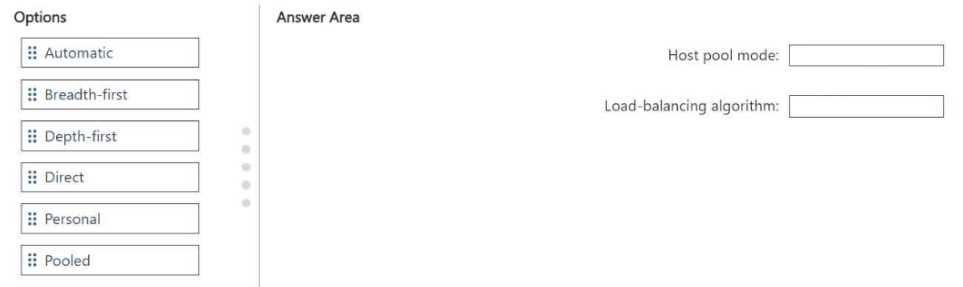
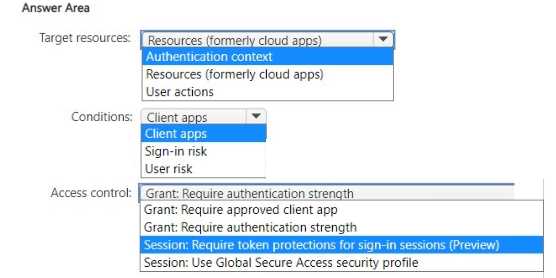
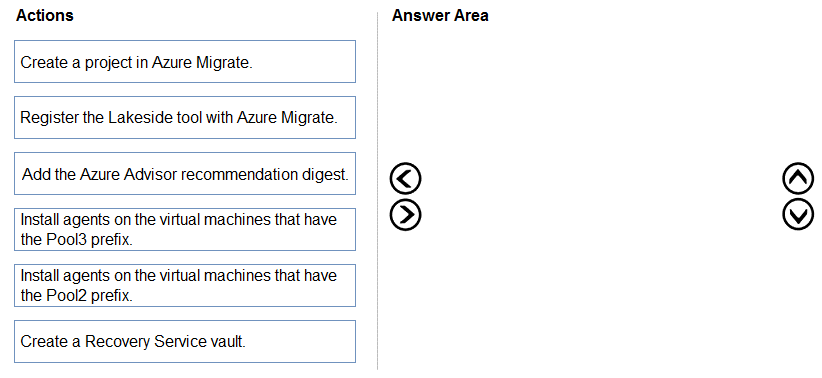
 You need to create a disaster recovery environment in the West US region. The solution must minimize costs and administrative effort. What should you do?