Q: 1
Refer to exhibit. 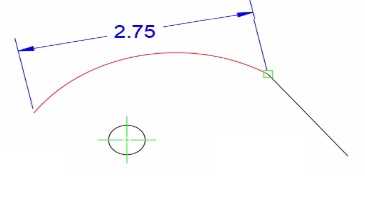
Options
Discussion
No comments yet. Be the first to comment.
Be respectful. No spam.
Refer to exhibit.
Refer to exhibit. 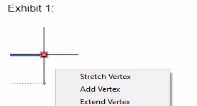
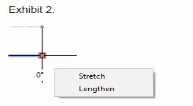 A drawing contains two pieces of similar geometry When they are selected, they have different multi-functional grip menus (as shown). why arc the vertex options missing in Exhibit 2?
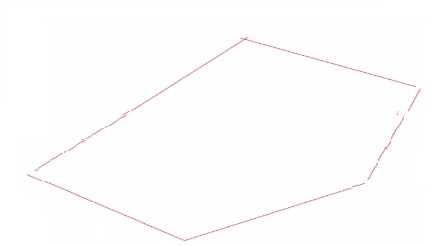 A drawing file contains existing linework where the polylines are not joined end to end (as shown in the exhibit) The individual polylines must be converted to a single polyline that contains all segments. How should the polylines to joined?
DRAG DROP Move three applicable xref options from the list on the left to the corresponding functions on the right Xref options may be used once or not at all. (Select 3) 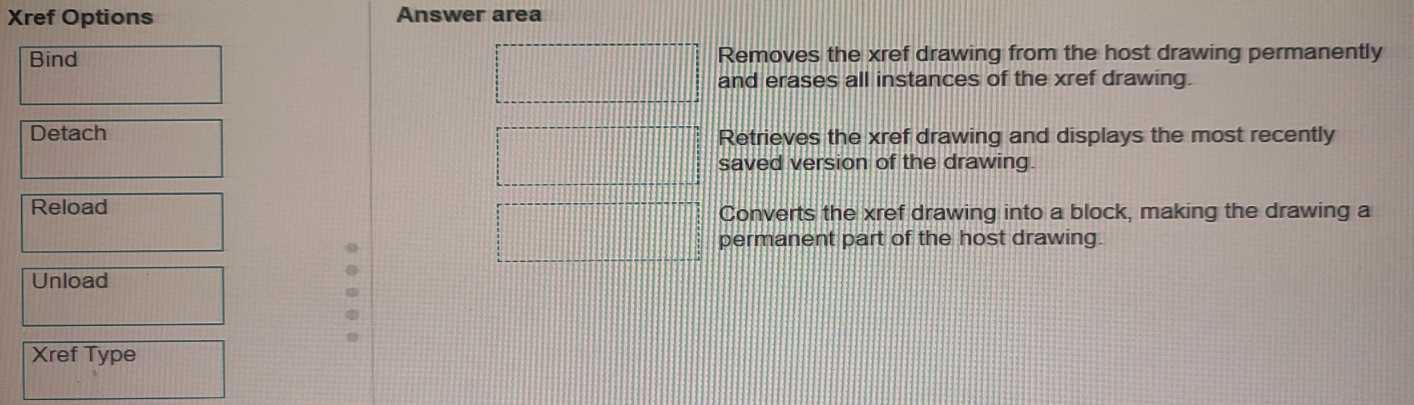
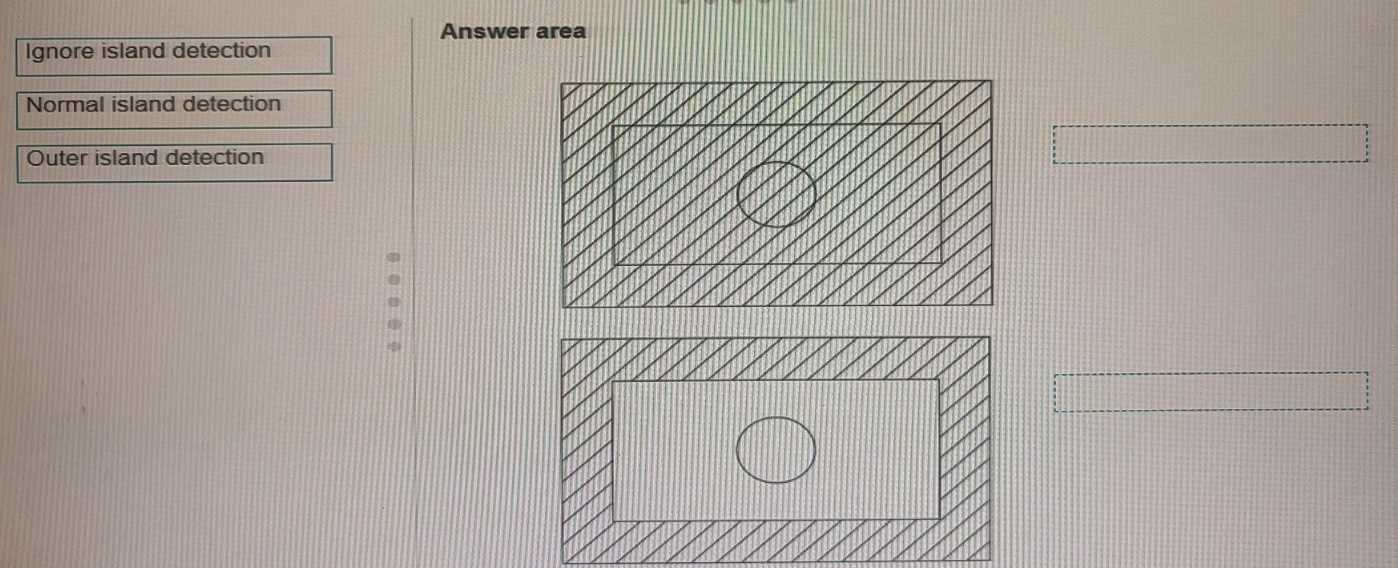
DRAG DROP You are using the HATCH command in a drawing. You select the internal point that corresponds with the X as shown in the following exhibit. Move each setting from the list on the left to the corresponding result on the right. 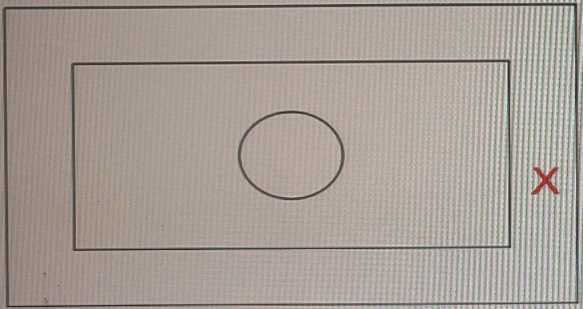
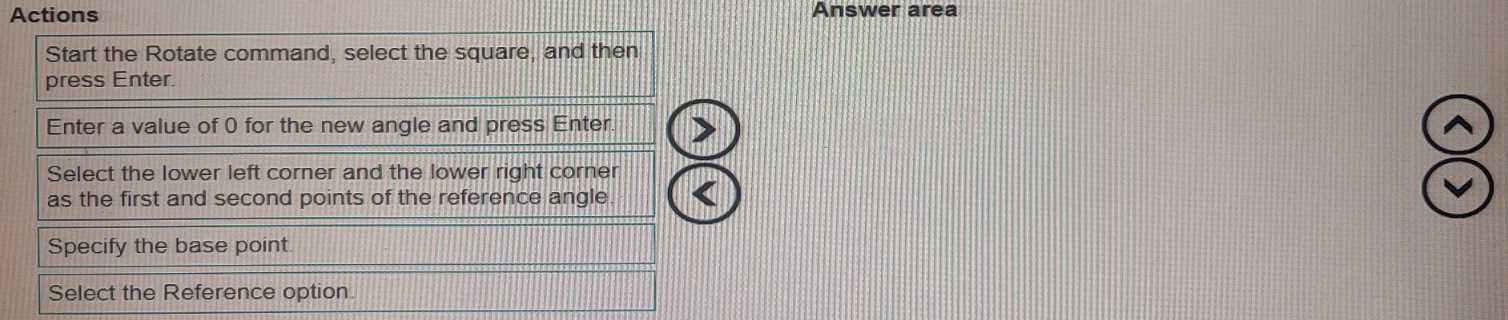
DRAG DROP In which order should you perform the actions to rotate square (1) to match the angle of square (2). Move all actions to the answer area and place them in the correct order. 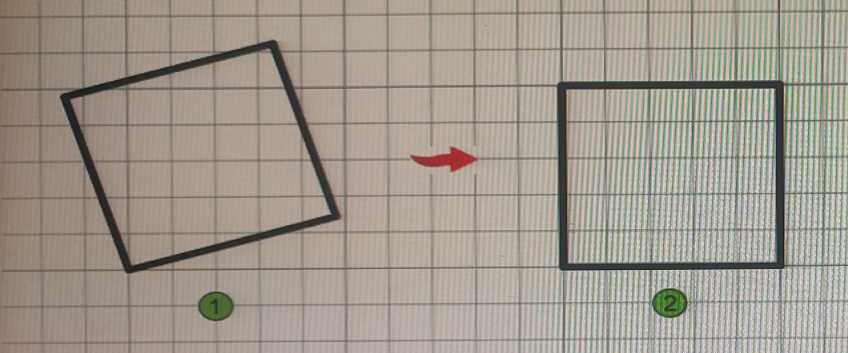
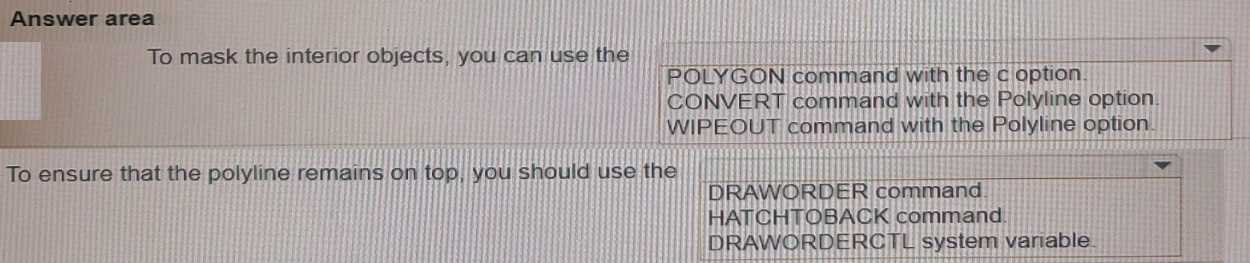
HOTSPOT You want to print a copy of a floor plan with all the interior objects hidden. You already have a polyline drawn around the footprint of the plan. Complete the statements by selecting the correct option from the drop-down,lists. 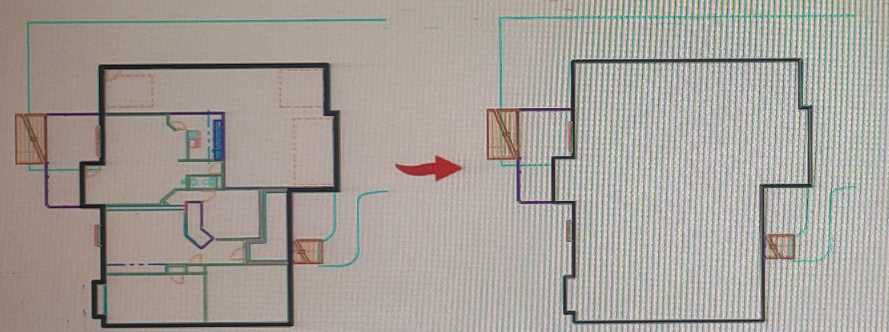
SIMULATION You plan to draw a line at an angle of 6.25 degrees. Where in the user interface do you configure polar tracking to work at this angle after selecting Polar Tracking On? Note: Exhibit shown is the AutoCAD interface in Wind. Which the AutoCAD for the Mac version differs in appearance, the correct answers correlate in the options. 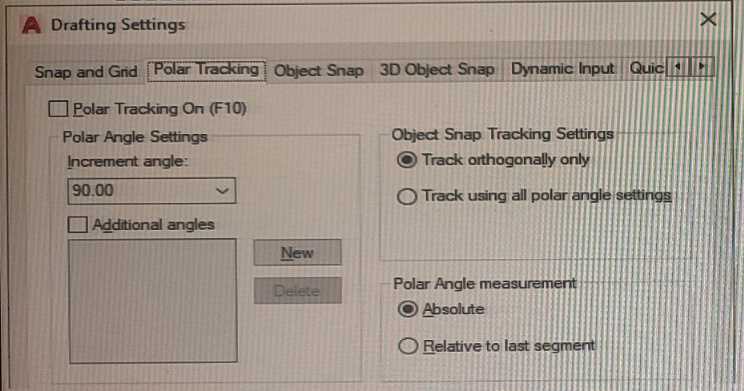
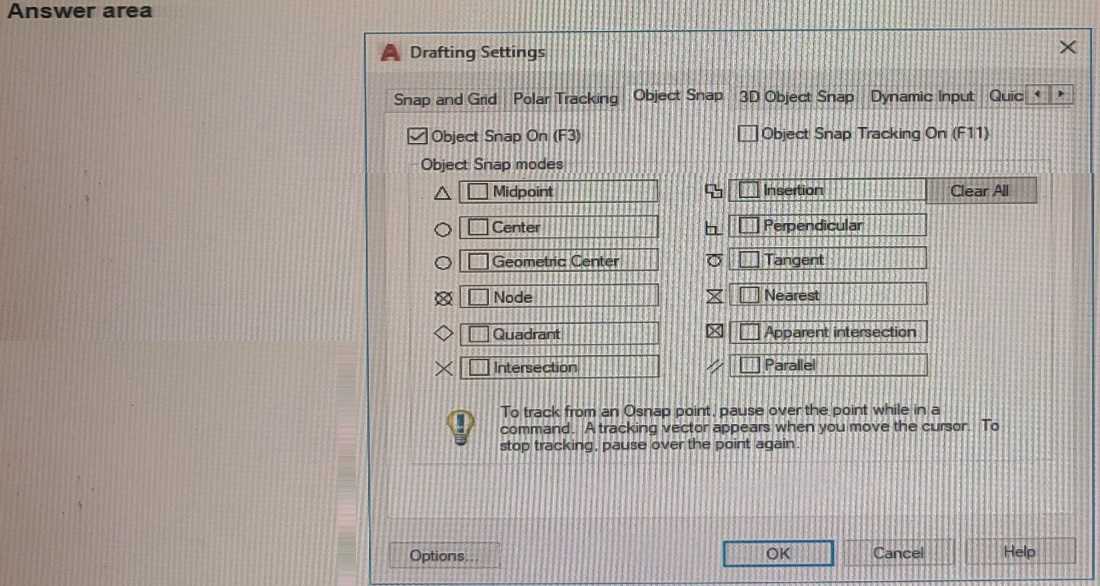
HOTSPOT You need to snap to the centroid of a closed polyline. Which Object Snap mode should you use? Click the correct option in the answer area. Note: Exhibit shown is the AutoCAD interface in Windows. While the AutoCAD for MAc version differs in appearance, the correct answer correlates in the options.