Free CKS Practice Test Questions and Answers (2026)

Last Update Check

View Mode
Q: 1
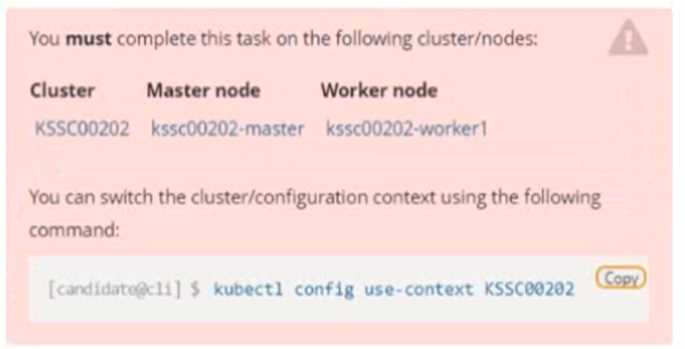
Linux CKS question Context A container image scanner is set up on the cluster, but it's not yet fully integrated into the cluster s configuration. When complete, the container image scanner shall scan for and reject the use of vulnerable images. Task Linux CKS question Given an incomplete configuration in directory /etc/kubernetes/epconfig and a functional container image scanner with HTTPS endpoint https://wakanda.local:8081 /image_policy : 1. Enable the necessary plugins to create an image policy 2. Validate the control configuration and change it to an implicit deny 3. Edit the configuration to point to the provided HTTPS endpoint correctly Finally, test if the configuration is working by trying to deploy the vulnerable resource /root/KSSC00202/vulnerable-resource.yml. Linux CKS question


Your Answer
56 comments in the community discussion
6
DEFAULTALLOW: FALSE, since implicit deny is the key part here. I think some folks get tripped up by the defaultAllow wording.
5
Not quite, it's DEFAULTALLOW: FALSE for implicit deny. Setting TRUE is a common trap since that would allow unverified images through.
Q: 2
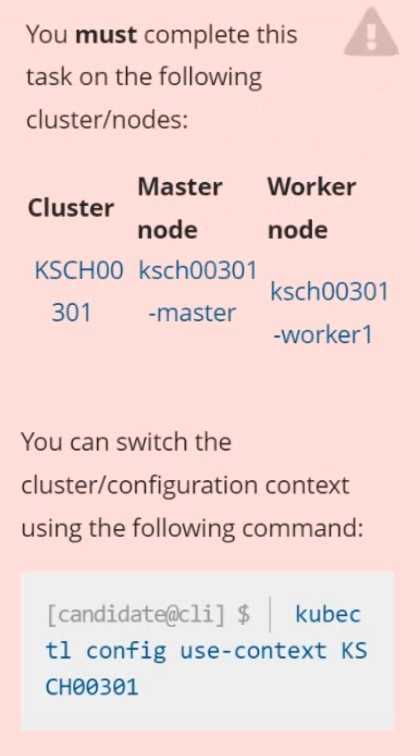
Linux CKS question Context Your organization’s security policy includes: ServiceAccounts must not automount API credentials ServiceAccount names must end in "-sa" The Pod specified in the manifest file /home/candidate/KSCH00301 /pod-m nifest.yaml fails to schedule because of an incorrectly specified ServiceAccount. Complete the following tasks: Task 1. Create a new ServiceAccount named frontend-sa in the existing namespace q a. Ensure the ServiceAccount does not automount API credentials. 2. Using the manifest file at /home/candidate/KSCH00301 /pod-manifest.yaml, create the Pod. 3. Finally, clean up any unused ServiceAccounts in namespace qa.
Your Answer
43 comments in the community discussion
9
Looks straightforward. You just need to create frontend-sa in qa with automountServiceAccountToken: false. Then update the pod manifest to use that SA, apply it, and finally delete any other SAs not ending with -sa. Pretty sure that's what they're after.
6
Had something like this in a mock, it's bash with kubectl and yaml edits for the ServiceAccount naming.
Q: 3
Create a Pod name Nginx-pod inside the namespace testing, Create a service for the Nginx-pod named nginx-svc, using the ingress of your choice, run the ingress on tls, secure port.
Your Answer
50 comments in the community discussion
6
Create TLS secret first. Practice this flow with kubectl and review official CKS docs.
6
TLS secret first or the ingress won’t work. Trap is skipping that and trying to reference it before creation.
Q: 4
You can switch the cluster/configuration context using the following command: [desk@cli] $ kubectl config use-context prod-account Context: A Role bound to a Pod's ServiceAccount grants overly permissive permissions. Complete the following tasks to reduce the set of permissions. Task: Given an existing Pod named web-pod running in the namespace database. 1. Edit the existing Role bound to the Pod's ServiceAccount test-sa to only allow performing get operations, only on resources of type Pods. 2. Create a new Role named test-role-2 in the namespace database, which only allows performing update operations, only on resources of type statuefulsets. 3. Create a new RoleBinding named test-role-2-bind binding the newly created Role to the Pod's ServiceAccount. Note: Don't delete the existing RoleBinding.
Your Answer
54 comments in the community discussion
6
Use the official docs and some hands-on labs for this, seen a similar task in practice sets.
6
Reviewing the official Kubernetes documentation and practicing kubectl role editing in a hands-on lab will make this type of question a breeze. Similar scenarios show up a lot, so working through sample RBAC YAML examples can really reinforce the concepts. Pretty sure that's the most efficient way to prep, but open to
Q: 5

a. Retrieve the content of the existing secret named default-token-xxxxx in the testing namespace. Store the value of the token in the token.txt b. Create a new secret named test-db-secret in the DB namespace with the following content: username: mysql password: password@123 Create the Pod name test-db-pod of image nginx in the namespace db that can access test-db-secret via a volume at path /etc/mysql-credentials

Your Answer
56 comments in the community discussion
2
Its D. The explicit path mount for the secret is what makes it correct here.
2
Yeah D here, since mounting the secret at /etc/mysql-credentials is exactly what's asked. Env vars alone won't satisfy that requirement.
Q: 6

Fix all issues via configuration and restart the affected components to ensure the new setting takes effect. Fix all of the following violations that were found against the API server:- a. Ensure that the RotateKubeletServerCertificate argument is set to true. b. Ensure that the admission control plugin PodSecurityPolicy is set. c. Ensure that the --kubelet-certificate-authority argument is set as appropriate. Fix all of the following violations that were found against the Kubelet:- a. Ensure the --anonymous-auth argument is set to false. b. Ensure that the --authorization-mode argument is set to Webhook. Fix all of the following violations that were found against the ETCD:- a. Ensure that the --auto-tls argument is not set to true b. Ensure that the --peer-auto-tls argument is not set to true Hint: Take the use of Tool Kube-Bench

Your Answer
56 comments in the community discussion
1
Why not True? PSP might be deprecated but the question doesn't limit you to only supported options, so it's not a trick for False.
1
False tbh, PodSecurityPolicy is deprecated so fixing all as listed wouldn't always be valid.
Q: 7

Analyze and edit the given Dockerfile FROM ubuntu:latest RUN apt-get update -y RUN apt-install nginx -y COPY entrypoint.sh / ENTRYPOINT ["/entrypoint.sh"] USER ROOT Fixing two instructions present in the file being prominent security best practice issues Analyze and edit the deployment manifest file apiVersion: v1 kind: Pod metadata: name: security-context-demo-2 spec: securityContext: runAsUser: 1000 containers: - name: sec-ctx-demo-2 image: gcr.io/google-samples/node-hello:1.0 securityContext: runAsUser: 0 privileged: True allowPrivilegeEscalation: false Fixing two fields present in the file being prominent security best practice issues Don't add or remove configuration settings; only modify the existing configuration settings Whenever you need an unprivileged user for any of the tasks, use user test-user with the user id 5487

Your Answer
54 comments in the community discussion
8
Pin the Dockerfile base image to ubuntu:20.04 and switch USER to test-user. In the manifest, set runAsUser: 5487 and privileged: false.
6
Saw nearly identical in a practice exam: pin the Ubuntu tag and switch USER/root fields as described here.
Q: 8
Create a new ServiceAccount named backend-sa in the existing namespace default, which has the capability to list the pods inside the namespace default. Create a new Pod named backend-pod in the namespace default, mount the newly created sa backend-sa to the pod, and Verify that the pod is able to list pods. Ensure that the Pod is running.
Your Answer
48 comments in the community discussion
6
Not just ServiceAccount, you need the Role and RoleBinding too or the pod can't actually list pods. Common mistake is thinking SA alone grants access, but RBAC defaults block that. Happened in similar practice questions.
6
Full YAML manifest with ServiceAccount, Role, RoleBinding, and Pod using serviceAccountName. That's the minimal set for scoped pod listing in default namespace.
Q: 9
Service is running on port 389 inside the system, find the process-id of the process, and stores the names of all the open-files inside the /candidate/KH77539/files.txt, and also delete the binary.
Your Answer
53 comments in the community discussion
6
Nah, grep alone is a trap here since it'll catch anything with 389 in args, not just the listener. It's lsof -ti tcp:389 for sure.
6
Saw similar practice steps in the official CKS labs, using lsof and readlink/rm just like this.
Q: 10

Fix all issues via configuration and restart the affected components to ensure the new setting takes effect. Fix all of the following violations that were found against the API server:- a. Ensure the --authorization-mode argument includes RBAC b. Ensure the --authorization-mode argument includes Node c. Ensure that the --profiling argument is set to false Fix all of the following violations that were found against the Kubelet:- a. Ensure the --anonymous-auth argument is set to false. b. Ensure that the --authorization-mode argument is set to Webhook. Fix all of the following violations that were found against the ETCD:- a. Ensure that the --auto-tls argument is not set to true Hint: Take the use of Tool Kube-Bench

Your Answer
53 comments in the community discussion
6
Set Node and RBAC for API server, profiling=false, webhook for kubelet auth, fix etcd auto-tls.
6
RBAC, Node mode and profiling=false are all required, not just RBAC. Too many miss Node here so watch out for that trap.
Question 1 of 20

Premium Access Includes

  • Quiz Simulator
  • Exam Mode
  • Progress Tracking
  • Question Saving
  • Flash Cards
  • Drag & Drops
  • 3 Months Access
  • PDF Downloads
Get Premium Access
Scroll to Top