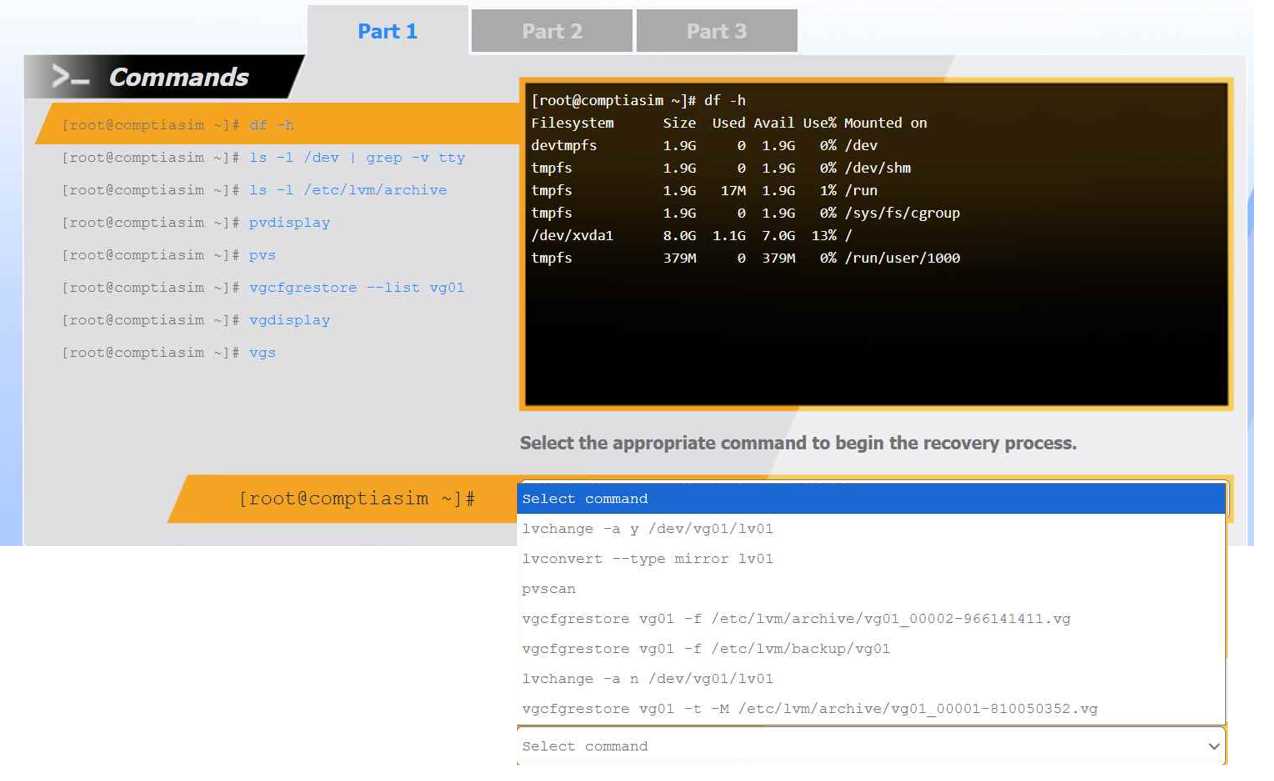
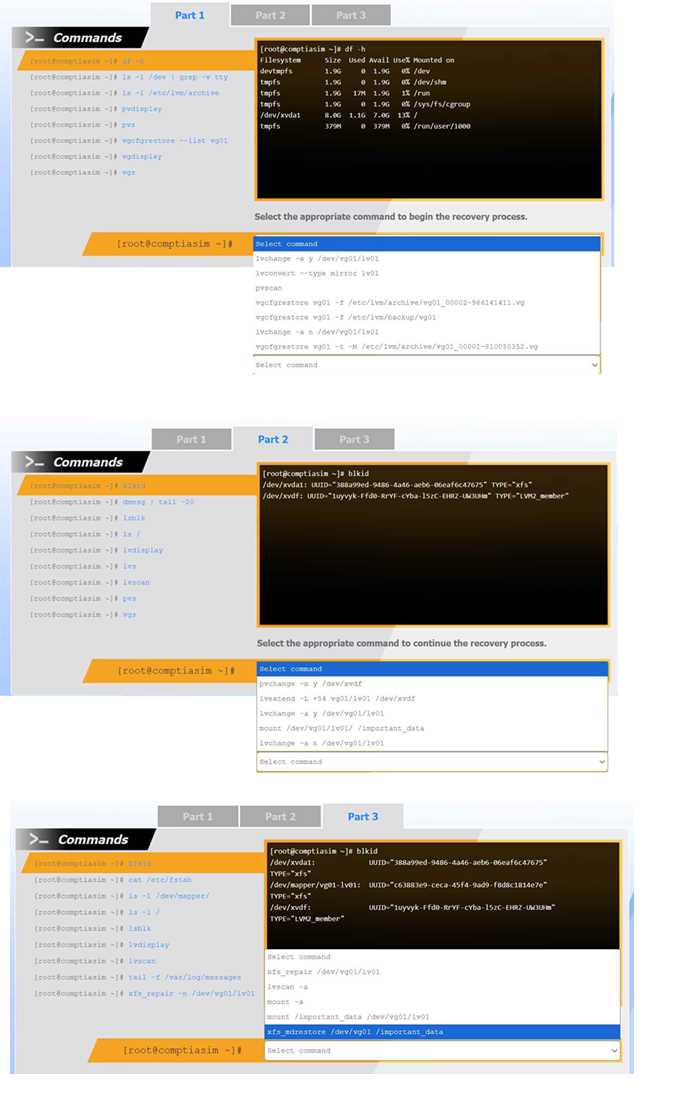
Part 1 (Metadata Restoration): When a logical volume is accidentally removed, the operation modifies the Volume Group (VG) metadata. Fortunately, LVM automatically creates a backup of the pre-change metadata in the /etc/lvm/archive directory. To revert the mistake, you must restore the VG to its prior state using the vgcfgrestore command pointing specifically to the archived file created just before the deletion. Using the backup directory (/etc/lvm/backup/) would be incorrect as it contains the current (post-deletion) state.
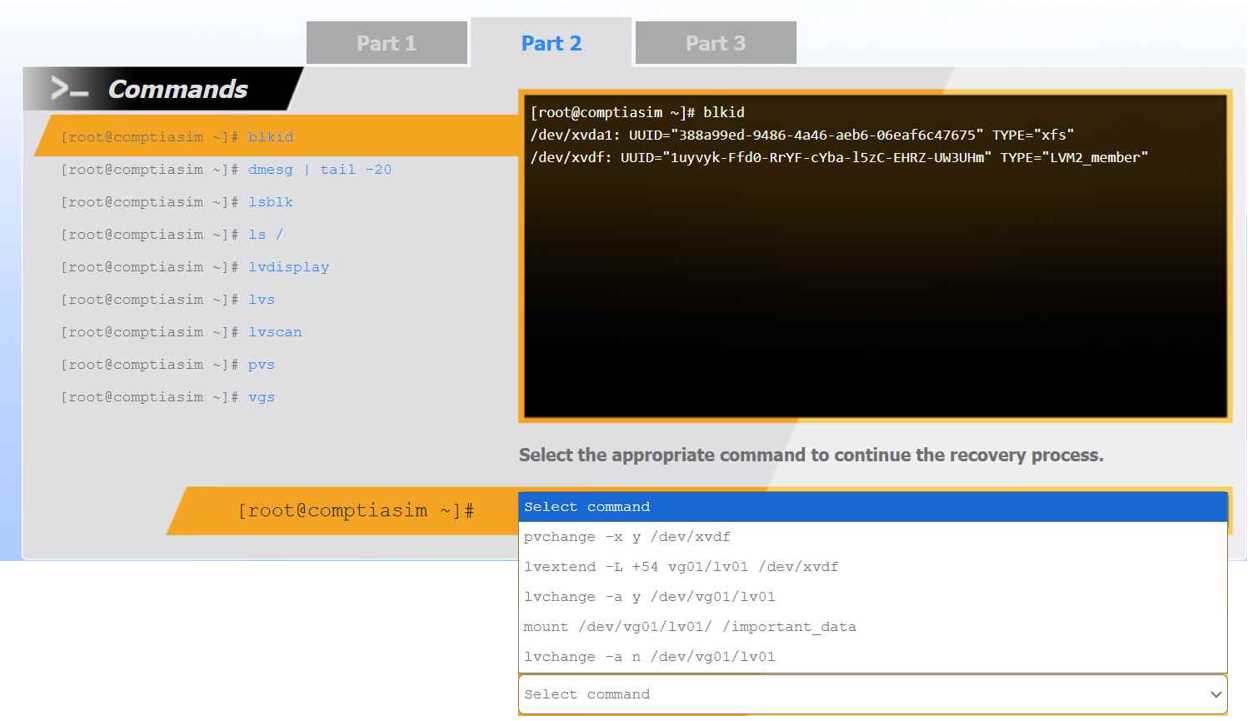
Part 2 (Volume Activation): Once the metadata is successfully restored, the logical volume configuration exists again, but LVM leaves restored volumes in an inactive state to prevent accidental data corruption. To make the volume block device available to the kernel for use, it must be explicitly activated using lvchange -a y (activate yes) targeting the logical volume.
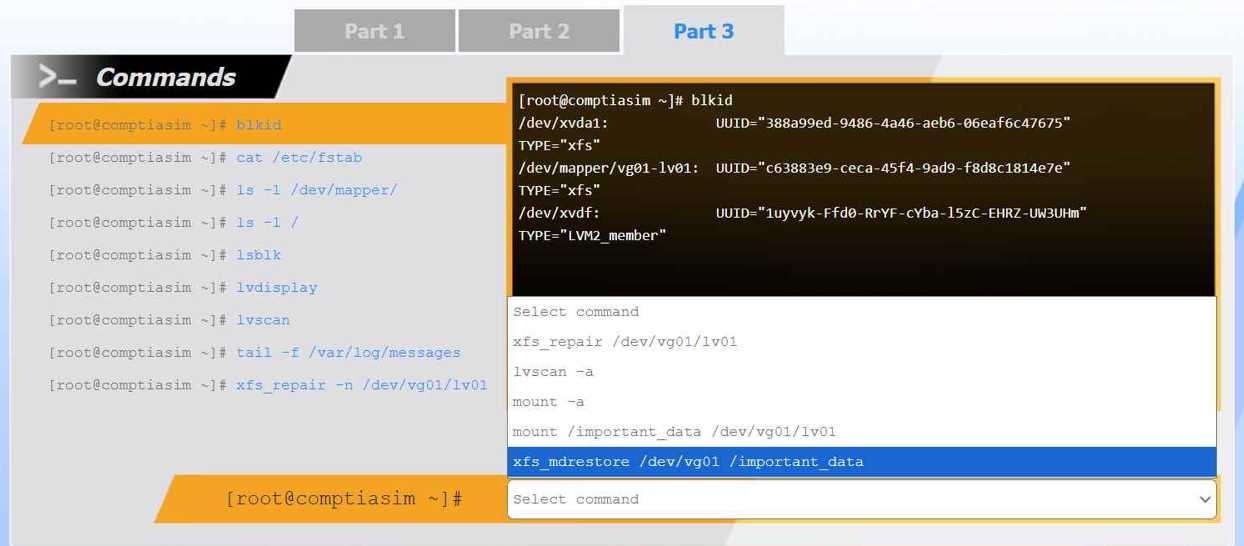
Part 3 (Mounting): With the volume active (confirmed by the blkid output showing the block device and its XFS filesystem), the final step is to mount it to access the underlying data. The command history context on the left pane (cat /etc/fstab) implies that a persistent mount point is already configured for this volume. Running mount -a safely reads /etc/fstab and mounts all configured filesystems, including the newly recovered volume.