1. Pega Academy
Pega Platform Foundation Mission
Configuring optional actions module.
Reference: In the "Optional actions" topic
it states
"Optional actions supplement the tasks that users can perform as they work on a case. Unlike standard processes
optional actions are available to users at any time
as long as the case is open." This directly supports the use of a case-wide action for a requirement that specifies availability "at any time."
2. Pega Platform Documentation
Case processing
Section: Optional actions.
Reference: The documentation distinguishes between case-wide and stage-only optional actions. It clarifies that a case-wide action "is available in all stages of the case life cycle
" whereas a stage-only action "is available only in the specific stage that you select." This confirms that option D is incorrect for an "at any time" requirement and that option A is the correct design.
3. Pega Platform Documentation
Case life cycles
Section: Alternate stages.
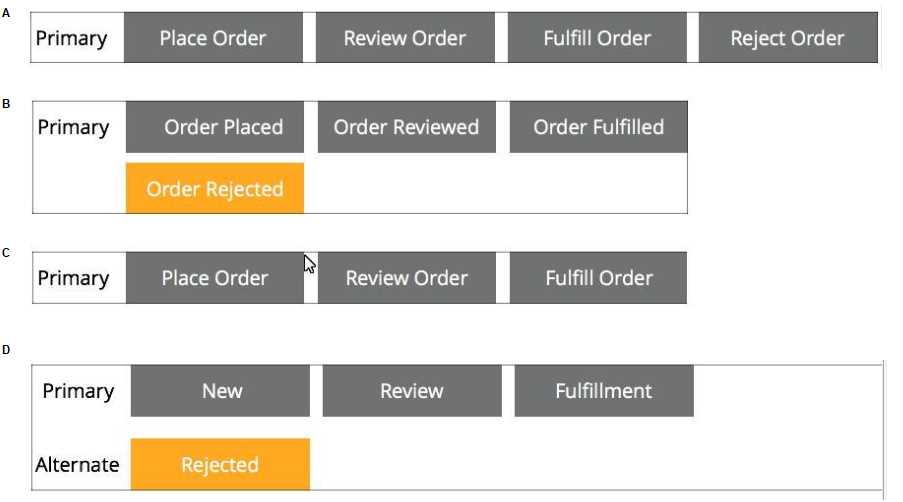
Reference: The documentation describes alternate stages as a way to "model out-of-sequence events in the life cycle of a case... For example
you can use an alternate stage to process a cancellation request for an online order." While the cancellation process might reside in an alternate stage
the initiation of that process from anywhere in the case is best handled by a case-wide action
making option C an incomplete solution.

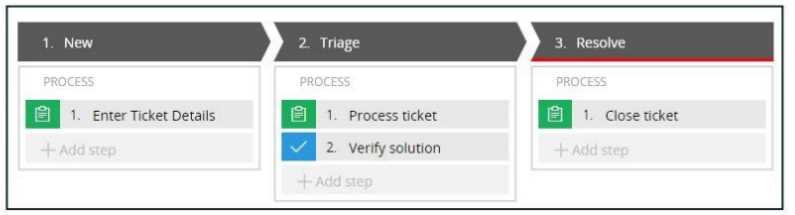 If the Process ticket step is configured to set the status to Pending-Verification, when is the status of
the case set to Pending-Verification?
If the Process ticket step is configured to set the status to Pending-Verification, when is the status of
the case set to Pending-Verification?
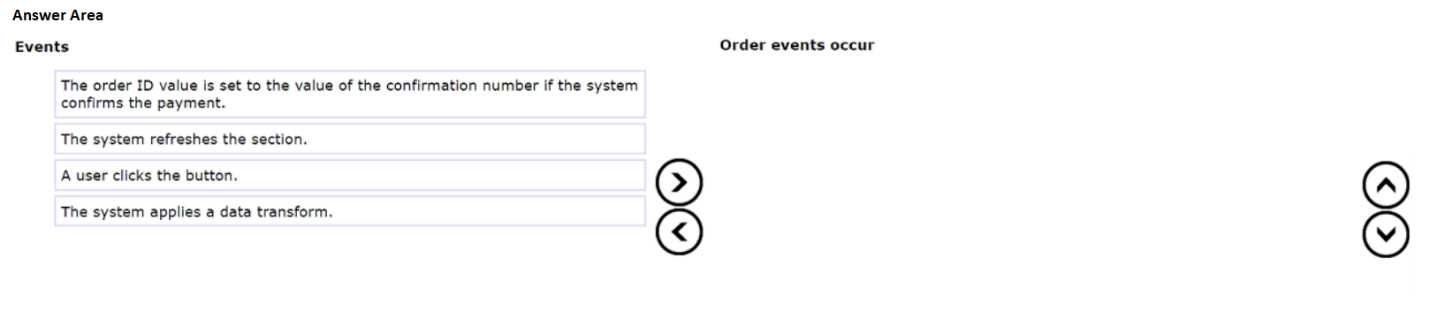
 Place the events in the order they occur.