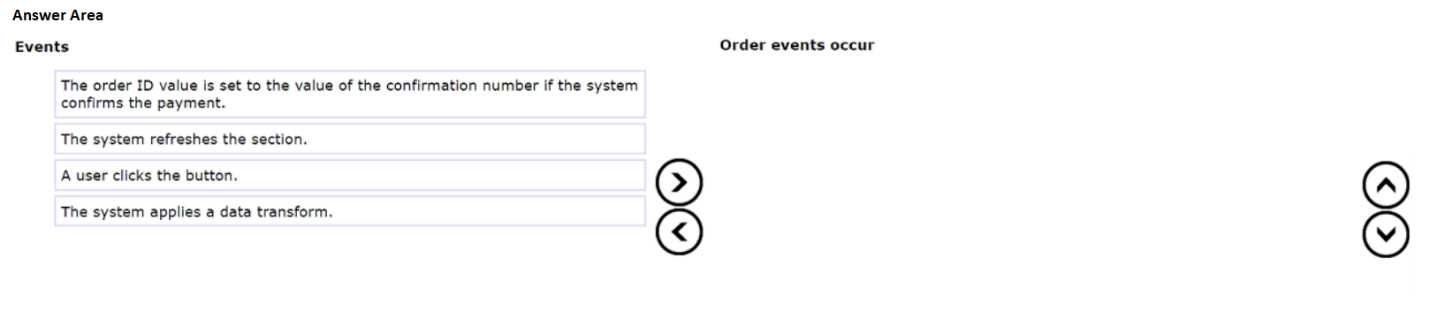
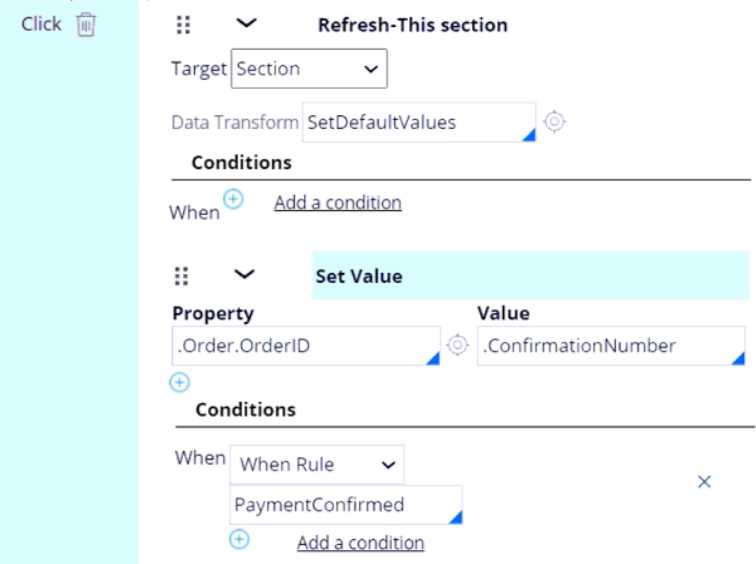
In Pega, Action Sets configured on a control execute sequentially from top to bottom. The sequence is initiated by the trigger event, a user clicks the button.
The first configured action in the list is "Refresh-This section". Inside this action, a Data Transform (SetDefaultValues) is defined. When a section refresh includes a data transform, the system executes the data transform on the server to update the clipboard data before regenerating the HTML. Consequently, the system applies a data transform first, and then the system refreshes the section in the browser with the updated data.
The second action, "Set Value," is listed below the refresh action. It runs after the refresh completes. This action contains a specific condition (PaymentConfirmed), so the order ID value is set only if that condition is met.

 Place the events in the order they occur.