
Q: 6
SIMULATION
After a recent power outage, users are reporting performance issues accessing the application
servers. Wireless users are also reporting intermittent Internet issues.
INSTRUCTIONS
Click on each tab at the top of the screen. Select a widget to view information, then
use the drop-down menus to answer the associated questions. If at any time you would like to bring
back the initial state of the simulation, please click the Reset All button.

Your Answer
Discussion
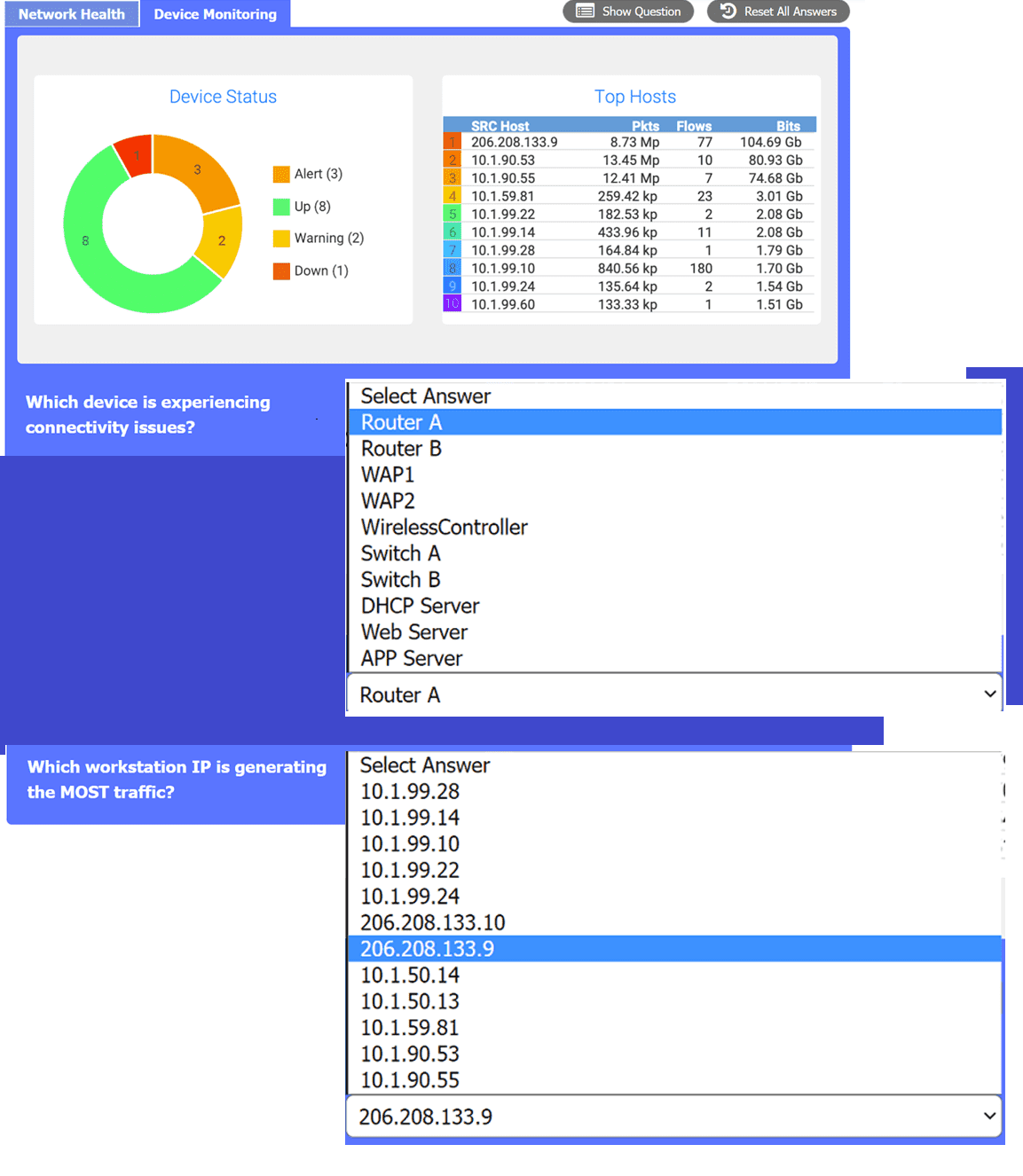
Does anyone know if the "Device Status" for Router A being down could explain both server access and wireless internet issues?
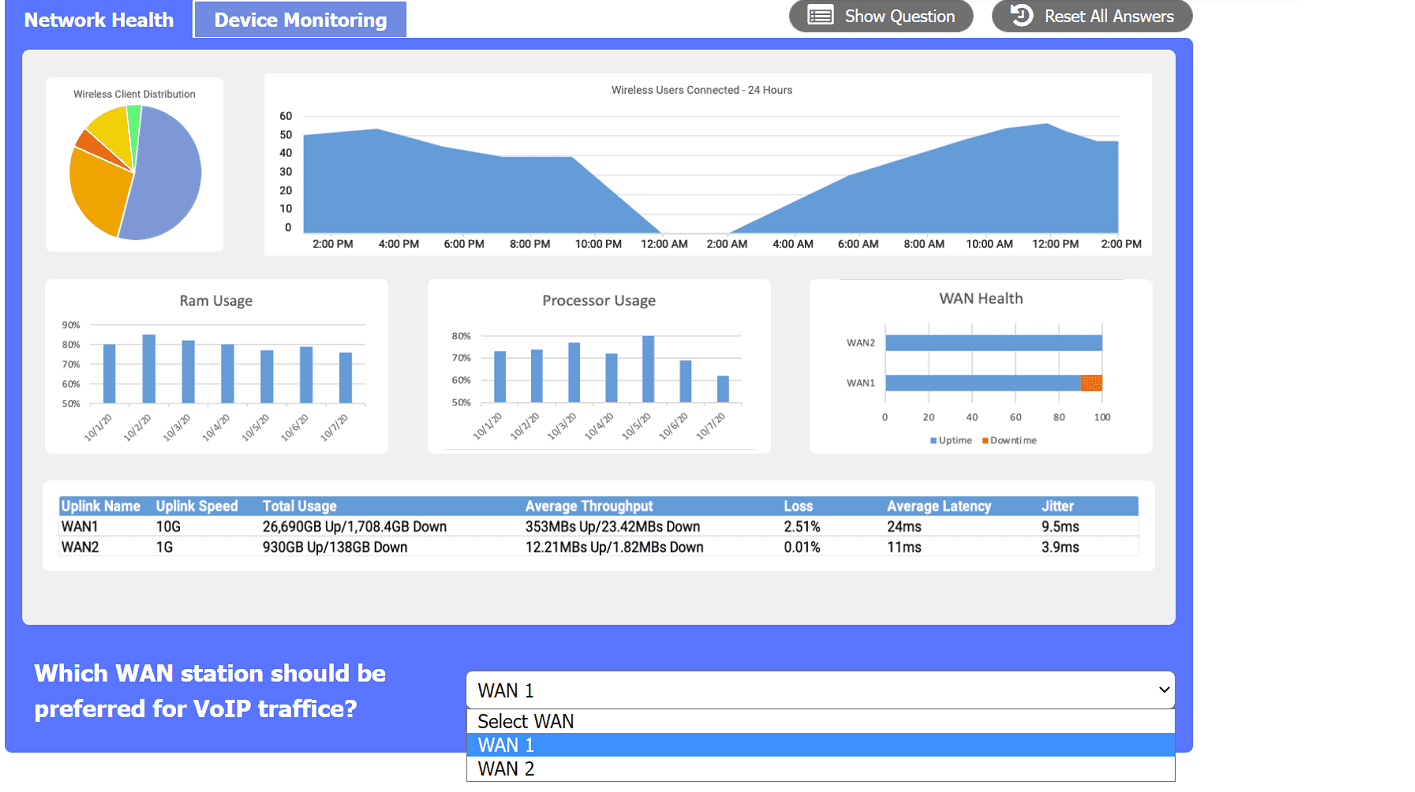
Makes sense to pick Router A, 206.208.133.9, and WAN 2 here. Router A being down fits the outage symptoms, that IP is at the top for traffic, and WAN 2 has better VoIP stats if I'm reading those charts right.
Router A for the connectivity issue, 206.208.133.9 is generating most traffic, WAN 2 preferred for VoIP. Had something like this in a mock and these matched the info provided.
Saw something like this on a practice exam. Router A, 206.208.133.9, WAN 2
Router A, 206.208.133.9, WAN 2
That matches the info shown in the screenshots-router down explains app and wireless issues, that IP has highest traffic total, and WAN 2's stats are better for VoIP. I think that's right based on the data but open to other interpretations if someone sees something I missed.
Hmm I thought Switch B for the device issue.
Device with issues: Switch B. If wireless Internet is spotty but not totally down and some apps work, feels like maybe Switch B is failing but not totally out. Not completely sure though, the symptoms kinda overlap with a router issue.
Be respectful. No spam.