
HOTSPOT - You have a Microsoft 365 E5 subscription. You need to review and implement Microsoft 365 Defender device onboarding. The solution must meet the following requirements: View onboarded devices that have the Chromium-based version for Microsoft Edge installed. Download an onboarding package for a Windows 11 device. Minimize administrative effort. Which two settings should you use in the Microsoft 365 Defender portal? To answer, select the appropriate settings in the answer area. 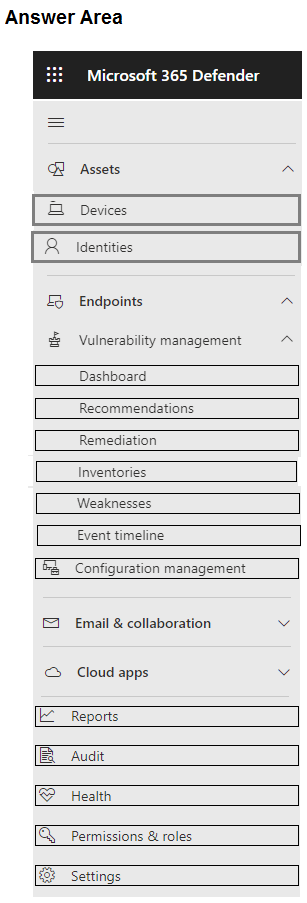
B , the Entra Joined Device Local Administrator role auto-adds the group to local admins on all joined devices. It doesn't handle passwords, just group membership, which fits this scenario. Pretty sure that's what MS recommends now. Anyone see this work differently?
