1. Microsoft Docs
"Log Analytics tutorial": This document explicitly states
"Log Analytics is a tool in the Azure portal that you use to edit and run log queries against data in Azure Monitor Logs. You might write a simple query that returns a set of records and then use features of Log Analytics to sort
filter
and analyze them. ... You write a query in Kusto Query Language (KQL)..." This confirms that Log Analytics workspaces are queried using KQL.
Source: Microsoft Corporation. (2023). Log Analytics tutorial. Microsoft Learn. Retrieved from https://learn.microsoft.com/en-us/azure/azure-monitor/logs/log-analytics-tutorial
2. Microsoft Docs
"Overview of Azure Monitor Agents": This document details how the Azure Monitor Agent collects data from virtual machines and where it sends the data. "The Azure Monitor agent (AMA) collects monitoring data from the guest operating system of Azure and hybrid virtual machines and delivers it to Azure Monitor. ... Send data to Azure Monitor Logs (Log Analytics workspace)." This supports using a Log Analytics workspace as the destination for VM metrics with minimal administrative effort.
Source: Microsoft Corporation. (2023). Overview of Azure Monitor agents. Microsoft Learn. Retrieved from https://learn.microsoft.com/en-us/azure/azure-monitor/agents/agents-overview
3. Microsoft Docs
"Enable SQL Insights (preview)": This document describes a comprehensive
low-effort solution for monitoring SQL environments
which directly applies to the scenario. "SQL Insights stores its data in one or more Log Analytics workspaces. To enable SQL Insights
you need to create a workspace or select an existing one. ... All data collected by SQL Insights is stored in a single Log Analytics workspace." This reinforces that the standard
integrated solution for SQL monitoring uses a Log Analytics workspace.
Source: Microsoft Corporation. (2023). Enable SQL Insights (preview). Microsoft Learn. Retrieved from https://learn.microsoft.com/en-us/azure/azure-monitor/insights/sql-insights-enable

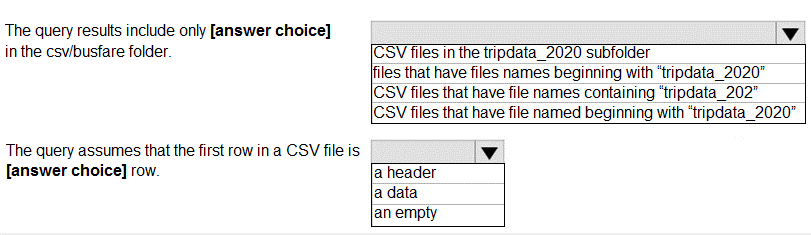
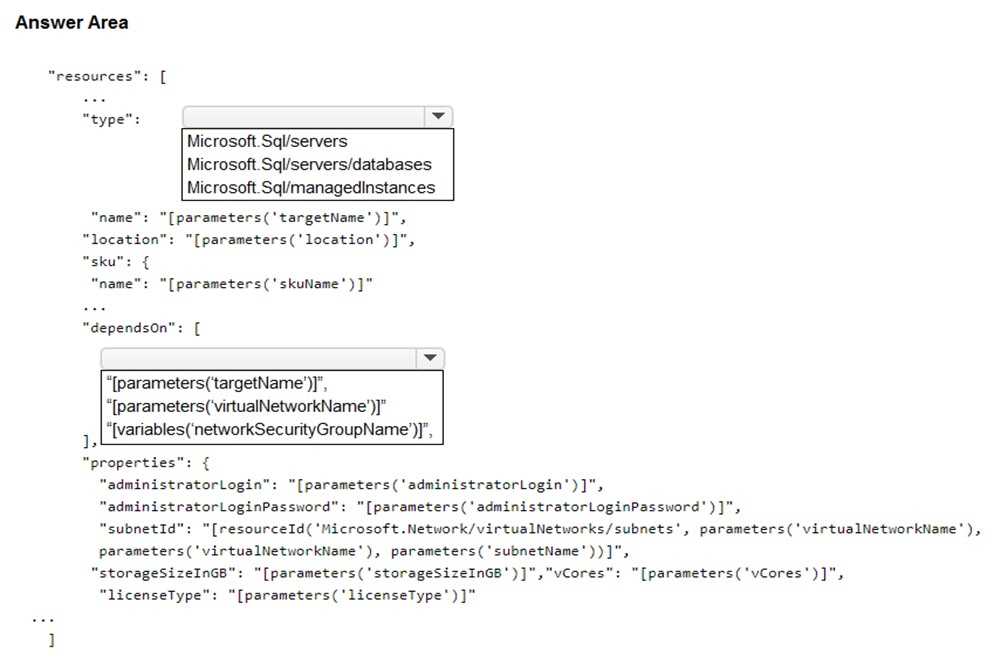
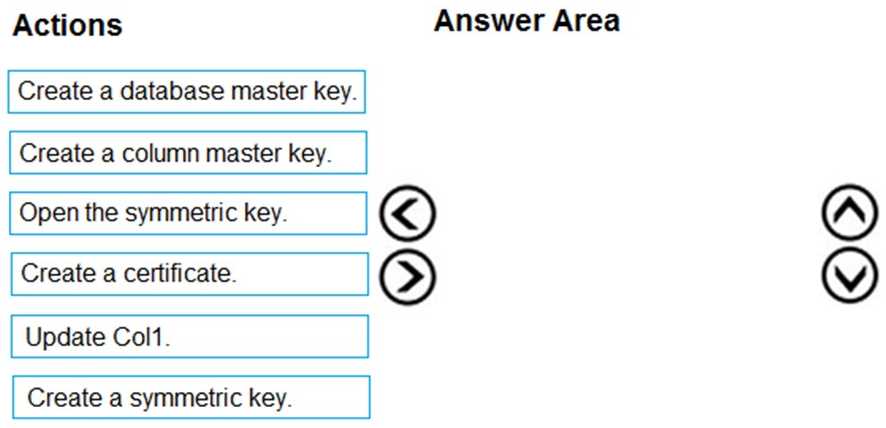
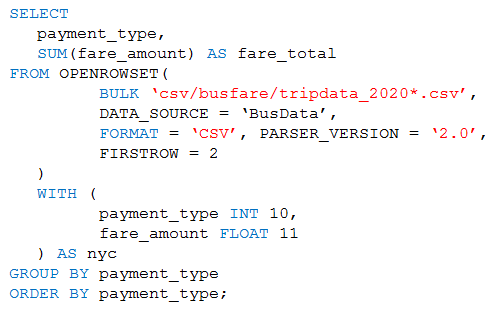 Use the drop-down menus to select the answer choice that completes each statement based on the information presented in the graphic.