
Q: 18
DRAG DROP You have SQL Server on an Azure virtual machine named SQL1. SQL1 has an agent job to back up all databases. You add a user named dbadmin1 as a SQL Server Agent operator. You need to ensure that dbadmin1 receives an email alert if a job fails. Which three actions should you perform in sequence? To answer, move the appropriate actions from the list of actions to the answer area and arrange them in the correct order. 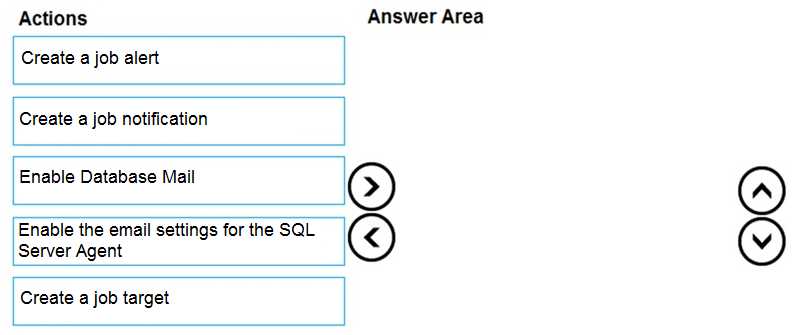
Drag & Drop
Discussion
Enable Database Mail → Enable Agent email settings → Create job notification. Alerts is a trap here, notifications are for job failure emails. Seen similar question in practice, so pretty confident in this order.
Enable Database Mail → Enable Agent email settings → Create job notification. Job alert is only right if it's asking for errors, not just failures.
Enable Database Mail → Enable SQL Server Agent email settings → Create job notification. Saw this same sequence in the official guide and labs so I’m pretty sure it’s right for job failure emails.
I'd go with: Create a job alert → Enable Database Mail → Create a job notification. I think the alert step is needed for job failures, since notifications alone won't trigger unless there's a defined alert. Someone correct me if I'm missing something here.
I don’t think just using RESTORE DATABASE works on managed instance by default, you need to specify WITH MOVE and point to the right storage. No explanation needed, that’s what I’ve seen in MS docs.
Enable Database Mail, then create a job alert, then create job notification. Think you need the alert for failures, not just notification.
Seen similar in official docs and labs. RESTORE DATABASE is the T-SQL command to use here.
Be respectful. No spam.