below
for the solution.
Explanation:
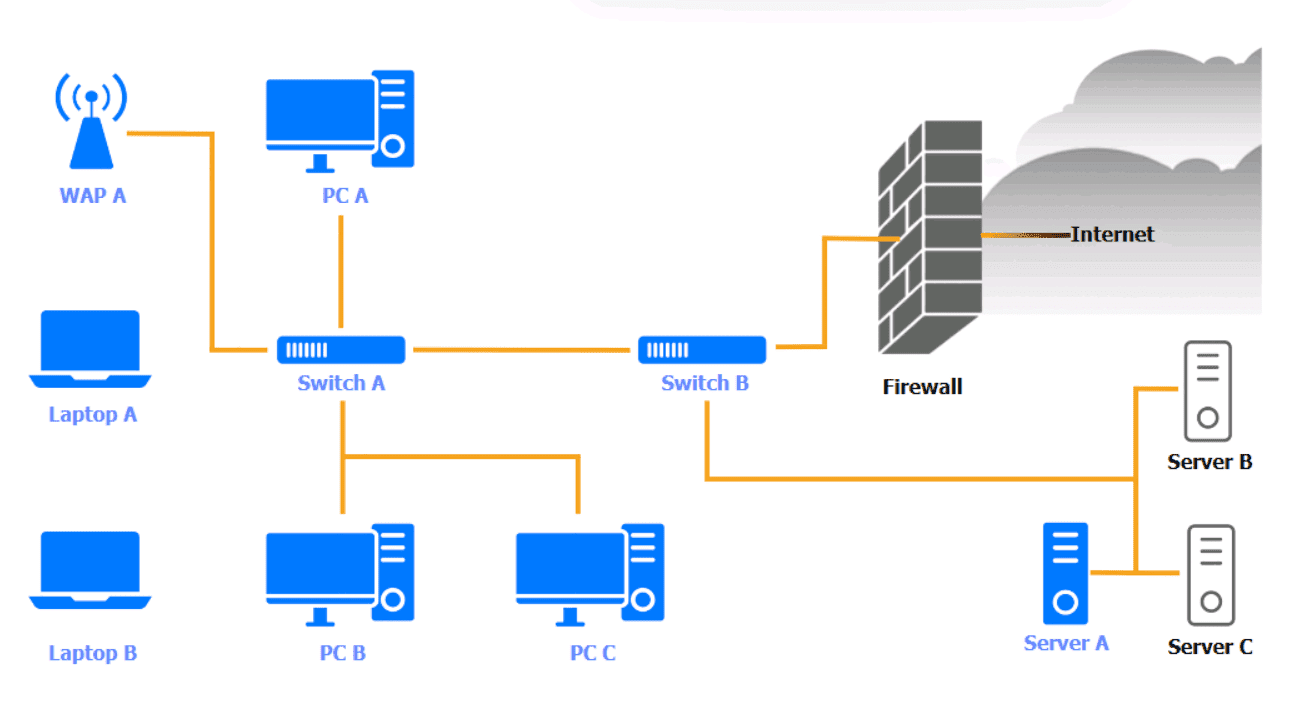
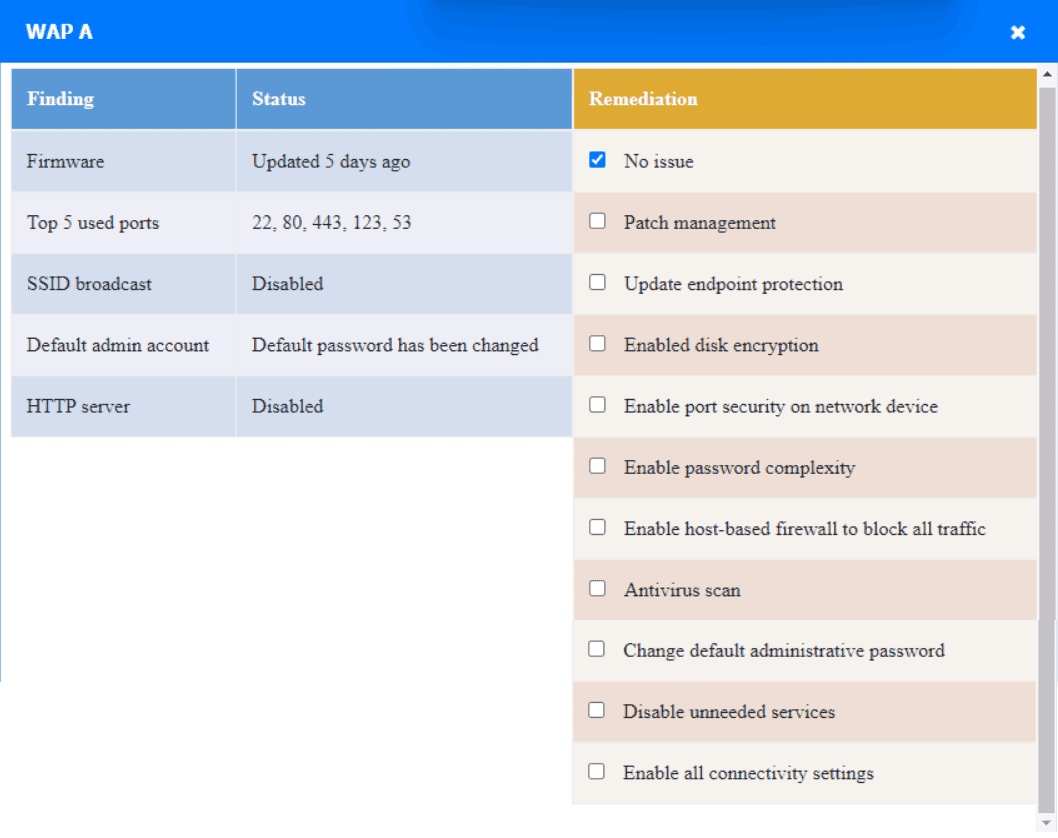
WAP A: No issue found. The WAP A is configured correctly and meets therequirements.
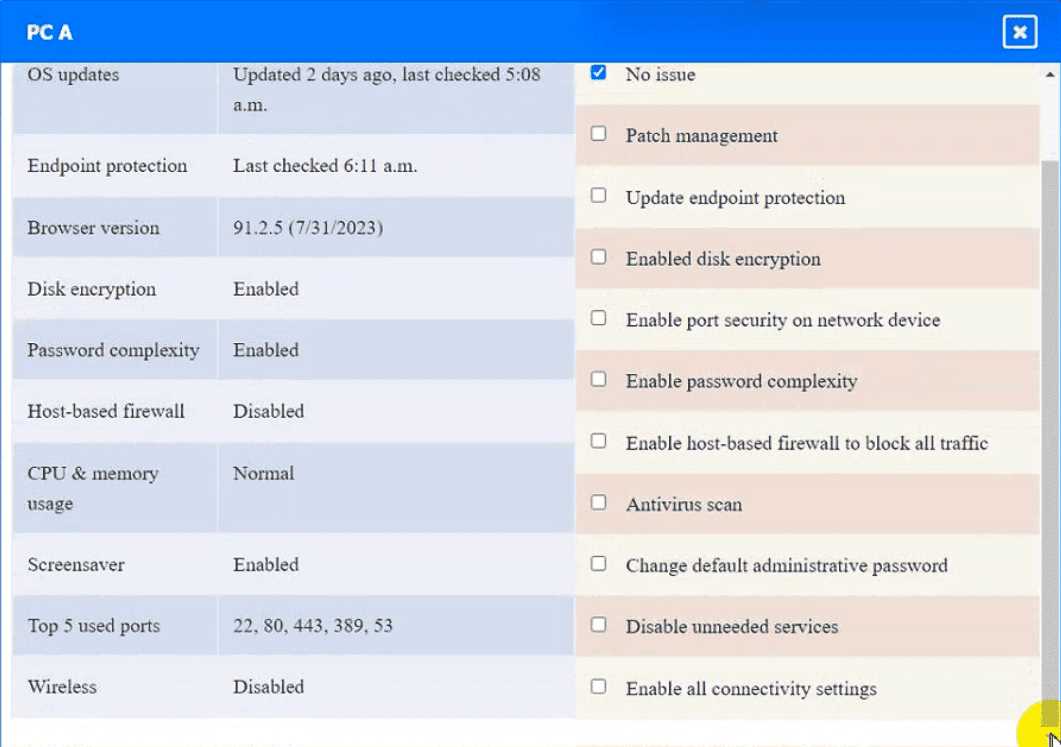
PC A = Enable host-based firewall to block all traffic
This option will turn off the host-based firewall and allow all traffic to pass through. This will comply
with the requirement and also improve the connectivity of PC A to other devices on the network.
However, this option will also reduce the security of PC A and make it more vulnerable to attacks.
Therefore, it is recommended to use other security measures, such as antivirus, encryption, and
password complexity, to protect PC A from potential threats.
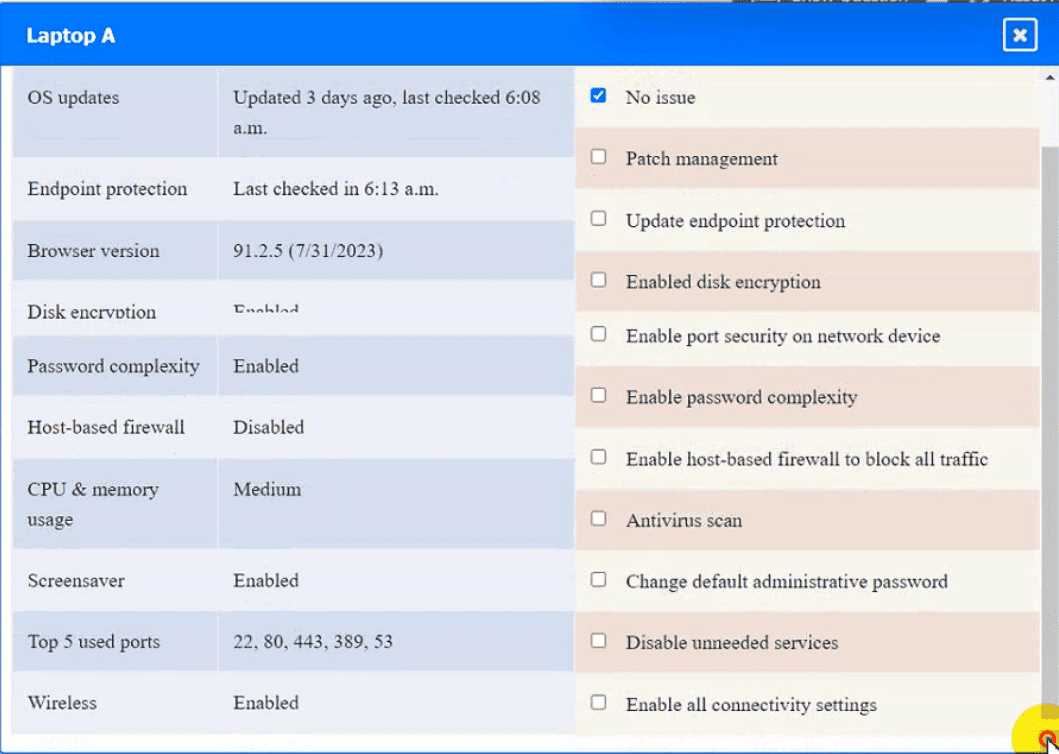
Laptop A: Patch management
This option will install the updates that are available for Laptop A and ensure that it has the most
recent security patches and bug fixes. This will comply with the requirement and also improve the
performance and stability of Laptop A. However, this option may also require a reboot of Laptop A
and some downtime during the update process. Therefore, it is recommended to backup any
important data and close any open applications before applying the updates.
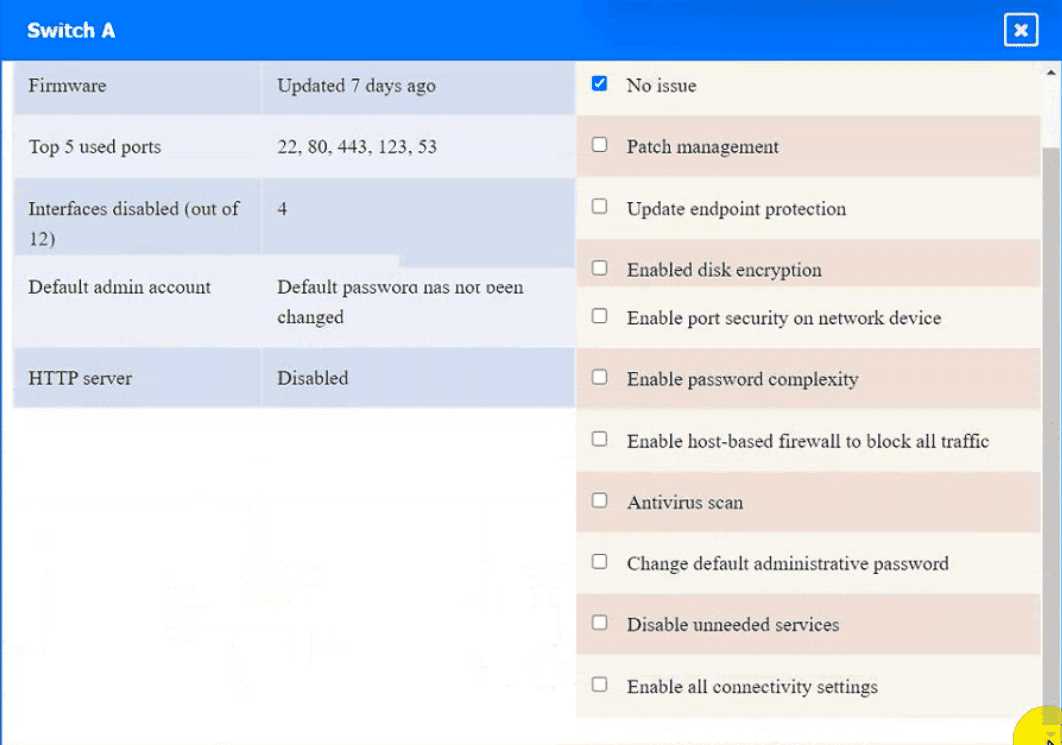
Switch A: No issue found. The Switch A is configured correctly and meets the requirements.
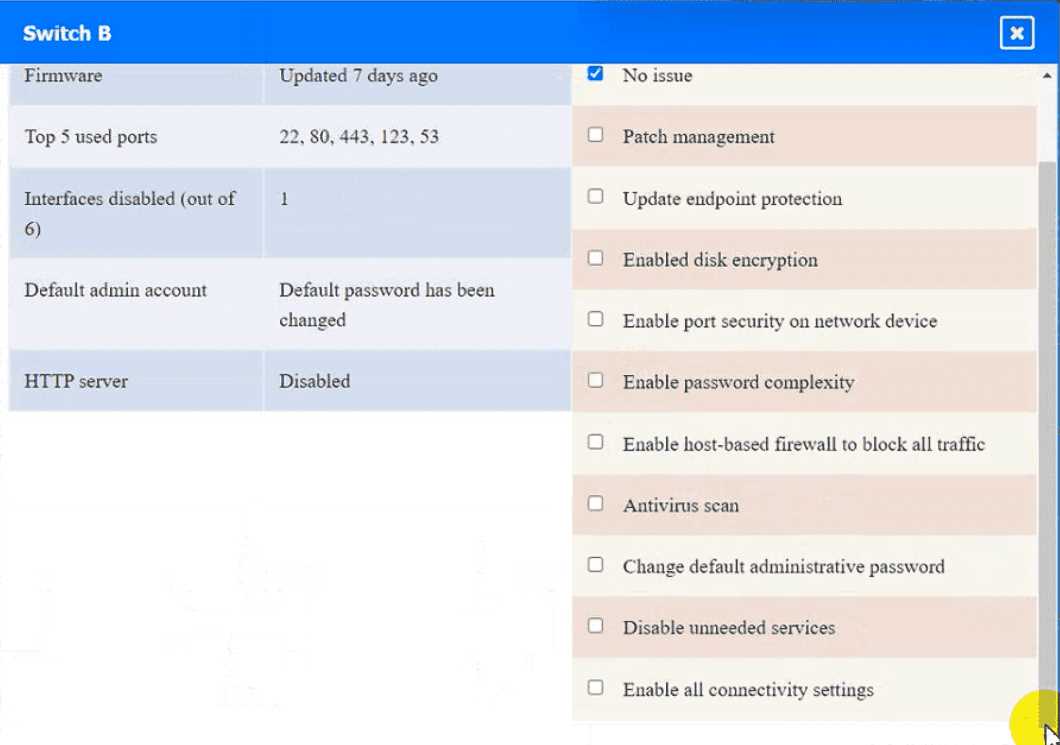
Switch B: No issue found. The Switch B is configured correctly and meets the requirements.
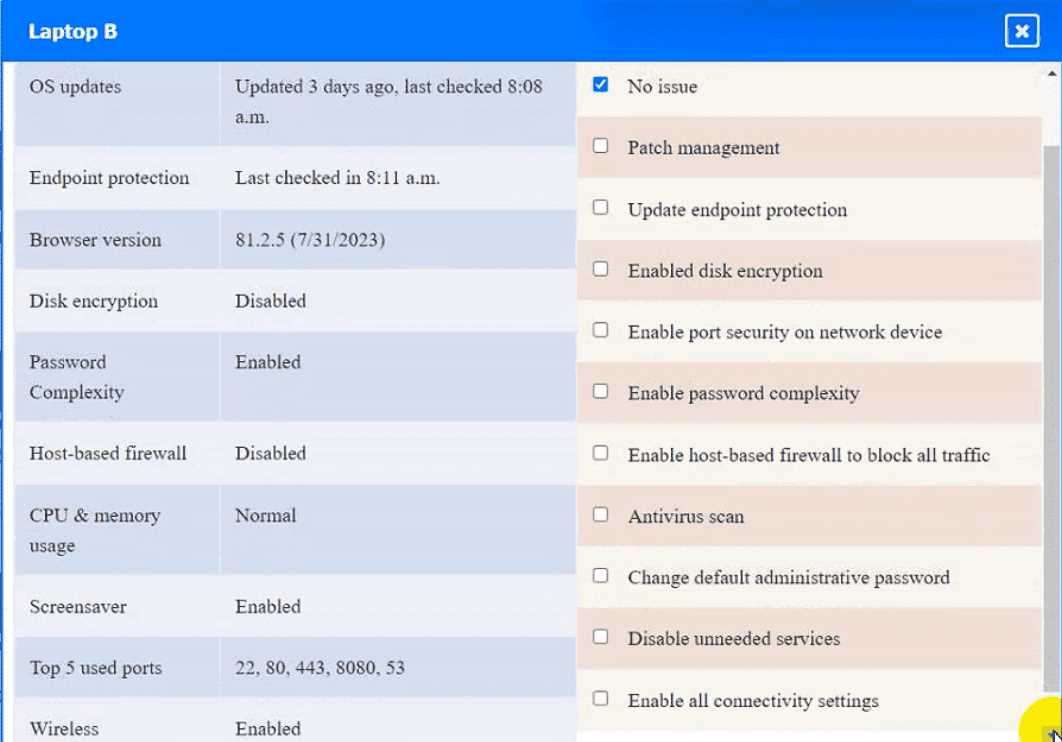
Laptop B: Disable unneeded services
This option will stop and disable the telnet service that is using port 23 on Laptop B. Telnet is a
cleartext service that transmits data in plain text over the network, which exposes it to
eavesdropping, interception, and modification by attackers. By disabling the telnet service, you will
comply with the requirement and also improve the security of Laptop B. However, this option may
also affect the functionality of Laptop B if it needs to use telnet for remote administration or other
purposes. Therefore,it is recommended to use a secure alternative to telnet, such as SSH or HTTPS,
that encrypts the data in transit.
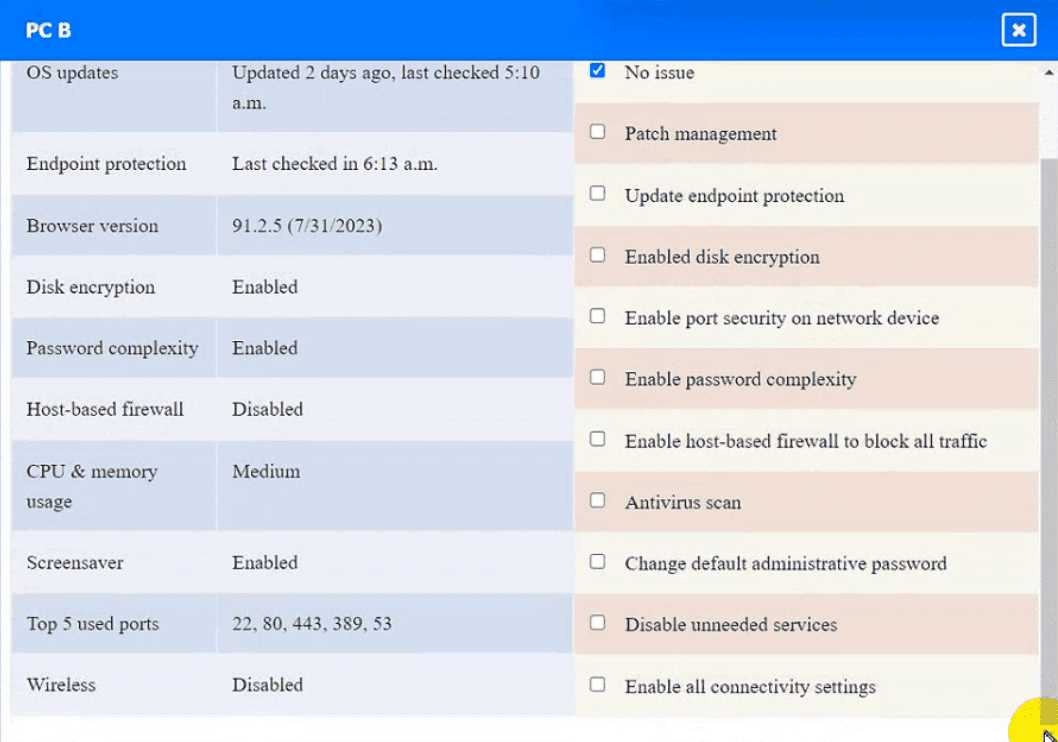
PC B: Enable disk encryption
This option will encrypt the HDD of PC B using a tool such as BitLocker or VeraCrypt. Disk encryption
is a technique that protects data at rest by converting it into an unreadable format that can only be
decrypted with a valid key or password. By enabling disk encryption, you will comply with the
requirement and also improve the confidentiality and integrity of PC B’s data. However, this option
may also affect the performance and usability of PC B, as it requires additional processing time and
user authentication to access the encrypted data. Therefore, it is recommended to backup any
important data and choose a strong key or password before encrypting the disk.
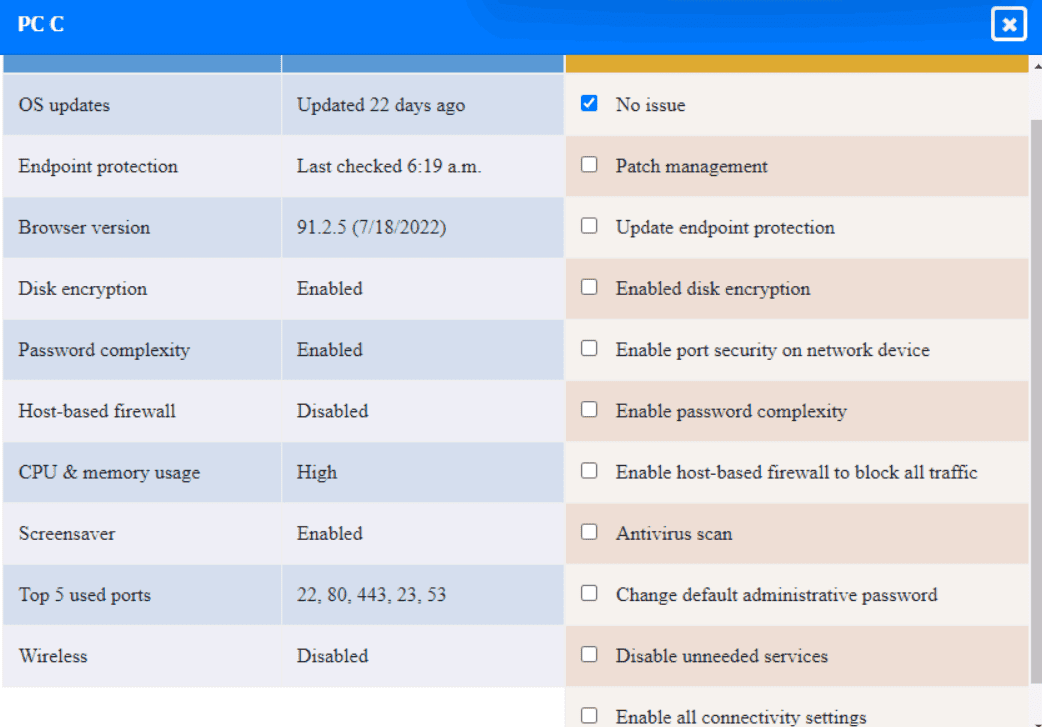
PC C: Disable unneeded services
This option will stop and disable the SSH daemon that is using port 22 on PC C. SSH is a secure
service that allows remote access and command execution over an encrypted channel. However,
port 22 is thedefault and well-known port for SSH, which makes it a common target for brute-force
attacks and port scanning. By disabling the SSH daemon on port 22, you will comply with the
requirement and also improve the security of PC C. However, this option may also affect the
functionality of PC C if it needs to use SSH for remote administration or other purposes. Therefore, it
is recommended to enable the SSH daemon on a different port, such as 4022, by editing the
configuration file using the following command:
sudo nano /etc/ssh/sshd_config
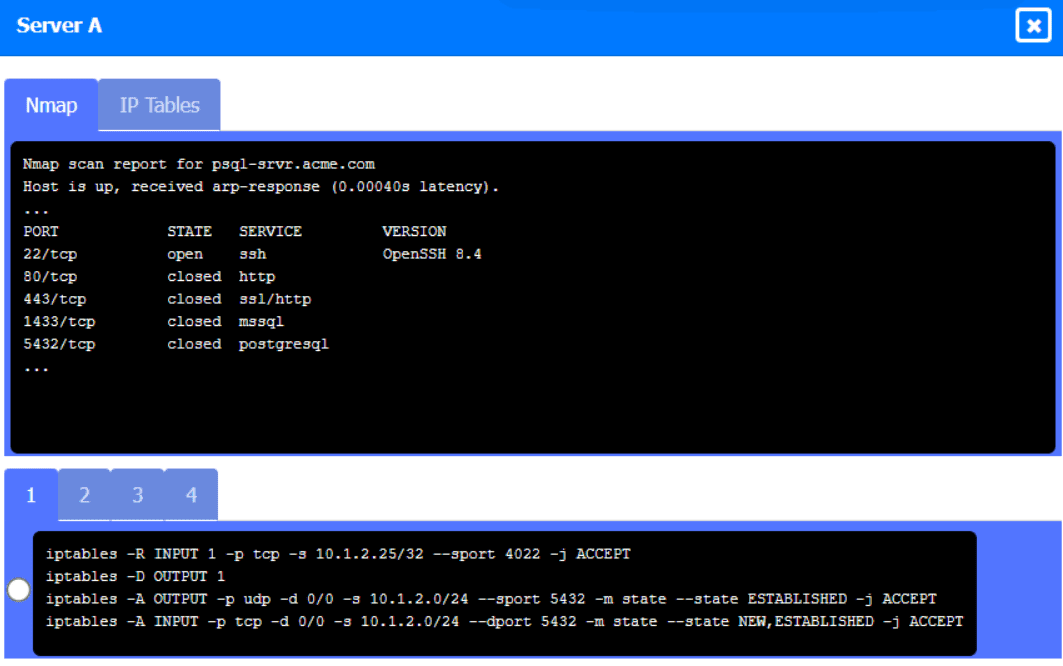
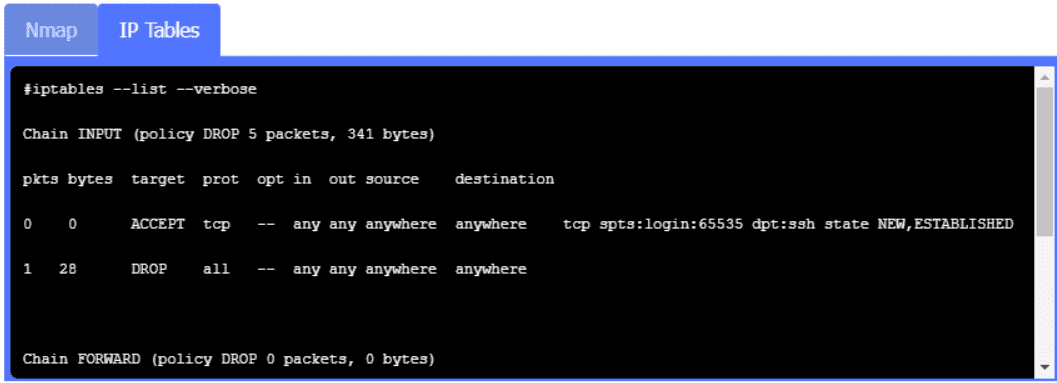
Server A. Need to select the following:
https://kxbjsyuhceggsyvxdkof.supabase.co/storage/v1/object/public/file-images/Security_X_CASP+_CAS-005/page_108_img_1.jpg
A black and white screen with white text Description automatically generated

 WAP A
WAP A
 PC A
PC A
 Laptop A
 Switch A
 Switch B:
 Laptop B
 PC B
PC B
 PC C
PC C
 Server A