
Q: 1
Which two Continuity features work when a user is signed in with different Apple Accounts on two
devices? (Select two.)
Options
Discussion
Option B and C, saw a similar question in practice dumps.
Probably B and C, saw a similar question in my practice set and these matched.
B/C is what I picked, but not totally sure since Apple changes stuff often. Anyone see this worded differently on other tests?
Probably B and C. AirDrop and AirPlay to Mac don't require the same Apple ID on both devices, but Handoff, Sidecar, and Auto Unlock do. I remember seeing this edge case pop up on older exam reports. Correct me if I'm missing a recent change.
Nah, I don’t think it’s A and E. Handoff and Auto Unlock both require the same Apple ID, so those are trap answers. B and C work even when devices are on different accounts.
I think A and E, not B. Handoff and Auto Unlock don't always need the same Apple ID.
B/C? I remember AirDrop and AirPlay to Mac can work between devices signed in with different Apple IDs, unlike Handoff or Sidecar. Not 100 percent sure though if something changed in recent macOS updates, anyone else double-check this?
B and C. These don’t require the same iCloud account on both devices, so makes sense here.
Be respectful. No spam.
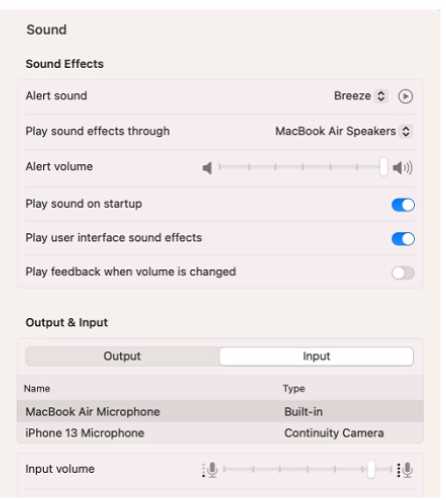 What should you use to verify that your Mac has successfully connected to the microphone?