below.
Explanation:
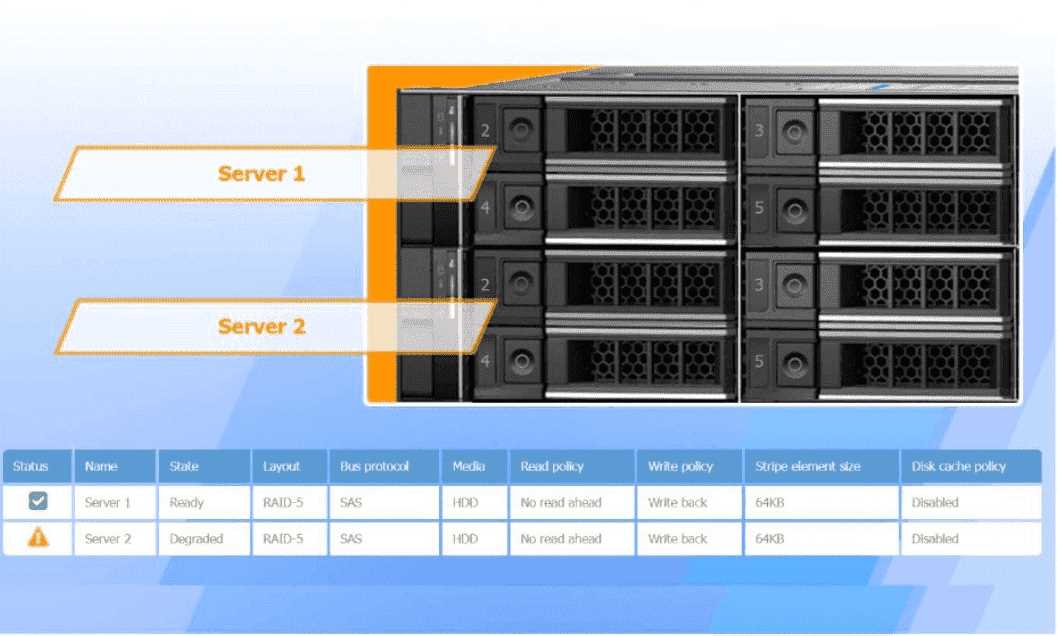
The degraded status on Server 2 indicates a RAID-5 issue, typically due to a failed or failing drive. In
RAID-5 configurations, when one drive fails, the system can still operate but with reduced
performance as parity data is used to rebuild missing data on-the-fly.
Recommended Replacement Drive:
To minimize performance degradation, the replacement drive should be:
SAS HDD with the same specifications (64KB stripe size, no read-ahead, and write-back policy).
Matching the configuration exactly ensures seamless integration and optimizes recovery speed in the
RAID-5 array.
In RAID-5, degraded performance is expected when one drive fails, as parity data needs to rebuild
missing information during each read/write process. Replacing the failed drive restores the RAID
array to optimal status, reducing the load on existing drives and returning the system to normal
read/write performance. The write-back policy and disabled disk cache settings are designed to
reduce latency and increase efficiency, essential for handling real-time applications.
A user reports poor performance on the
application server.
INSTRUCTIONS
Click on Server 1 and Server 2 and review
the information presented in each chart to
determine which drives need to be replaced.
Select the appropriate replacement drive
that should be used, for the least
performance degradation to the server.
https://kxbjsyuhceggsyvxdkof.supabase.co/storage/v1/object/public/file-images/CompTIA_220_1201/page_318_img_1.jpg
A computer server with many black and silver parts AI-generated content may be incorrect.A
computer server with many black boxes Description automatically generated with medium
confidence
https://kxbjsyuhceggsyvxdkof.supabase.co/storage/v1/object/public/file-images/CompTIA_220_1201/page_318_img_2.jpg
A screen shot of a computer AI-generated content may be incorrect.A screen shot of a computer
Description automatically generated
https://kxbjsyuhceggsyvxdkof.supabase.co/storage/v1/object/public/file-images/CompTIA_220_1201/page_319_img_1.jpg
A computer screen shot of a computer AI-generated content may be incorrect.A computer screen
shot of a computer Description automatically generated
https://kxbjsyuhceggsyvxdkof.supabase.co/storage/v1/object/public/file-images/CompTIA_220_1201/page_319_img_2.jpg
A computer screen shot of a computer AI-generated content may be incorrect.A computer screen
shot of a computer Description automatically generated
https://kxbjsyuhceggsyvxdkof.supabase.co/storage/v1/object/public/file-images/CompTIA_220_1201/page_320_img_1.jpg
A computer screen shot of a computer AI-generated content may be incorrect.A computer screen
shot of a computer Description automatically generated
https://kxbjsyuhceggsyvxdkof.supabase.co/storage/v1/object/public/file-images/CompTIA_220_1201/page_321_img_1.jpg
A screenshot of a computer AI-generated content may be incorrect.A screenshot of a computer
Description automatically generated
https://kxbjsyuhceggsyvxdkof.supabase.co/storage/v1/object/public/file-images/CompTIA_220_1201/page_322_img_1.jpg
A screenshot of a computer AI-generated content may be incorrect.A screenshot of a computer
Description automatically generated

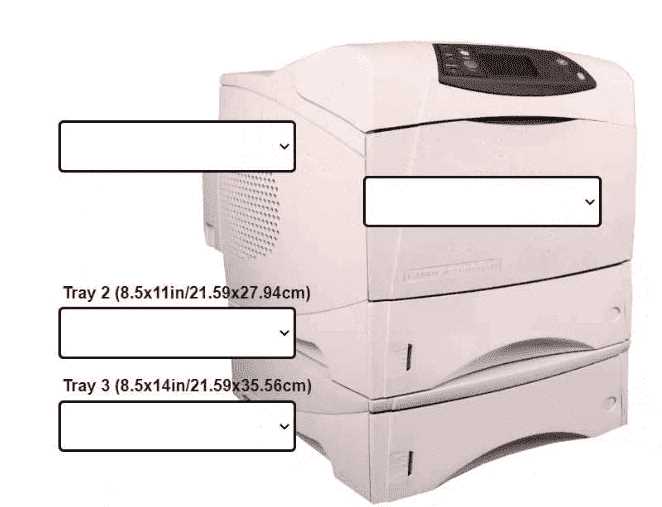
 INSTRUCTIONS
Using the dropdown menus, select from the
available printer parts to replace only the
faulty components on the office printer to
resolve the stated issues.
If at any time you would like to bring back
the initial state of the simulation, please click
the Reset All button.
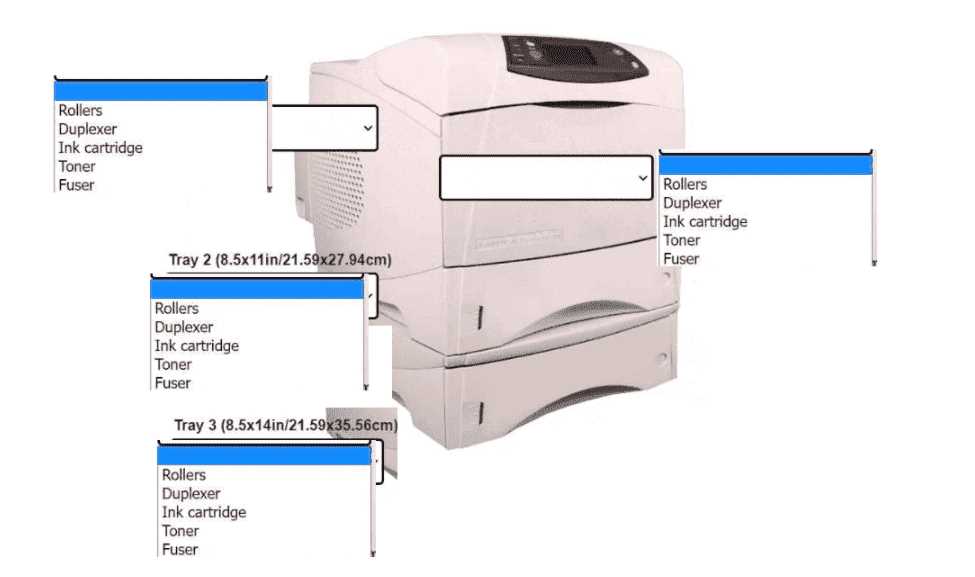
INSTRUCTIONS
Using the dropdown menus, select from the
available printer parts to replace only the
faulty components on the office printer to
resolve the stated issues.
If at any time you would like to bring back
the initial state of the simulation, please click
the Reset All button.