Probably C since toner probe helps trace which cable matches the wall port, seen that a lot in labs and sample tests. If the question asked for testing cable quality instead of identification, would swap to A. Official guide covers these tools pretty well.
DRAG DROP -
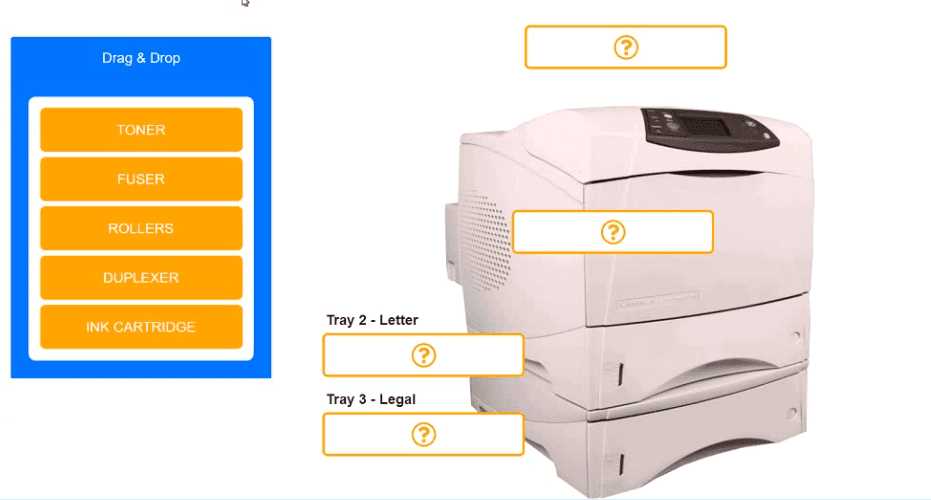
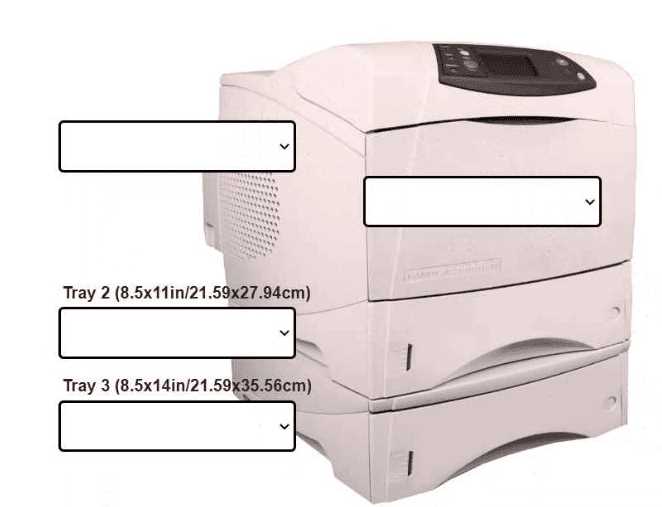
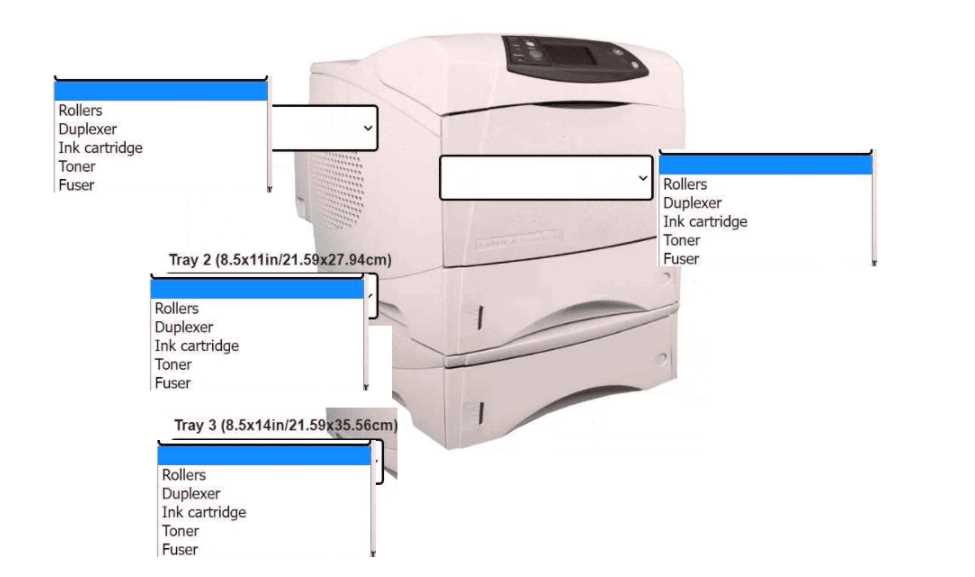
An office manager reports that a printer is experiencing performance issues. Printouts are smudging when they are handled, and, recently, whenever the manager tries to print oversized documents, the paper jams before anything is printed on it.
INSTRUCTIONS -
Using the available printer parts, replace only the faulty components on the office printer to resolve the stated issues.
If at any time you would like to bring back the initial state of the simulation, please click the Reset All button.
Select and Place:
Printer Body → FUSER, Tray 3 → ROLLERS. Smudging points straight to a bad fuser, and paper jams on oversized docs (before printing) usually mean feed rollers are worn. If the jam happened after some printing, I'd suspect something else.
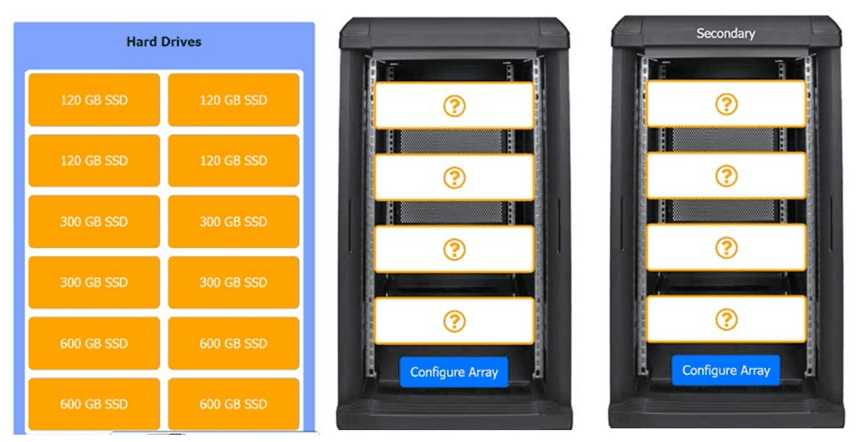
DRAG DROP A natural disaster occurred, and the storage system for the development team is unrecoverable. The technician is preparing replacement storage arrays that include a hypervisor with the capacity to support several virtual machines. Two separate bays are available, and both should be utilized. Requirements for the primary array include the following: • No need to be scalable • Very fast on reads • Fault tolerance of one drive • Ability to function with only one drive • Easily recoverable data • High redundancy • Minimum number of drives Requirements for the secondary array include the following: • Fault tolerance of one drive • Total space of 600G3 • Best write performance • Minimum number of drives Instructions: Drag and Drop the appropriate Hard Drives. Then Open each array to complete the configuration.
HOTSPOT
-
A customer built a computer for gaming, sourcing individual components and then assembling the system. The OS starts up, but within a few minutes the machine locks up. The customer brought the computer to a technician to diagnose the issue.
INSTRUCTIONS
-
Click on each component to view the specification.
Select the appropriate cause and resolution for the issue.
If at any time you would like to bring back the initial state of the simulation, please click the Reset All button.

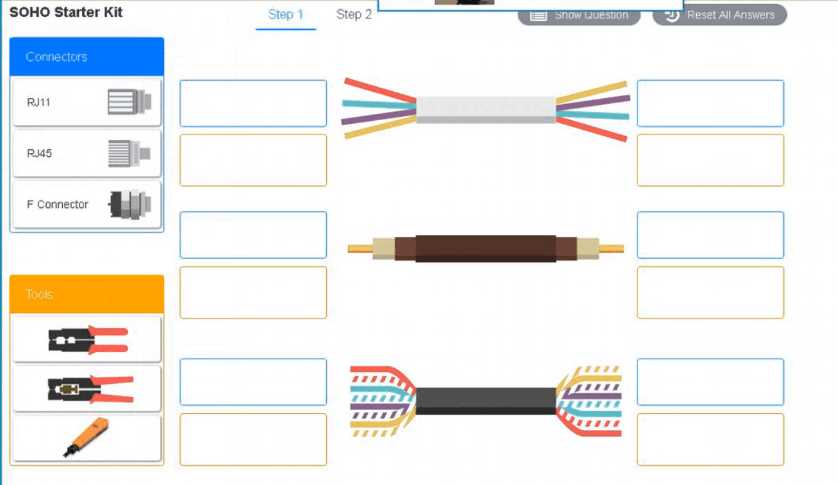
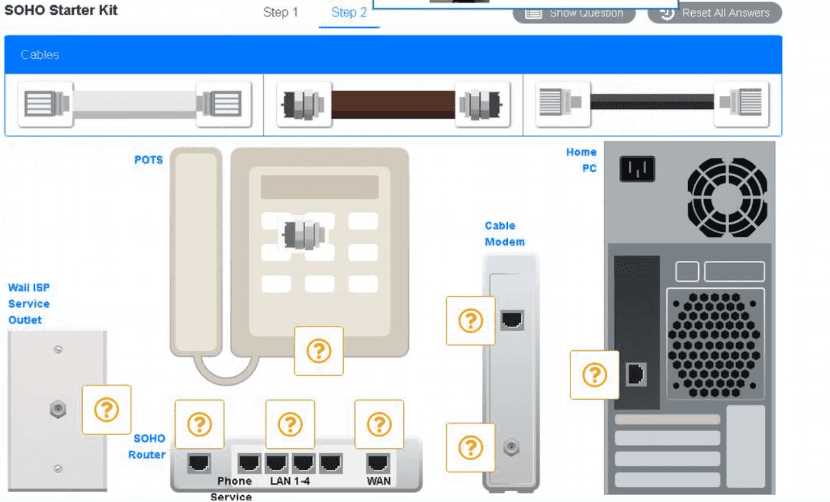
SIMULATION A small ISP has hired a new technician Joe, the new technician, is being trained to configure customers* home networks The trailing instructor gives me technician a starter kit with cables, cable ends, and other network equipment and asks mm to build a working network. The computer should be connected to have internet connectivity and the phone should be connected to have a dial tone. INSTRUCTIONS Use the appropriate cables. cable ends, tools and equipment to configure the network ana connect an components accordingly There are 3 steps and the simulation starts on step 1. 
Cool, I’ve seen something like this in practice tests. For step 1, ID the cable types and their connectors/tools: Ethernet goes with RJ45 and a crimper, coaxial with an F connector and cable stripper, and telephone with RJ11 plus crimper. After that, connect coax from outlet to modem, Ethernet from modem to router WAN, Ethernet from router LAN to PC, and phone cable from router phone port to phone. Pretty sure that’s what they want here. Anyone see it done another way?
HOTSPOT An office manager reports that a printer is experiencing performance issues. Printouts are smudging when they are handled, and, recently whenever they need to print legal sized documents, the paper jams before anything is printed on it. The following paper sizes are used: Letter (8.5x11in/21.59x27.94cm) Legal (8.5x14in/21.59x35.56cm) Oversized (11x17in/27.94x43.18cm) 

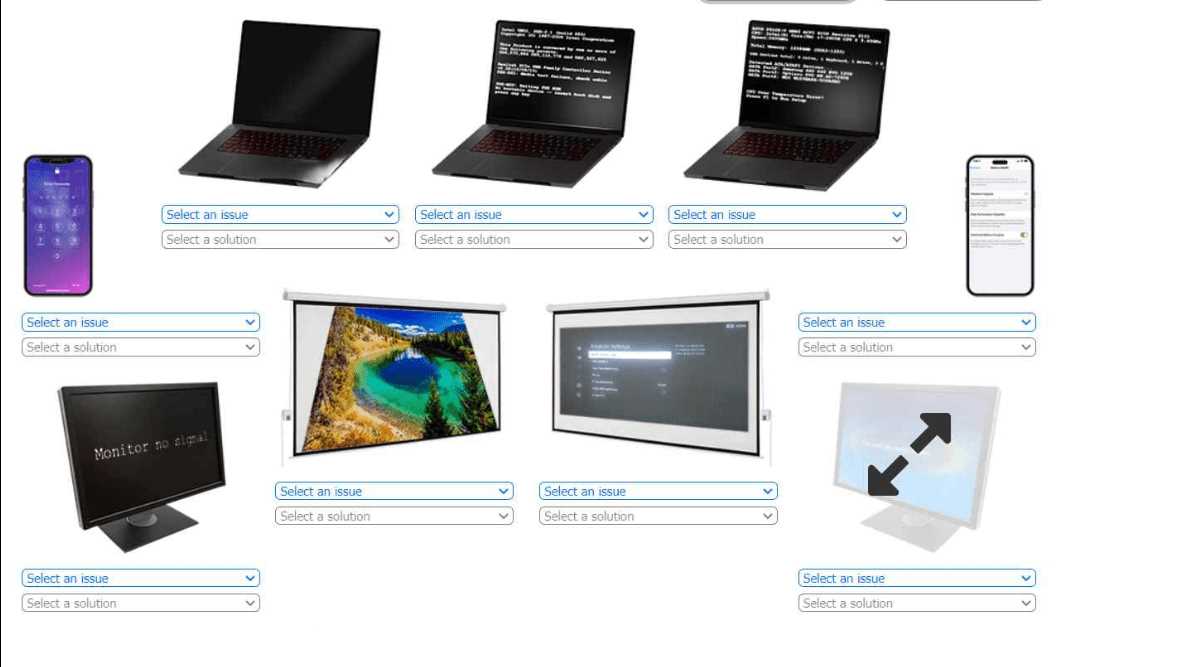
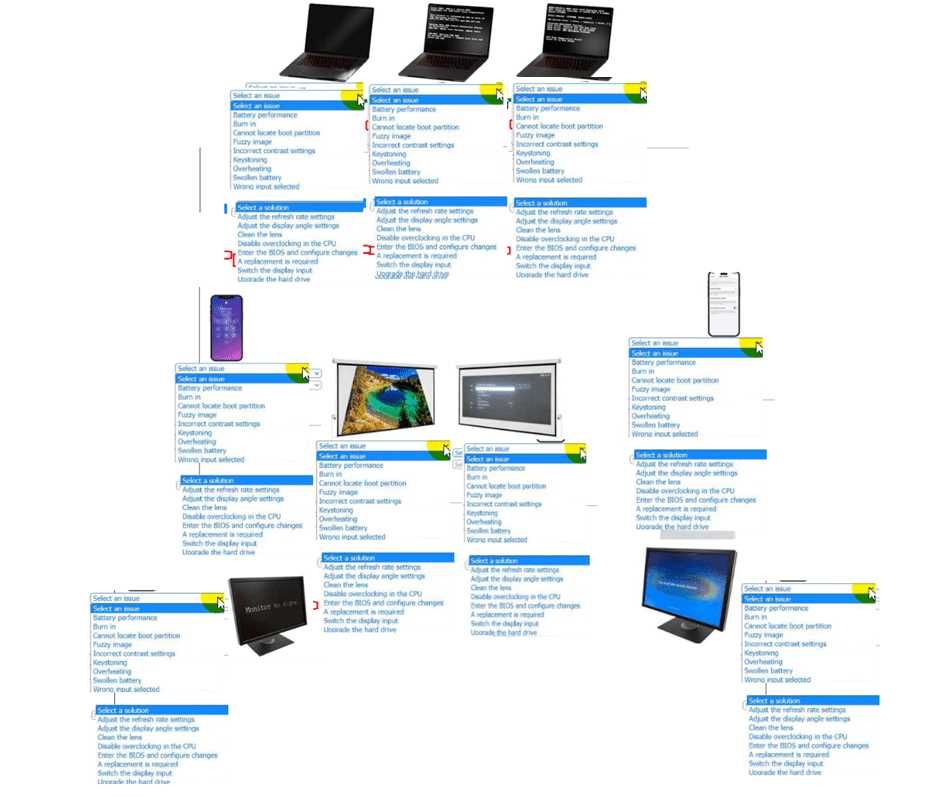
HOTSPOT A technician is diagnosing several device issues reported by employees. INSTRUCTIONS Click on each device to review the issue. Then select the appropriate issue and solution from the drop-down menu. Each option may be used more than once. 
HOTSPOT
-
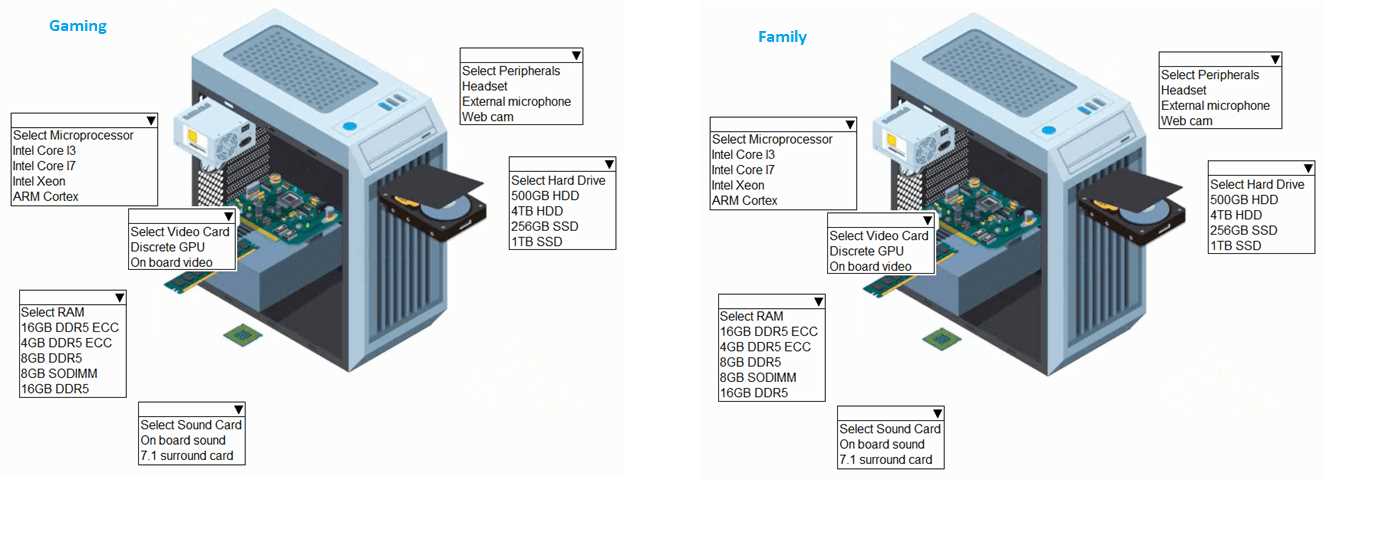
A customer has contacted you about building two new desktops. The first desktop will be a gaming workstation. The customer requirements include:
• Playing the newest games at a high frame rate
• Fast game load times
• Enough storage to have several games installed at once
• High-end audio
• No concern about cost
• Running the current Windows OS
The second workstation will be a family workstation. The requirements include:
• Capability for word processing, videoconferencing, and basic web surfing
• Minimal cost, as long as it meets the requirements
• Running the current Windows OS
INSTRUCTIONS
-
Use the drop-down menus to select the appropriate component for each category, based on the above requirements.
If at any time you would like to bring back the initial state of the simulation, please click the Reset All button.
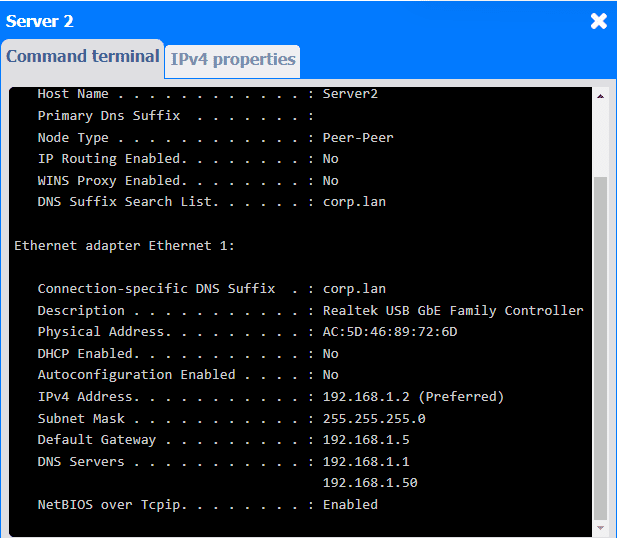
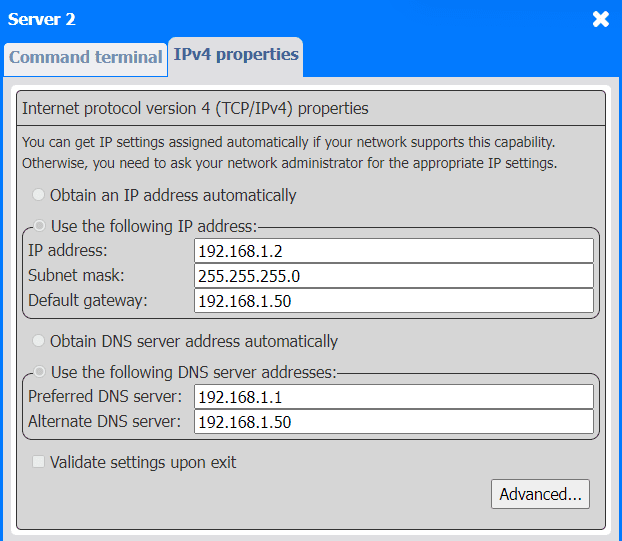
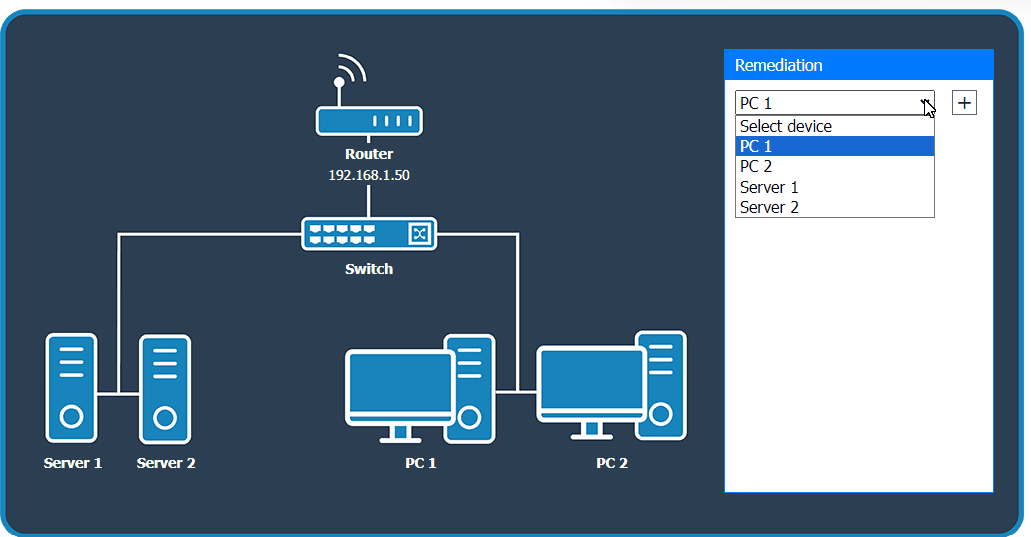
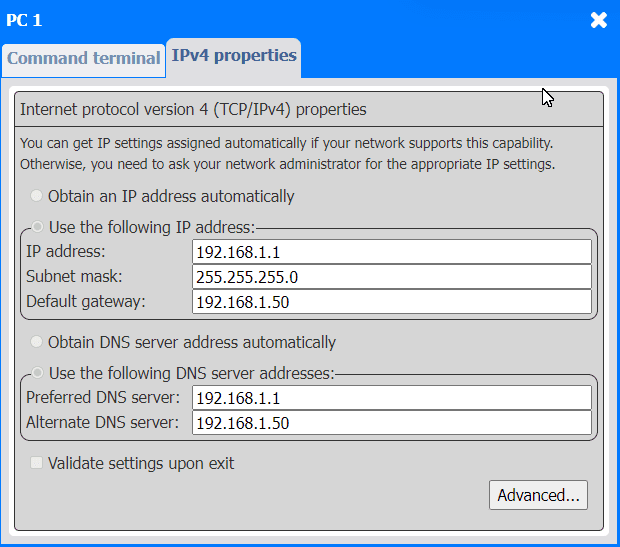
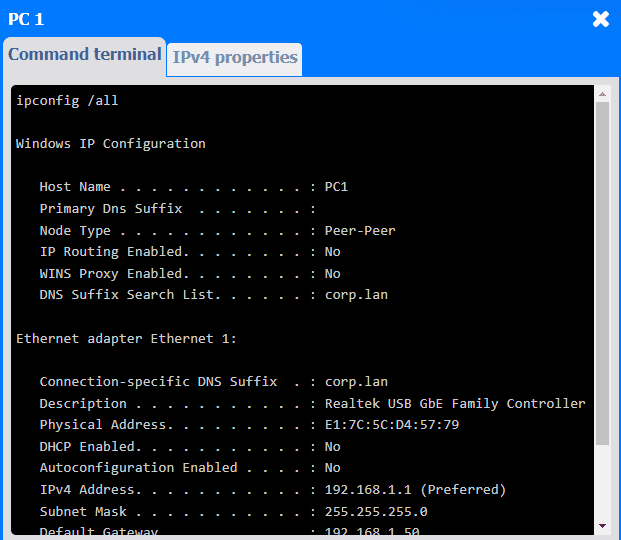
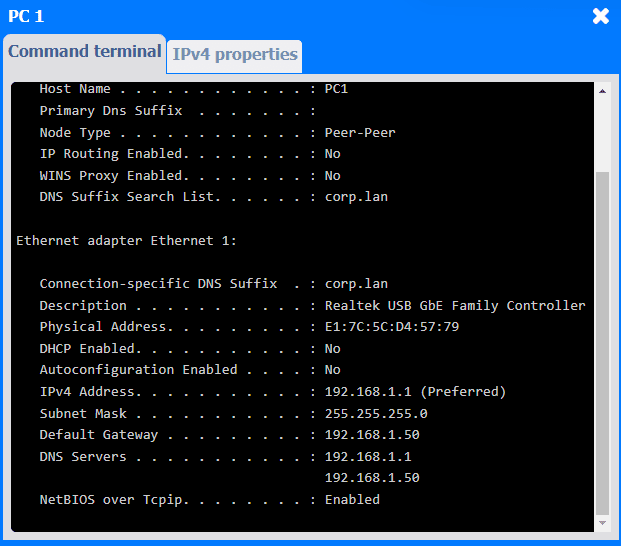
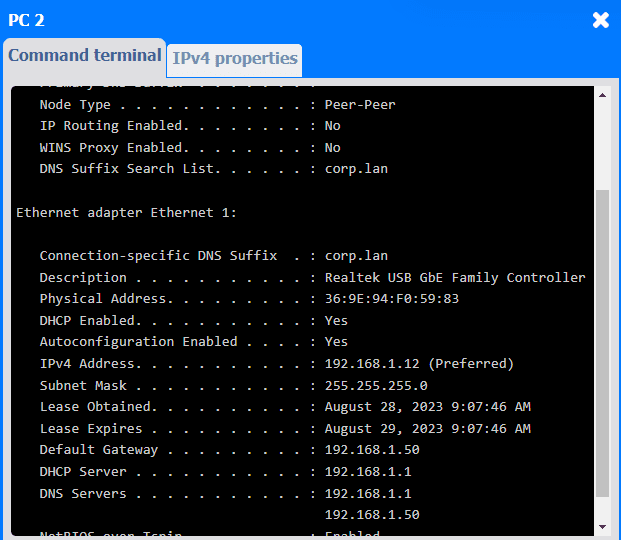
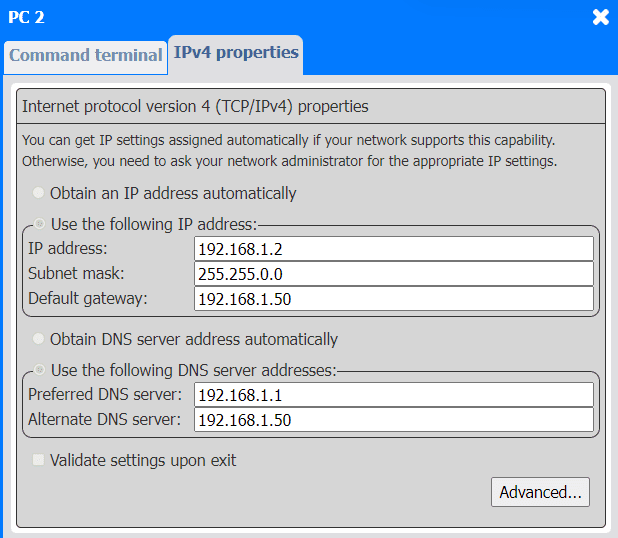
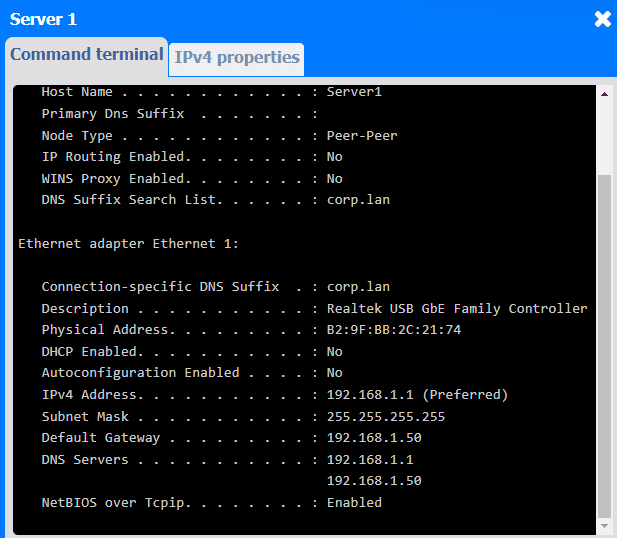
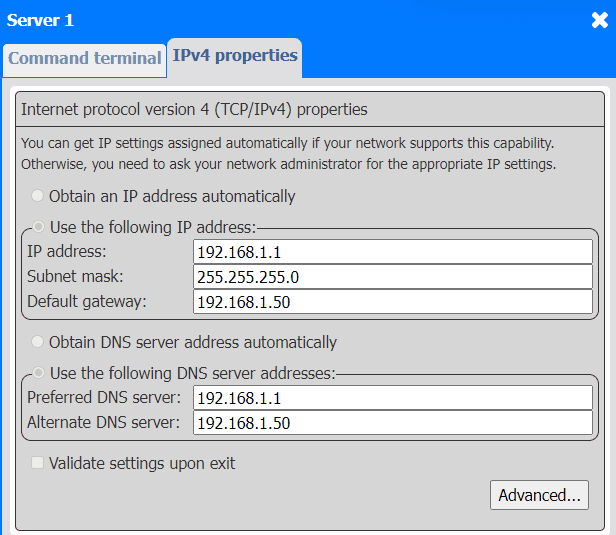
SIMULATION A third-party contractor recently installed a new switch, router, and cabling for a small corporate office. After the installation, users started experiencing issues connecting to resources over the network. INSTRUCTIONS Click on each PC and server to review outputs. From the remediation section on the right, select an issue and solution for each device.