
SIMULATION A third-party contractor recently installed a new switch, router, and cabling for a small corporate office. After the installation, users started experiencing issues connecting to resources over the network. INSTRUCTIONS Click on each PC and server to review outputs. From the remediation section on the right, select an issue and solution for each device. 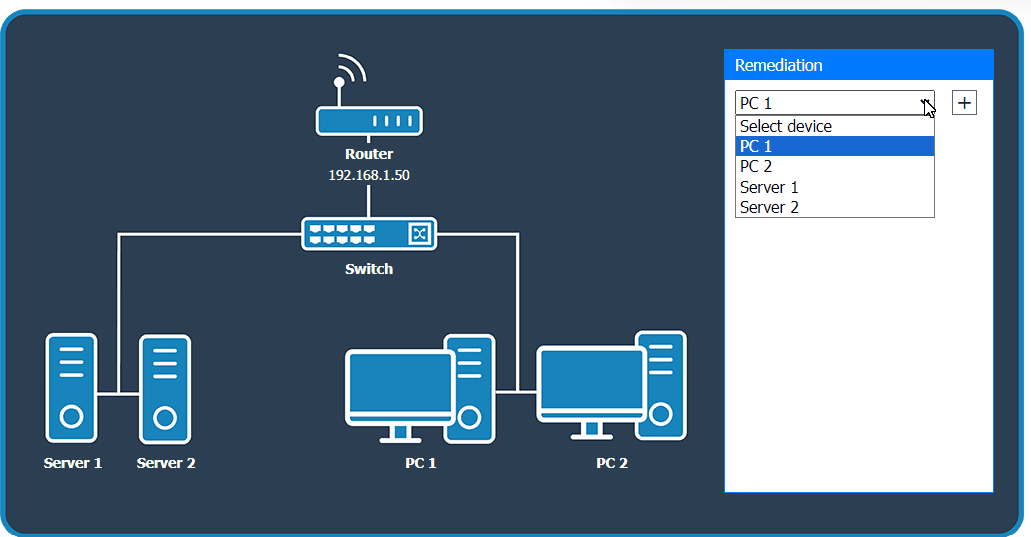
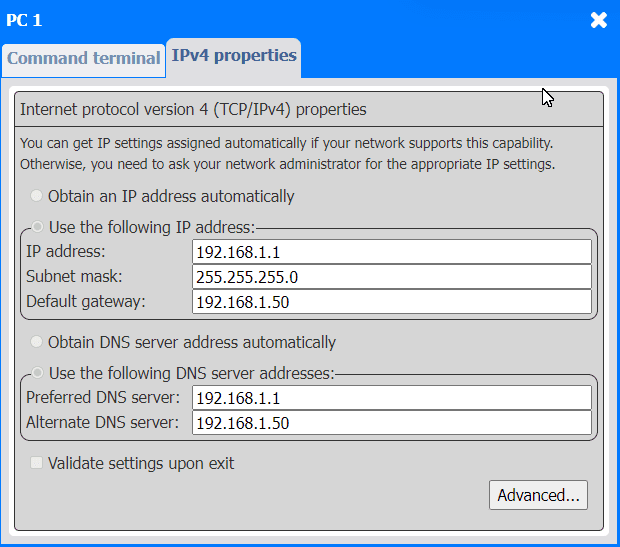
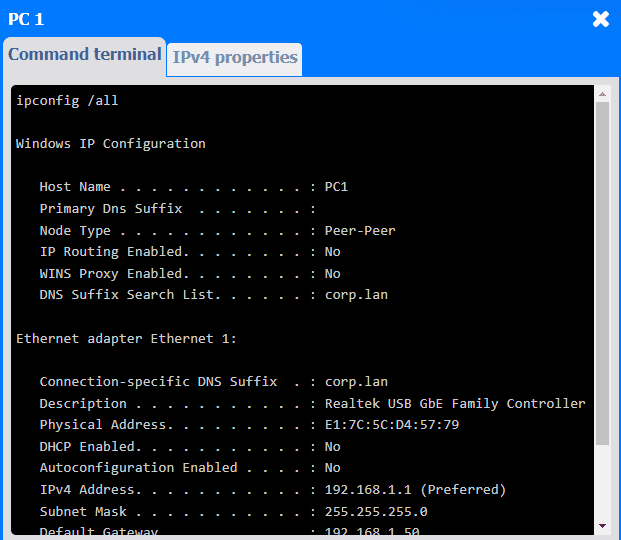
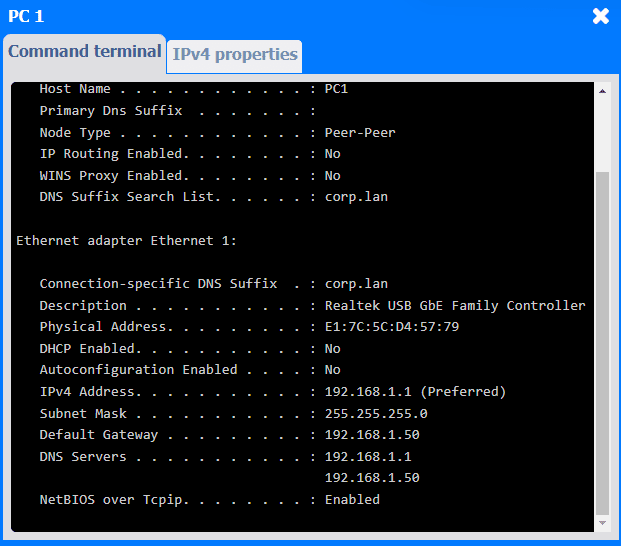
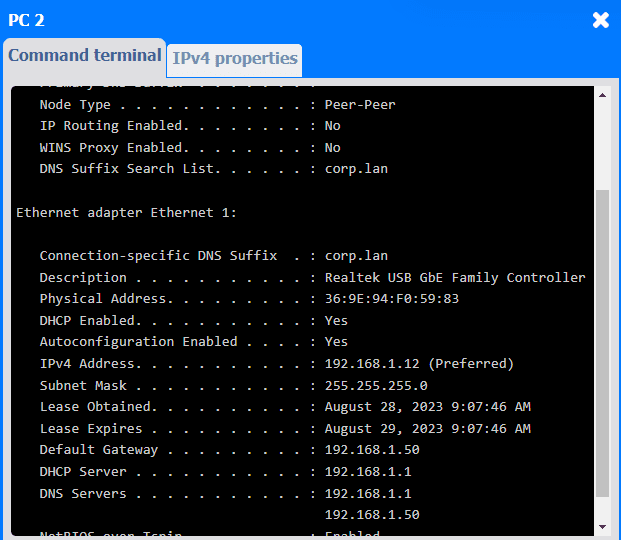
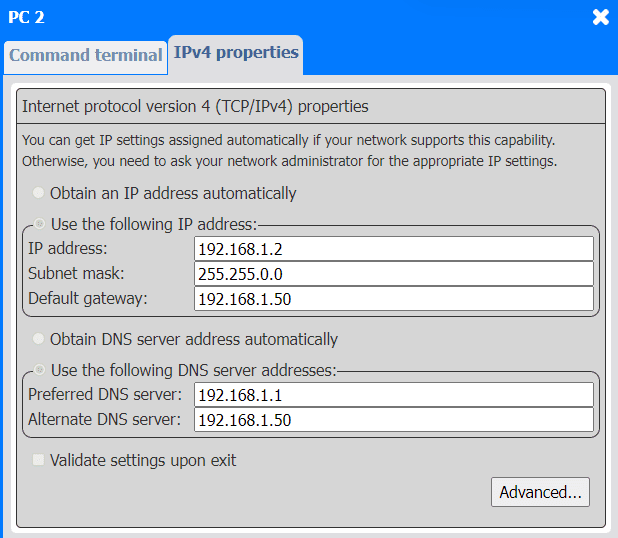
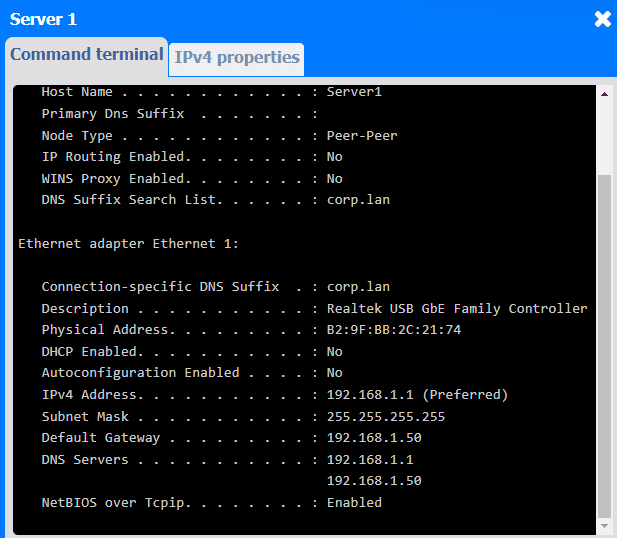
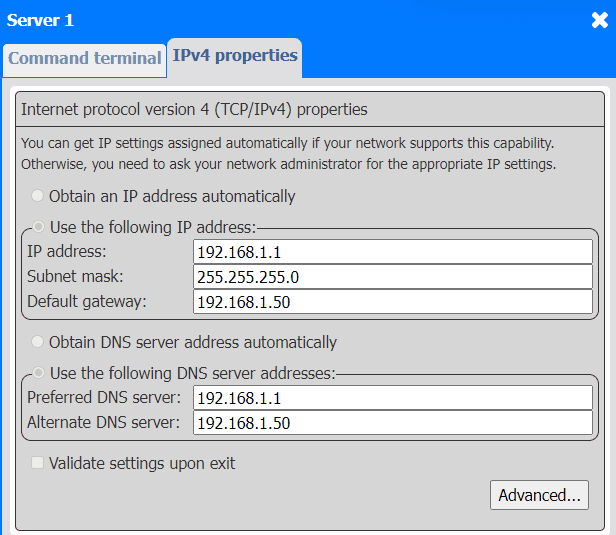
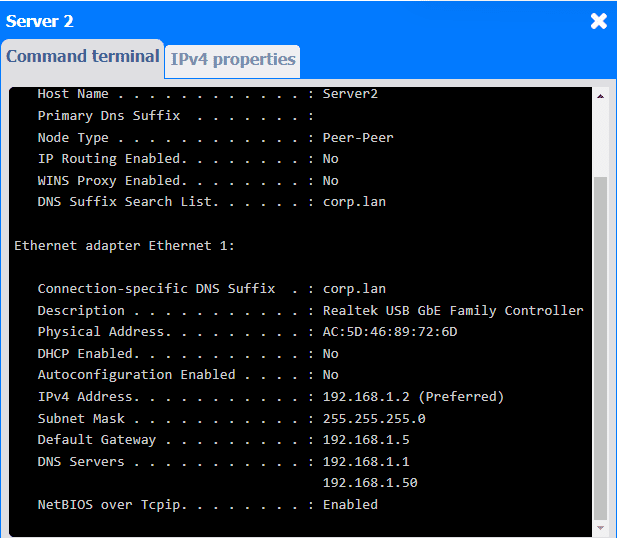
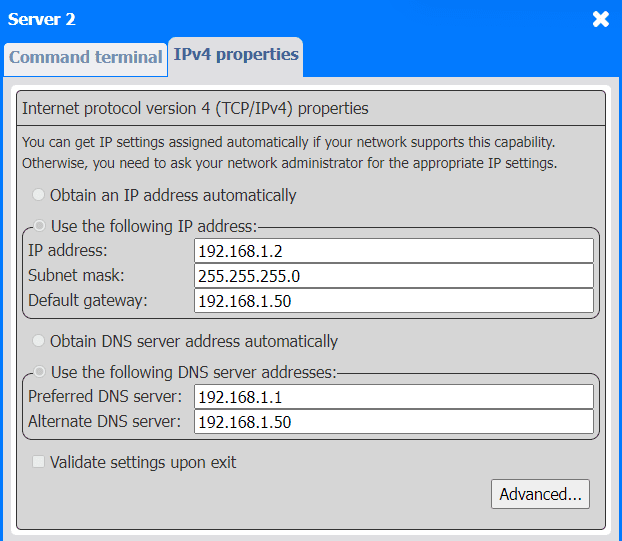
Yeah, this sim lines up with previous labs I've done. PC 1 and Server 1 both grabbing 192.168.1.1 causes the IP conflict-easiest fix is to set PC 1 to DHCP so it doesn't clash with the server (which needs to stay static for DHCP/DNS). Pretty sure Server 2 just needs the gateway changed to 192.168.1.50 too, since that's the router's IP. Makes sense to me but open if someone sees something else.
