
DRAG DROP -
An office manager reports that a printer is experiencing performance issues. Printouts are smudging when they are handled, and, recently, whenever the manager tries to print oversized documents, the paper jams before anything is printed on it.
INSTRUCTIONS -
Using the available printer parts, replace only the faulty components on the office printer to resolve the stated issues.
If at any time you would like to bring back the initial state of the simulation, please click the Reset All button.
Select and Place: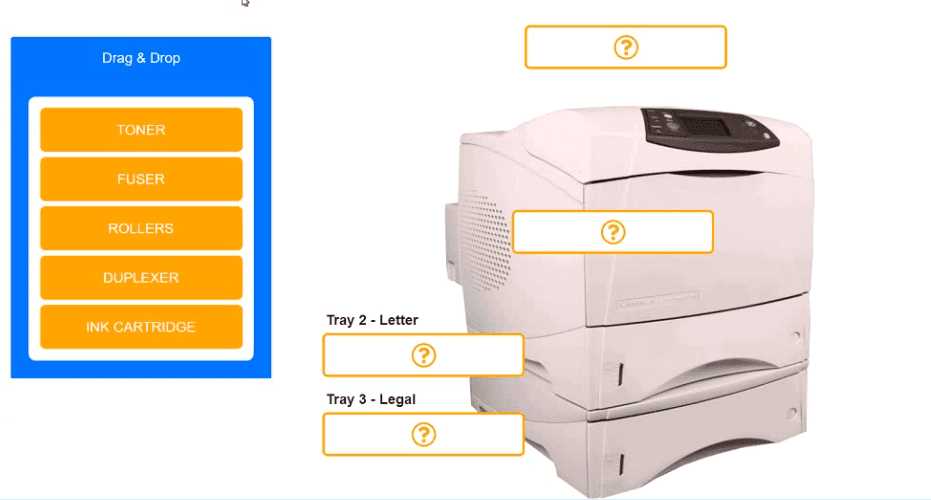
Printer Body → FUSER, Tray 3 → ROLLERS. Smudging points straight to a bad fuser, and paper jams on oversized docs (before printing) usually mean feed rollers are worn. If the jam happened after some printing, I'd suspect something else.
