How to use this cheat sheet: This is your last-week and exam-morning quick reference. It does not replace deep study — it consolidates the most-tested facts from all five SY0-701 domains into scannable tables you can review in 20 minutes. Print it or bookmark it. Use it after completing your full preparation and again the morning of your exam.
Section 1: Core Exam Facts — Memorize These
| Detail | Answer |
| Exam code | SY0-701 |
| Questions | Up to 90 (multiple-choice + performance-based) |
| Time | 90 minutes |
| Passing score | 750 out of 900 |
| Exam cost | $425 USD (Pearson VUE) |
| Certification validity | 3 years |
| Renewal | 50 CEUs + $150 fee, or pass current exam |
| DoD compliance | DoD 8140 IAT Level II |
| Recommended experience | Network+ + 2 years IT/security experience |
| Previous version retired | SY0-601 retired July 31, 2024 |
For a complete breakdown of exam details, see our CompTIA Security+ SY0-701 exam guide.
Section 2: Domain Weights — Where Your Score Comes From
Study time must mirror exam weight. Domain 4 is worth more than twice Domain 1.
| Domain | Weight | Approx. Questions | Study Priority |
| 1. General Security Concepts | 12% | ~11 | 3rd |
| 2. Threats, Vulnerabilities & Mitigations | 22% | ~20 | 2nd |
| 3. Security Architecture | 18% | ~16 | 4th |
| 4. Security Operations | 28% | ~25 | 1st |
| 5. Security Program Management & Oversight | 20% | ~18 | 5th |
Domains 4 and 2 together represent 50% of the exam. If you have limited review time left, spend it there.
For the full objective-by-objective breakdown see our SY0-701 exam objectives and domains guide.
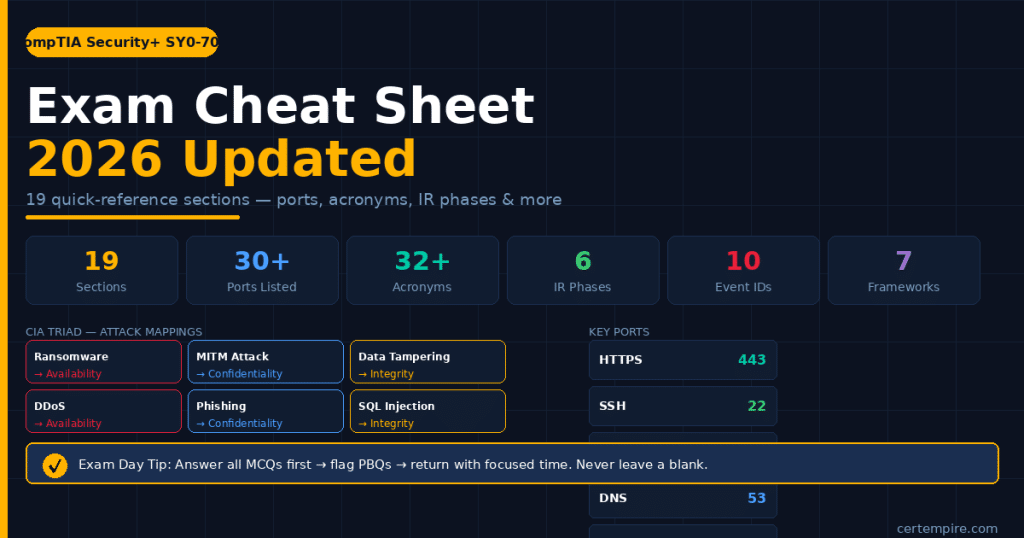
Section 3: CIA Triad — Attack Mappings (Frequently Tested)
The exam regularly asks which element of the CIA triad a specific attack or scenario affects.
| Attack / Scenario | CIA Impact | Why |
| Ransomware encrypts files | Availability | Files inaccessible until decryption |
| DDoS attack on web server | Availability | Service unavailable to legitimate users |
| Man-in-the-middle intercepts data | Confidentiality | Unauthorized party reads private data |
| Phishing steals credentials | Confidentiality | Attacker gains unauthorized access |
| Data tampering / SQL injection modifies records | Integrity | Data accuracy compromised |
| Unauthorized database modification | Integrity | Records no longer trustworthy |
| Disclosure of medical records | Confidentiality | Private data exposed |
| Backup deletion before disaster | Availability | Recovery impossible |
Section 4: Security Control Types and Categories
The exam tests these through scenarios. Know both the type (what it does) and category (how it is implemented).
Control types:
| Type | What It Does | Example |
| Preventive | Stops an incident before it happens | Firewall, access control, encryption |
| Detective | Identifies an incident after it occurs | IDS, audit logs, CCTV |
| Corrective | Fixes the damage after an incident | Patch management, backups, incident response |
| Deterrent | Discourages attackers | Warning banners, security guards, fencing |
| Compensating | Alternative control when primary is unavailable | Temporary manual review replacing broken automated system |
| Directive | Instructs people how to behave | Security policies, acceptable use policies |
Control categories:
| Category | Description | Example |
| Technical | Software/hardware-based | Firewalls, antivirus, encryption |
| Managerial / Administrative | Policy and process-based | Security policies, risk assessments, training |
| Operational | People and process-based | Background checks, security awareness training |
| Physical | Physical environment protection | Locks, fencing, badge readers, CCTV |
Section 5: Cryptography Quick Reference
| Type | Key Structure | Speed | Use Case | Examples |
| Symmetric | Same key for encrypt/decrypt | Fast | Bulk data encryption | AES, DES, 3DES, RC4 |
| Asymmetric | Public key (encrypt) + Private key (decrypt) | Slow | Key exchange, digital signatures | RSA, ECC, Diffie-Hellman |
| Hashing | One-way, no key | Very fast | Integrity verification, password storage | MD5, SHA-1, SHA-256, SHA-3 |
| Digital signature | Asymmetric + hashing | Slow | Authenticity + non-repudiation | RSA + SHA-256 |
Key exam facts:
- MD5 and SHA-1 are broken — insecure for security purposes. SHA-256 or SHA-3 are current standards.
- RSA key length: 2048-bit minimum recommended; 4096-bit for high security.
- ECC provides equivalent security to RSA with much smaller key sizes — preferred for mobile/IoT.
- Diffie-Hellman is a key exchange algorithm, not an encryption algorithm — it establishes a shared secret over insecure channels.
- TLS 1.3 is current. TLS 1.0, 1.1, and SSL are deprecated and insecure.
Section 6: Critical Ports and Protocols
Ports appear in network security scenarios and firewall rule questions.
| Protocol / Service | Port(s) | Secure? | Notes |
| HTTP | 80 | No | Unencrypted web traffic |
| HTTPS | 443 | Yes | TLS-encrypted web traffic |
| FTP | 20 (data), 21 (control) | No | Unencrypted file transfer |
| SFTP | 22 | Yes | SSH-based secure file transfer |
| FTPS | 990 | Yes | FTP over TLS |
| SSH | 22 | Yes | Encrypted remote admin |
| Telnet | 23 | No | Unencrypted remote admin — deprecated |
| SMTP | 25 | No | Email sending (unencrypted) |
| SMTPS / SMTP+TLS | 465 / 587 | Yes | Encrypted email sending |
| POP3 | 110 | No | Email retrieval |
| POP3S | 995 | Yes | Encrypted email retrieval |
| IMAP | 143 | No | Email retrieval |
| IMAPS | 993 | Yes | Encrypted email retrieval |
| DNS | 53 | No (standard) | Domain name resolution |
| DNSSEC | 53 | Yes | DNS with integrity verification |
| DHCP | 67 (server), 68 (client) | No | IP address assignment |
| LDAP | 389 | No | Directory services |
| LDAPS | 636 | Yes | LDAP over TLS |
| Kerberos | 88 | Yes | Authentication protocol |
| RDP | 3389 | Varies | Remote desktop — high-value attack target |
| SMB | 445 | Varies | Windows file sharing |
| SNMP v1/v2 | 161 | No | Network management — use v3 |
| SNMP v3 | 161 | Yes | Secure network management |
| Syslog | 514 | No | System log forwarding |
| NTP | 123 | No | Time synchronization |
| IPsec / IKE | 500 | Yes | VPN tunnel establishment |
| RADIUS | 1812 (auth), 1813 (acct) | Yes | AAA for network access |
| TACACS+ | 49 | Yes | Cisco AAA |
| BGP | 179 | No standard | Internet routing protocol |
High-value exam tip: When a scenario describes an insecure protocol being used, the correct answer usually involves replacing it with its secure counterpart — Telnet → SSH, HTTP → HTTPS, FTP → SFTP, LDAP → LDAPS, SNMP v1/v2 → SNMP v3.
Section 7: Malware Types — Quick Reference
| Malware Type | What It Does | Key Identifier in Scenario |
| Ransomware | Encrypts files, demands payment | “Files encrypted,” “ransom note appeared” |
| Trojan | Disguises as legitimate software | “Downloaded from unofficial source,” “unexpected behavior after install” |
| Rootkit | Hides presence on system, provides persistent backdoor | “Antivirus cannot find infection,” “reinstall required to remove” |
| Keylogger | Captures keystrokes | “Credentials stolen without phishing,” “passwords leaked” |
| Spyware | Collects user data without consent | “Browser redirected,” “unauthorized data exfiltration” |
| Adware | Displays unwanted ads | “Browser pop-ups,” “homepage changed” |
| Worm | Self-replicates across networks without user action | “Spread rapidly across network,” “no user interaction required” |
| Fileless malware | Operates entirely in memory, no disk footprint | “No malicious files found,” “lives in legitimate process memory” |
| Botnet | Network of infected machines controlled remotely | “DDoS attack source,” “C2 communication detected” |
| Logic bomb | Executes malicious code when trigger condition is met | “Activated on specific date,” “triggered by employee termination” |
Section 8: Social Engineering Attacks
| Attack | Method | Key Identifier |
| Phishing | Fraudulent email impersonating trusted entity | Mass email, generic greeting, link to fake site |
| Spear phishing | Targeted phishing using personal details | Personalized content, correct name/company |
| Whaling | Executive-targeted spear phishing | C-suite target, high-value business request |
| Vishing | Phone call impersonation | “Tech support called,” “IRS agent threatened” |
| Smishing | SMS-based phishing | Text message with malicious link |
| Pretexting | Fabricated scenario to gain trust | “IT department called needing password,” false identity claimed |
| Baiting | Physical media with malicious payload left where target will find it | “USB drive found in parking lot” |
| Quid pro quo | Offers benefit in exchange for information | “Free gift offered in exchange for credentials” |
| Tailgating / Piggybacking | Following authorized person through secured door | “Followed employee into data center” |
| Watering hole | Compromising websites frequently visited by targets | “Industry website served malware to specific visitors” |
Section 9: Incident Response Phases — In Exact Order
The exam tests sequence. Know what happens in each phase, not just the names.
| Phase | Key Actions |
| 1. Preparation | Build IR plan, assemble team, acquire tools, train staff, establish communication plan |
| 2. Identification | Detect incident, determine scope and severity, classify incident type |
| 3. Containment | Short-term: isolate affected systems. Long-term: maintain services while limiting spread |
| 4. Eradication | Remove malware, close attack vector, patch vulnerabilities, clean affected systems |
| 5. Recovery | Restore systems from clean backups, verify integrity, monitor for recurrence |
| 6. Lessons Learned | Post-incident review, document findings, update IR plan, improve defenses |
Common exam trap: Containment and Eradication are different phases. You contain first (limit damage while threat is still present), then eradicate (remove the threat after containment). Candidates who reverse these fail scenario questions.
Section 10: Windows Event IDs — High-Value for PBQs
These Event IDs appear in SIEM log analysis questions. Know what each means.
| Event ID | Meaning | Why It Matters |
| 4624 | Successful logon | Baseline — use to identify unauthorized successful access |
| 4625 | Failed logon | Multiple failures = brute force attempt |
| 4648 | Logon using explicit credentials | Pass-the-hash or credential stuffing indicator |
| 4672 | Special privileges assigned to new logon | Privilege escalation indicator |
| 4688 | New process created | Suspicious process execution |
| 4698 | Scheduled task created | Persistence mechanism — malware often uses this |
| 4720 | New user account created | Unauthorized account creation |
| 4732 | User added to privileged group | Unauthorized privilege escalation |
| 7045 | New service installed | Persistence mechanism |
| 4663 | Object access attempt | File/folder access monitoring |
Section 11: Network Architecture — Quick Concepts
| Concept | Definition | Exam Application |
| DMZ | Network segment between internet and internal network hosting public-facing services | “Where to place web servers accessible from internet” |
| VLAN | Logical network separation on same physical infrastructure | “Segment traffic without physical separation” |
| Microsegmentation | Granular policy enforcement between individual workloads | “Zero trust network design,” “east-west traffic control” |
| Air gap | Physical isolation from all external networks | “Highest security isolation,” industrial control systems |
| NAC | Enforces security policy before granting network access | “Ensure endpoint compliance before allowing connection” |
| Jump server / Bastion host | Hardened intermediary for accessing secure internal systems | “How to securely administer internal servers from external” |
| Proxy server | Intermediary between clients and internet resources | “Content filtering,” “anonymization,” “caching” |
| Load balancer | Distributes traffic across multiple servers | “High availability,” “prevent single point of failure” |
| Honeypot | Decoy system designed to attract and detect attackers | “Detect intrusion attempts,” “gather attacker intelligence” |
Section 12: Compliance Frameworks — Quick Reference
| Framework | Applies To | Key Requirement |
| GDPR | EU personal data (global scope) | Consent required, breach notification within 72 hours, right to erasure |
| HIPAA | US healthcare (PHI) | Protect patient health information, Business Associate Agreements required |
| PCI-DSS | Payment card data (global) | Secure cardholder data, annual assessment, 12 core requirements |
| CMMC | US DoD contractors handling CUI | Tiered maturity model, third-party assessment for Level 2+ |
| SOX | Publicly traded US companies | Financial data integrity, IT controls for financial systems |
| NIST CSF | Voluntary US framework (widely adopted) | Identify, Protect, Detect, Respond, Recover |
| ISO 27001 | International information security management | ISMS implementation, risk treatment, continuous improvement |
Exam tip: Know which framework applies to which industry/data type — scenarios will describe an organization and ask which framework they must comply with. GDPR applies globally whenever EU personal data is involved, regardless of where the company is located.
Section 13: Risk Management Quick Reference
| Term | Definition |
| Risk | Likelihood × Impact of a threat exploiting a vulnerability |
| Threat | Potential cause of an unwanted incident |
| Vulnerability | Weakness that can be exploited |
| Risk appetite | Amount of risk an organization is willing to accept |
| Risk tolerance | Acceptable variation around the risk appetite |
| Inherent risk | Risk before any controls are applied |
| Residual risk | Risk remaining after controls are applied |
| Risk acceptance | Acknowledge risk and do nothing — cost of control exceeds cost of risk |
| Risk avoidance | Eliminate the activity that creates the risk |
| Risk transfer | Shift risk to another party (insurance, outsourcing) |
| Risk mitigation | Implement controls to reduce likelihood or impact |
| ALE | Annual Loss Expectancy = ARO × SLE |
| ARO | Annualized Rate of Occurrence — how often a threat occurs per year |
| SLE | Single Loss Expectancy — cost of one occurrence |
Section 14: Authentication and IAM Quick Reference
| Term | Definition | Example |
| Something you know | Knowledge factor | Password, PIN, security question |
| Something you have | Possession factor | Smart card, hardware token, phone (TOTP) |
| Something you are | Inherence factor | Fingerprint, retina, facial recognition |
| Somewhere you are | Location factor | GPS location, IP address geolocation |
| MFA | Two or more different factor types required | Password + phone TOTP |
| SSO | Single set of credentials for multiple systems | Login once, access all applications |
| Federation | Identity trust between separate organizations | Use company credentials to access partner system |
| RBAC | Access based on job role | Accountant gets finance system access |
| MAC | Access based on classification labels | Secret-cleared user accesses secret documents |
| DAC | Resource owner controls who has access | File owner grants permissions to specific users |
| Least privilege | Grant only the access needed for the job function | Developer has no access to production database |
| PAM | Special controls for administrator/privileged accounts | Just-in-time access, session recording |
Section 15: PBQ Scenarios — What They Test and How to Handle Them
| PBQ Type | What Is Tested | Strategy |
| Firewall rule configuration | Port knowledge, least privilege, traffic direction | Identify required service → find its port → allow inbound/outbound only as needed |
| Log file analysis | Threat detection, Event ID recognition | Look for repeated failures (4625), unusual new processes (4688), privilege changes (4672) |
| Incident response ordering | IR phase sequence | Preparation → Identification → Containment → Eradication → Recovery → Lessons Learned |
| Network diagram — identify vulnerability | Architecture concepts | Look for missing segmentation, direct internet exposure of sensitive systems |
| Wireless security configuration | Protocol knowledge | Recommend WPA3, 802.1X for enterprise, disable WPS, use strong passphrase |
| Access control scenario | IAM concepts | Apply least privilege, identify correct access model for described environment |
| Vulnerability prioritization | CVSS, asset value, exploitability | Internet-facing + unpatched + exploitable = highest priority regardless of CVSS alone |
| Drag-and-drop ordering | Process/phase knowledge | IR phases, OSI layers, forensic evidence collection order of volatility |
PBQ exam strategy: When a PBQ appears, read the full scenario before attempting any action. Many PBQs contain the answer embedded in the scenario details. Candidates who rush miss it. Flag PBQs on first pass, answer all MCQs first, then return with focused time.
Use CertEmpire’s SY0-701 exam questions to practice scenario-based question formats that build the applied reasoning PBQs demand. For a broader set of practice questions see our free SY0-701 practice test.
Section 16: Acronyms You Must Know Cold
| Acronym | Full Form | Domain |
| CIA | Confidentiality, Integrity, Availability | All |
| AAA | Authentication, Authorization, Accounting | D1, D4 |
| PKI | Public Key Infrastructure | D1 |
| TLS | Transport Layer Security | D1, D3 |
| MFA | Multi-Factor Authentication | D1, D4 |
| SSO | Single Sign-On | D1, D4 |
| SIEM | Security Information and Event Management | D4 |
| SOAR | Security Orchestration, Automation, and Response | D4 |
| EDR | Endpoint Detection and Response | D4 |
| XDR | Extended Detection and Response | D4 |
| DLP | Data Loss Prevention | D4 |
| IAM | Identity and Access Management | D4 |
| PAM | Privileged Access Management | D4 |
| RBAC | Role-Based Access Control | D4 |
| MAC | Mandatory Access Control | D4 |
| NAC | Network Access Control | D3 |
| DMZ | Demilitarized Zone | D3 |
| CSPM | Cloud Security Posture Management | D3 |
| CASB | Cloud Access Security Broker | D3 |
| IDS / IPS | Intrusion Detection / Prevention System | D3, D4 |
| VPN | Virtual Private Network | D3 |
| GDPR | General Data Protection Regulation | D5 |
| HIPAA | Health Insurance Portability and Accountability Act | D5 |
| PCI-DSS | Payment Card Industry Data Security Standard | D5 |
| CMMC | Cybersecurity Maturity Model Certification | D5 |
| NIST | National Institute of Standards and Technology | D5 |
| BIA | Business Impact Analysis | D5 |
| RTO | Recovery Time Objective | D5 |
| RPO | Recovery Point Objective | D5 |
| ALE | Annual Loss Expectancy | D5 |
| CVE | Common Vulnerabilities and Exposures | D2 |
| CVSS | Common Vulnerability Scoring System | D2 |
| IoC | Indicator of Compromise | D2 |
Section 17: Exam Day Playbook
Night Before
- Stop studying by 8 PM — cramming the night before reduces performance, it does not improve it.
- 20-minute light review of this cheat sheet only — ports, acronyms, IR phases, CIA mappings.
- Prepare your ID (two forms required), Pearson VUE confirmation, and any required test center items.
- Get at least 7 hours of sleep. Memory consolidation happens during sleep.
Morning of the Exam
- Eat a proper meal. Avoid high-sugar foods that cause energy crashes mid-exam.
- Test center: arrive 30 minutes early. Online (OnVUE): begin check-in process 15 minutes early.
- Run OnVUE system check the day before if testing online — do not discover technical issues on exam morning.
During the Exam — 4-Pass Strategy
Pass 1 (minutes 1–35): Answer every multiple-choice question you can solve confidently in 30–45 seconds. Flag anything requiring more thought. Target: answer 50–60 questions in this pass.
Pass 2 (minutes 35–55): Return to flagged MCQs. Eliminate obviously wrong answers first. Choose between remaining options. If genuinely uncertain, apply CompTIA’s tendency: the more conservative, policy-driven, least-privilege answer is usually correct.
Pass 3 (minutes 55–80): Tackle PBQs. Read the full scenario before attempting anything. Work methodically. Do not leave any PBQ completely blank — partial credit applies to some formats.
Pass 4 (minutes 80–90): Final sweep. Verify every question has an answer. Review any questions you marked for reconsideration only if you have a specific reason — changing answers based on anxiety reduces your score.
Key Exam Mindset Tips
- Watch for qualifier words: most, best, first, least — they change the correct answer.
- “Which should you do first?” questions test process knowledge — always think about what phase or step comes before others.
- When two answers both seem correct, the one that is more comprehensive, more proactive, or better aligned to policy is usually right.
- Never leave a question unanswered — there is no penalty for wrong answers on Security+.
Section 18: Order of Volatility — Forensics (High PBQ Value)
When collecting digital evidence, always start with the most volatile (most easily lost) and work toward the least volatile.
- CPU registers and cache (lost when power is cut)
- RAM and running processes
- Swap file / pagefile / virtual memory
- Network connections and routing tables
- Running processes (if not already captured)
- Disk storage (hard drives, SSDs)
- Remote logging data
- Physical media (optical discs, printouts)
Rule of thumb: If it disappears when you pull the power plug, collect it first.
Section 19: Quick Domain Recap — Last-Night Review
Domain 1 (12%) — General Security Concepts Control types and categories | CIA triad attack mappings | Symmetric vs asymmetric vs hashing | PKI and certificate management | Authentication factors and MFA | Zero trust — verify explicitly, least privilege, assume breach
Domain 2 (22%) — Threats, Vulnerabilities & Mitigations Malware types and behaviors | Social engineering attacks | Network attack mechanisms | Application vulnerabilities (SQLi, XSS, CSRF, buffer overflow) | Supply chain attacks | CVSS scoring and vulnerability prioritization | Indicators of compromise
Domain 3 (18%) — Security Architecture DMZ, VLAN, microsegmentation use cases | Zero trust implementation | Cloud shared responsibility model | Secure vs insecure protocols | Redundancy — RAID types, RTO, RPO | Secure SDLC
Domain 4 (28%) — Security Operations IR phases in exact order | Windows Event IDs — 4625, 4672, 4688 | SIEM and SOAR concepts | Digital forensics — order of volatility, chain of custody | Vulnerability management — CVSS in context | IAM — RBAC, MAC, DAC, least privilege, PAM | EDR and DLP
Domain 5 (20%) — Security Program Management GDPR, HIPAA, PCI-DSS, CMMC, SOX — who they apply to | Risk treatment options — accept, avoid, transfer, mitigate | ALE = ARO × SLE | RTO vs RPO vs MTTR | Hot/warm/cold site | Security governance hierarchy — policy → standard → guideline → procedure
Frequently Asked Questions
How should I use this cheat sheet?
Use it in two ways: as a weekly review reference during your final two weeks of preparation, and as a 20-minute morning-of-exam review. It is not a replacement for deep study — it is a consolidation tool that ensures you have the most-tested facts ready at recall speed on exam day.
What is the most important section of this cheat sheet?
Sections 9 (Incident Response Phases), 6 (Ports and Protocols), 10 (Windows Event IDs), and 12 (Compliance Frameworks) are the highest-value memorization targets. Section 17 (Exam Day Playbook) is the most important to read in full.
What score do I need to pass SY0-701?
750 on a scale of 100 to 900. This is a scaled score — the exact percentage of questions needed to reach 750 varies by exam session based on question difficulty.
What is the SY0-701 exam cost in 2026?
$425 USD for the exam voucher through Pearson VUE. For the full cost breakdown including preparation materials and renewal, see our Security+ exam cost guide.
How do I register for SY0-701?
Through Pearson VUE at pearsonvue.com/comptia — test center or online (OnVUE). See our SY0-701 registration guide for step-by-step instructions.
What happens if I fail?
Retake after 14 days. Each retake costs $425. Identify which domains scored lowest and treat those as your primary focus areas. Do not repeat the same preparation approach without changing something.
What should I study after passing Security+?
The most common next step for SOC and analyst careers is CompTIA CySA+. For senior roles the path leads to CISSP. See our guide on what to do after Security+ for a full breakdown.
Final Thought
Everything you need to know for SY0-701 is in the official exam objectives from CompTIA.org. Everything you need to quickly recall on exam day is in this cheat sheet. The gap between knowing the material and performing well under time pressure is closed by practice — specifically timed, scenario-based practice questions reviewed with full explanations.
Use CertEmpire’s SY0-701 exam questions to build that practice foundation, start with the free practice test to benchmark where you are, and walk into your exam with the confidence that comes from genuine preparation.
For your complete SY0-701 preparation system, see our SY0-701 preparation guide and week-by-week study plan.
For official exam objectives and registration visit CompTIA.org. For Security+ career and salary data see our Security+ salary and jobs guide.