
CloudNetX CNX-001.pdf
SIMULATION
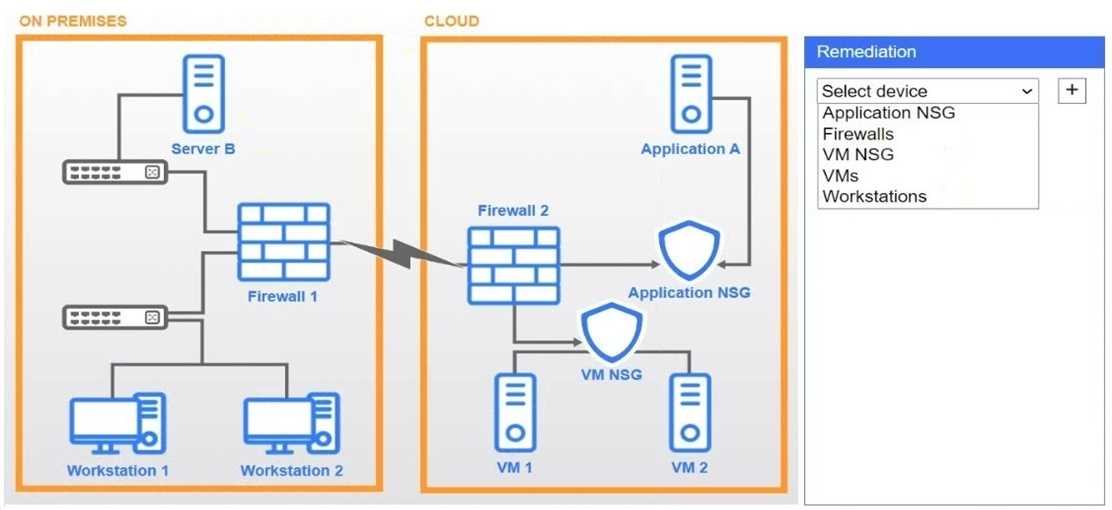
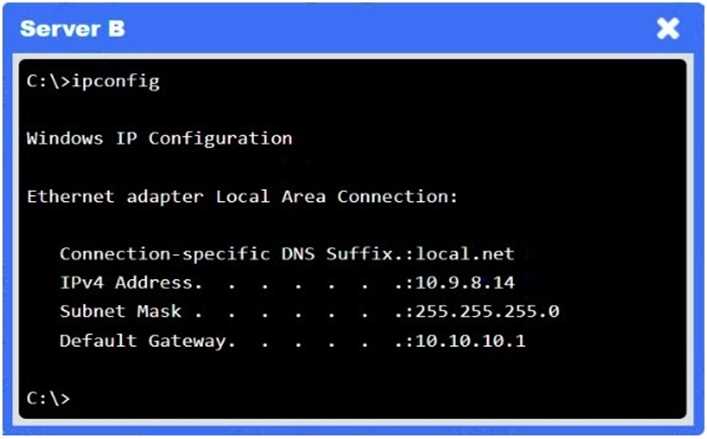
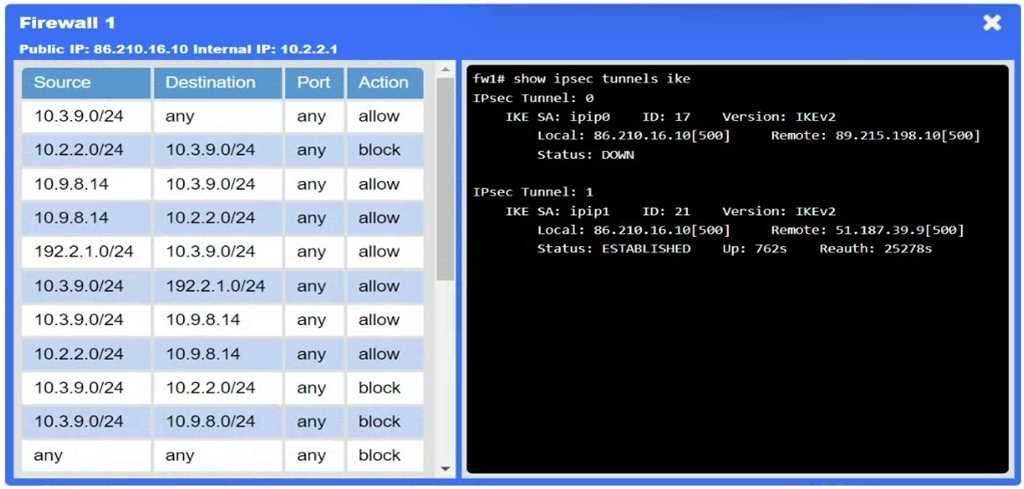
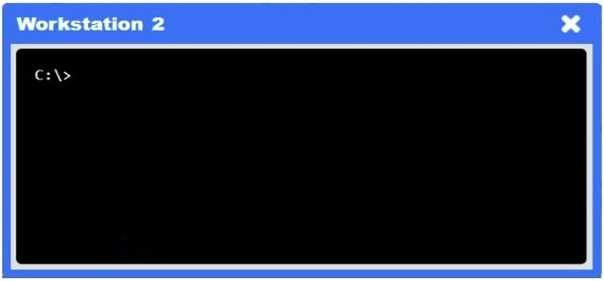
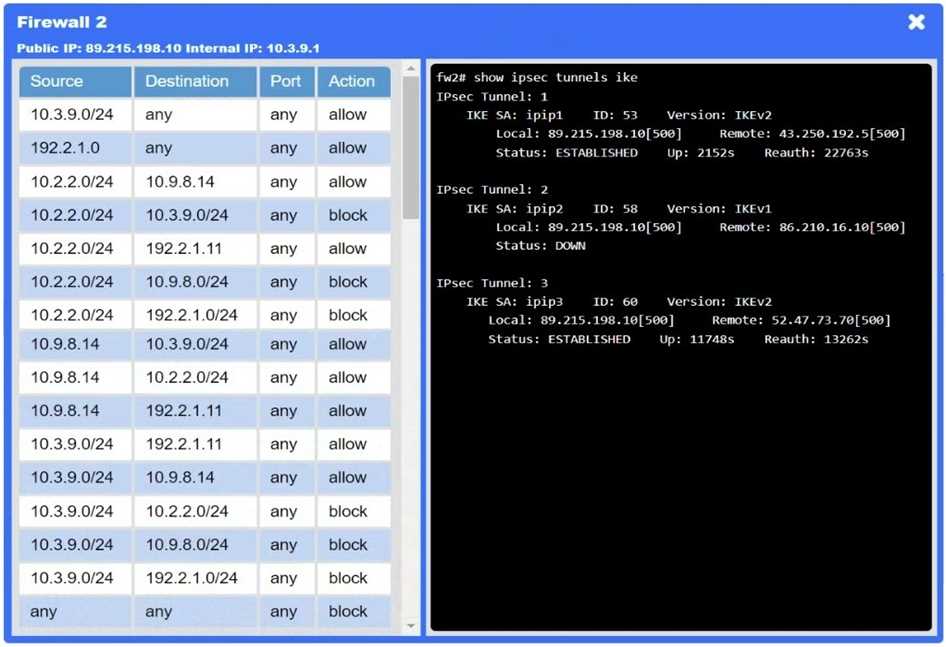
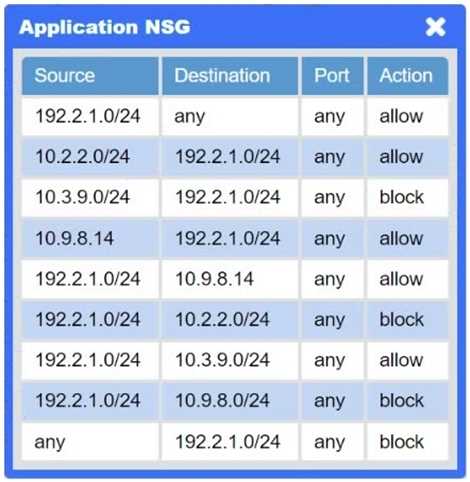
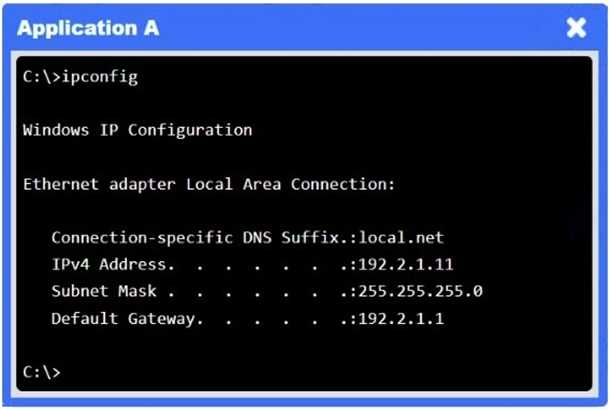
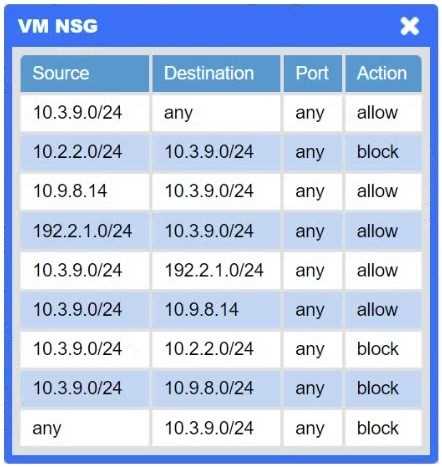
A network administrator needs to resolve connectivity issues in a hybrid cloud setup. Workstations and VMs are not able to access Application
A. Workstations are able to access Server B.
INSTRUCTIONS
Click on workstations, VMs, firewalls, and NSGs to troubleshoot and gather information. Type help in the terminal to view a list of available commands.
Select the appropriate device(s) requiring remediation and identify the associated issue(s).
If at any time you would like to bring back the initial state of the simulation, please click the Reset All button.
HOTSPOT New devices were deployed on a network and need to be hardened. INSTRUCTIONS Use the drop-down menus to define the appliance-hardening techniques that provide the most secure solution. If at any time you would like to bring back the initial state of the simulation, please click the Reset All button. 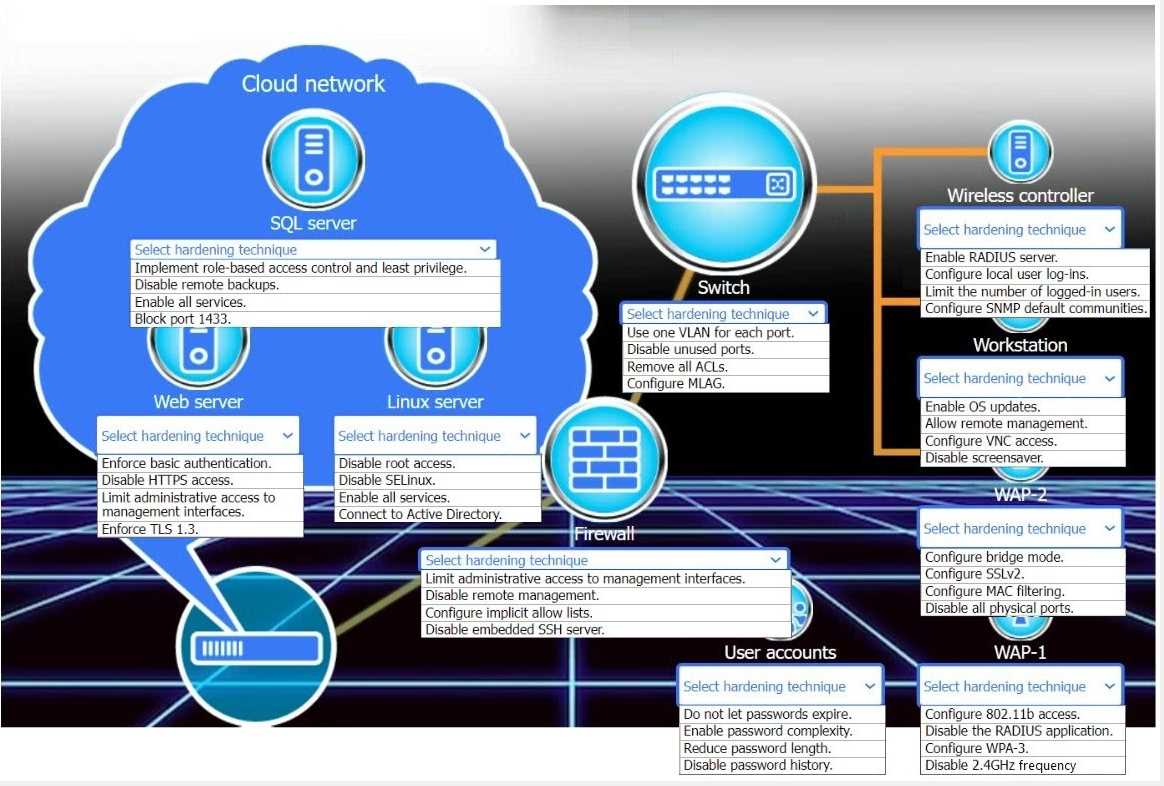
HOTSPOT -
You are designing a campus network with a three-tier hierarchy and need to ensure secure connectivity between locations and traveling employees.
INSTRUCTIONS -
Review the command output by clicking on the server, laptops, and workstations on the network.
Use the drop-down menus to determine the appropriate technology and label for each layer on the diagram. Options may only be used once.
Click on the magnifying glass to make additional configuration changes.
If at any time you would like to bring back the initial state of the simulation, please click the Reset All button.


