
Linux CKS
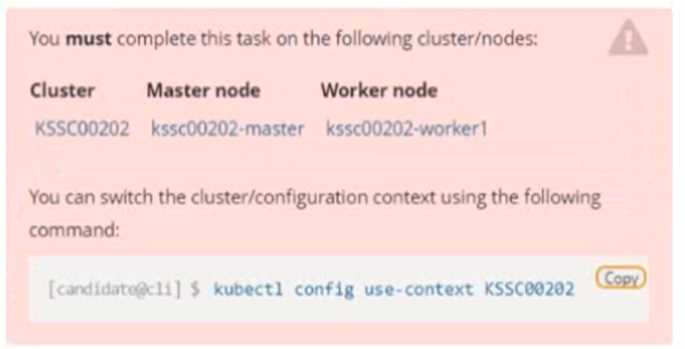 Context
A container image scanner is set up on the cluster, but it's not yet fully integrated into the cluster s
configuration. When complete, the container image scanner shall scan for and reject the use of
vulnerable images.
Task
Context
A container image scanner is set up on the cluster, but it's not yet fully integrated into the cluster s
configuration. When complete, the container image scanner shall scan for and reject the use of
vulnerable images.
Task
 Given an incomplete configuration in directory /etc/kubernetes/epconfig and a functional container
image scanner with HTTPS endpoint https://wakanda.local:8081 /image_policy :
1. Enable the necessary plugins to create an image policy
2. Validate the control configuration and change it to an implicit deny
3. Edit the configuration to point to the provided HTTPS endpoint correctly
Finally, test if the configuration is working by trying to deploy the vulnerable resource
/root/KSSC00202/vulnerable-resource.yml.
Given an incomplete configuration in directory /etc/kubernetes/epconfig and a functional container
image scanner with HTTPS endpoint https://wakanda.local:8081 /image_policy :
1. Enable the necessary plugins to create an image policy
2. Validate the control configuration and change it to an implicit deny
3. Edit the configuration to point to the provided HTTPS endpoint correctly
Finally, test if the configuration is working by trying to deploy the vulnerable resource
/root/KSSC00202/vulnerable-resource.yml.

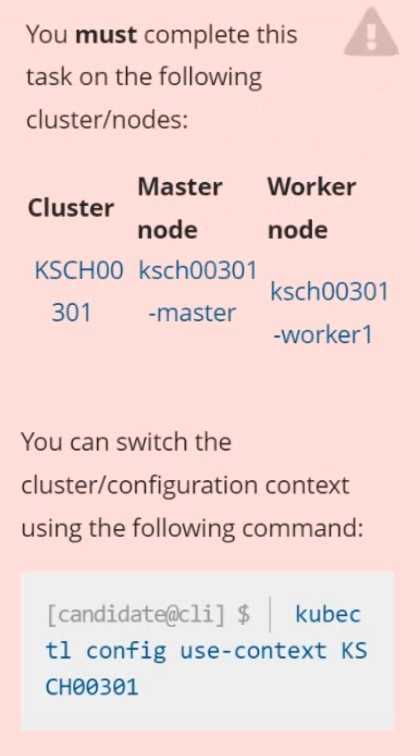 Context
Your organization’s security policy includes:
ServiceAccounts must not automount API credentials
ServiceAccount names must end in "-sa"
The Pod specified in the manifest file /home/candidate/KSCH00301 /pod-m
nifest.yaml fails to schedule because of an incorrectly specified ServiceAccount.
Complete the following tasks:
Task
1. Create a new ServiceAccount named frontend-sa in the existing namespace q
a. Ensure the ServiceAccount does not automount API credentials.
2. Using the manifest file at /home/candidate/KSCH00301 /pod-manifest.yaml, create the Pod.
3. Finally, clean up any unused ServiceAccounts in namespace qa.
Context
Your organization’s security policy includes:
ServiceAccounts must not automount API credentials
ServiceAccount names must end in "-sa"
The Pod specified in the manifest file /home/candidate/KSCH00301 /pod-m
nifest.yaml fails to schedule because of an incorrectly specified ServiceAccount.
Complete the following tasks:
Task
1. Create a new ServiceAccount named frontend-sa in the existing namespace q
a. Ensure the ServiceAccount does not automount API credentials.
2. Using the manifest file at /home/candidate/KSCH00301 /pod-manifest.yaml, create the Pod.
3. Finally, clean up any unused ServiceAccounts in namespace qa.a. Retrieve the content of the existing secret named default-token-xxxxx in the testing namespace. Store the value of the token in the token.txt b. Create a new secret named test-db-secret in the DB namespace with the following content: username: mysql password: password@123 Create the Pod name test-db-pod of image nginx in the namespace db that can access test-db-secret via a volume at path /etc/mysql-credentials
Fix all issues via configuration and restart the affected components to ensure the new setting takes effect. Fix all of the following violations that were found against the API server:- a. Ensure that the RotateKubeletServerCertificate argument is set to true. b. Ensure that the admission control plugin PodSecurityPolicy is set. c. Ensure that the --kubelet-certificate-authority argument is set as appropriate. Fix all of the following violations that were found against the Kubelet:- a. Ensure the --anonymous-auth argument is set to false. b. Ensure that the --authorization-mode argument is set to Webhook. Fix all of the following violations that were found against the ETCD:- a. Ensure that the --auto-tls argument is not set to true b. Ensure that the --peer-auto-tls argument is not set to true Hint: Take the use of Tool Kube-Bench
Analyze and edit the given Dockerfile FROM ubuntu:latest RUN apt-get update -y RUN apt-install nginx -y COPY entrypoint.sh / ENTRYPOINT ["/entrypoint.sh"] USER ROOT Fixing two instructions present in the file being prominent security best practice issues Analyze and edit the deployment manifest file apiVersion: v1 kind: Pod metadata: name: security-context-demo-2 spec: securityContext: runAsUser: 1000 containers: - name: sec-ctx-demo-2 image: gcr.io/google-samples/node-hello:1.0 securityContext: runAsUser: 0 privileged: True allowPrivilegeEscalation: false Fixing two fields present in the file being prominent security best practice issues Don't add or remove configuration settings; only modify the existing configuration settings Whenever you need an unprivileged user for any of the tasks, use user test-user with the user id 5487
Fix all issues via configuration and restart the affected components to ensure the new setting takes effect. Fix all of the following violations that were found against the API server:- a. Ensure the --authorization-mode argument includes RBAC b. Ensure the --authorization-mode argument includes Node c. Ensure that the --profiling argument is set to false Fix all of the following violations that were found against the Kubelet:- a. Ensure the --anonymous-auth argument is set to false. b. Ensure that the --authorization-mode argument is set to Webhook. Fix all of the following violations that were found against the ETCD:- a. Ensure that the --auto-tls argument is not set to true Hint: Take the use of Tool Kube-Bench
