
300-920.pdf
DRAG DROP Drag and drop the items to complete the jsxapi script. Not all options are used. 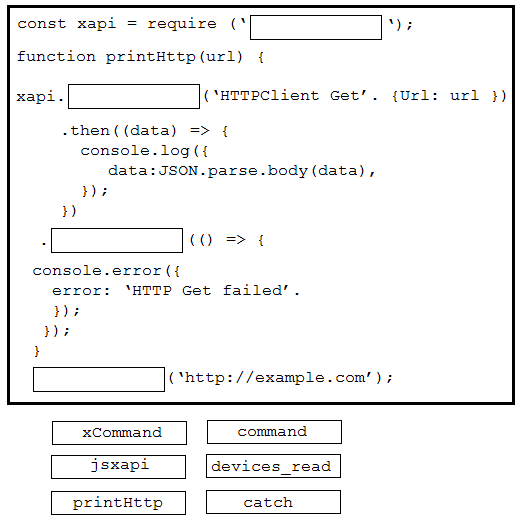
DRAG DROP Drag and drop the code to complete the JavaScript code snippet to create a meeting using the Webex Meetings XML API. Options may be used more than once. 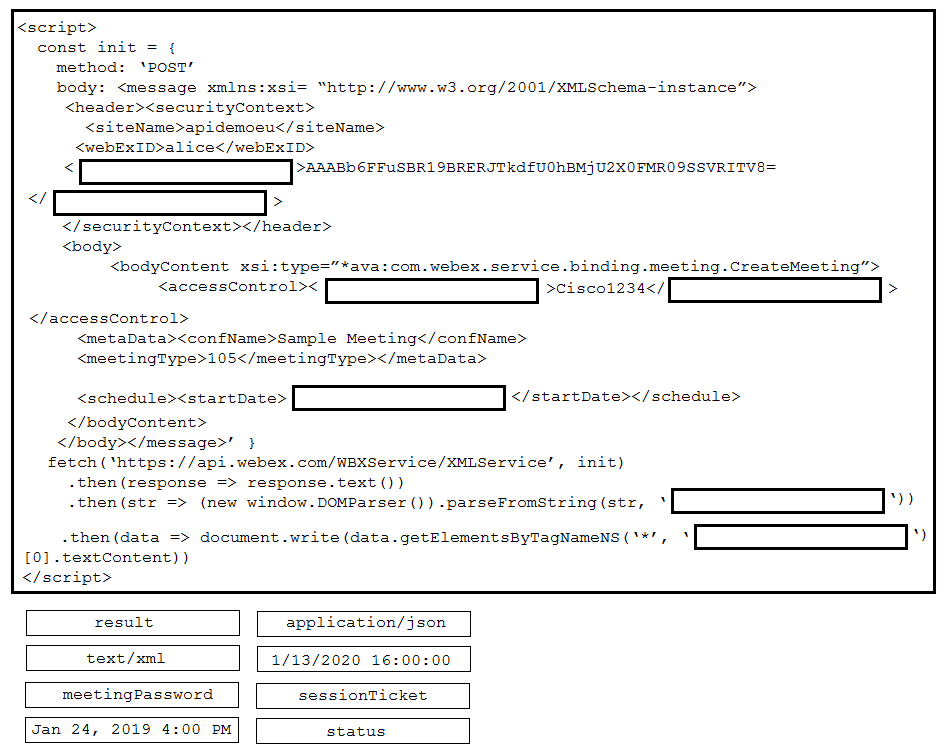
DRAG DROP Refer to the exhibit. 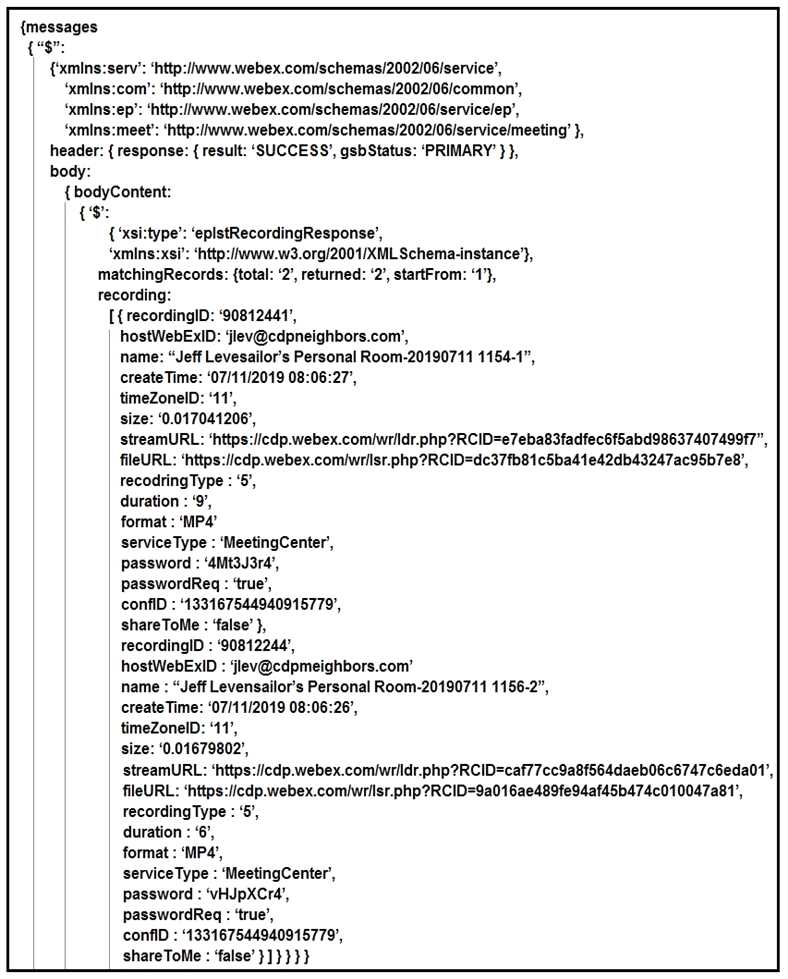 A training coordinator must post links to Webex recordings on a company SharePoint site. This is usually a manual process, but a DevOps engineer wants to automate it using Webex XML APIs. After a sucessful LstRecording call wrapped in xml2js, the ‘console dir(result)’ output is shown in the exhibit. Using ‘dot notation’, drag and drop the code below onto the code snippet to output the streamURL for each recording.
DRAG DROP Drag and drop the components to create the authentication header used for the Webex Teams API. Not all options are used. 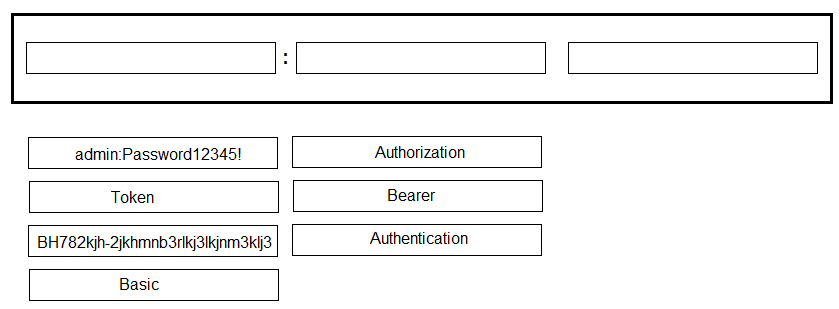
DRAG DROP Drag and drop the expressions from the right onto the Webex JavaScript SDK code on the left to create a Webex Teams space, add a person to the space, and send a welcome message. Not all expressions are used. 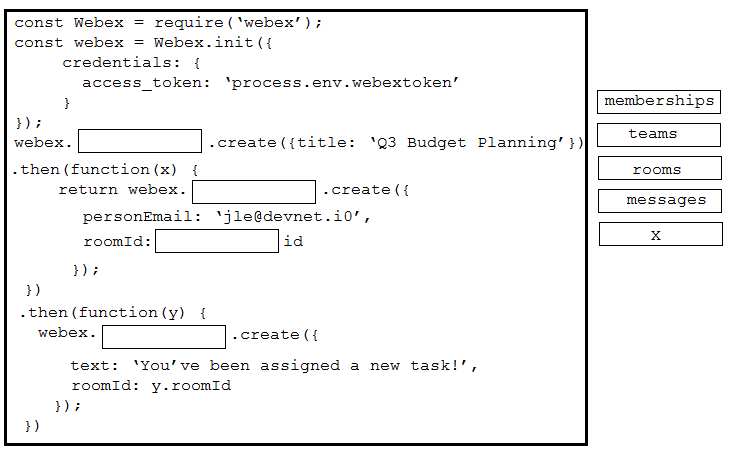
DRAG DROP Refer to the exhibit. 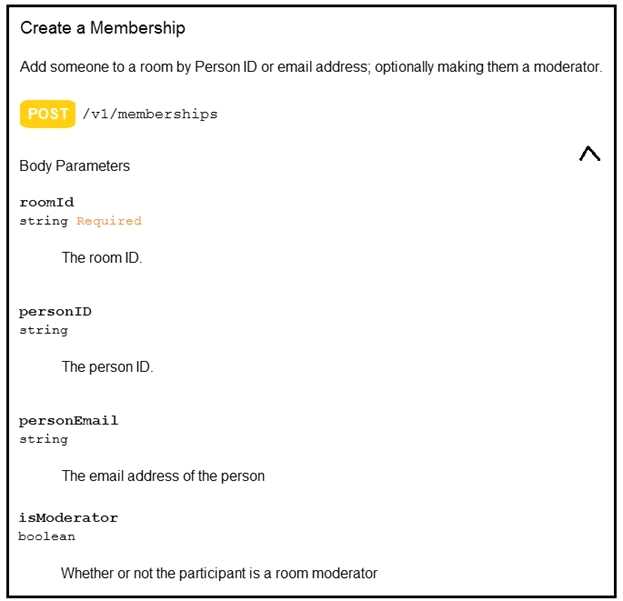 Drag and drop the code on the snippet to add the user with email “[email protected]” as moderator of the space with the identifier “987654321”.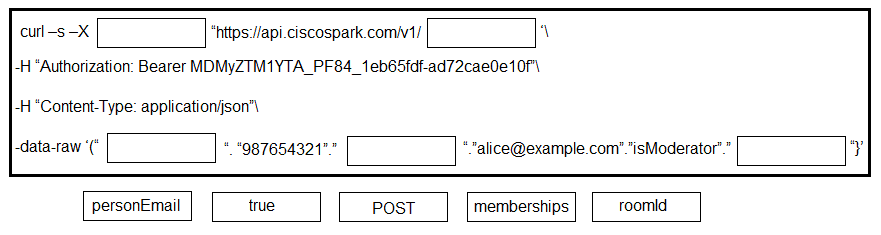
DRAG DROP Drag and drop the code onto the snippet to construct the JavaScript to create a new meeting with the Webex Meetings XML API. Options can be used more than once. 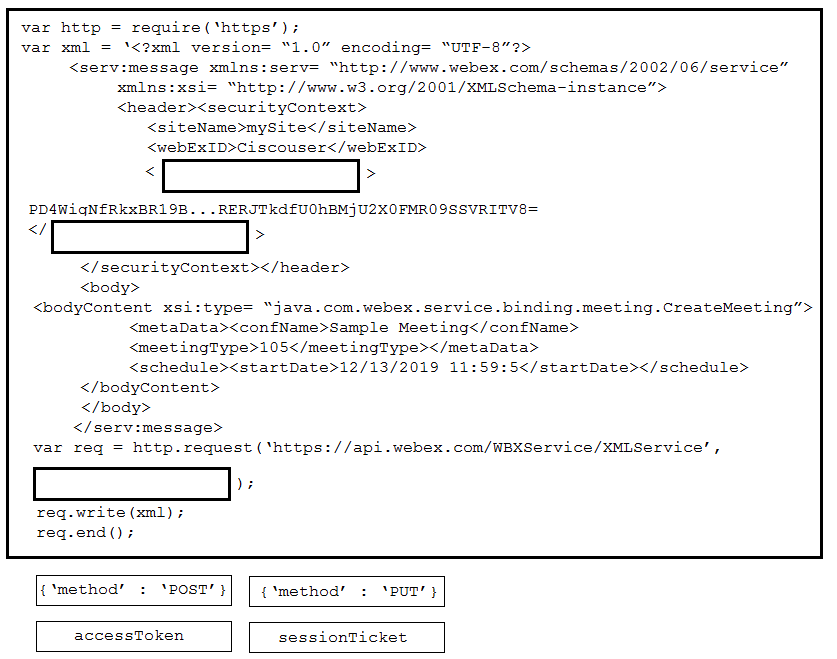
DRAG DROP Drag and drop the code to complete the JavaScript to display the first URL from a user’s list of Webex Meetings recordings. Not all options are used. 
Refer to the exhibit. 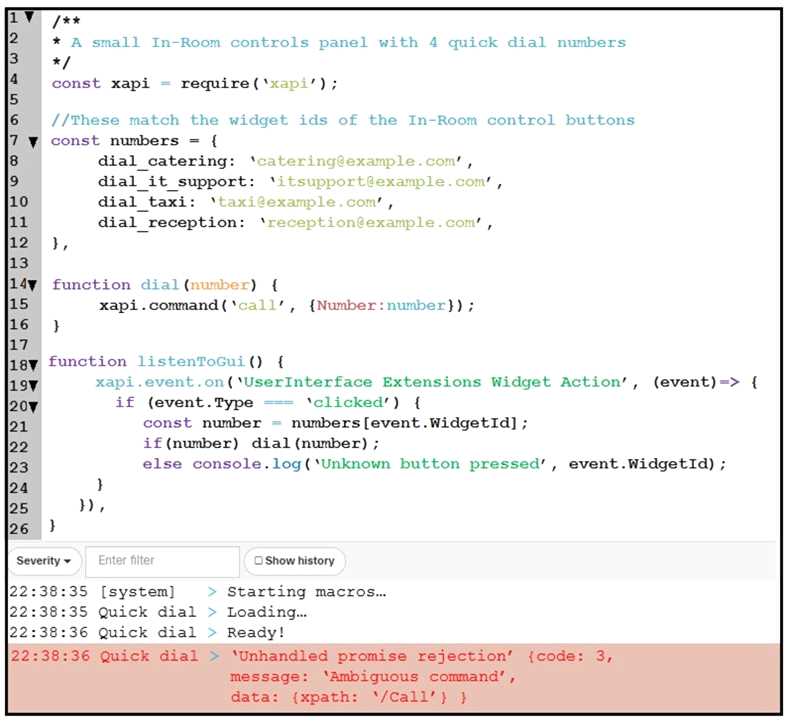 An end user reports that the speed dial button is not working on their Webex Device, and when loading into the Macro Editor, this error was presented. On which line is the incorrect syntax?
