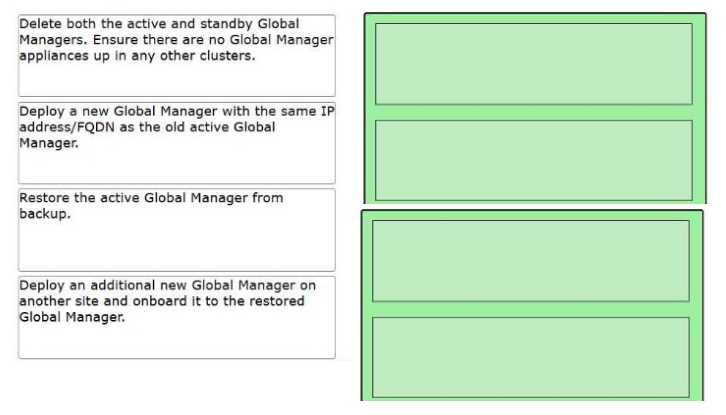
Step 1: Delete both the active and standby Global Managers. Ensure there are no Global Manager
appliances up in any other clusters.
Step 2: Deploy a new Global Manager with the same IP address/FQDN as the old active Global
Manager.
Step 3: Restore the active Global Manager from backup.
Step 4: Deploy an additional new Global Manager on another site and onboard it to the restored
Global Manager.
In a VMware Cloud Foundation multi-site deployment using NSX Federation, the Global Manager
(GM) manages the global networking configuration across multiple sites. If the entire GM cluster
(Active and Standby) fails, the following architectural principles apply:
Cleanup (Step 1): Before initiating a restore, the environment must be "cleaned." If old, failed VMs
remain in the inventory or on the hosts, they can cause IP address conflicts or UUID mismatches
during the deployment of the new appliance. You must ensure the management plane is clear of the
original failed nodes.
Identity Consistency (Step 2): When restoring an NSX appliance (Local or Global) from backup, the
new appliance must be deployed with the exact same IP address and FQDN as the original active
node. This is critical because the existing Local Managers (LMs) at each site already have established
thumbprints and communication channels tied to that specific identity.
The Restore Operation (Step 3): Once the "seed" appliance is deployed, the restore process is
triggered through the NSX Manager UI/API. This process re-populates the database with the global
segments, firewall rules, and Tier-0/Tier-1 configurations.
Restoring Redundancy (Step 4): The backup only contains the configuration of the cluster. It does not
"restore" the standby VM itself. High Availability (HA) must be manually re-established by deploying
a second GM appliance at the secondary site and joining it to the newly restored Global Manager
cluster to act as the standby.