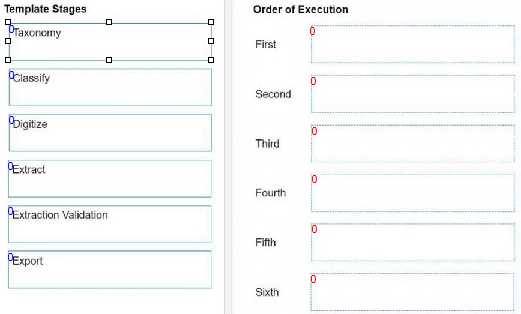
The correct execution order of the Document Understanding template stages is:
Taxonomy
Digitize
Classify
Extract
Extraction Validation
Export
Comprehensive and Detailed The Document Understanding template stages are based on a
document processing flowchart that follows these steps:
First, you need to define the🔍Taxonomy🔍of the document types and fields that you want to process
and extract information from.🔍This is done using the Taxonomy Manager in UiPath Studio1.
Next, you need to🔍Digitize🔍the input documents, which can be in various formats such as PDF, image,
or text.🔍This is done using the Digitize Document activity, which converts the documents into a
machine-readable format and performs OCR if needed2.
Then, you need to🔍Classify🔍the digitized documents into the predefined document types in your
taxonomy.🔍This is done using the Classify Document Scope activity, which can use various classifiers
such as Keyword Based Classifier, Machine Learning Classifier, or Intelligent Form Extractor3.
After that, you need to🔍Extract🔍the relevant information from the classified documents based on the
fields in your taxonomy. This is done using the Data Extraction Scope activity, which can use various
extractors such as Regex Based Extractor, Machine Learning Extractor, or Form Extractor.
Next, you need to perform🔍Extraction Validation🔍to review and correct the extracted information,
either manually or automatically. This is done using the Present Validation Station activity, which can
use either the Validation Station or the Action Center for human-in-the-loop validation.
Finally, you need to🔍Export🔍the validated information to the desired output location, such as a file, a
database, or a queue. This is done using the Export Extraction Results activity, which can use various
exporters such as Excel Exporter, CSV Exporter, or Queue Item Exporter.
Reference:
UiPath Studio - Taxonomy Manager
UiPath Activities - Digitize Document
UiPath Activities - Classify Document Scope