
Q: 15
HOTSPOT You have a Microsoft 365 tenant You need to create a new sensitive into type for items that contain the following: • An employee ID number that consists of the hire date of the employee followed by a three digit number • The words "Employee", "ID", or "Identification" within 300 characters of the employee ID number What should you use for the primary and secondary elements? To answer, select the appropriate options m the answer area NOTE: Each correct selection is worth one point 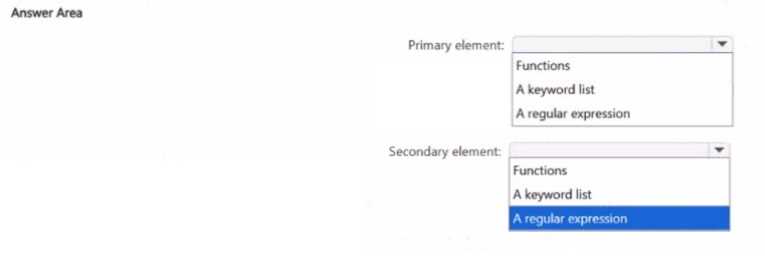
Your Answer
Discussion
Regular expression for primary, keyword list for secondary. This matches the pattern and nearby keywords just like MS Purview needs.
Regular expression primary, keyword list secondary. That's the combo for this kind of custom SIT in Purview, pretty sure.
Primary: regular expression, secondary: keyword list. Regex catches the ID format, keywords just provide context, not another pattern.
Nah, the trap is thinking both need regex. Primary should be regular expression, secondary is keyword list.
Yeah, regular expression for primary element and keyword list for secondary is what makes sense here.
Well, since the proximity for those keywords matters, secondary should be keyword list, not another regex. Regular expression primary, keyword list secondary.
Isn't regular expression the better choice for primary here? Keyword list for secondary since "Employee" etc are more context.
Hmm, I'd go with regular expression for both elements at first glance since both the ID number and keywords could technically be patterns. Pretty sure that's how I've seen it in some practice sets. Maybe I'm off though, open to correction.
Be respectful. No spam.
