Option C fits because Windows Hello for Business doesn't need SMS or Authenticator app codes, just the device itself with wired internet to Azure AD. But it's worth noting that if the local PIN was set up ahead of time, users could still use it even if biometrics fail. The others all rely on a phone connection in some way. I think C covers this edge case. Any objections?
Its C, but would the answer change if the requirement was most phishing-resistant method instead of just working offline? A seems tempting but needs network on phone.
Pretty sure it's C here. Windows Hello for Business doesn't depend on cellular or Wi-Fi on the phone, just needs the laptop and a wired internet connection for Azure AD. The other choices like app notifications or SMS all need some phone connectivity, which the scenario says isn't available. If WHfB is set up, users are good to go. Let me know if you see a catch I'm missing.
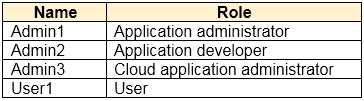 You purchase two cloud apps named App1 and App2. The global administrator registers App1 in Azure AD. You need to identify who can assign users to App1, and who can register App2 in Azure AD. What should you identify? To answer, select the appropriate options in the answer area. NOTE:Each correct selection is worth one point.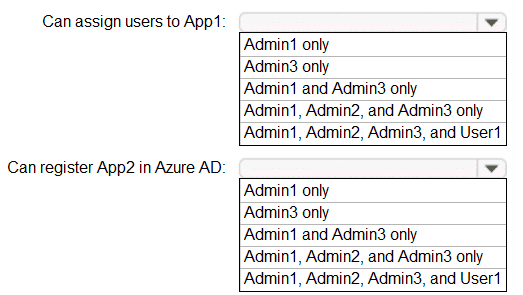
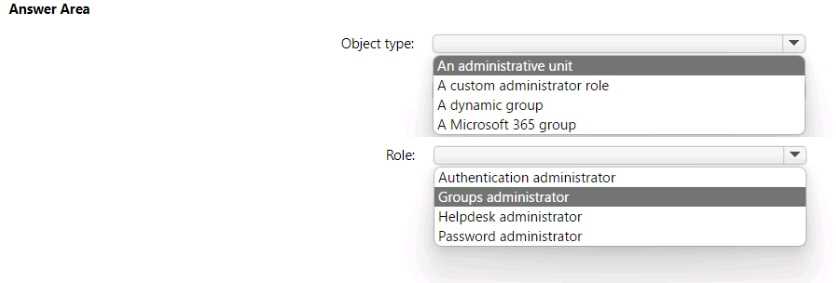
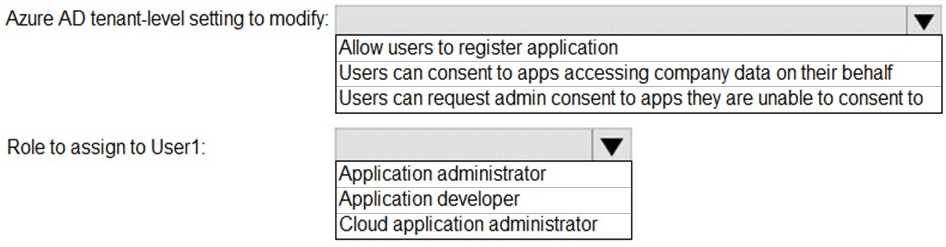
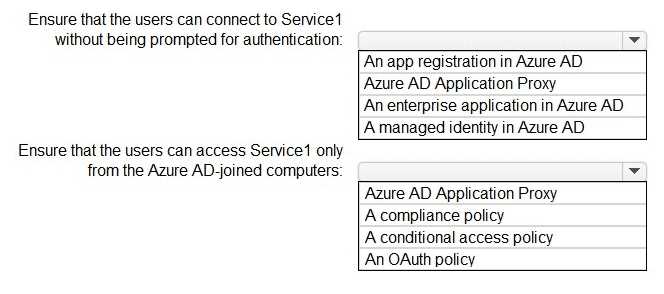
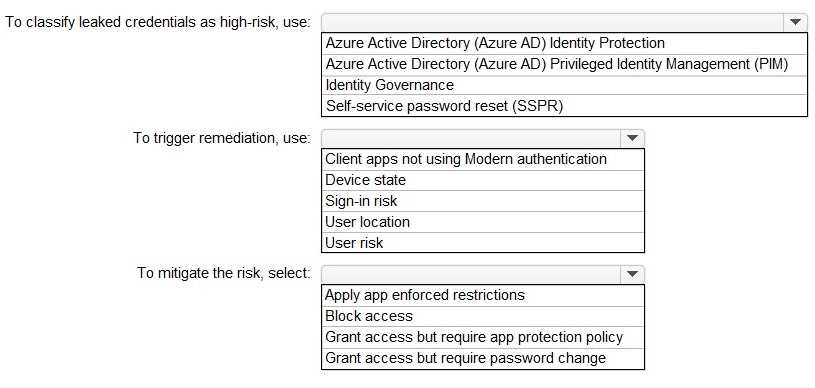
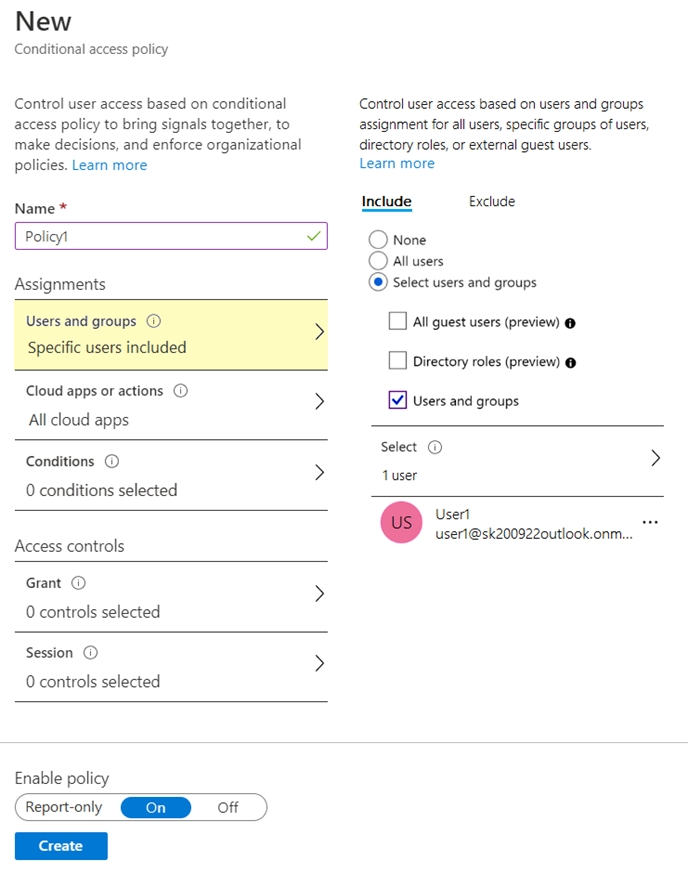 Use the drop-down menus to select the answer choice that completes each statement based on the information presented in the graphic. NOTE:Each correct selection is worth one point.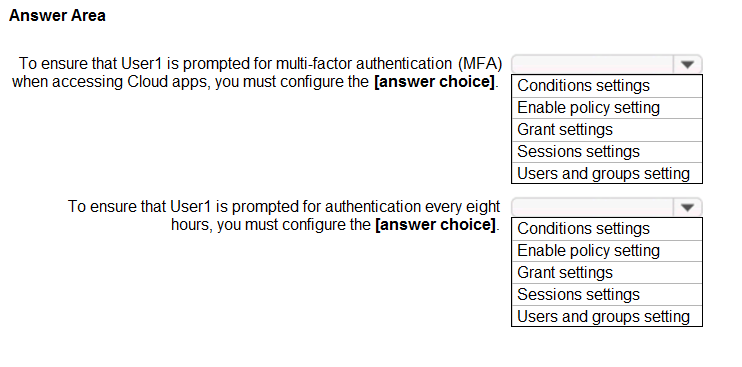
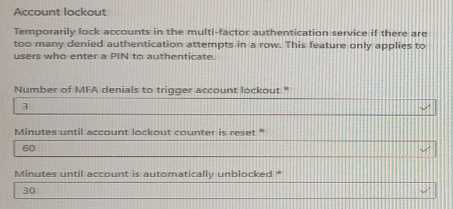 Use the drop-down menus to select the answer choice that completes each statement based on the information presented in the graphic. NOTE: Each correct selection is worth one point.
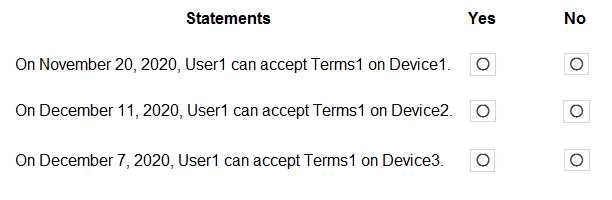
 On November 5, 2020, you create and enforce terms of use in contoso.com that has the following settings: Name: Terms1 Display name: Contoso terms of use Require users to expand the terms of use: On Require users to consent on every device: On Expire consents: On Expire starting on: December 10, 2020 Frequency: Monthly On November 15, 2020, User1 accepts Terms1 on Device3. For each of the following statements, select Yes if the statement is true. Otherwise, select No. NOTE: Each correct selection is worth one point.