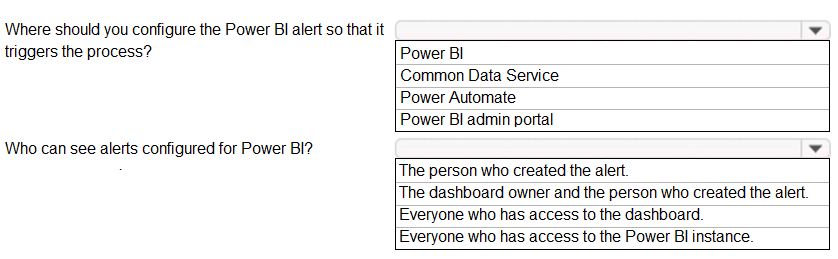
Box 1: To trigger a process based on a tile value, you must first configure the data alert definition (threshold and condition) directly within the Power BI service. Data alerts are set on specific dashboard tiles (such as cards, gauges, and KPIs). While Power Automate is used to define the actions (the process) that occur after the alert is fired, the alert itself—the trigger condition—must be configured on the dashboard tile in Power BI.
Box 2: Data alerts in Power BI are strictly personal and isolated to the user context. According to official documentation, only the person who created the alert can see or manage it. Even if a dashboard is shared with other users or published in an app, those users cannot view the alerts created by the owner; they must configure their own alerts on the shared dashboard if they wish to be notified.