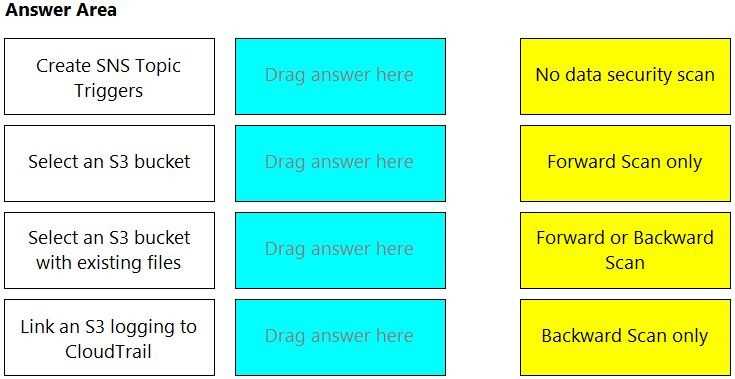
Create SNS Topic Triggers: No data security scan
Select an S3 bucket: Forward Scan only
Select an S3 bucket with existing files: Forward or Backward Scan
Link an S3 logging to CloudTrail: Backward Scan only
The scanning mode for Data Security in AWS typically depends on the configuration and the desired
outcomes for monitoring and protecting data within S3 buckets.
Creating SNS Topic Triggers is a configuration step that does not directly involve scanning. It is part of
setting up notifications for events in S3 buckets, but on its own, it does not initiate a data security
scan.
Selecting an S3 bucket without specifying existing files typically implies that you intend to scan new
objects as they are added to the bucket, which is known as a Forward Scan. This mode is proactive
and scans files upon their arrival in the bucket.
When you select an S3 bucket with existing files, you can perform either Forward Scanning for new
files or Backward Scanning to scan all existing files in the bucket. This option provides the most
comprehensive scanning coverage for both new and existing data.
Linking an S3 logging to CloudTrail is usually a step taken to monitor access and changes to S3
resources. In the context of scanning, linking S3 to CloudTrail does not initiate a scan, but the
CloudTrail logs can be used to trigger a Backward Scan if configured to do so, which scans historical
files in the bucket based on CloudTrail events.