
Q: 11
Refer to the exhibit.
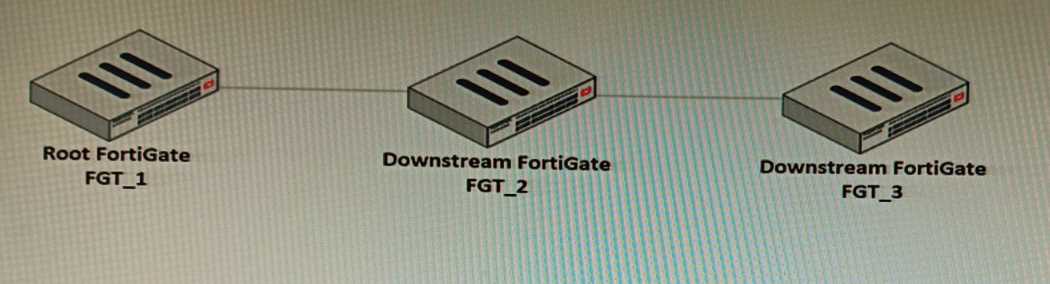
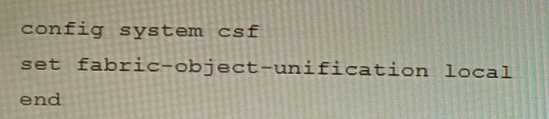
 You have deployed a security fabric with three FortiGate devices as shown in the exhibit. FGT_2 has
the following configuration:
FGT_1 and FGT_3 are configured with the default setting. Which statement is true for the
synchronization of fabric-objects?
You have deployed a security fabric with three FortiGate devices as shown in the exhibit. FGT_2 has
the following configuration:
FGT_1 and FGT_3 are configured with the default setting. Which statement is true for the
synchronization of fabric-objects?
 You have deployed a security fabric with three FortiGate devices as shown in the exhibit. FGT_2 has
the following configuration:
You have deployed a security fabric with three FortiGate devices as shown in the exhibit. FGT_2 has
the following configuration:
 FGT_1 and FGT_3 are configured with the default setting. Which statement is true for the
synchronization of fabric-objects?
FGT_1 and FGT_3 are configured with the default setting. Which statement is true for the
synchronization of fabric-objects?Options
Discussion
No comments yet. Be the first to comment.
Be respectful. No spam.
 Which two statements correctly describe the expected behavior of the FortiAuthenticator REST API?
(Choose two.)
Which two statements correctly describe the expected behavior of the FortiAuthenticator REST API?
(Choose two.)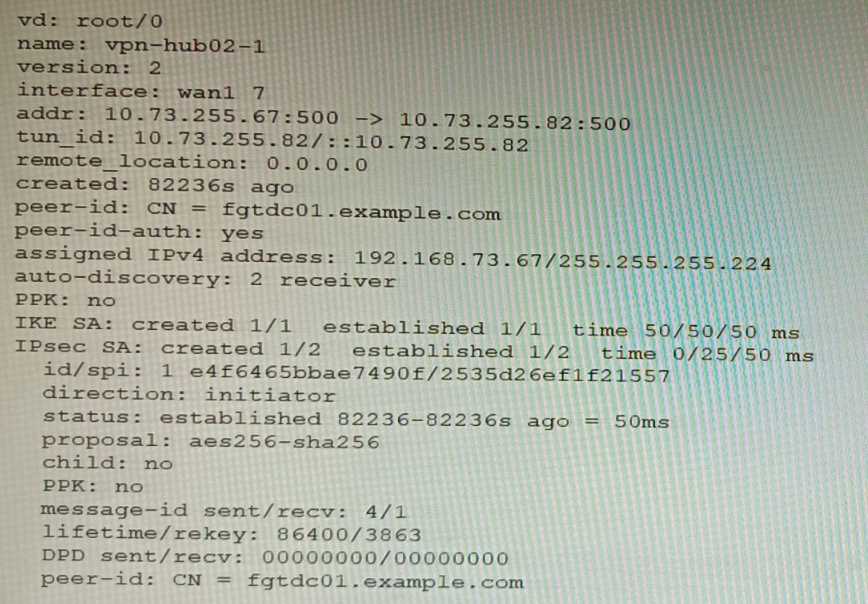 Exhibit B
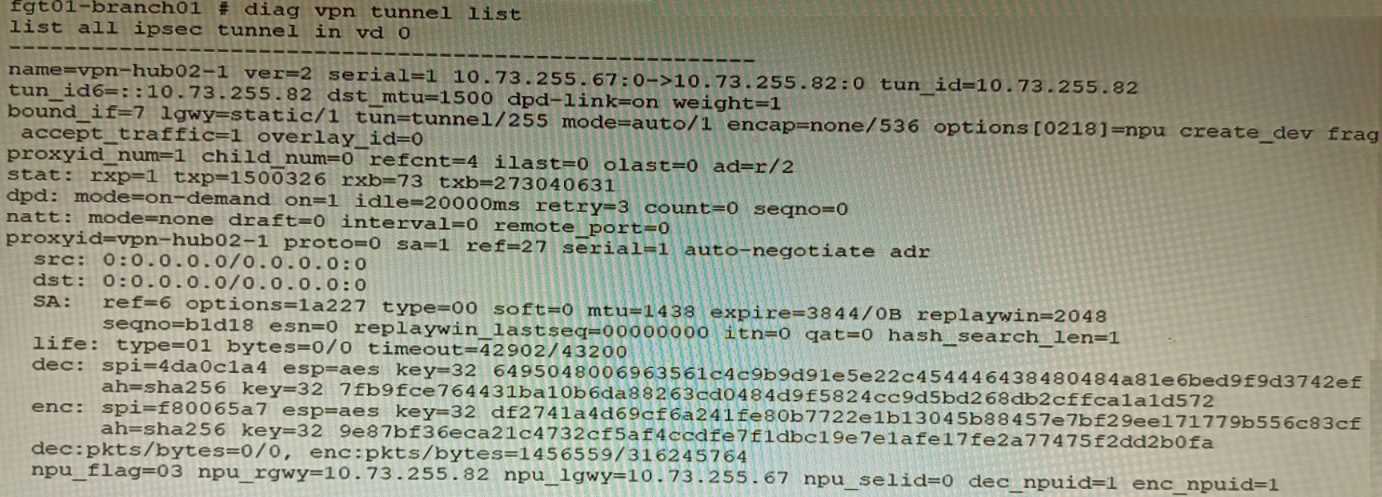 Exhibit C
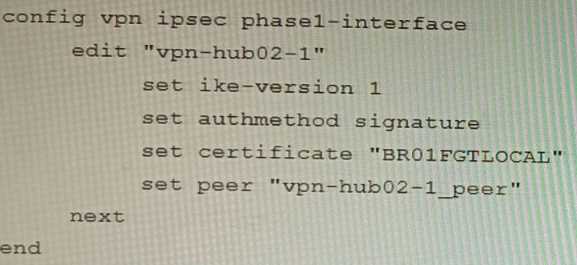
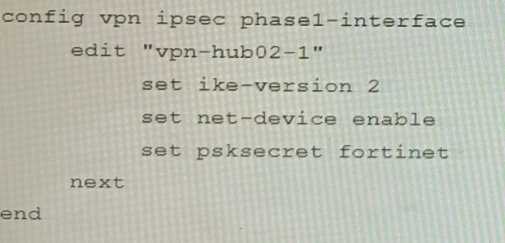
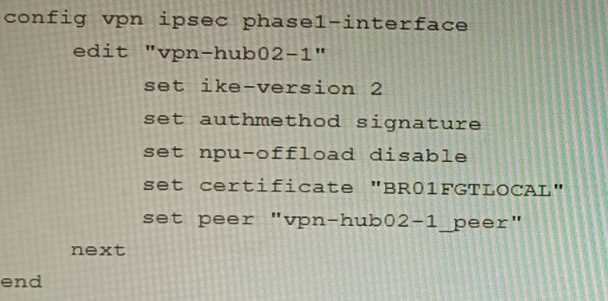
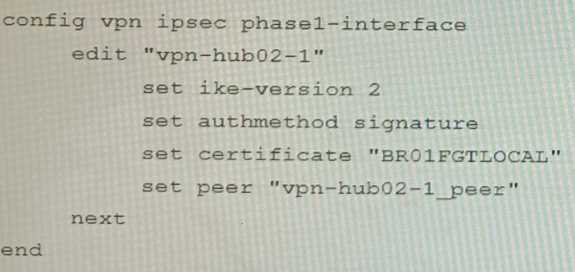
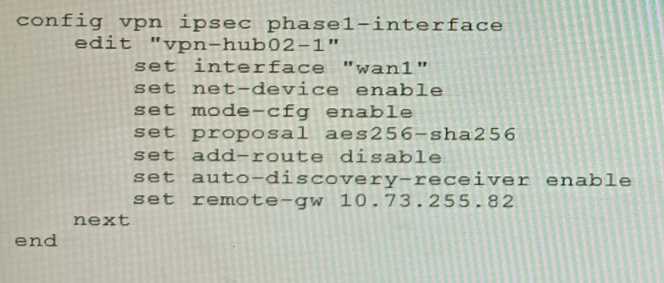 A customer is trying to set up a VPN with a FortiGate, but they do not have a backup of the
configuration. Output during a troubleshooting session is shown in the exhibits A and B and a
baseline VPN configuration is shown in Exhibit C Referring to the exhibits, which configuration will
restore VPN connectivity?
A)
A customer is trying to set up a VPN with a FortiGate, but they do not have a backup of the
configuration. Output during a troubleshooting session is shown in the exhibits A and B and a
baseline VPN configuration is shown in Exhibit C Referring to the exhibits, which configuration will
restore VPN connectivity?
A)
 B)
B)
 C)
C)
 D)
D)
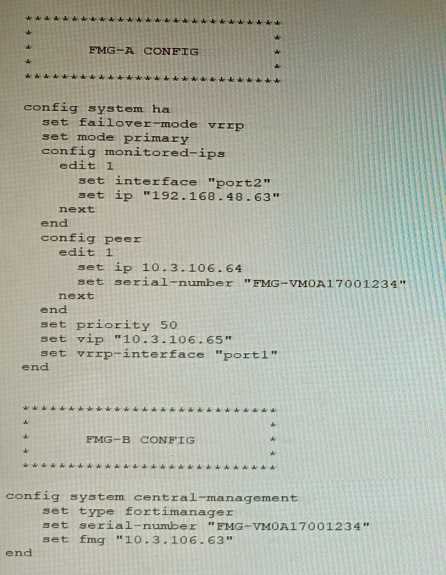 FortiManager VM high availability (HA) is not functioning as expected after being added to an
existing deployment.
The administrator finds that VRRP HA mode is selected, but primary and secondary roles are greyed
out in the GUI The managed devices never show online when FMG-B becomes primary, but they will
show online whenever the FMG-A becomes primary.
What change will correct HA functionality in this scenario?
FortiManager VM high availability (HA) is not functioning as expected after being added to an
existing deployment.
The administrator finds that VRRP HA mode is selected, but primary and secondary roles are greyed
out in the GUI The managed devices never show online when FMG-B becomes primary, but they will
show online whenever the FMG-A becomes primary.
What change will correct HA functionality in this scenario?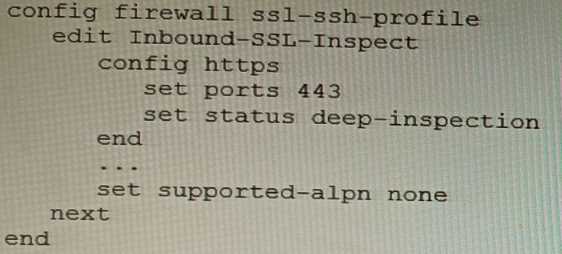 Based on the information shown, what is the expected behavior when an HTTP/2 request comes in?
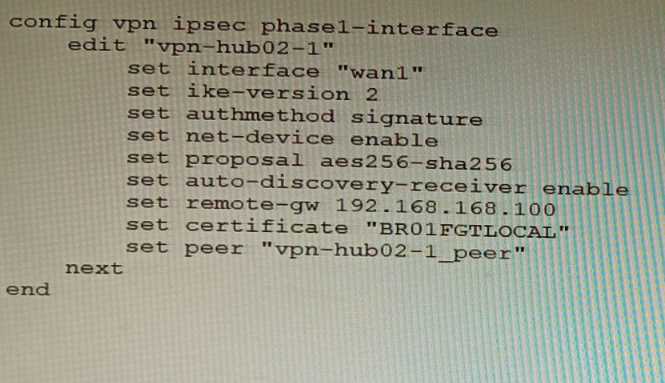 To facilitate a large-scale deployment of SD-WAN/ADVPN with FortiGate devices, you are tasked with
configuring the FortiGate devices to support injecting of IKE routes on the ADVPN shortcut tunnels.
Which three commands must be added or changed to the FortiGate spoke config vpn ipsec phasei-
interface options referenced in the exhibit for the VPN interface to enable this capability? (Choose
three.)
To facilitate a large-scale deployment of SD-WAN/ADVPN with FortiGate devices, you are tasked with
configuring the FortiGate devices to support injecting of IKE routes on the ADVPN shortcut tunnels.
Which three commands must be added or changed to the FortiGate spoke config vpn ipsec phasei-
interface options referenced in the exhibit for the VPN interface to enable this capability? (Choose
three.)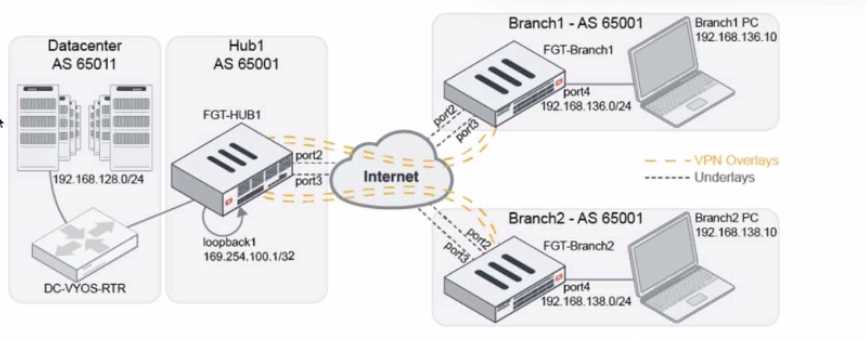 A customer wants to use SD-WAN for traffic generated from the data center towards Branches. SD-
WAN on HUB should follow the underlay condition on each Branch and the solution should be
scalable for hundreds of Branches.
Which SD WAN-Rules strategy should be used?
A customer wants to use SD-WAN for traffic generated from the data center towards Branches. SD-
WAN on HUB should follow the underlay condition on each Branch and the solution should be
scalable for hundreds of Branches.
Which SD WAN-Rules strategy should be used?