
Q: 11
SIMULATION
A network technician needs to resolve some issues with a customer's SOHO network. The
customer reports that some of the PCs are not connecting to the network, while others
appear to be working as intended.
INSTRUCTIONS
Troubleshoot all the network components.
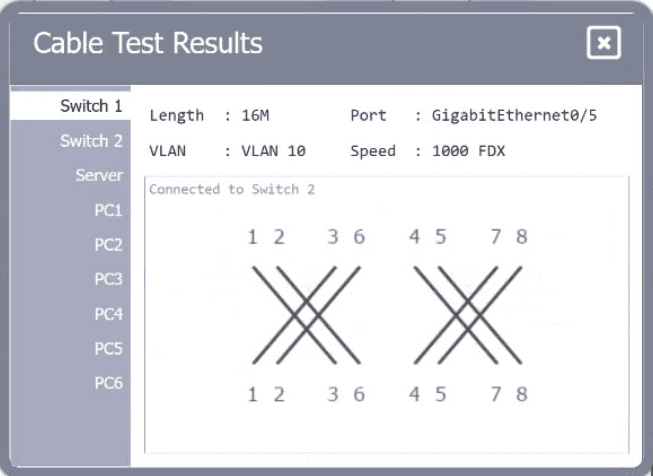
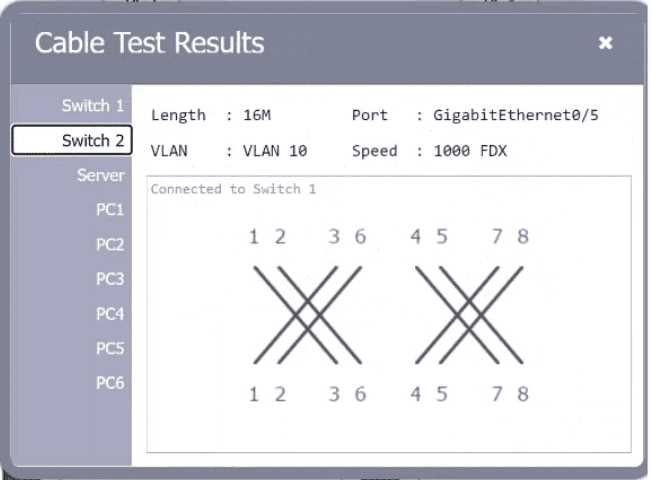
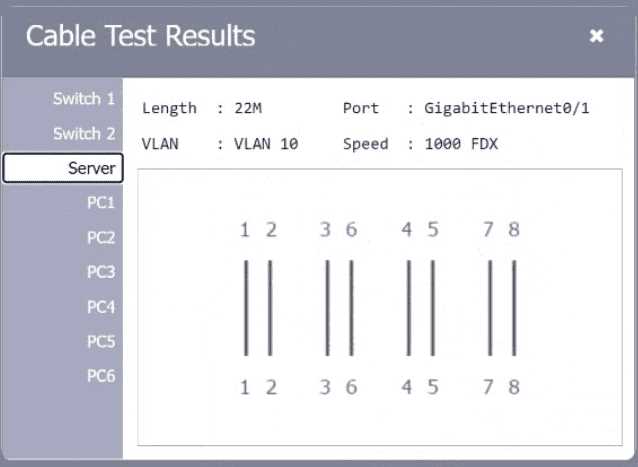
Review the cable test results first, then diagnose by clicking on the appropriate PC,
server, and Layer 2 switch.
Identify any components with a problem and recommend a solution to correct each
problem.
If at any time you would like to bring back
the initial state of the simulation, please
click the Reset All button.

Your Answer
Discussion
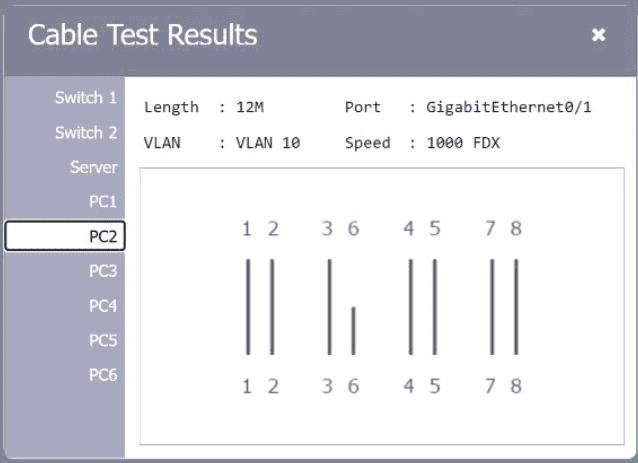
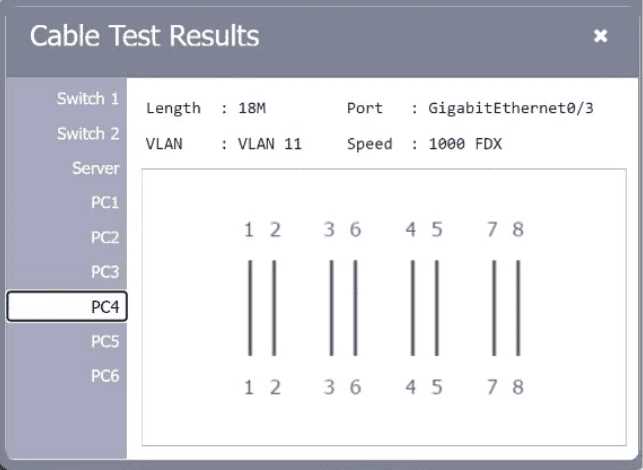
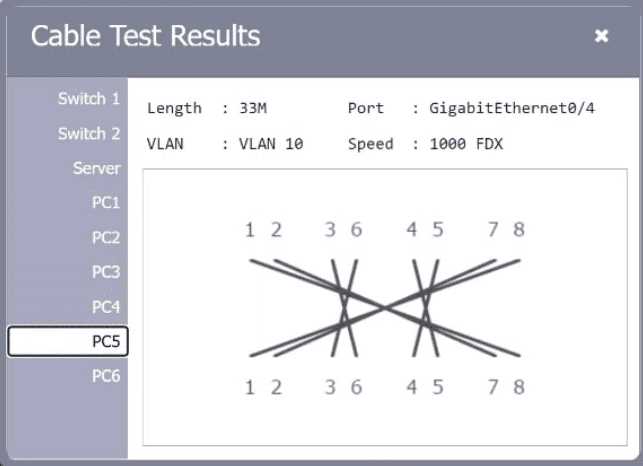
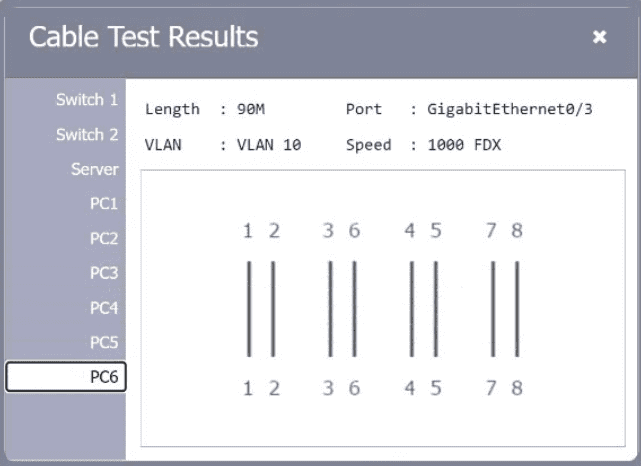
PC2 has an open/short in the cable so swap that patch cable. PC4 is on VLAN 11 but needs to be in VLAN 10, just reassign it on the switch. For PC5, the pin-out's wrong, so a new properly terminated patch cable is needed. Saw super similar troubleshooting on a mock, these fixes worked for me. Pretty confident but correct me if I missed something.
PC2 open/short, swap the patch cable. PC4 VLAN is wrong, needs to be on VLAN 10 not 11. PC5 has bad pin-out, so that patch cable has to go too. Pretty sure some miss that pin-out one since it's a common trap with custom cables.
PC2: open/short, swap cable. PC4: VLAN should be 10. PC5: incorrect pin-out, replace patch cable.
PC2: cable open/short, swap the patch. PC4: wrong VLAN, should be VLAN 11 not 10. PC5: incorrect pin-out, replace that cable too.
Not even sure why they test on VLAN configs in these SOHO sims, but I’d check VLAN settings on PC4 first.
Be respectful. No spam.