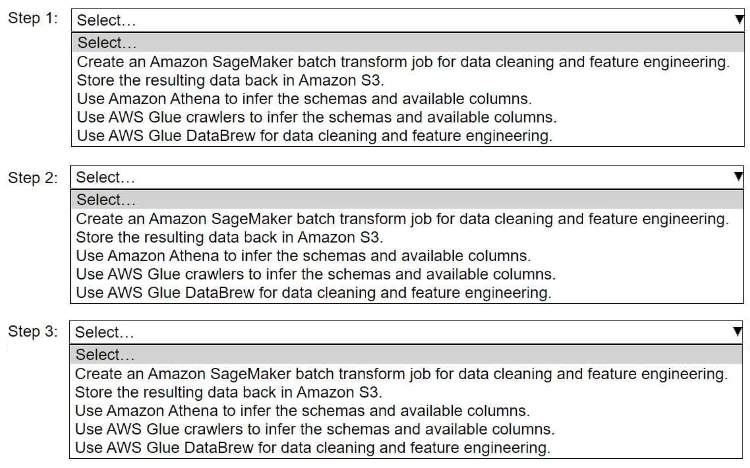
HOTSPOT A company stores historical data in .csv files in Amazon S3. Only some of the rows and columns in the .csv files are populated. The columns are not labeled. An ML engineer needs to prepare and store the data so that the company can use the data to train ML models. Select and order the correct steps from the following list to perform this task. Each step should be selected one time or not at all. (Select and order three.) • Create an Amazon SageMaker batch transform job for data cleaning and feature engineering. • Store the resulting data back in Amazon S3. • Use Amazon Athena to infer the schemas and available columns. • Use AWS Glue crawlers to infer the schemas and available columns. • Use AWS Glue DataBrew for data cleaning and feature engineering.
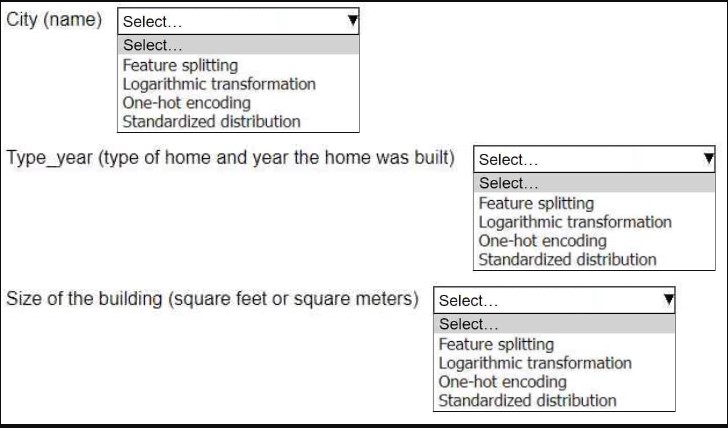
HOTSPOT An ML engineer is working on an ML model to predict the prices of similarly sized homes. The model will base predictions on several features The ML engineer will use the following feature engineering techniques to estimate the prices of the homes: • Feature splitting • Logarithmic transformation • One-hot encoding • Standardized distribution Select the correct feature engineering techniques for the following list of features. Each feature engineering technique should be selected one time or not at all (Select three.)
City (name): one-hot encoding, type_year: feature splitting, size of building: logarithmic transformation. One-hot is standard for categoricals, and feature splitting is key since type_year mixes two data types. Saw similar phrasing on practice tests, so pretty sure, but standardized distribution feels like a distractor here.
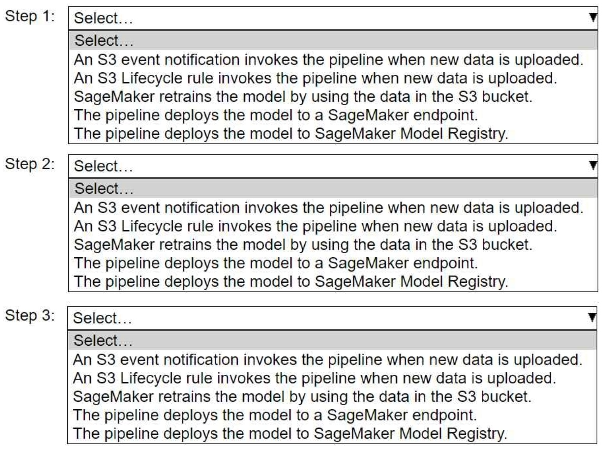
HOTSPOT A company wants to host an ML model on Amazon SageMaker. An ML engineer is configuring a continuous integration and continuous delivery (Cl/CD) pipeline in AWS CodePipeline to deploy the model. The pipeline must run automatically when new training data for the model is uploaded to an Amazon S3 bucket. Select and order the pipeline's correct steps from the following list. Each step should be selected one time or not at all. (Select and order three.) • An S3 event notification invokes the pipeline when new data is uploaded. • S3 Lifecycle rule invokes the pipeline when new data is uploaded. • SageMaker retrains the model by using the data in the S3 bucket. • The pipeline deploys the model to a SageMaker endpoint. • The pipeline deploys the model to SageMaker Model Registry.
1. An S3 event notification invokes the pipeline when new data is uploaded
2. SageMaker retrains the model by using the data in the S3 bucket
3. The pipeline deploys the model to a SageMaker endpoint
Had something like this in a mock. This order makes sense because S3 events are used to trigger automation, then retraining, and finally deploy the fresh model to an endpoint for inference. Pretty sure this is what they want here.
Wow, AWS loves to bury you in their services for these pipelines. The right order is: S3 event notification triggers the pipeline when new data lands, SageMaker does the retraining, then you push the model to a SageMaker endpoint for inference. Pretty standard MLOps pattern here, unless I'm missing something sneaky in their options.
Likely it's C. For SageMaker distributed training, having all instances and data in the same AZ cuts down latency and sync overhead a lot compared to spreading across AZs or Regions. Official docs and exam guide both mention network proximity for performance. If anyone's used actual labs, I'd expect similar behavior there too, but open if someone saw different results.