
Q: 6
Michael has created two smart campaigns in two different programs. The flow for each smart campaign is shown below. 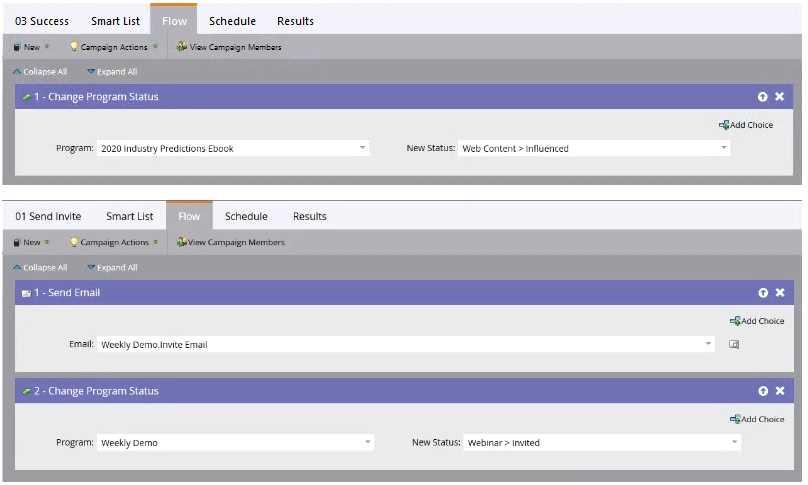 Once a person achieves success (Influenced) in the 2020 Industry Predictions Ebook, Michael wants to send the person the invite email for the weekly demo. Which modifications must Michael make to the smart campaigns to achieve this?
Options
Discussion
No comments yet. Be the first to comment.
Be respectful. No spam.
