https://kxbjsyuhceggsyvxdkof.supabase.co/storage/v1/object/public/file-images/MB-280/page_122_img_2.jpg
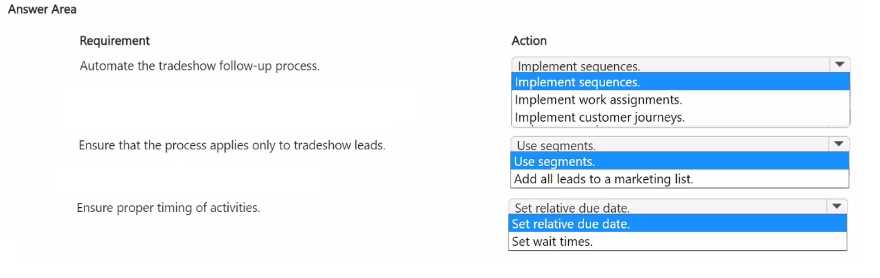
Automate the Tradeshow Follow-up Process: Implement sequences
Using sequences in Dynamics 365 allows for automating a series of tasks or activities for lead follow-
up. Sequences enable you to standardize and automate follow-up tasks, like sending emails and
scheduling calls, ensuring salespeople adhere to a consistent process without manual intervention.
Implementing sequences is ideal for the follow-up process as it automates the steps and reduces the
reliance on salespeople to manually manage each task.
Reference: Microsoft Documentation - Create and Manage Sequences
Ensure That the Process Applies Only to Tradeshow Leads: Use segments
Segments are used to filter leads based on specific criteria. By using segments, you can ensure that
the automated sequence is triggered only for leads generated from trade shows.
This action targets the automation specifically at the tradeshow leads, ensuring that other leads are
not inadvertently included in this process.
Reference: Microsoft Documentation - Use Segments in Dynamics 365
Ensure Proper Timing of Activities: Set relative due date
Setting a relative due date allows you to define a timeframe between actions in the sequence. For
example, the follow-up call task can be scheduled for one week after the initial email.
This ensures that tasks are executed with the correct timing, aligning with the desired schedule of
following up with potential customers one week after the first contact.
Reference: Microsoft Documentation - Schedule Activities with Relative Due Dates
By implementing sequences to automate follow-ups, using segments to filter for tradeshow-specific
leads, and setting relative due dates for timely task execution, the company can optimize its post-
tradeshow follow-up process and enhance the likelihood of successful customer engagement.