
Q: 2
Refer to the exhibit.
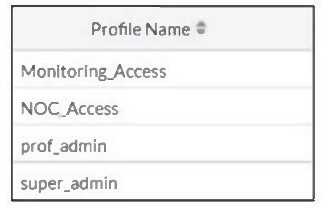 The NOC team connects to the FortiGate GUI with the NOC_Access admin profile. They request that
their GUI sessions do not disconnect too early during inactivity.
What must the administrator configure to answer this specific request from the NOC team?
The NOC team connects to the FortiGate GUI with the NOC_Access admin profile. They request that
their GUI sessions do not disconnect too early during inactivity.
What must the administrator configure to answer this specific request from the NOC team?
The NOC team connects to the FortiGate GUI with the NOC_Access admin profile. They request that
their GUI sessions do not disconnect too early during inactivity.
What must the administrator configure to answer this specific request from the NOC team?Options
Discussion
D . Only D makes it profile-specific for NOC_Access, not all admins.
D . Encountered exactly similar question in my exam, and it's always admintimeout under the specific accprofile for profile-based session limits. No need to mess with global overrides.
Pretty sure it's D since admintimeout under config system accprofile directly sets the session idle time just for that admin profile. Adjusting global or override settings wouldn't target only NOC_Access. Maybe I'm missing something, but from experience that's what works.
Its B, because Override Idle Timeout sounds like it controls session length for inactivity. D is probably a trap for global change.
Its D, since you set admintimeout under the profile to change just NOC_Access behavior. Official admin guide covers this. Seen similar on practice questions, but open to corrections if I missed a detail.
Maybe B. The override idle timeout setting is tricky here, but it feels like that's what controls inactivity per profile.
Nah, D fits better here. B is a common trap since Override Idle Timeout does not set it per admin profile.
Not B, D is correct. The question is specific to the NOC_Access profile, so changing admintimeout under config system accprofile fits here.
Its D
Probably D is right since the admintimeout under the accprofile is what controls how long the GUI session stays connected for that role. B looks close, but it's not the right parameter. Correct me if I'm missing something.
Be respectful. No spam.
