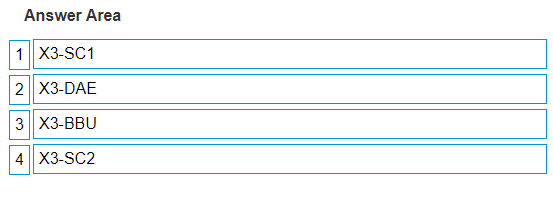
The correct racking order from bottom to top to expand an XtremIO X1 configuration from a dual X- Brick to a quad X-Brick is as follows: X3-SC1 X3-DAE X3-BBU X3-SC2 As per the image provided, which appears to be a list or part of a document detailing the steps for racking components, the order listed for expanding an XtremIO X1 configuration is: Begin with the bottom component, which is ‘X3-SC1’ (Storage Controller 1). Above ‘X3-SC1’, install ‘X3-DAE’ (Disk Array Enclosure). Next, install ‘X3-BBU’ (Battery Backup Unit) above ‘X3-DAE’. Finally, at the top, place ‘X3-SC2’ (Storage Controller 2). This order ensures that the heavier components are at the bottom for stability and likely follows Dell’s official guidelines for proper airflow and cable management within the rack1. =========================