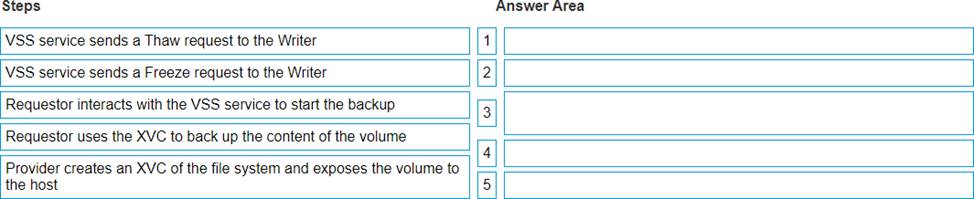
The correct sequence of steps to create a Windows volume backup using the Microsoft VSS Framework with an XtremIO cluster is as follows: Requestor interacts with the VSS service to start the backup. VSS service sends a Freeze request to the Writer. Provider creates an XVC of the file system and exposes the volume to the host. VSS service sends a Thaw request to the Writer. Requestor uses the XVC to back up the content of the volume. The Requestor, typically a backup application, initiates the process by interacting with Microsoft’s Volume Shadow Copy Service (VSS) to commence a snapshot backup. The VSS service then issues a Freeze request to its Writers, which are responsible for ensuring data consistency for applications during backups. An XtremIO Provider, which interfaces between the XtremIO storage and VSS, creates an XtremIO Virtual Copy (XVC) of the file system. This copy is then made accessible to the host system for backup purposes. After the XVC is created, the VSS sends a Thaw request to the Writers, allowing them to resume normal operations while maintaining data integrity. Finally, the Requestor uses the XVC to back up the content of the volume, ensuring a consistent and recoverable backup is made. Please note that this sequence is based on the standard operation of Microsoft VSS with storage systems like XtremIO and should be verified against the most current Dell XtremIO Deploy Achievement documentation for any updates or specific instructions related to your environment.

 .
.