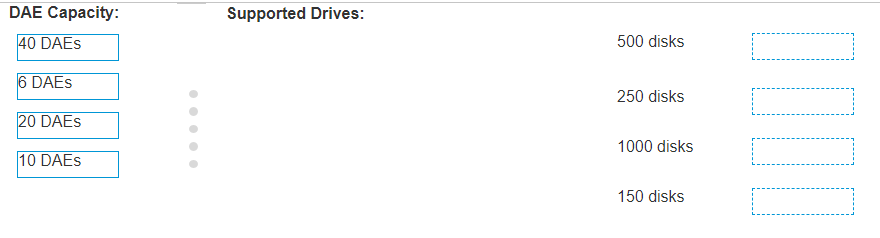
https://kxbjsyuhceggsyvxdkof.supabase.co/storage/v1/object/public/file-images/Dell_D-VXB-DY-A-24/page_17_img_1.jpg For 40 DAEs, the maximum number of supported 2.5 inch drives is 500 disks. For 6 DAEs, the maximum number of supported 2.5 inch drives is 250 disks. For 20 DAEs, the maximum number of supported 2.5 inch drives is 1000 disks. For 10 DAEs, the maximum number of supported 2.5 inch drives is 150 disks. Review the Dell Unity System Specifications: The Dell Unity system’s Drive Array Enclosures (DAEs) have different capacities, which determine the number of drives they can support1. Match DAE Capacity to Drive Support: Each DAE capacity has a corresponding maximum number of supported drives, as outlined in the Dell VxBlock Deploy Achievement document1. Verify with Official Documentation: Cross-reference the information with the official Dell documentation to ensure the accuracy of the drive support for each DAE capacity1.