https://kxbjsyuhceggsyvxdkof.supabase.co/storage/v1/object/public/file-images/Dell_D-RP-OE-A-24/page_22_img_1.jpg
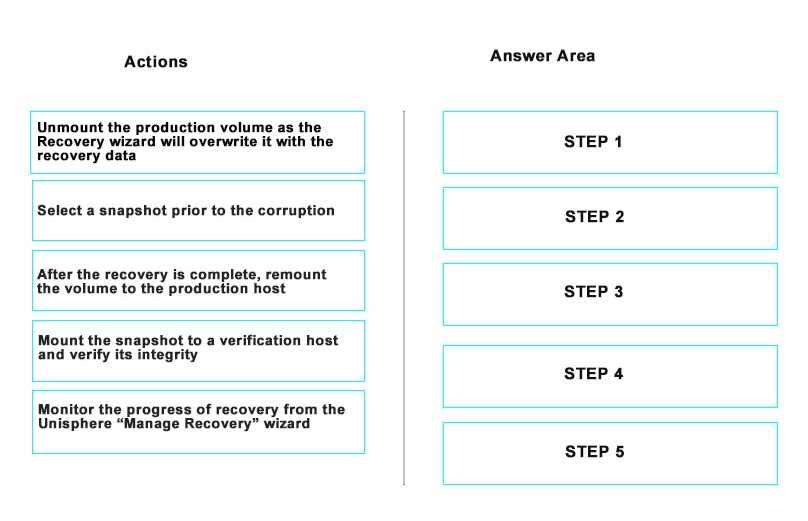
To recover a production volume that has become inaccessible due to logical corruption using
RecoverPoint’s “Test a Copy and Recover Production” wizard, follow these steps:
Select a snapshot prior to the corruption: Identify and choose the appropriate point-in-time image
from the Journal that was taken before the corruption occurred.
Mount the snapshot to a verification host and verify its integrity: Attach the selected snapshot to a
non-production host where you can perform checks to ensure the data is consistent and free from
corruption.
Unmount the production volume as the Recovery wizard will overwrite it with the recovery data:
Ensure that the current production volume is not in use because the recovery process will overwrite
the existing data with the data from the snapshot.
Monitor the progress of recovery from the Unisphere ‘Manage Recovery’ wizard: Use Dell EMC’s
Unisphere interface to track the recovery process and ensure that the data is being restored
correctly.
These steps are based on the standard procedures outlined in Dell RecoverPoint documentation for
using the “Test a Copy and Recover Production” wizard to restore volumes to a previous state1.