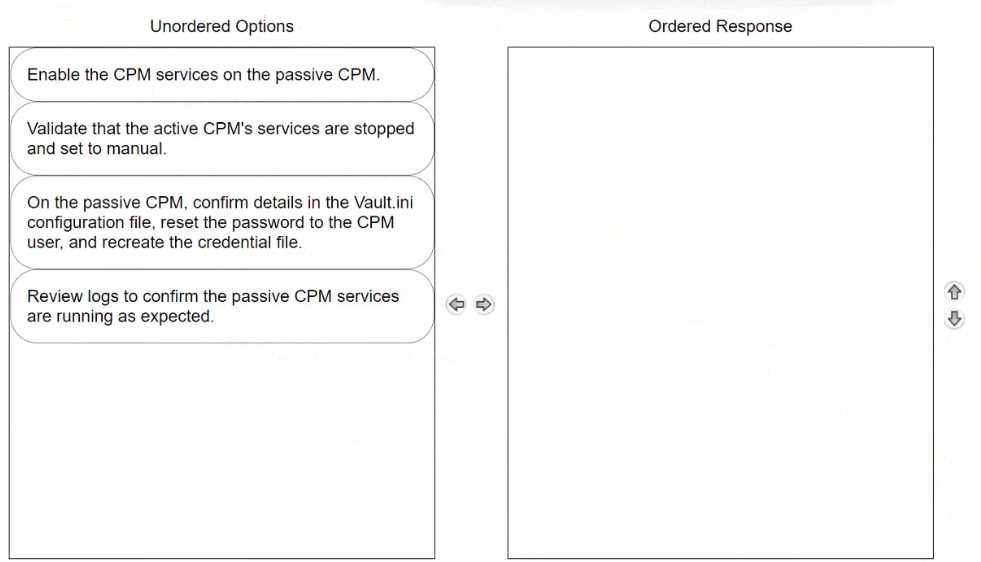
To properly arrange the steps for failing over to a passive Central Policy Manager (CPM) in CyberArk, the sequence should be as follows: Validate that the active CPM's services are stopped and set to manual. Before enabling the passive CPM, ensure that the services on the active CPM are stopped. This prevents any conflicts or data corruption by making sure that only one CPM is active at a time. Setting the services to manual ensures they do not restart automatically, which is crucial during a failover scenario. On the passive CPM, confirm details in the Vault.ini configuration file, reset the password to the CPM user, and recreate the credential file. This step involves making sure the passive CPM has the correct configuration to seamlessly take over operations. Adjustments in the Vault.ini file may be necessary to ensure it is pointing to the correct Vault and network settings. Resetting the password and recreating the credential file are critical to secure the login and authentication process for the newly active CPM. Enable the CPM services on the passive CPM. Once the passive CPM is correctly configured and ready, enable its services to begin handling the tasks and responsibilities of the primary CPM. This action effectively switches the role from passive to active, enabling the passive CPM to function as the new operational manager. Review logs to confirm the passive CPM services are running as expected. Finally, review the system and application logs to confirm that the now-active CPM is operating correctly and that all services have started without errors. This step is vital for verifying that the failover process was successful and that the system is stable. Following this ordered sequence ensures a smooth transition of roles from the active CPM to the passive CPM, minimizing downtime and potential disruptions in the privileged access management operations.