
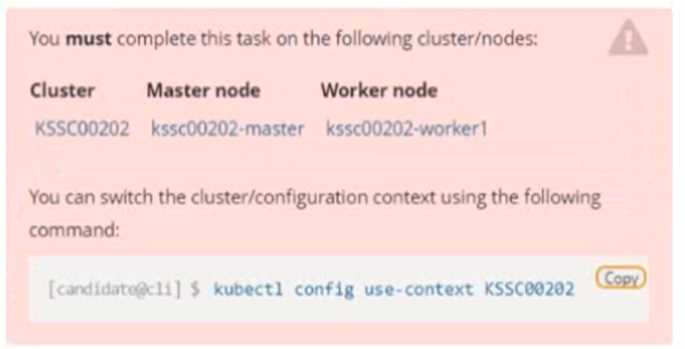
 Context
A container image scanner is set up on the cluster, but it's not yet fully integrated into the cluster s
configuration. When complete, the container image scanner shall scan for and reject the use of
vulnerable images.
Task
Context
A container image scanner is set up on the cluster, but it's not yet fully integrated into the cluster s
configuration. When complete, the container image scanner shall scan for and reject the use of
vulnerable images.
Task
 Given an incomplete configuration in directory /etc/kubernetes/epconfig and a functional container
image scanner with HTTPS endpoint https://wakanda.local:8081 /image_policy :
1. Enable the necessary plugins to create an image policy
2. Validate the control configuration and change it to an implicit deny
3. Edit the configuration to point to the provided HTTPS endpoint correctly
Finally, test if the configuration is working by trying to deploy the vulnerable resource
/root/KSSC00202/vulnerable-resource.yml.
Given an incomplete configuration in directory /etc/kubernetes/epconfig and a functional container
image scanner with HTTPS endpoint https://wakanda.local:8081 /image_policy :
1. Enable the necessary plugins to create an image policy
2. Validate the control configuration and change it to an implicit deny
3. Edit the configuration to point to the provided HTTPS endpoint correctly
Finally, test if the configuration is working by trying to deploy the vulnerable resource
/root/KSSC00202/vulnerable-resource.yml.

Yeah, "implicit deny" jumps out at me too. defaultAllow: false is the config that makes the webhook block anything the scanner doesn't explicitly approve. Saw a similar question in practice, pretty sure that's what they're after.
Gotta disagree here, "implicit deny" really means you want DEFAULTALLOW: FALSE. If you set it to true, anything not explicitly denied goes through, which would miss unknown vulnerabilities. I've seen similar wording in practice sets. Pretty sure false is correct, unless I’m missing some nuance?
Yeah, "implicit deny" means we want to block anything the scanner doesn't explicitly allow, so DEFAULTALLOW: FALSE is the right config here. This flips the default from permissive to restrictive. Pretty sure that's what the exam wants, but open to other takes.
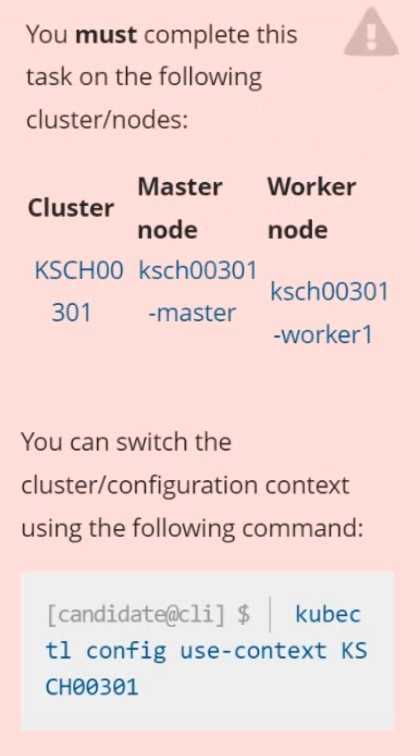 Context
Your organization’s security policy includes:
ServiceAccounts must not automount API credentials
ServiceAccount names must end in "-sa"
The Pod specified in the manifest file /home/candidate/KSCH00301 /pod-m
nifest.yaml fails to schedule because of an incorrectly specified ServiceAccount.
Complete the following tasks:
Task
1. Create a new ServiceAccount named frontend-sa in the existing namespace q
a. Ensure the ServiceAccount does not automount API credentials.
2. Using the manifest file at /home/candidate/KSCH00301 /pod-manifest.yaml, create the Pod.
3. Finally, clean up any unused ServiceAccounts in namespace qa.
Context
Your organization’s security policy includes:
ServiceAccounts must not automount API credentials
ServiceAccount names must end in "-sa"
The Pod specified in the manifest file /home/candidate/KSCH00301 /pod-m
nifest.yaml fails to schedule because of an incorrectly specified ServiceAccount.
Complete the following tasks:
Task
1. Create a new ServiceAccount named frontend-sa in the existing namespace q
a. Ensure the ServiceAccount does not automount API credentials.
2. Using the manifest file at /home/candidate/KSCH00301 /pod-manifest.yaml, create the Pod.
3. Finally, clean up any unused ServiceAccounts in namespace qa.