📖 About this Domain
This domain covers hardening the Windows Server operating system and securing hybrid infrastructures. You will configure layered security controls for compute, storage, and networking. It emphasizes integrating on-premises servers with Azure security services for unified management.
🎓 What You Will Learn
- You will learn to secure Windows Server by using Windows Defender Application Control, Credential Guard, and local security policies.
- You will learn to secure network infrastructure using Windows Defender Firewall, IPsec, and SMB encryption.
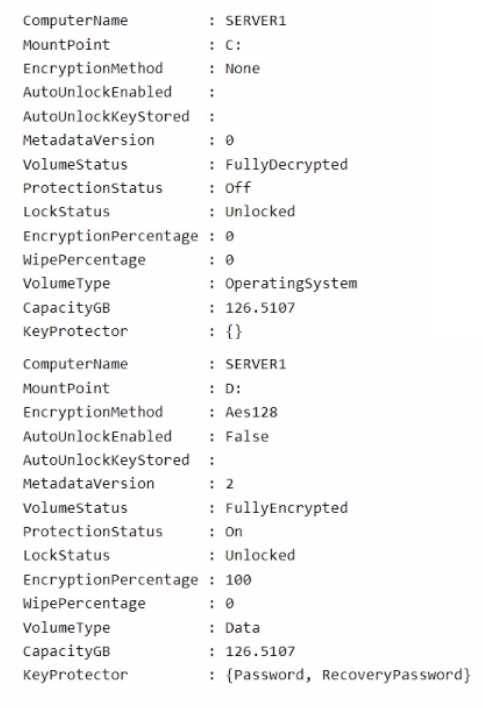
- You will learn to protect data by implementing BitLocker Drive Encryption for server volumes.
- You will learn to manage server security posture and detect threats by using Microsoft Defender for Cloud and Microsoft Sentinel.
🛠️ Skills You Will Build
- Ability to implement Just Enough Administration (JEA) to reduce administrative attack surface.
- Competency in deploying and managing Windows Server Update Services (WSUS) and Azure Update Management for patch compliance.
- Proficiency in onboarding on-premises servers to Azure Arc to extend Azure security policies and monitoring.
- Skill in analyzing security events and logs from Windows Server for threat hunting and incident response.
💡 Top Tips to Prepare
- Gain hands-on experience configuring security baselines using Group Policy Objects (GPOs) and Security Compliance Toolkit.
- Practice PowerShell scripting for security automation, including firewall rule configuration and JEA endpoint creation.
- Master the process of connecting hybrid machines to Microsoft Defender for Cloud and interpreting its security recommendations.
- Understand the differences and use cases for various security features like AppLocker versus Windows Defender Application Control (WDAC).
📖 About this Domain
This domain focuses on maintaining the health and performance of Windows Server infrastructure in on-premises and hybrid configurations. It covers the use of native and Azure-based tools for monitoring security, performance, and connectivity, as well as systematic troubleshooting methodologies.
🎓 What You Will Learn
- You will learn to monitor Windows Server performance and events using tools like Performance Monitor, Event Viewer, and Azure Monitor.
- You will understand how to troubleshoot Windows Server boot processes, hardware, and network connectivity issues in on-premises and hybrid scenarios.
- You will master techniques for troubleshooting Active Directory replication, group policy processing, and hybrid authentication with Azure AD.
- You will gain knowledge on monitoring security by using Microsoft Defender for Identity and analyzing security logs for threat detection.
🛠️ Skills You Will Build
- You will build the ability to use Performance Monitor and Azure Monitor to diagnose and resolve system performance bottlenecks.
- You will develop skills to troubleshoot Active Directory replication, Group Policy application, and Azure AD Connect synchronization failures.
- You will gain proficiency in diagnosing Windows Server boot issues and performing system state recovery operations.
- You will learn to configure and analyze security logs and alerts from tools like Microsoft Defender for Identity to secure your environment.
💡 Top Tips to Prepare
- Gain hands-on experience with Performance Monitor, Event Viewer, and Resource Monitor to analyze server health data.
- Practice troubleshooting Active Directory replication issues using command-line tools like repadmin and dcdiag.
- Master the integration of on-premises servers with Azure Monitor and Log Analytics using Azure Arc for centralized monitoring.
- Review Microsoft Learn documentation on troubleshooting Windows Server boot processes and network connectivity in hybrid environments.
📖 About this Domain
This domain covers the implementation and management of high availability solutions for Windows Server. You will learn to configure Failover Clustering, Storage Spaces Direct, and other resiliency features. The focus is on maintaining service uptime for critical on-premises and hybrid workloads.
🎓 What You Will Learn
- Implement and manage Windows Server Failover Clustering, including quorum configurations and cluster networking.
- Deploy and manage Storage Spaces Direct (S2D) to create hyper-converged, highly available storage solutions.
- Configure high availability for Hyper-V virtual machines, including live migration and VM monitoring.
- Implement stretch clusters and cluster sets for disaster recovery and large-scale deployments.
🛠️ Skills You Will Build
- Deploying and validating Failover Clusters using PowerShell and Windows Admin Center for various workloads.
- Configuring and managing Cluster Shared Volumes (CSVs) and resilient volumes on Storage Spaces Direct.
- Performing live migrations and storage migrations of clustered Hyper-V virtual machines without downtime.
- Troubleshooting cluster quorum, networking, and storage issues to maintain service availability.
💡 Top Tips to Prepare
- Practice deploying multi-node Failover Clusters and Storage Spaces Direct in a lab environment.
- Master the Failover Clustering PowerShell module for automated deployment and management tasks.
- Understand the different quorum configurations and how they prevent split-brain scenarios in a cluster.
- Review Microsoft documentation on Cluster-Aware Updating (CAU) and stretch cluster implementation.
📖 About this Domain
This domain covers key concepts related to 4: Migrate servers and workloads.
🎓 What You Will Learn
- Core concepts of 4: Migrate servers and workloads
- Best practices and implementation
- Real-world application scenarios
🛠️ Skills You Will Build
- Technical proficiency in 4: Migrate servers and workloads
- Problem-solving abilities
- Practical implementation skills
💡 Top Tips to Prepare
- Review official documentation and study guides
- Practice with hands-on exercises
- Focus on understanding core principles
📖 About this Domain
This domain focuses on implementing business continuity for Windows Server workloads. It covers backup and recovery using native tools and integrating on-premises infrastructure with Azure services for disaster recovery. Key technologies include Windows Server Backup, Azure Backup, and Azure Site Recovery.
🎓 What You Will Learn
- You will learn to back up and restore Active Directory Domain Services (AD DS), including performing authoritative and non-authoritative restores.
- You will learn to implement Azure Backup for on-premises servers by configuring a Recovery Services vault and deploying the MARS agent.
- You will learn to implement disaster recovery for Hyper-V VMs using Azure Site Recovery (ASR) by configuring replication and failover.
- You will learn to protect virtual machines by configuring and managing Hyper-V Replica for asynchronous replication between hosts.
🛠️ Skills You Will Build
- You will build skills to perform AD DS forest recovery and use ntdsutil for authoritative object restores.
- You will build skills to configure backup policies and manage recovery points for on-premises workloads using Azure Backup.
- You will build skills to orchestrate VM failover and failback procedures using Azure Site Recovery recovery plans.
- You will build skills to use wbadmin.exe and PowerShell for scripting backup and recovery operations on Windows Server.
💡 Top Tips to Prepare
- Get hands-on practice with the Azure portal to create and configure Recovery Services vaults for both Azure Backup and ASR.
- Master the differences between Azure Backup for data protection and Azure Site Recovery for workload availability.
- Practice AD DS restore scenarios in a lab, focusing on Directory Services Restore Mode (DSRM) and the ntdsutil command.
- Understand the prerequisites and components for ASR, including the configuration server, process server, and mobility service.